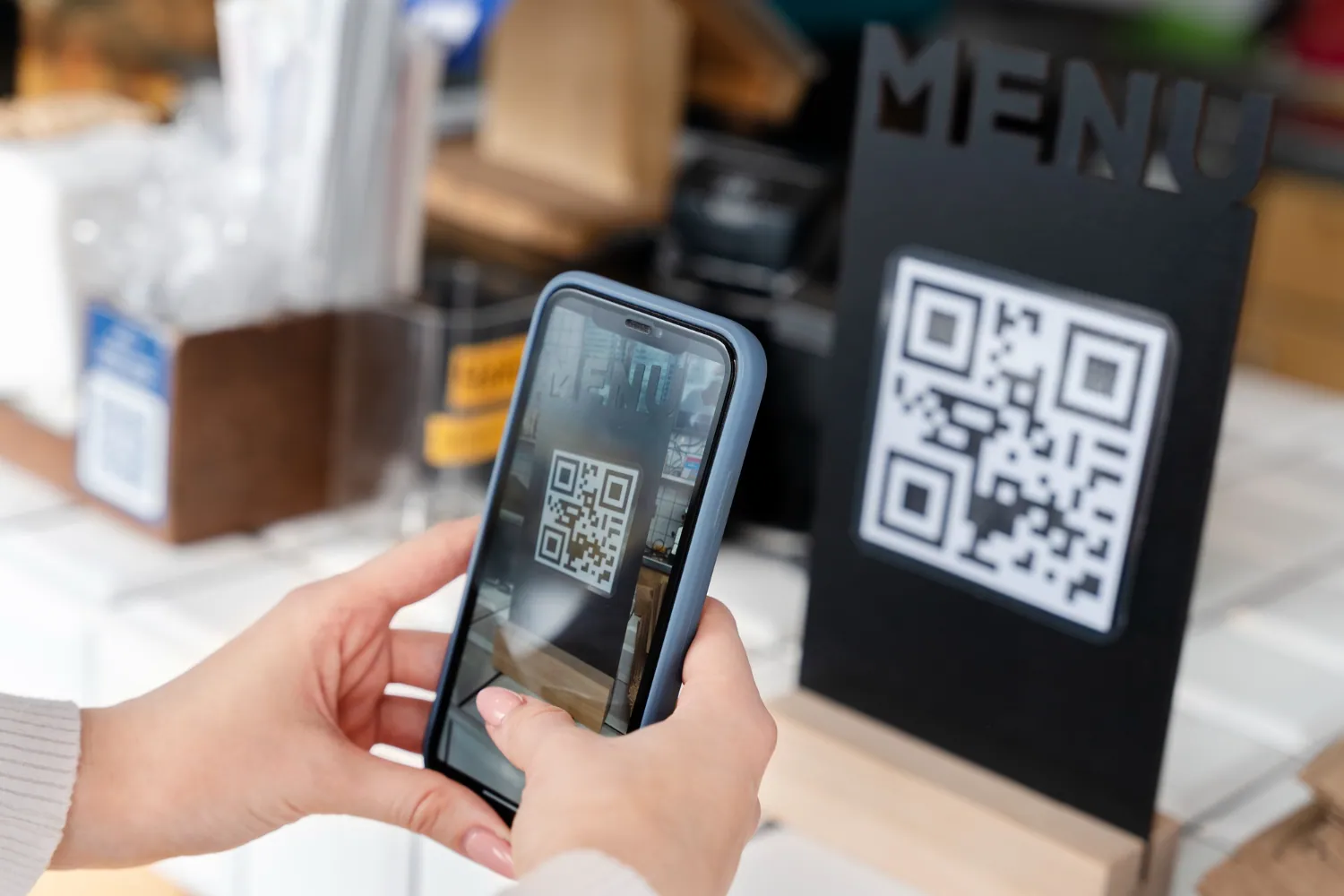
QR Codes are like magic keys that instantly unlock exciting opportunities for businesses! These modern barcodes can contain all sorts of useful information, from website links to product details, payment portals, menus, and more. It’s like having a tiny treasure chest in your hands.
Smart companies have come up with incredibly creative ways to use QR Code Generator to supercharge their marketing efforts, boost sales, and make their brand truly memorable. It’s a fun and engaging way to connect with customers.
Creating your very own customized QR Code is a piece of cake thanks to QR Code generators. When people scan the code with their smartphones, they’re instantly transported to the hidden gem inside – whether it’s a website, video, coupon, or anything else you can dream up!
Coming up, we’ll explore the best QR Code generator tools out there, along with their awesome features and pricing.
Let’s dive in.
Also Read: Best Invoice Processing Automation Software
Types of QR Codes
There are various kinds of QR codes that you should pay attention to if you decide to get one yourself. Below, discover the main categories that are worth knowing in order to avoid troubles with the marketing strategy implementation.
Static QR Codes
It is the simplest type of QR code, where the information is hardcoded directly into the pixel grid. They are perfect for unchangeable destinations, such as your personal account for payments via the Unified Payments Interface (UPI) or portfolio URL.
Dynamic QR Codes
The main difference of this type of code is that it uses redirections rather than hardcoding. In other words, this type of QR code can be changed at any moment without generating a new code. Besides that, dynamic codes have some analytics attached.
URL and Website Codes
Among these codes, users can open the websites and social media profiles or submit a form in case it was placed on the landing page. These codes help to transform a physical object (such as a box of cereals or a billboard) into a digital doorway for your brand.
Contact and vCard Codes
These codes simplify the process of adding someone as a contact since users are redirected to a special website where they can see their data. As a result, the contact’s information goes directly to the smartphone without further typing or copying.
WiFi and App Codes
Such type of codes simplifies the process of connection to WiFi and App Store. Thus, the user does not have to perform the procedure manually, and you can be sure about a quick connection.
Dynamic vs. Static QR Code Explainer
When making the choice between these two types of codes, a person may either create an efficient advertising tool or waste their money on a printed piece of paper. Here are some factors you need to consider when choosing one for your purpose.
| Feature | Static QR Code | Dynamic QR Code |
| Editability | Cannot be changed once created | Can update destination link anytime |
| Tracking | No analytics available | Tracks scan count, location, & device |
| Data Pattern | Dense and complex | Simple and clean (scans faster) |
| Expiration | Usually never expires | Requires active subscription |
| Best For | Personal UPI, permanent links | Marketing, menus, business tracking |
13 Best Dynamic QR Code Generators 2026
1. ForQRCode
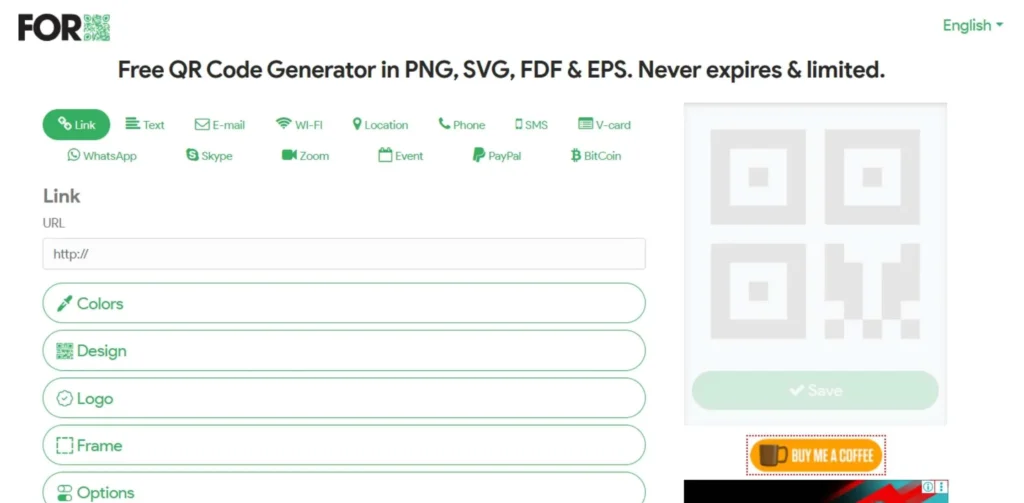
ForQRCode provides an effortless four-step process to make unique QR codes with logos that won’t expire. First, you enter the content you want in the QR code, like a website, location, payment link, or email. Then, you can personalize the design with different colors, and patterns, and add your company’s logo.
After customizing, you can generate and download the QR code in various file formats like .png, .svg, or .pdf. ForQRCode is one of the most popular free tools for making QR codes because it offers many customization options and doesn’t require registration before downloading your codes.
Key Features:
- Create custom QR codes with logos
- QR codes never expire
- Customize design with colors, patterns, and logos
- Generate QR codes for various purposes (websites, locations, payment, etc.)
- Download QR codes in different file formats (.png, .svg, .pdf)
Pros:
- Absolutely free for all users with a possibility to download a file without being registered.
- Generates a wide range of high-resolution vector formats (SVG, PDF), which can be printed in large numbers.
- Possibilities of color, pattern, and logo customizing are quite high.
- The design interface is minimalistic and loads quickly on mobile devices.
Cons:
- Lack of tracking and advanced analytics as these are available only for premium versions.
- Outdated design interface that does not include any drag-and-drop elements.
- Absence of any possibility of bulk code generation.
- Limited customer support options.
Website Link: https://forqrcode.com/
Pricing:
| Free with premium paid plans available |
2. QRCode Monkey
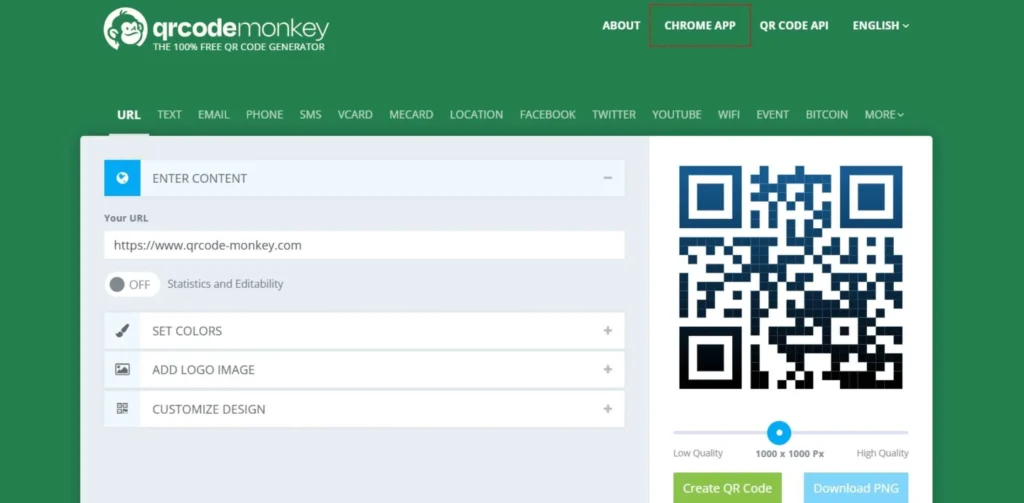
QRCode Monkey is a powerful tool for generating high-resolution QR codes tailored for print materials. These codes have no expiration date, ensuring long-term usage. With a 30% error correction capacity, you can incorporate logos or images without compromising functionality.
Customization options allow you to create unique codes with personalized shapes, colors, and gradients. QRCode Monkey shines in managing multiple marketing campaigns concurrently, offering bulk code generation, campaign folder organization, and scan statistics tracking. This tracking capability provides valuable insights into how your QR codes are being utilized by your audience.
Key Features:
- High-quality codes suitable for printing
- Codes never expire and can be used forever
- Can add logos or images up to 30% of the code area
- Customizable shapes, colors, and gradients
- Useful for running multiple marketing campaigns at once, with tracking and organization tools
Pros:
- One of the best options for getting high-quality print codes for free without an expiration date.
- Wide range of design options including various gradients and shapes.
- Great possibilities for customizing eye and color.
- The bulk code generation option in the Pro package is very convenient for agencies.
Cons:
- The free version does not include editing functionality, so a link cannot be modified later.
- All the analytics features require additional paying for QR Code Generator Pro.
- Lots of advertisements and upsells on the website.
- No landing pages building features.
Website Link: https://www.qrcode-monkey.com/
Pricing:
| Free with premium paid plans available |
3. Beaconstac
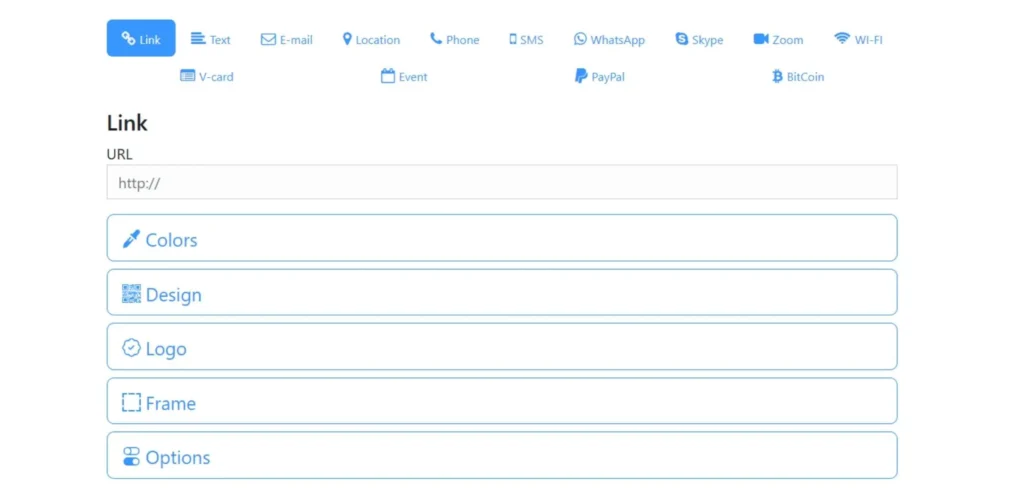
Beaconstac offers a free custom QR code generator trusted by leading brands. With over 116 million scans, it enables users to create brand-owned digital experiences by personalizing every aspect of their QR codes, ensuring seamless integration with existing branding.
Notable features include scan scores that provide real-time scannability assessments, bulk operations for managing multiple codes, multilingual support, and scan tracking. The platform’s customization options and practical features like scan scores contribute to maintaining brand identity while ensuring optimal scannability and user experience.
Key Features:
- Free custom QR code generator
- Personalization options for branding consistency
- Scan scores for real-time scannability assessment
- Bulk operations for managing multiple QR codes
- Multilingual support and scan tracking
Pros:
- High-level security features such as SOC2 Type 2 certification and GDPR compliance.
- Features a special Scan Score to help you assess if the design of your QR code is scannable prior to printing it.
- Excellent GPS tracking ability to track the precise locations of your customers scanning the code.
- Has seamless integrations with over 4,000+ other applications through Zapier.
Cons:
- The free plan is pretty limited and serves more as a trial for the premium plans.
- One of the more expensive platforms on the market starting from $16/month.
- The dashboard takes some time to learn due to numerous data features.
- Primarily designed for enterprise clients rather than individuals.
Website Link: https://www.beaconstac.net/
Pricing:
| Freemium model with paid plans starting from $16/month |
4. ZebraQR
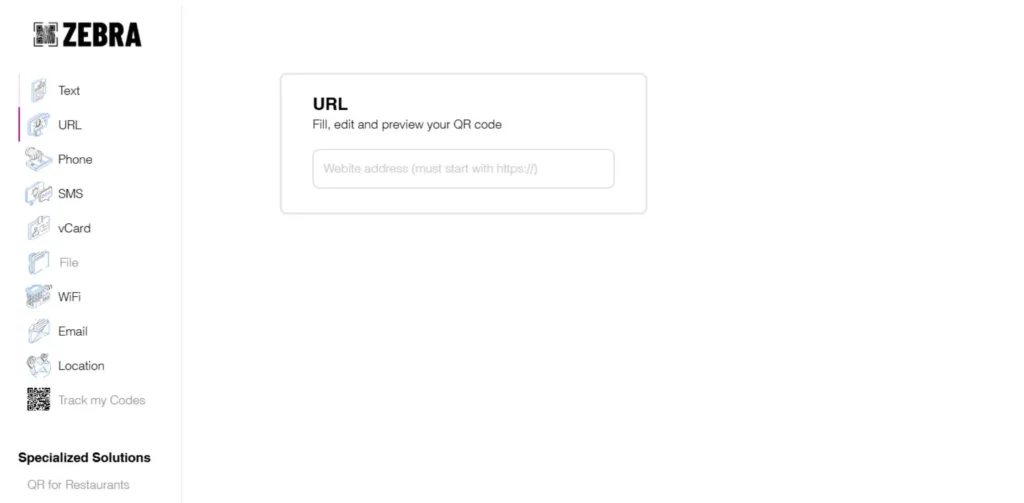
ZebraQR is a handy tool for small restaurants and bars to create digital menus with QR codes. It became popular during the COVID-19 pandemic when contactless operations were necessary. Digital menus are also better for the environment.
With ZebraQR, you can design your menu with various styles and colors to match your brand. You can also organize the menu items into different categories. If you need to make any changes, you can update the menu in real time. While there is a free plan, the paid plans offer more features and dedicated support.
Key Features:
- Customizable menu designs and colors to match your branding
- Option to organize menu items into categories
- Ability to make real-time changes to the menu
- Free plan available with some limitations
- Paid plans offer more features and dedicated support
Pros:
- Perfectly suited for hospitality business, featuring pre-built templates for digital menus.
- Provides real-time updates enabling you to instantly change menu prices without reprinting QR codes.
- Eco-friendly alternative which eliminates the need for printing paper menus.
- The whole setup procedure is perfectly tailored for non-tech-savvy restaurant owners.
Cons:
- An extremely niche tool which is far too specific to serve other industries.
- Limited customization possibilities since the format of digital menus is the only option.
- Strict limits on the number of items in the free plan.
- Lacks advanced marketing analytics.
Website Link: https://www.zebraqrcode.com/
Pricing:
| Free of Cost |
5. Free-qr-code.net
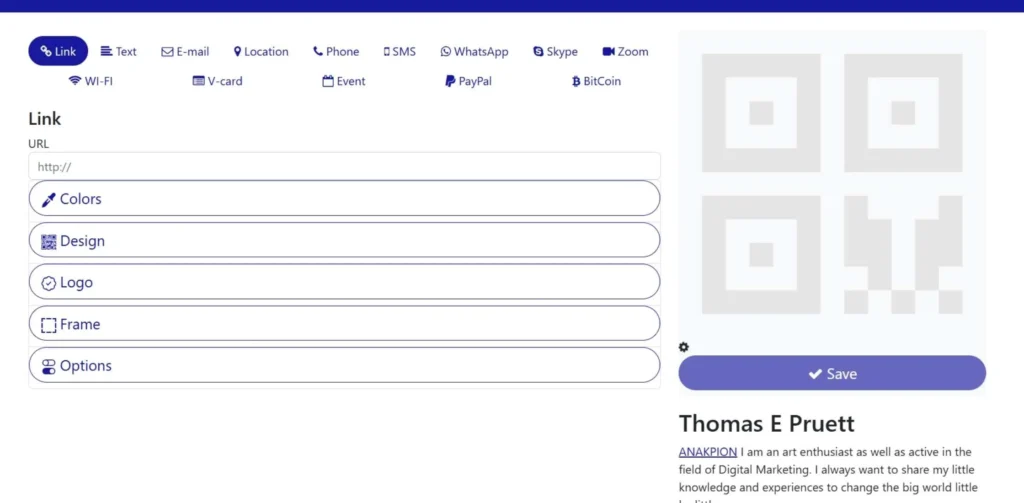
Free-qr-code is a web tool that allows users to generate customized QR codes in batches of up to 100 at a time. Its user-friendly interface guides users through selecting the QR code type, designing the code with various customization options like adding a logo or changing colors, and downloading the finished codes.
The bulk generation capability is a significant advantage, saving time for those who require multiple QR codes simultaneously. While the free version offers a decent range of customization options, users may need to upgrade to a paid plan for access to more advanced features.
Key Features:
- Create 100 QR codes at once
- Design your own QR code style
- Add your company logo
- Change the QR code colors
- Download the QR codes for free
Pros:
- A rare example of a completely free QR code generator that enables you to generate batches of up to 100 codes at once.
- Very simplistic and efficient design-oriented interface which makes it easy to use.
- It will not charge you additional fee when downloading generated codes in any desired format.
- Very handy for projectors that require several unique codes.
Cons:
- Pretty old-fashioned design that does not provide a very pleasing user experience.
- Once created the design cannot be edited; it would require regenerating the entire batch.
- Limited design customization features with basic color schemes and standard logos.
- Not suitable for tracking and analytics purposes whatsoever.
Website Link: https://freeqrcodegenerator.net
Pricing:
| Free of Cost |
6. QR Stuff
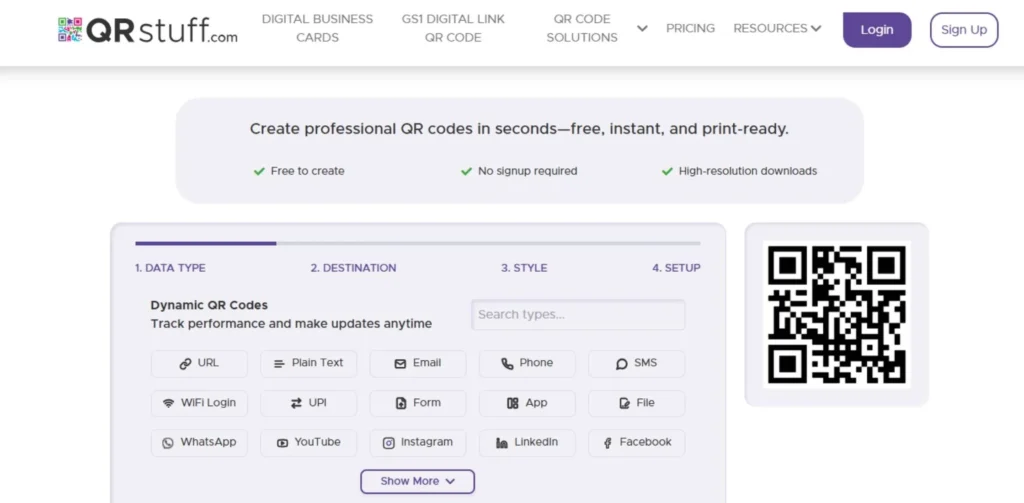
QR Stuff’s website offers a user-friendly experience for creating QR codes with its clean and minimalistic design. Unlike many free online tools that neglect user experience, this tool prioritizes simplicity and ease of use. Remarkably, even the free plan allows you to generate ad-free QR codes.
The process is straightforward: first, select a data type from the comprehensive list presented. Next, choose between an editable dynamic QR code or a static one, with dynamic codes offering additional features like analytics. Finally, customize the style by adjusting size, resolution, file type, error correction level, dots, corners, and adding an image or logo.
Key Features:
- Clean, simple website for easy QR code creation
- Completely free to use with no ads (even on free plan)
- Wide variety of data types to choose from
- Option for dynamic QR codes with extra features like analytics
- Customizable styles (size, resolution, file type, error correction, logos)
Pros:
- Possesses one of the widest varieties of supported data types including Bitcoin addresses and Skype call URLs.
- The free plan provides you with an option to create ad-free QR codes.
- Very clear three-stage process which is easy to complete.
- Great control over the resolution and format in which your files will be generated.
Cons:
- The interface looks somewhat old-fashioned as well.
- Dynamic codes and advanced analytics feature in the paid version only.
- The free plan does not allow saving the design of your codes in your personal account.
- Limited design template options compared to other modern solutions.
Website Link: https://www.qrstuff.com/
Pricing:
| Free with premium paid plans available |
7. QR Code Generator
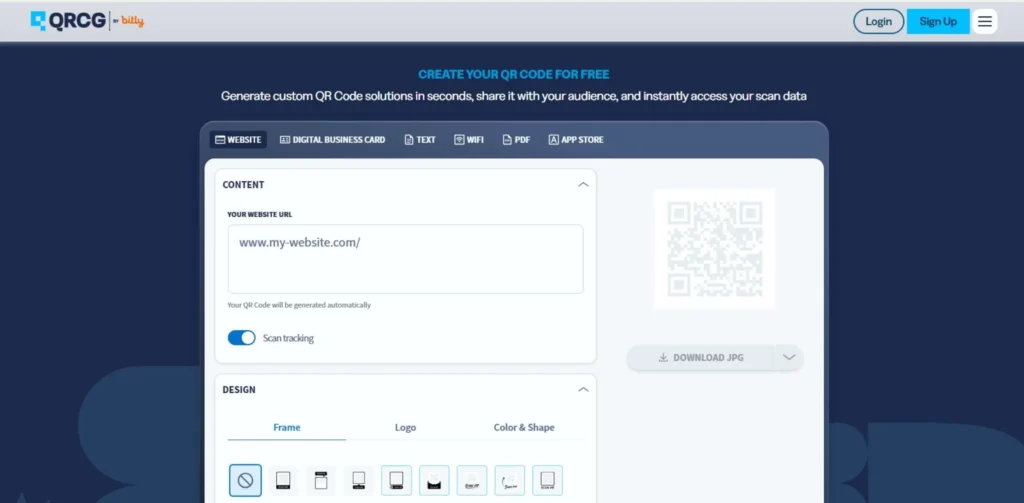
The QR Code Generator provides a range of data types to create QR codes, but the free version has limitations. Tracking and editing features are unavailable, and customization is restricted to basic designs. Adding a company logo requires upgrading to the paid PRO plan.
The pricing information could be clearer, as the “free” QR codes refer to a 14-day trial period. Despite these drawbacks, the tool may be suitable for one-time QR code creation needs.
Key Features:
- Limited data types for QR codes
- No tracking or editing for free codes
- Basic customization options only
- Company logo needs paid plan
- Download QR codes in various formats (PNG, SVG, EPS)
Pros:
- Developed by Bitly; very reliable and stable service.
- Good for generating simple QR codes for immediate use.
- Supports several file formats including EPS for professional designers.
- Features a free 14-day trial which gives access to all paid functions.
Cons:
- There is no such thing as “free plan”; it’s just a 14-day trial period.
- Adding logos available exclusively for the Pro plan subscribers.
- Confusing pricing model as people think they get a permanently free code.
- Analytics available only for paid versions of the plan.
Website Link: https://www.qr-code-generator.com/
Pricing:
| Free Of Cost |
8. QRTiger
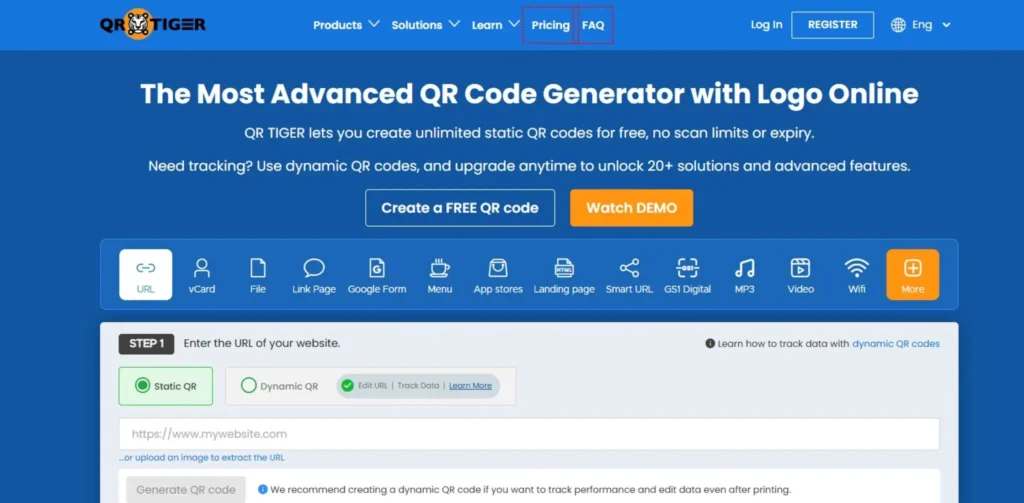
QRTiger’s website claims their tailored QR codes have helped businesses achieve up to 30% more scans, although this figure is lower than Visualead’s claims. Trusted by prominent brands like KPMG, Marriott, Samsung, and Universal, QRTiger offers a Free plan that allows three active QR code campaigns.
Static QR codes offer unlimited scans, while dynamic ones have a 100-scan limit. QRTiger provides a custom QR code API enabling custom templates, data tracking, dynamic QR codes, and bulk generation, making it an attractive option for businesses using CRM software.
Key Features:
- Free plan with limited features
- Paid plans for advanced features like scan tracking
- Custom QR code templates and bulk generation
- Integration with CRM software
- Trusted by well-known brands
Pros:
- Provides excellent integration features including CRM systems like HubSpot and Salesforce.
- Famous for being among the fastest and most stable dynamic redirection services.
- Unique features include Multi-URL QR codes that depend on a location or time of the day.
- Very comfortable dashboard for managing several campaigns.
Cons:
- The free plan offers only 100 dynamic scans which is too low even for smaller businesses.
- Tends to cost a little more for small-scale users in comparison with cheaper solutions.
- Some advanced features become available only on the Premium or Enterprise plans.
- Too many options might overwhelm a single code creator.
Website Link: https://www.qrcode-tiger.com/
Pricing:
| Free with premium paid plans available |
9. TEC-IT
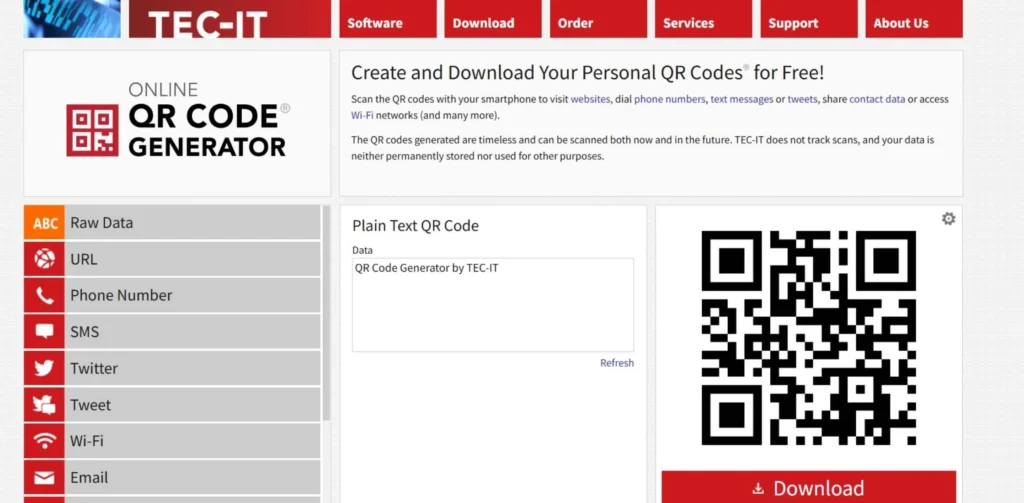
TEC-IT, an Austrian company, has been developing software solutions for barcoding, labeling, and printing for over two decades. Their software enables users to create QR codes for various types of data, including raw data, URLs, phone numbers, SMS, Twitter, Wi-Fi, email, events, vCards, MeCards, and SEPA payments.
The process is straightforward: users select the data type, input the necessary details, and download the generated QR code. Additionally, TEC-IT offers a free software called QR Code® Maker Freeware for non-commercial, private projects, allowing users to obtain QR codes as bitmap files or via the clipboard. This freeware is compatible with macOS, Linux, and Microsoft Windows.
Key Features:
- Create QR codes for different data types
- Simple process: select data type, input details, download QR code
- Free software for non-commercial, private projects
- QR codes available as bitmap files or via clipboard
- Compatible with macOS, Linux, and Windows
Pros:
- Designed and developed by specialists in barcode technologies, meaning technical accuracy is guaranteed at 100%.
- Provides a completely free desktop program for QR generation on your computer.
- Capable of handling industrial data such as SEPA and GS1 barcodes.
- Does not require registration to use its free web-based tool.
Cons:
- Feels highly “industrial”; website and interface not very market-oriented.
- Absolutely no design customization; expect only plain, boring codes.
- No analytics or dynamic functionality included for its free online solution.
- Bad choice for marketers who need attractive “pretty” codes.
Website Link: https://qrcode.tec-it.com/en
Pricing:
| Free and paid plans available |
10. Flowcode
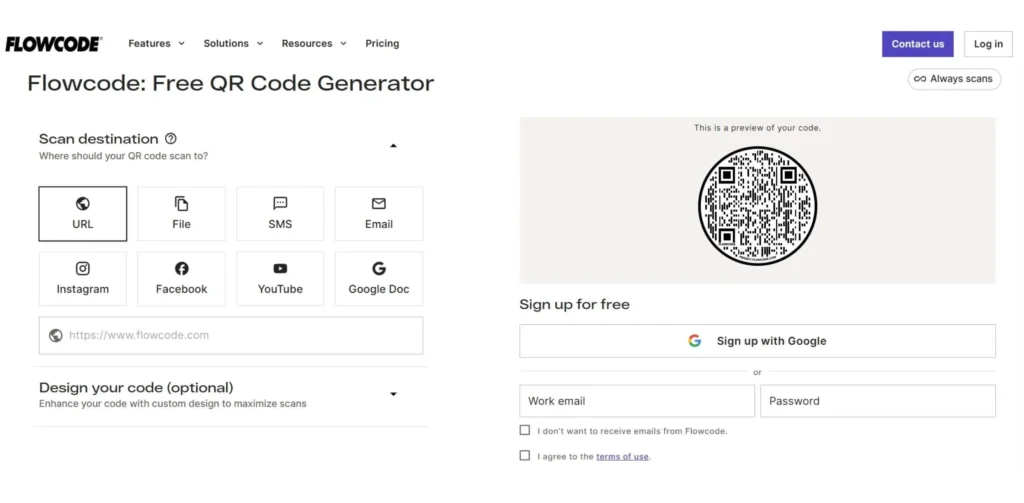
Flowcode is a versatile platform that enables businesses to create customized QR codes with embedded website links. These codes, known as Flowcodes, offer a seamless user experience by directing customers to the desired website, or Flowpage, upon scanning.
Flowcode’s omni channel approach empowers businesses to connect with their audience across multiple channels. The user-friendly interface allows for easy design and integration of visuals and animations, enhancing the overall experience.
Key Features:
- Flowcode is designed to work seamlessly on mobile devices.
- Businesses can gather data directly from their target audience.
- QR codes can be customized to target customers at different stages of the sales process.
- Users can create unique QR code designs with visuals and animations to captivate their audience.
- Flowcode enables businesses to connect with customers through various channels.
Pros:
- Great designs that will appeal to Gen-Z audiences for social media promotion.
- Focuses greatly on mobile user experience and redirection speed.
- Features “Flowpages”: beautiful and slick mobile-optimized landing pages for hosting the link.
- Excellent real-time data reporting, easily readable.
Cons:
- Its “free” plan is rather restrictive regarding the number of codes owned.
- The subscription fees are rather high, starting from $25 per month.
- Has a very particular design style; may not suit certain corporate images.
- Tightly focuses on their ecosystem.
Website Link: https://www.flowcode.com/
Pricing:
| Paid plans starting from $25/month |
11. Uniqode
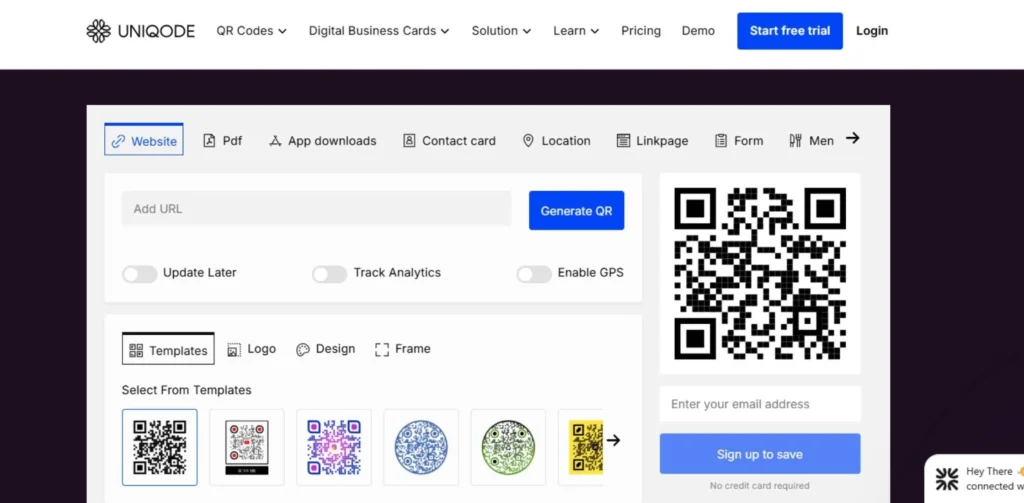
Uniqode stands out as a comprehensive solution for QR Codes and digital business cards. With a user-friendly interface, teams can collaborate and create customized QR Codes tailored to their brand’s identity. The platform ensures enterprise-level security and privacy, safeguarding sensitive data through advanced features.
Seamless integration with popular business tools streamlines workflows, while the responsive customer support team ensures prompt assistance. Uniqode empowers users to effortlessly create and share digital business cards, enhancing networking and professional connections.
Key Features:
- Top-notch security and privacy protection to keep your data safe.
- Integrates with popular business tools for a smooth workflow.
- Responsive customer support team to address issues promptly.
- Easy creation and sharing of digital business cards.
- Wide variety of QR Code types for different needs.
Pros:
- Unbeatable for generating unique digital business cards compatible with Apple and Google wallets.
- Has a high degree of team collaboration capabilities.
- Amazing customer support, fast responses.
- Includes some very interesting and important security features (password-protected QR codes).
Cons:
- It is very expensive, starting from $49 per month.
- Too much feature bloat for just sending a URL to the customer.
- There is no “free” option to make dynamic QR codes.
- The set-up process is lengthy.
Website Link: https://www.uniqode.com/digital-business-card
Pricing:
| Paid plans starting from $49/month |
12. Shopify’s QR Code Generator
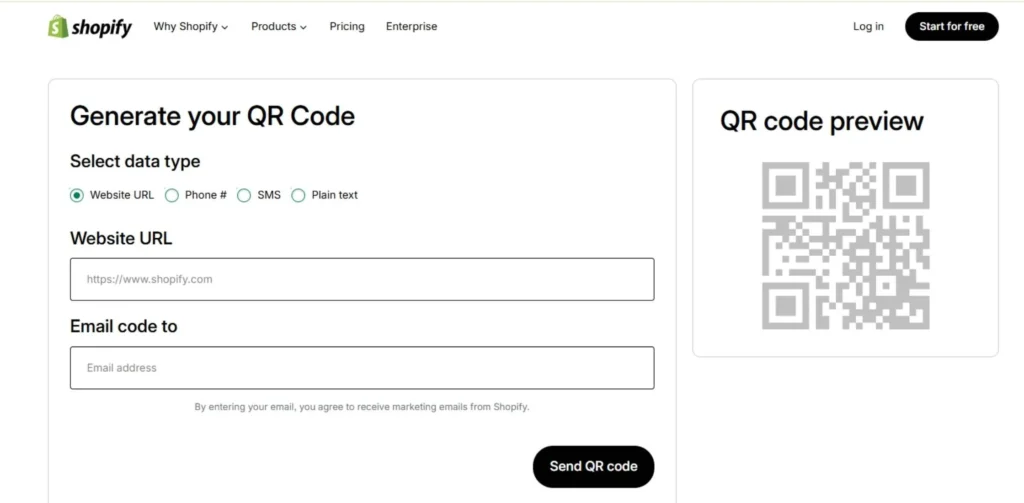
Shopify’s free QR Code generator is a no-frills, user-friendly tool that allows you to create basic, static QR codes effortlessly and at no cost. While it lacks extensive customization options for colors, data, or personalization, it’s perfectly adequate for individuals or small businesses requiring a single, straightforward QR code.
However, if you’re planning a large-scale marketing campaign or need advanced features like tracking and detailed customization, this tool may not be the best fit, and you might want to explore more robust, paid alternatives.
Key Features:
- Completely free to use
- Super easy and simple to generate QR codes
- Limited customization options for colors, data, etc.
- Suitable for basic, static QR code needs
- Not recommended for complex marketing campaigns
Pros:
- Completely free and lightning-fast, no account required.
- Elegant design and minimalism; great for simple QRs such as shipping labels or shop links.
- Well-designed by a reliable source (Shopify), ensuring good performance.
- No ads on-site or in the generated code.
Cons:
- No customization options whatsoever, you get a simple black-and-white square.
- Only generates static codes; scanning analytics or any other features not possible.
- Cannot include any logos or add frames.
- Definitely not useful for any professional marketing campaign.
Website Link: https://www.shopify.com/tools/qr-code-generator
Pricing:
| Paid plans based on Shopify subscription |
13. Scanova
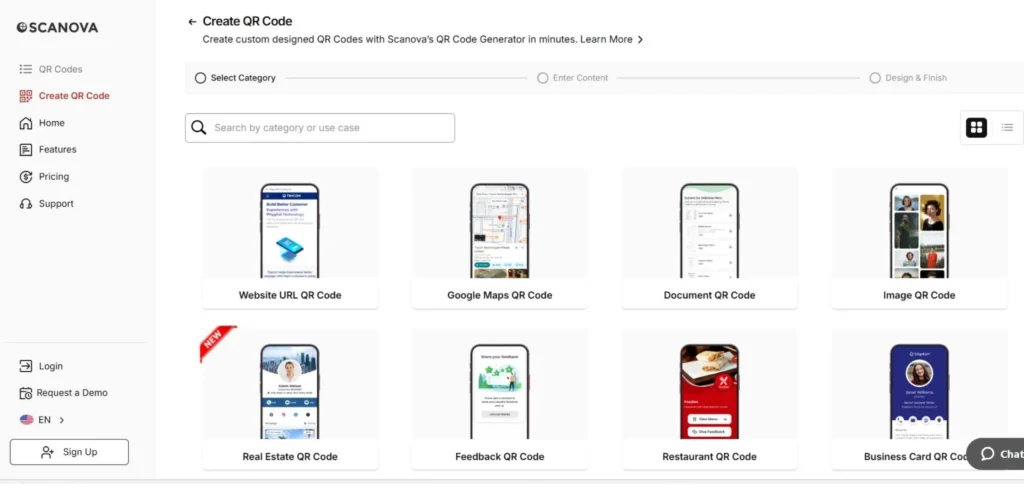
Scanova is a robust QR code generator tailored for large businesses looking to launch extensive QR code marketing campaigns. It provides high-quality QR code generation and management capabilities, allowing businesses to create dynamic codes and test them before fully committing.
Scanova offers an intuitive app with clear instructions to guide users through the code generation process. Additionally, it provides custom mobile landing pages with various templates, password-protected QR codes, and extensive customization options for both codes and landing pages, ensuring businesses can tailor their QR code campaigns to their specific needs.
Key Features:
- High-quality QR code creation and management
- Trial period to test dynamic codes
- Easy-to-use app with instructions
- Custom mobile landing pages with templates
- Password protection for QR codes
Pros:
- One of the best template libraries for mobile landing pages (“Lead Generation”, “Events”, etc.).
- Includes feature “Password Protected QR Codes”.
- Features “Save as Draft”, allowing to work on the project over several sittings.
- Amazingly precise and accurate analytics, even able to filter bots.
Cons:
- $100 per month is one of the highest prices among competitors for their Pro plans.
- Their free trial period is great; however, very short in comparison to others.
- Complicated to understand – too many layers of an onion.
- Highly catered towards corporations.
Website Link: https://app.scanova.io/qr/create
Pricing:
| The Pro Plan is $100 / month with 250 codes |
RBI Approved UPI QR Code Generators
Security is the priority when handling money transfers, and using an unofficial generator may result in failure or scams. Here are the most reliable, approved by RBI generators of UPI QR-code.
PhonePe Business
One of the most popular options among Indians is the “Smart Speaker,” which announces successful transactions. The tool works flawlessly within the NPCI framework and is easy-to-use for both shopkeepers and customers.
Paytm for Business
Offering an “All-in-One” QR-code which supports not only UPI payments, but also Paytm wallet and some credit cards. The ecosystem includes detailed ledger books and daily payment reports.
Google Pay for Business
The simplicity and direct connection to your bank account without any wallet intermediaries make this QR code generator one of the most popular in India. It has standard-issue codes which are accepted by all UPI apps on the Indian market.
BharatPe
By introducing 0% transaction fees and creating unique QR-codes supported by multiple apps at once, BharatPe changed the market of QR-payments. This company is more oriented towards small shopkeepers and helps them earn easy credit via QR codes’ analysis.
BHIM (National Payments Corporation of India)
Since this application is officially backed by the government, it is considered as one of the most reliable options on the market. Although it has less impressive marketing features, it is the simplest solution for all your UPI transactions.
Which is the Best UPI QR Code Generator for Small Shop Owners?
For the local Kirana or boutique, there’s only one answer which would be considered a “best tool”. For the small shop owner, it should be an affordable generator that offers instant confirmation.
PhonePe Business (the winner)
Instant voice notification is a valuable feature for shop owners who don’t have time to constantly check their phones. It comes completely free and the physical kit for QR coding is quite sturdy and looks good.
BharatPe (best for loans)
It helps shop owners to quickly develop and expand as the QR payments analysis is the base for getting easy business loans without any collateral. The codes are reliable and well-known in India.
Paytm (best for versatility)
In case your customers often ask “Wallet chalega kya? “, Paytm is the best option. It is an all-round payment provider as it processes any payment method from UPI to wallet and post-paid in a single code.
Google Pay (Best for Simplicity)
For the shopkeeper who wants zero fuss, GPay is perfect because it has the cleanest interface and goes straight into your bank. There are no complicated “wallets” to manage or transfer from.
Me-QR (Best for Branding)
If you want a QR code that actually has your shop’s logo and brand colors, Me-QR is a great third-party tool. It allows you to create a beautiful, custom UPI QR that still works perfectly with all Indian banking apps.
How to Create QR Code Step-by-Step
Getting your digital identity off the ground doesn’t have to cost a dime if you know where to look. Here are the most straightforward ways to whip up a professional QR code without opening your wallet.
Pick Your Platform
Start by choosing a reliable generator like QRCode Monkey or Adobe Express that offers high-resolution downloads for free. You’ll want to ensure the site doesn’t sneak in a watermark that ruins your aesthetic or scan reliability.
Select Your Data Type
Decide what you want the code to do, whether it’s opening a website, sharing Wi-Fi, or showing a PDF menu. Most free tools provide a simple menu where you can toggle between “URL,” “Text,” or “VCard” options.
Enter the Information
Type in your data carefully while checking whether there are any typographical errors, which might cause a “404 Not Found” error. In case of free static QR codes, remember that you will not be able to change this destination afterward.
Customize the Design
Do not leave it to your imagination, but change color or add a logo if possible. As a rule, the default design includes black eyes and white square background, but most of the websites allow using alternative styles as well.
Test & Download
Before downloading, test your code in order to make sure it is actually scanable. If everything works correctly, you should download the code as a vector or PNG file in order to be able to print it on posters or business cards.
How to Scan a QR Code on an iPhone or Android?
Scanning QR codes on your smartphone is a straightforward process, and both iPhone and Android devices have built-in QR code scanning capabilities. Here’s how you can scan a QR code on your device:
For iPhone:
- Open the Camera app on your iPhone.
- Point the camera at the QR code you want to scan.
- Your iPhone will automatically recognize the QR code and provide a notification with the relevant information or action.
- Tap the notification to follow the link, open the website, or perform the associated action.
For Android:
- Open the Camera app on your Android device.
- Point the camera at the QR code you want to scan.
- Your Android device will automatically recognize the QR code and provide a notification with the relevant information or action.
- Tap the notification to follow the link, open the website, or perform the associated action.
Alternatively, you can also use a dedicated QR code scanning app from the App Store (for iPhone) or Google Play Store (for Android). These apps often offer additional features and customization options for scanning and managing QR codes.
Use Cases for QR Codes in India
For URLs
Whether you’re a YouTuber trying to go viral or a local realtor closing a big deal, a URL QR code is the fastest way to get eyes on your content without making people type long web addresses. Here are some of the most effective ways to drive traffic using these digital gateways:
- Real Estate: Print them on signs to show immersive 3D home tours.
- Resumes: Add them to your CV to link directly to your LinkedIn or digital portfolio.
- Feedback: Place them on restaurant tables to direct users to your Google Review page.
- Events: Use them on flyers to lead directly to a secure ticket booking site.
- Packaging: Put them on product boxes to show “How to Use” tutorials or assembly videos.
For UPI Payments
Cash is no longer king in India; the QR code is the new currency for everyone from the neighborhood chaiwala to luxury car showrooms. Here are some of the ways you can streamline your cash flow with UPI-integrated squares:
- Billing Counters: Display static codes for lightning-fast, touchless checkouts.
- Digital Invoices: Include a code so clients can settle their bills with a single tap.
- E-commerce: Incorporate them into “Cash on Delivery” labels for a safer payment experience.
- Micro-Retail: Use them to avoid the constant struggle of finding a chiller (small change).
- Donations: Non-profits can place them on collection boxes for instant, transparent contributions.
For Business Cards
In the fast-paced world of Indian networking, a physical card is often misplaced, but a contact scanned into a phone is a connection for life. Here are the best ways to ensure your contact details actually stick:
- Physical Cards: Add a vCard QR so people can save your number instantly without typing.
- Email Signatures: Use a QR code that acts as a 24/7 digital business card.
- Events: Display a QR on your laptop lid or badge during conferences for low-effort networking.
- Portfolios: Link to your work samples alongside your basic contact details.
- Dynamic Updates: Use a dynamic code so you can update your phone number without reprinting your cards.
For WhatsApp
The “WhatsApp-first” economy in India means that for many businesses, the chat app is the storefront, the customer service desk, and the sales floor all in one. Here are some of the smartest ways to spark a conversation with your customers:
- Storefronts: Place a QR on your window that opens a chat with “I want to place an order.”
- Social Media: Use it on Instagram stories to let followers ask for pricing in one click.
- Customer Support: Add it to your website for a response that’s much faster than an email.
- Logistics: Include it in delivery notes so customers can provide instant feedback.
- Automation: Set up an automated bot that triggers upon scanning to provide a digital catalog.
Conclusion
QR Codes are super handy tools that can be used in countless awesome ways to boost your business. No matter what you’re working towards next, leveraging the might of QR Codes is a great way to connect with more potential customers and drive more sales. When picking a QR Code maker, it’s crucial to go with a reliable, trustworthy company that has a solid reputation for keeping clients happy.
QR Code Generator PRO provides all the powerful features you need in packaging in a straightforward, user-friendly platform. Unlock new horizons for promoting your brand, sharing information, and streamlining customer experiences with QR codes from this top-rated generator.
FAQs
Top 5 Comparison Table for QR Tools
Comparing different tools becomes much easier once you see the market leaders next to each other. Here is what each one of them has to offer.
| Tool | Best For | Customization | Cost |
| PhonePe | Local Indian Shops | Low (Branded) | Free |
| Uniqode | Enterprise Security | Very High | Paid |
| QRCode Monkey | High-Res Designs | Very High | Free (Static) |
| GPay | Individual/Small Biz | Minimal | Free |
| Scanova | Landing Pages | High | Paid |
How to create QR code for free?
Use free services such as QRCode Monkey or Shopify to instantly generate QR codes. Enter the link, choose colors, and save the QR image on your computer.
What are the best free QR code generators without watermark?
Free generators such as QRCode Monkey and ForQRCode produce clean, beautiful squares without any watermark. These generators will help you get codes that you can safely use for marketing purposes.
How to make QR code for UPI payment?
The best way to get a QR code for UPI payment is using the native app (PhonePe or GPay) and downloading your unique QR in the profile/business section. To create a customized UPI QR code, use ForQRCode or Me-QR and set your VPA/UPI ID as the destination.
Can I create a QR code that never expires?
Yes, static QR codes never expire because the data is hardcoded into the pattern itself. As long as the destination (like your website or UPI ID) remains active, the code will work forever.
Which QR code generator is best in 2026?
Static generators are still among the best in 2026. QRCode Monkey produces high-quality codes without compromising the design’s resolution. For those who want to try dynamic QR codes, a good choice is QRTiger as it offers a free trial.
How do I create a QR code for a business?
Find out whether you need a QR code for transactions (use BharatPe, PhonePe) or marketing (Uniqode or Scanova). Choose the generator that best suits your needs, enter the website or UPI/Paytm link, add your logo, and share the QR code with customers.
Can I generate a QR code without creating an account?
Yes, some services allow you to make a QR code anonymously, such as ForQRCode or even the Shopify generator.
What is the difference between static and dynamic QR codes?
In brief, static QR codes are simpler because their destination does not change over time. A dynamic QR code allows changing the destination and tracking scan statistics.