Think Linux is completely immune to viruses? That misconception is exactly what attackers rely on to bypass security defenses. While its open-source architecture provides strong permissions and access controls, the idea of total invulnerability can create serious security risks. The growing dependence on Linux for cloud infrastructure, web servers, and modern desktops has made these systems valuable targets for cybercriminals.
Today, users encounter an increasing number of advanced server malware, ransomware attacks, and hidden cryptominers specifically designed to exploit Linux environments. This is where Antiviruses for Linux provide an additional layer of security by detecting and blocking malicious code before it can cause harm.
In this guide, you will explore the latest Linux security threats, discover reliable protection solutions, and learn practical ways to strengthen your system against potential attacks.
What is Antivirus?
Antivirus software is a dedicated security program designed to monitor, detect, block, and remove malicious software from your computer system. It acts as a digital security guard that constantly checks the files you download, the programs you run, and the network connections you establish against a massive database of known threats. When the software encounters a suspicious file, it uses advanced scanning algorithms to analyze the code and immediately blocks the file from executing to prevent any harm to your operating system.
Once a threat is blocked, the software quarantines the malicious file by moving it into an isolated digital vault where it cannot interact with your essential system components. From there, you have the option to safely and permanently delete the infected files. Modern security solutions go beyond simple virus removal by using artificial intelligence and behavioral monitoring to identify brand new threats based on how a program acts, ensuring your device remains safe even against unpublished attacks.
Does Linux Really Need an Antivirus in 2026?
The short answer is absolutely yes. Because Linux powers much of the global internet and corporate databases, it is a prime target for cybercriminals deploying specialized server malware and ransomware. These attacks can silently steal sensitive information or encrypt vital systems for massive payouts.
Desktop users face serious risks as well, including phishing attacks and malicious downloads. Additionally, an unprotected Linux machine can easily act as a silent carrier for cross-platform threats, spreading infected files to Windows computers on the same local network. This severe threat of cross-infection is exactly why modern businesses and everyday users must rely on comprehensive endpoint security to keep their entire networks safe.
How We Chose the Top Linux Antivirus Solutions
Choosing the right Linux antivirus requires careful evaluation because different users have different security needs. We compared various antivirus tools based on their protection capabilities, performance, compatibility, and overall reliability to identify the solutions that provide effective security for Linux systems.
- Malware Detection Accuracy: We analyzed how well each antivirus detects and removes different types of threats, including malware, viruses, trojans, spyware, and other malicious files. Solutions with strong detection engines and fewer false positives were given higher priority.
- Real-Time Protection: We evaluated whether the antivirus provides continuous monitoring and instant threat blocking to prevent malicious files, downloads, or activities from affecting the Linux system.
- Ransomware Protection: We checked the ability of each antivirus to identify and prevent ransomware attacks, protect sensitive files, and reduce the risk of unauthorized data encryption.
- Linux Distribution Compatibility: We reviewed support for popular Linux distributions such as Ubuntu, Debian, Fedora, CentOS, and other environments to ensure smooth operation across different systems.
- System Performance Impact: We examined resource usage, including CPU and memory consumption, to identify antivirus solutions that offer strong security without slowing down system performance.
- Security Updates & Threat Intelligence: We considered how frequently each antivirus receives malware database updates and security improvements to stay protected against new and evolving cyber threats.
- Scanning Features: We compared scanning options such as quick scans, full system scans, scheduled scans, and custom scans to measure flexibility and user control.
- Ease of Use: We evaluated installation, setup process, interface design, command-line support, and overall usability for both beginners and advanced Linux users.
- Server & Enterprise Protection: We assessed whether the antivirus provides features suitable for Linux servers, cloud environments, and business-level security requirements.
- Pricing & Value: We compared free and paid antivirus solutions based on features, protection quality, pricing, and overall value offered to users.
Quick Comparison Table: Best Antiviruses for Linux in 2026
| Antivirus | Best For | Detection Capability | Real-Time Protection | Performance Impact | Pricing |
|---|---|---|---|---|---|
| ClamAV | Advanced users, servers & email gateways | Reliable for known threats | ❌ No | Very Low | Free |
| Comodo Antivirus for Linux | Home users & beginners | Good malware detection | ✅ Yes | Moderate | Free |
| Rootkit Hunter | Rootkit & backdoor detection | Excellent for hidden threats | ❌ No | Extremely Low | Free |
| Chkrootkit | System administrators | Strong against known rootkits | ❌ No | Very Low | Free |
| Linux Malware Detect | Web servers & hosting environments | Excellent web malware detection | ❌ Limited | Low | Free |
| Bitdefender GravityZone | Businesses & enterprises | Excellent advanced threat detection | ✅ Yes | Very Low | Paid |
| Sophos Protection for Linux | Enterprise security | High cloud-based detection | ✅ Yes | Low | Paid |
| Dr.Web Security Space Linux | Desktop users | Strong malware protection | ✅ Yes | Moderate | Paid |
| ThreatDown (Malwarebytes) | Endpoint security & ransomware defense | Strong behavioral detection | ✅ Yes | Low | Paid |
| Avast Business Security | Small businesses | Good malware & phishing protection | ✅ Yes | Low | Free/Paid |
| WithSecure Elements Endpoint Protection | Cloud-first businesses | Excellent zero-day protection | ✅ Yes | Very Low | Paid |
| ESET Endpoint Antivirus Linux | Resource-limited systems | Highly accurate detection | ✅ Yes | Extremely Low | Paid |
| CrowdStrike Falcon | Large enterprises | Industry-leading threat detection | ✅ Yes | Very Low | Paid |
| Trellix Endpoint Security | Large organizations | Advanced threat intelligence | ✅ Yes | Moderate | Paid |
| Kaspersky Endpoint Security | Enterprise & advanced users | Excellent malware detection | ✅ Yes | Low | Paid |
List of 15 Best Antiviruses for Linux in 2026
1. ClamAV
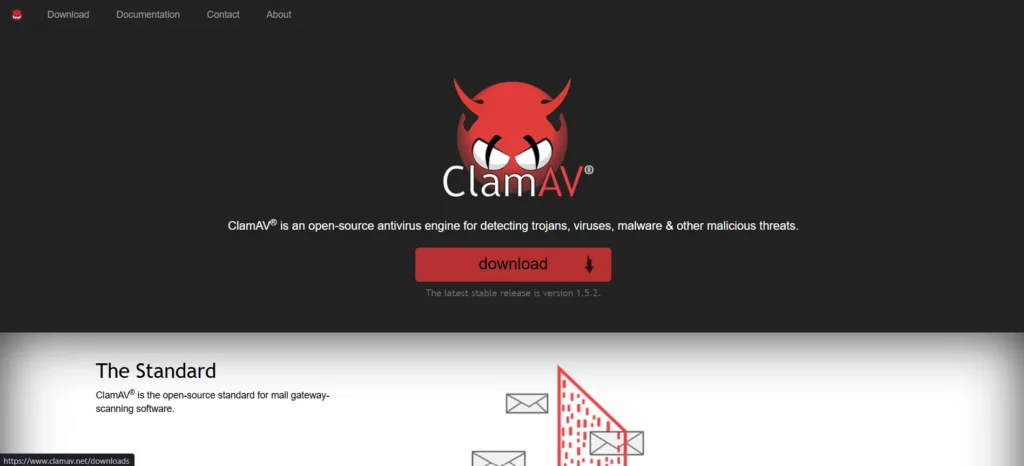
Website: www.clamav.net
ClamAV stands out as the most popular free Linux antivirus engine available today. Developed as an open-source standard, it is primarily utilized for scanning email gateways and securing file servers against malicious attachments. Its Linux specific strengths rely on its vast community-driven virus database and seamless integration with command-line operations. Because it relies entirely on terminal commands rather than a visual interface, ClamAV is best suited for experienced system administrators, developers, and advanced users who need a free malware scanner.
Key Features
- Open source scanning engine
- Command line interface tool
- Frequent virus database updates
- Mail gateway integration support
- Malware removal solution
Performance on Linux
- Detection rate: Reliable for known threats.
- System impact: Only during active scans.
- Resource usage: Very low baseline usage.
- Scanning efficiency: Quick user directory scans.
Pros
- Completely free to use
- Highly customizable open source
- Lightweight on system resources
- Large community support base
Cons
- No graphical user interface
- Lacks real time protection
- Steep learning curve required
- Manual configuration is necessary
Pricing: Open Source-100% free forever.
2. Comodo Antivirus for Linux

Website: www.comodo.com
Comodo Antivirus is one of the popular Antiviruses for Linux that provides a completely free graphical interface for everyday Linux desktop users. It offers real-time behavior analysis and strong email filtering capabilities right out of the box. Its Linux-specific strengths include a straightforward visual dashboard and reliable cloud-based threat analysis. This tool is best suited for home users and beginners who need reliable protection while preferring to avoid using the command-line terminal completely.
Key Features
- Graphical user interface dashboard
- Cloud based threat analysis
- Real time behavior monitoring
- Email spam filtering included
Performance on Linux
- Detection rate: Solid protection against known threats.
- System impact: Noticeable on older desktop hardware.
- Resource usage: Moderate RAM footprint required.
- Scanning efficiency: Quick standard file scanning.
Pros
- Completely free to use
- Easy graphical user interface
- Real time file protection
- Good email threat filtering
Cons
- Outdated visual interface design
- High system resource usage
- Irregular software update cycles
- Difficult manual setup process
Pricing: 100% free for home use.
3. Rootkit Hunter
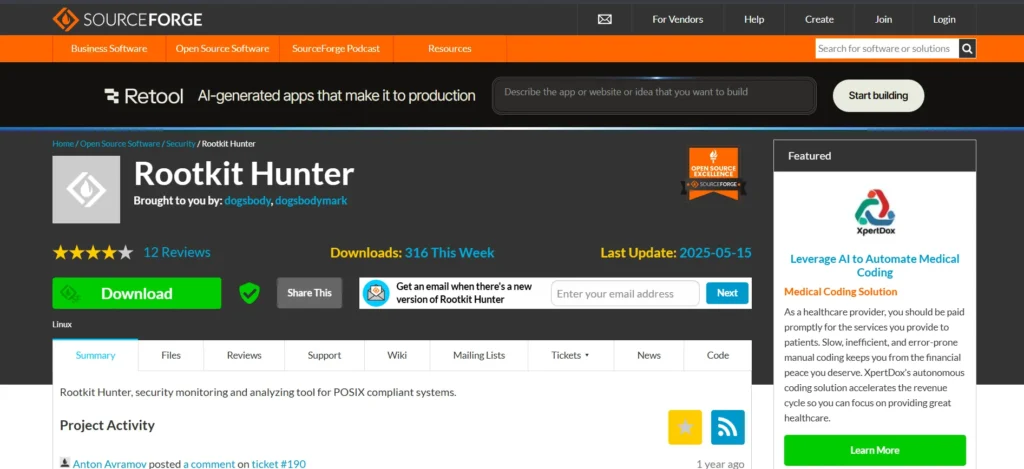
Website: https://sourceforge.net/projects/rkhunter/
Rootkit Hunter is a highly specialized open-source security tool built exclusively to detect hidden backdoors and rootkits. It scans deep into system directories looking for unauthorized permissions and kernel vulnerabilities. Its Linux specific strengths rely on its incredibly lightweight command-line architecture and behavior-based anomaly detection. This scanner is best suited for system administrators and advanced users who need to verify the deep structural integrity of their operating systems.
Key Features
- Deep system rootkit scanning
- Command line interface tool
- Behavior based anomaly detection
- Hidden file discovery system
Performance on Linux
- Detection rate: Excellent at uncovering hidden backdoors.
- System impact: Extremely light background footprint.
- Resource usage: Requires almost zero RAM.
- Scanning efficiency: Very fast deep system sweeps.
Pros
- Completely free open source
- Uncovers deep hidden threats
- Extremely lightweight on resources
- Fast deep directory scanning
Cons
- No graphical user interface
- Lacks traditional virus scanning
- Requires advanced terminal knowledge
- No real time protection
Pricing: 100% free for all users.
4. Chkrootkit

Website: https://www.chkrootkit.org/
Chkrootkit is one of the useful Antiviruses for Linux and a lightweight, widely respected command-line utility used to rapidly identify signs of local rootkits and malware infections. It functions entirely offline by comparing local system files against known malicious signatures. Its Linux-specific strengths include the ability to run directly from a portable USB drive without requiring full system installation. This tool is best suited for IT professionals and incident responders needing a rapid, portable security check.
Key Features
- Portable command line utility
- Rapid system vulnerability checks
- Offline rootkit detection engine
- Hidden process discovery tools
Performance on Linux
- Detection rate: Highly accurate for known rootkits.
- System impact: None unless actively running scans.
- Resource usage: Tiny CPU and memory requirements.
- Scanning efficiency: Lightning fast system integrity checks.
Pros
- Free and open source
- Very fast system scanning
- Highly portable security tool
- Tiny system resource footprint
Cons
- Lacks real time monitoring
- No visual user interface
- Only detects known rootkits
- Terminal experience is required
Pricing: 100% free to download.
5. Linux Malware Detect

Website: https://www.rfxn.com/projects/linux-malware-detect/
Linux Malware Detect is a robust open-source scanner designed specifically to protect shared web hosting environments. It utilizes threat data gathered directly from compromised network edge intrusion detection systems. Its Linux specific strengths include seamless integration with ClamAV engines and strict focusing on user-level web vulnerabilities. This software is best suited for hosting providers and server administrators managing multiple user accounts on a single machine.
Key Features
- Shared hosting environment protection
- Integration with ClamAV engine
- Automated threat signature updates
- User level vulnerability scanning
Performance on Linux
- Detection rate: Brilliant at stopping web-based scripts.
- System impact: Low impact during scheduled scans.
- Resource usage: Very efficient CPU thread handling.
- Scanning efficiency: Quickly analyzes massive file directories.
Pros
- Perfect for web servers
- Completely free open source
- Integrates well with ClamAV
- Excellent web shell detection
Cons
- Terminal only command interface
- Setup can be complex
- Lacks desktop malware focus
- No graphical management tools
Pricing: Free
6. Bitdefender GravityZone

Website: https://www.bitdefender.com
Bitdefender GravityZone is one of the advanced Antiviruses for Linux and a comprehensive enterprise security solution designed for modern corporate networks. It provides advanced protection for servers and desktop environments alike. By leveraging powerful machine learning algorithms, it effectively stops sophisticated attacks and widespread malware campaigns. Its Linux-specific strengths include seamless integration with virtualized environments and highly optimized container security. This platform is best suited for medium to large businesses seeking centralized management and robust threat defense without sacrificing daily operational speeds.
Key Features
- Centralized security management console
- Advanced machine learning detection
- Network threat defense included
- Multi platform endpoint protection
Performance on Linux
- Detection rate: Perfect independent lab scores.
- System impact: Extremely light background operation.
- Resource usage: Minimal RAM and CPU.
- Scanning efficiency: Fast smart file skipping.
Pros
- Excellent malware detection rates
- Very low system impact
- Easy centralized management dashboard
- Strong ransomware protection features
Cons
- Requires business email address
- Pricing is quite high
- Complex initial setup process
- No free tier available
Pricing
- GravityZone Small Business Security: $227.49/year
- GravityZone Business Security: $269.49/ year
- GravityZone Business Security Premium: $615.99/year
- Free trial: Available for 30 days upon registration.
7. Sophos Protection for Linux

Website: https://www.sophos.com
Sophos Protection for Linux is an enterprise-grade endpoint security software built to secure complex server environments. This modern iteration connects directly to the Sophos Central cloud platform for seamless remote monitoring. Its Linux specific strengths include excellent cross-platform policy enforcement and highly optimized background services that prevent server lag. It is best suited for large organizations and corporate IT teams that need to manage hundreds of mixed devices from a single web-based dashboard.
Key Features
- Centralized cloud management platform
- Advanced threat response tools
- Real time malware detection
- Cross-platform security policies
Performance on Linux
- Detection rate: Exceptional cloud intelligence detection.
- System impact: Zero server task interruption.
- Resource usage: Minimal local memory needed.
- Scanning efficiency: Fast automated background scans.
Pros
- Excellent threat detection capabilities
- Easy cloud management portal
- Low impact on performance
- Strong enterprise security tools
Cons
- No free version offered
- Geared strictly for businesses
- Requires cloud console connection
- Pricing models are complex
Pricing
- Intercept X Advanced: Custom quote based on network size.
- Free trial: Available through corporate sales contact.
8. Dr.Web Security Space Linux

Website: https://www.drweb.com
Dr.Web Security Space Linux is one of the few traditional desktop Antiviruses for Linux that still caters directly to everyday consumers. It provides robust real-time file monitoring and a user-friendly graphical interface, which is a rarity in the open-source world. Its Linux-specific strengths include excellent compatibility with popular desktop environments like GNOME and KDE, alongside reliable network traffic filtering. This software is best suited for home users, beginners, and small office workers who prefer visual menus over terminal commands.
Key Features
- Graphical user interface included
- Real time file monitoring
- Detailed quarantine management system
- Custom scheduled scan options
Performance on Linux
- Detection rate: High native and cross-platform.
- System impact: Slight on older hardware.
- Resource usage: Moderate desktop RAM usage.
- Scanning efficiency: Fast daily quick scans.
Pros
- Easy to install visually
- Good graphical user interface
- Strong real time protection
- Reasonable consumer pricing options
Cons
- System footprint is noticeable
- Interface looks quite dated
- Customer support is slow
- Setup takes some time
Pricing
- Dr.Web Security Space: from $31 for 1 year per device
- Dr.Web Enterprise Security Suite: $160 for 5 PCs
- Free trial: 30-day fully functional trial available for download.
9. ThreatDown (by Malwarebytes)

Website: https://www.threatdown.com
ThreatDown, powered by Malwarebytes, brings comprehensive endpoint protection to complex operating systems through a highly intelligent cloud portal. It focuses on identifying subtle behavioral changes to stop ransomware before encryption begins. Its Linux specific strengths include automated threat remediation and a highly efficient background agent that scales easily across cloud deployments. This solution is best suited for modern organizations needing fast incident response and reliable malware blocking across mixed operating environments.
Key Features
- Cloud managed endpoint protection
- Advanced heuristic behavioral analysis
- Automated threat remediation tools
- Cross platform visibility dashboard
Performance on Linux
- Detection rate: Strong defense against new ransomware.
- System impact: Very light during normal operations.
- Resource usage: Highly optimized cloud memory allocation.
- Scanning efficiency: Rapid targeted file checking sweeps.
Pros
- Excellent ransomware blocking capabilities
- Very intuitive cloud dashboard
- Fast automated threat response
- Lightweight endpoint security agent
Cons
- Requires premium enterprise licensing
- Setup requires technical knowledge
- Lacks free consumer version
- Support response can lag
Pricing
- Core Next-Gen AV: $ 345/year
- Advanced EDR: $ 395/year
- Elite MDR: $ 495/year
- Ultimate MDR Plus: custom quote
- Free trial: Available via direct corporate contact.
10. Avast Business Security

Website: www.avast.com
Avast Business Security provides an accessible, reliable, and straightforward security layer for small to medium-sized commercial environments. Known traditionally for consumer products, Avast has built a robust agent that manages network protection seamlessly. Its Linux specific strengths include a cloud-based management hub that makes deployment across multiple workstations incredibly easy, alongside reliable real-time shields. This antivirus is best suited for small business owners and startup IT managers who need reliable protection.
Key Features
- Cloud based management hub
- Scheduled network scanning options
- Real time file shields
- Email threat protection included
Performance on Linux
- Detection rate: Strong phishing and malware blocking.
- System impact: Generally light on desktops.
- Resource usage: Efficient background memory management.
- Scanning efficiency: Fast incoming file checks.
Pros
- Very user-friendly interface
- Solid malware detection engine
- Easy endpoint deployment process
- Good small business support
Cons
- Noticeable background resource usage
- Enterprise features cost extra
- Occasional false positive alerts
- Linux support feels secondary
Pricing
- Free plan available
- Premium Security: Rs 1,199/year
- Ultimate: Rs 2,299/year
- Free trial: 30-day trial available.
11. WithSecure Elements Endpoint Protection
Website: https://www.withsecure.com
WithSecure Elements Endpoint Protection is one of the advanced Antiviruses for Linux and a cloud-native security platform formerly known as F-Secure. It provides top-tier heuristic analysis and automated patch management to keep systems secure against evolving threats. Its Linux-specific strengths include incredibly rapid deployment capabilities and a highly optimized security agent designed specifically for continuous cloud integration. This solution is best suited for modern, agile businesses and cloud-first organizations that require immediate threat visibility.
Key Features
- Cloud native management console
- Automated patch management tools
- Heuristic threat analysis engine
- Real time security updates
Performance on Linux
- Detection rate: Superb zero-day catching abilities.
- System impact: Near zero performance degradation.
- Resource usage: Incredibly lightweight endpoint agent.
- Scanning efficiency: Lightning fast cloud analysis.
Pros
- Very simple cloud deployment
- Excellent zero day protection
- Lightweight endpoint security agent
- Strong automated response tools
Cons
- Requires enterprise volume licensing
- No consumer version available
- Advanced features cost more
- Documentation can be confusing
Pricing
- Elements Protect: 16,90€/ month
- Elements Proactive: 20,90€/ month
- Free trial: Available through corporate request forms.
12. ESET Endpoint Antivirus for Linux

Website: https://www.eset.com
ESET Endpoint Antivirus for Linux is legendary for its incredibly minimal system footprint and highly accurate detection engine. Designed to offer maximum security with minimum hardware requirements, it quietly monitors files in the background. Its Linux specific strengths include native 64-bit architecture support and a clean, unobtrusive management dashboard. This protection tool is best suited for organizations running older server hardware or resource-constrained environments that simply cannot afford to sacrifice processing power.
Key Features
- Minimal system resource footprint
- Advanced memory scanner included
- Centralized cloud security console
- Cross platform management tools
Performance on Linux
- Detection rate: Exceptionally accurate threat blocking.
- System impact: Nearly invisible to active users.
- Resource usage: Tiny memory and CPU drain.
- Scanning efficiency: Quick advanced memory scanning.
Pros
- Extremely lightweight on resources
- Very accurate malware detection
- Clean management dashboard interface
- Reliable background file scanning
Cons
- License minimums often apply
- Setup can be difficult
- Geared mainly for businesses
- Some features require upgrades
Pricing
- ESET PROTECT Entry: £198/year
- ESET PROTECT Advanced: £205.92/year
- ESET PROTECT Complete: £253.44/year
- ESET PROTECT MDR: Custom pricing
- Free trial: 30-day trial available for businesses.
13. CrowdStrike Falcon

Website: https://www.crowdstrike.com
CrowdStrike Falcon is one of the advanced Antiviruses for Linux and a globally recognized leader in endpoint detection and response, utilizing advanced threat intelligence to stop sophisticated breaches. It moves beyond traditional signature-based tools by using continuous behavioral monitoring. Its Linux-specific strengths include a single lightweight agent that handles everything from threat hunting to incident response without requiring reboots. This premium software is best suited for massive global enterprises and financial institutions requiring elite threat hunting.
Key Features
- Cloud native lightweight agent
- Advanced endpoint detection response
- Threat intelligence data feeds
- Real time behavioral monitoring
Performance on Linux
- Detection rate: Industry leading fileless attack defense.
- System impact: Unmatched seamless system operation.
- Resource usage: Incredibly low single agent overhead.
- Scanning efficiency: Continuous real-time behavior analysis.
Pros
- Industry leading threat detection
- Almost zero system impact
- Excellent cloud management portal
- Rapid incident response capabilities
Cons
- Highly expensive enterprise pricing
- Requires continuous internet connection
- Overkill for personal use
- Complex data privacy rules
Pricing
- Falcon Go: $59.99
- Falcon Pro: $99.99
- Falcon Enterprise: $184.99
- Free trial: 15-day limited trial sometimes available.
14. Trellix Endpoint Security

Website: https://www.trellix.com
Formed from the merger of McAfee Enterprise and FireEye, Trellix Endpoint Security delivers a powerful, proactive defense architecture. It focuses heavily on machine learning to predict and prevent advanced cyber attacks before they cause damage. Its Linux specific strengths include comprehensive system auditing and highly scalable deployment tools designed for massive server farms. This platform is best suited for large-scale enterprise networks and educational institutions that demand top-tier threat intelligence and compliance reporting.
Key Features
- Machine learning detection engine
- Advanced threat intelligence network
- Centralized endpoint management console
- Proactive threat hunting tools
Performance on Linux
- Detection rate: Superb advanced persistent threat stopping.
- System impact: Substantial overall performance footprint.
- Resource usage: Demands significant local RAM allocation.
- Scanning efficiency: Thorough but sometimes time-consuming.
Pros
- Highly scalable enterprise architecture
- Strong zero day protection
- Comprehensive security management dashboard
- Excellent threat analytics reporting
Cons
- Resource heavy background agent
- Confusing enterprise pricing structure
- Steep learning curve required
- Suited only for businesses
Pricing
- Trellix Endpoint Security: Pricing is entirely custom and based on node counts.
- Free trial: Arranged directly through an enterprise sales consultation.
15. Kaspersky Endpoint Security

Website: https://www.kaspersky.com
Kaspersky is one of the established Antiviruses for Linux and has long been a heavyweight in enterprise Linux security, recently expanding its offerings to include dedicated consumer protection with Kaspersky Premium for Linux. Powered by one of the most consistently top-rated threat intelligence networks in the world, it provides robust defense against zero-day threats, ransomware, and unauthorized cryptomining. While its technical capabilities are highly advanced, it is often excluded from modern software recommendations due to geopolitical sanctions and restrictions on its use in some regions, including the United States. However, for international users and businesses outside restricted regions, it remains a powerful and highly effective security suite.
Key Features
- Real-time file and web threat monitoring
- Advanced behavior-based anomaly detection
- Automatic USB and removable drive scanning
- Centralized cloud console for enterprise users
Performance on Linux
- Detection rate: Flawless independent lab test scores.
- System impact: Smooth, unobtrusive background operation.
- Resource usage: Highly optimized for modern distributions.
- Scanning efficiency: Swift, AI-powered smart scanning.
Pros
- World-class malware detection engine
- Offers both consumer and enterprise tiers
- Excellent cryptojacking and ransomware defense
- Very lightweight on system resources
Cons
- Banned for sale and use in the United States
- Consumer interface is limited compared to Windows
- Installation can be complex for Linux beginners
- Support can be heavily segmented by region
Pricing
- Ultimate protection: From $64.99 /year
- Optimal protection: From $61.99 /year
- Basic protection: From $49.99 /year
How to Install an Antivirus on Linux (Step-by-Step)
Securing your operating system does not have to be an overly complicated process. Follow these standard steps to properly install and configure a security solution on your machine.
- Choose an Antivirus: Select a tool based on your needs, choosing either a free command-line utility like ClamAV or a paid graphical solution.
- Download the Package: Get the installer from the official website matching your distribution, such as a .deb file for Ubuntu or an .rpm file for Fedora.
- Install Dependencies: Update your system package manager and install any required background libraries requested by the software documentation.
- Configure Protection: Launch the application or open its configuration file to adjust security parameters and threat-handling rules.
- Update Signatures: Connect to the internet and download the latest virus definition databases so the software can recognize modern threats.
- Run a Full Scan: Perform a comprehensive deep system scan across all local drives to find and isolate any pre-existing malware.
- Enable Automatic Updates: Turn on automated background updates to ensure your threat intelligence data stays current without manual intervention.
What to Look for When Choosing a Linux Antivirus
Choosing the right security software requires careful consideration of several technical factors. Keep these critical elements in mind during your evaluation process.
- Detection Accuracy: Look for software that scores high in independent lab tests for blocking both native Linux threats and dormant Windows malware.
- Real-Time Protection: Prioritize tools that actively monitor files as they are opened or modified over those that only run manual, scheduled scans.
- Server Compatibility: Ensure the software officially supports your specific Linux distribution and integrates with your hosting or database environments.
- Performance Impact: Choose a lightweight agent that minimizes RAM and CPU consumption to prevent slowdowns on busy servers or older hardware.
- Update Frequency: Ensure the vendor provides daily or hourly threat database updates to protect against newly discovered zero-day vulnerabilities.
- Ease of Use: Pick an interface that matches your skill level, whether you prefer command-line terminal inputs, a graphical desktop UI, or a cloud dashboard.
- Enterprise Features: Look for essential corporate tools like centralized management consoles, automated patch management, and detailed compliance reporting.
- Pricing: Evaluate the total cost of ownership, tracking whether the vendor charges per device, per server, or enforces minimum license requirements.
Is Using an Antivirus Enough to Secure Linux?
Relying entirely on a single security application is never enough to keep any computer truly safe. Cybersecurity requires a defense-in-depth approach, meaning you must combine multiple layers of protection.
- Firewall importance: You must configure a strict network firewall to actively block unauthorized incoming connections and port scanning attempts, ensuring external attackers cannot simply walk into your system.
- Software updates: Regularly updating your operating system kernel and installed applications is crucial, as patches frequently close the exact security loopholes that cybercriminals exploit.
- Strong passwords: Enforce complex, lengthy password policies across all user accounts to prevent attackers from brute-forcing their way into your system or gaining unauthorized administrative privileges.
- Multi-factor authentication: Always require a second form of verification, such as a mobile app code or a physical security key, especially for accounts possessing system-level access.
- Secure SSH practices: If you manage servers remotely, disable root login via SSH entirely, switch from standard passwords to cryptographic key pairs, and change the default connection ports.
- Backup strategies: Maintain strict, automated backup schedules that store your most important encrypted data offline, guaranteeing you can fully recover your files if a ransomware attack succeeds.
- User awareness: Educate yourself and your employees about the dangers of phishing emails, malicious links, and social engineering tactics, as human error remains the biggest security vulnerability.
Final Verdict: Which Linux Antivirus Should You Choose?
Selecting the ideal Linux security tool depends entirely on your specific environment and technical expertise. Home users seeking a free scanner can rely on ClamAV as the open-source champion, while Dr.Web Security Space offers a visual desktop interface with real-time protection. For small to medium businesses, Avast Business Security provides a balance of usability and strong network defense.
For large corporate networks and cloud environments, Bitdefender GravityZone and CrowdStrike Falcon stand out as premium Antiviruses for Linux, offering centralized management and advanced zero-day threat prevention without compromising server performance. Regardless of the route you take, installing dedicated security software adds an important layer of defense. Evaluate your network needs, choose a tool that matches your skill level, and secure your operating system effectively.
FAQs
1. Does Linux Need Antivirus In 2026?
Yes. As the dominant platform for cloud infrastructure and enterprise servers, Linux has become a major target for cybercriminals deploying ransomware, cryptominers, and advanced malware threats. Antivirus protection adds an extra security layer to help detect and prevent these attacks.
2. Is There A Free Antivirus For Linux?
Yes. ClamAV is a widely used, completely free, open-source malware scanner for Linux. It requires manual terminal configuration and does not include built-in real-time protection or a graphical user interface, making it more suitable for advanced users.
3. Can Linux Antivirus Detect Windows Malware?
Yes. Most Linux antivirus tools can detect and quarantine Windows-based malware. This prevents Linux systems from becoming carriers that spread infected files to other devices connected to the same network.
4. Which Linux Antivirus Has The Best Detection Rate?
Enterprise security solutions such as Bitdefender GravityZone, CrowdStrike Falcon, and Kaspersky provide excellent detection rates by using machine learning, threat intelligence, and advanced behavioral monitoring technologies.
5. Is ClamAV Good Enough For Linux?
ClamAV is a reliable option for experienced users managing basic file servers or email gateways. However, since it lacks advanced behavioral analysis and real-time protection, it may not be enough as the only security solution for critical systems.
6. What Is The Best Antivirus For Ubuntu Specifically?
ClamAV is a strong choice for free manual malware scanning on Ubuntu. Users looking for a graphical interface with real-time protection can consider solutions like Dr.Web Security Space, while businesses may prefer enterprise tools like Bitdefender GravityZone.