Remember when Evernote was the only digital notebook that mattered? For years, it was the undisputed king of digital organization. But the productivity landscape has completely shifted, leaving many long-time users searching for a modern replacement and exploring the best Evernote Alternatives available today.
Today’s users expect more than a passive digital filing cabinet. We are witnessing a massive surge in demand for intelligent, AI-powered tools that summarize articles and generate ideas, alongside privacy-first, encrypted solutions that guarantee total data ownership.
If your current setup is holding you back, you are not alone. This guide breaks down the best alternatives tailored to your specific workflow and provides a step-by-step roadmap to migrate your digital brain smoothly.
Why People Are Leaving Evernote in 2026?
For over a decade, Evernote served as the default digital brain for millions of users worldwide. However, recent changes in ownership and major shifts in the software industry have caused many long time fans to rethink their loyalty. As the market for digital workspaces becomes more competitive, users are finding that their specific needs are often better served by newer, more specialized applications.
Here are the primary reasons driving this massive migration to other platforms:
- Rising subscription costs: Sharp price hikes and a highly restrictive free tier make it difficult to justify the annual cost.
- Feature limitations: Competitors offer advanced databases and modern project dashboards that go far beyond basic notes.
- Weak AI integration: Alternative tools provide much deeper, more automated artificial intelligence features and AI writing tools for text generation, content refinement, and analysis.
- Privacy and data concerns: Users are shifting toward local-first platforms to maintain total control over their personal files.
- Outdated collaboration: Basic link sharing falls short compared to the real-time, multiplayer editing spaces of newer apps.
- Performance frustrations: Slow loading times, clunky mobile apps, and occasional syncing conflicts disrupt daily productivity.
- Lack of true offline support: Remote workers demand instant, reliable offline access that doesn’t require an expensive premium plan.
How We Evaluated These Evernote Alternatives?
Choosing the best Evernote alternatives requires a careful examination of the current market, especially as more users switch to cloud-based productivity apps for note-taking, collaboration, and knowledge management.
- User Interface & Organization: We targeted clean, intuitive layouts with flexible sorting systems like folders, tags, or links that let you capture and find notes instantly.
- Modern AI & Collaboration: We tested built-in artificial intelligence for summarizing long texts alongside real-time sharing tools built for seamless team workflows.
- Security & Offline Access: We verified data ownership policies, prioritizing tools with end-to-end encryption, local-first storage, and reliable offline editing.
- Syncing & Migration: We ensured smooth performance across Windows, Mac, iOS, and Android, while requiring effortless data import for Evernote .enex files.
- Value & Reputation: We analyzed overall pricing transparency (free plans and fair tiers) alongside community trust and consistent developer updates.
Quick Comparison Table: Best Evernote Alternatives 2026
| Tool Name | Best For | Free Plan | AI Features | Starting Price (Paid Tier) | Platform Support | Rating |
| Microsoft OneNote | Microsoft Office users | Yes | Yes | $0.00 (Free) | Windows, Mac, iOS, Android, Web | 4.6/5 |
| ClickUp | Project management teams | Yes | Yes | $7.00/month | Windows, Mac, iOS, Android, Web | 4.7/5 |
| Notion | All in one workspace | Yes | Yes | $8.00/month | Windows, Mac, iOS, Android, Web | 4.8/5 |
| Apple Notes | Apple device ecosystem | Yes | Yes | $0.00 (Free) | Mac, iOS, iPadOS, Web | 4.7/5 |
| Obsidian | Privacy and linking notes | Yes | Yes (Plugins) | $0.00 (Free) | Windows, Mac, Linux, iOS, Android | 4.9/5 |
| Joplin | Open source enthusiasts | Yes | Yes (Plugins) | $0.00 (Free) | Windows, Mac, Linux, iOS, Android | 4.6/5 |
| Google Keep | Quick memos and lists | Yes | Yes | $0.00 (Free) | Web, iOS, Android | 4.5/5 |
| UpNote | Classic note taking style | Yes | No | $0.99/month | Windows, Mac, Linux, iOS, Android | 4.8/5 |
| Bear | Markdown writing on Mac | Yes | No | $2.99/month | Mac, iOS, iPadOS | 4.7/5 |
| Simplenote | Distraction free text only | Yes | No | $0.00 (Free) | Windows, Mac, Linux, iOS, Android | 4.4/5 |
List of 10 Best Evernote Alternatives in 2026: Detailed Reviews
1. Microsoft OneNote
Website: www.onenote.com/
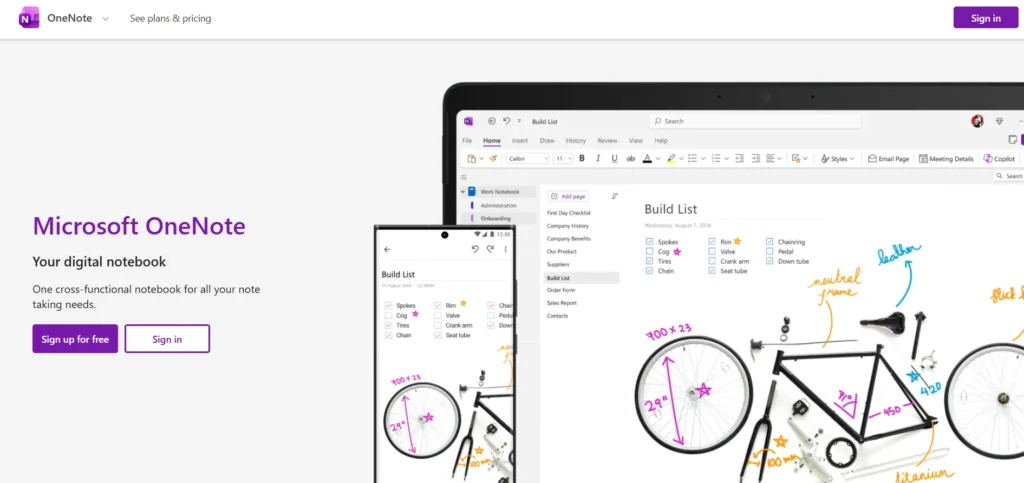
Microsoft OneNote is arguably the most direct Evernote competitor available today. It offers a free form digital binder experience that perfectly mimics traditional notebooks. Unlike Evernote, OneNote provides a limitless canvas where you can click anywhere to start typing, draw sketches, or insert multimedia files. Its integration with the broader Microsoft Office ecosystem makes it incredibly powerful for students and professionals. Furthermore, Microsoft has recently integrated Copilot AI, transforming it into a highly capable AI note taking software that helps summarize long texts and generate fresh ideas effortlessly.
Key Features:
- Free cloud storage integration.
- Cross platform synchronization support.
- Robust web clipper extension.
- Multimedia file attachment support.
- Copilot AI feature integration.
Pros:
- Completely free to use.
- Deep Microsoft Office integration.
- Endless blank canvas layout.
- Excellent text recognition tools.
- Strong digital handwriting support.
Cons:
- Interface feels slightly cluttered.
- Cloud syncing sometimes lags.
- Limited tag organization features.
- Steep initial learning curve.
- Restricted note export options.
Pricing:
- Free Plan: Available (requires free Microsoft account).
- Microsoft 365 Personal: $6.99 per month.
- Microsoft 365 Family: $9.99 per month.
Who Should Use It: Students and professionals deeply embedded in the Microsoft ecosystem.
2. ClickUp

Website: clickup.com/
ClickUp is much more than a simple note taking app. It is a comprehensive project management tool that includes highly robust document creation features. Among the leading Evernote Alternatives, ClickUp provides an incredible workspace for teams and businesses.
Its built-in document editor allows multiple users to collaborate in real time, making it superior to Evernote for business environments. Additionally, ClickUp Brain provides an intelligent AI assistant that can generate project summaries, write updates, and connect your notes directly to actionable tasks within your team workflow.
Key Features:
- Built in task management.
- Custom dashboard view creation.
- Native time tracking tools.
- Collaborative document editing features.
- ClickUp Brain AI tools.
Pros:
- All in one workspace.
- Highly customizable user interface.
- Excellent team collaboration tools.
- Generous free plan features.
- Frequent software feature updates.
Cons:
- Overwhelming for basic notes.
- Steep initial learning curve.
- Mobile app feels clunky.
- Requires active internet connection.
- Complex notification settings management.
Pricing:
- Free Forever Plan: Available.
- Unlimited Plan: $7.00 per user per month.
- Business Plan: $12.00 per user per month.
- Enterprise: custom pricing.
Who Should Use It: Business teams needing powerful note taking linked directly to task management.
3. Notion
Website: notion.so/
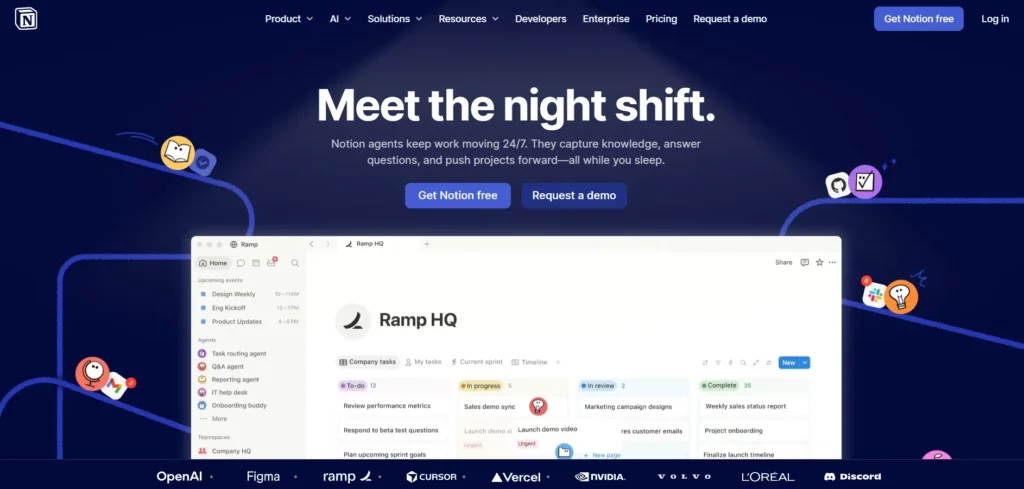
Notion has taken the productivity world by storm, positioning itself as the ultimate all in one workspace. Instead of standard text documents, Notion uses a highly flexible block based system. Every paragraph, image, or table is a movable block. This allows you to build custom dashboards, wikis, and complex databases. As a knowledge management tool, Notion is unmatched in its flexibility. Notion AI further enhances the experience by acting as one of the most effective AI writing assistants, helping users translate text, summarize meeting minutes, and draft emails based on their saved data.
Key Features:
- Block based content editor.
- Powerful relational database tools.
- Hundreds of free templates.
- Integrated Notion AI assistant.
- Real time team collaboration.
Pros:
- Highly flexible workspace design.
- Excellent cross platform syncing.
- Robust community template library.
- Powerful database management tools.
- Clean minimalist user interface.
Cons:
- Complex initial setup process.
- No true offline mode.
- Mobile app loads slowly.
- Steep learning curve required.
- Extensive notifications feel distracting.
Pricing:
- Free Plan: Available.
- Plus Plan: $10 per user per month.
- Business Plan: $20 per user per month.
- Enterprise plan: Custom Pricing.
Who Should Use It: Power users who want to build highly customized personal or team wikis.
4. Apple Notes
Website: icloud.com/notes
For users heavily invested in the Apple ecosystem, Apple Notes is a spectacular free Evernote alternative. Built directly into every Mac, iPad, and iPhone, it offers instantaneous iCloud syncing without any subscription fees. Over the years, Apple has transformed this simple app into a powerhouse. It now features smart folders, robust document scanning, and excellent Apple Pencil support. With the rollout of Apple Intelligence, the app now offers powerful AI tools for rewriting, summarizing, and proofreading text directly within your digital workspace without needing third party integrations.
Key Features:
- Deep Apple ecosystem integration.
- Quick note creation tools.
- Smart folder organization system.
- Built in document scanner.
- Apple Intelligence AI features.
Pros:
- Completely free to use.
- Instant iCloud device syncing.
- Clean minimalist user interface.
- Excellent digital handwriting support.
- Reliable text recognition software.
Cons:
- Limited to Apple devices.
- Very basic text formatting.
- No robust web clipper.
- Limited note export options.
- Weak table creation tools.
Pricing:
- Free Plan: Available (Requires Apple ID).
- iCloud+ (For extra storage): Starts at $0.99 per month.
Who Should Use It: Dedicated Apple device users seeking a fast and reliable built in solution.
5. Obsidian
Website: obsidian.md/
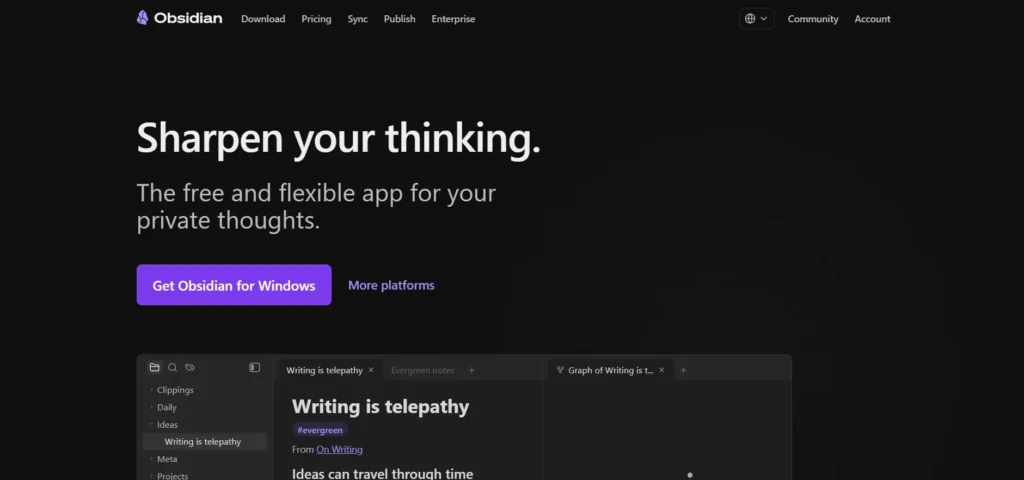
Obsidian is currently the gold standard for privacy-focused note-taking apps and one of the most popular second brain apps for users who want to build interconnected knowledge bases. Among the top Evernote Alternatives, Obsidian stands out for its local-first approach. Unlike cloud-based services, it stores all your data directly on your hard drive using simple Markdown files, ensuring complete ownership and fast offline access.
Obsidian is best known for its bidirectional linking feature, which lets users connect related ideas and visualize them through an interactive knowledge graph. Although it does not include native cloud syncing by default, its extensive plugin ecosystem enables users to add AI capabilities, custom themes, and specialized writing tools, making it a highly flexible platform for power users.
Key Features:
- Local plain text files.
- Bidirectional note linking system.
- Visual knowledge graph view.
- Thousands of community plugins.
- Total data privacy control.
Pros:
- Complete data privacy security.
- Lightning fast offline performance.
- Highly customizable user interface.
- Future proof markdown files.
- Vibrant community plugin ecosystem.
Cons:
- Steep technical learning curve.
- No native web clipper.
- Cloud sync costs money.
- Complex initial setup process.
- Overwhelming configuration options available.
Pricing:
- Personal Free Plan: Available.
- Commercial License: $50.00 per user per year.
- Catalyst License: $25 One-time payment.
- Obsidian Sync Add on: $5.00 per month.
- Obsidian Publish Add on: $10 per month.
Who Should Use It: Researchers and writers who value data privacy and complex interconnected knowledge bases.
6. Joplin

Website: joplinapp.org/
Joplin is an outstanding open source alternative to Evernote. It is designed specifically for users who want total control over their data without sacrificing modern conveniences. Joplin handles standard notebooks, tags, and multimedia attachments effortlessly. It features an excellent web clipper that rivals Evernote directly. Because it is open source, you can choose exactly how you want to sync your data, whether through Dropbox, OneDrive, Nextcloud, or Joplin Cloud. It also features a dedicated Evernote import tool, making the transition incredibly smooth for long time users looking for a free solution.
Key Features:
- Open source software code.
- End to end encryption.
- Markdown text editing support.
- Custom cloud sync options.
- Web clipper browser extension.
Pros:
- Completely free to use.
- Strong data privacy focus.
- Excellent Evernote import tool.
- Works perfectly offline always.
- Highly customizable interface themes.
Cons:
- Interface looks slightly outdated.
- Limited native collaboration tools.
- Requires self hosted syncing.
- No built in AI.
- Mobile app lacks polish.
Pricing:
- Basic App: Completely Free.
- Joplin Cloud Basic: €2.99 per month.
- Joplin Cloud Pro: €4.79 per month.
- Joplin Cloud Teams: €6.69 per month.
Who Should Use It: Privacy conscious users and open source software advocates needing a reliable web clipper.
7. Google Keep

Website: keep.google.com/
If you find traditional note taking apps too complex, Google Keep provides a refreshingly simple experience. It functions like a digital bulletin board filled with colorful sticky notes. Google Keep is deeply integrated with Google Workspace, allowing you to drag and drop your notes directly into Google Docs. With Google rolling out Gemini AI across its ecosystem, Keep benefits from smart suggestions, seamless integration with AI chatbots, and broader AI-driven workflows.
Key Features:
- Sticky note style interface.
- Location based reminder alerts.
- Color coded note organization.
- Voice memo transcription support
- Gemini AI workspace integration.
Pros:
- Completely free to use.
- Extremely simple user interface.
- Lightning fast note creation.
- Deep Google ecosystem integration.
- Excellent voice to text.
Cons:
- No folder organization system.
- Very limited text formatting.
- Not for long documents.
- No dedicated desktop app.
- Limited data export options.
Pricing:
- Free Plan: Available (Requires Google Account).
Who Should Use It: Anyone looking for a fast, simple, and colorful tool for daily lists and quick memos.
8. UpNote
Website: getupnote.com/
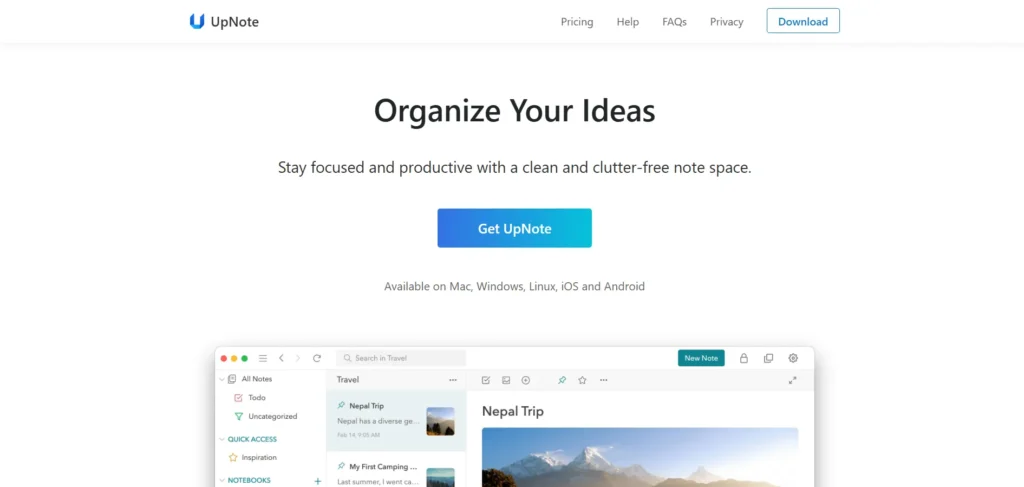
UpNote has rapidly gained popularity as one of the best Evernote alternatives due to its incredible similarity to Evernote’s classic interface. It provides a clean, distraction free writing environment paired with robust organization tools like nested notebooks and collapsible sections. UpNote is remarkably fast and lightweight, running smoothly across all major operating systems. The most appealing aspect of UpNote is its pricing model. It offers a highly generous free tier and an unbelievably cheap premium plan, making it the perfect choice for users fleeing expensive subscription models.
Key Features:
- Clean user interface design.
- Nested notebook organization system.
- Focus mode writing environment.
- Cross platform synchronization support.
- Biometric application lock security.
Pros:
- Extremely affordable premium pricing.
- Lightweight and fast performance.
- Excellent rich text formatting.
- Reliable cross platform syncing.
- Beautiful minimalist user interface.
Cons:
- No built in AI.
- Limited team collaboration tools.
- Small independent developer team.
- No web browser version.
- Basic table creation tools.
Pricing:
- Free Plan: Available.
- Premium Monthly: $1.99 per month.
- Premium Lifetime: $39.99 one time payment.
Who Should Use It: Classic note takers looking for a traditional, highly affordable interface similar to older Evernote versions.
9. Bear
Website: https://bear.app/
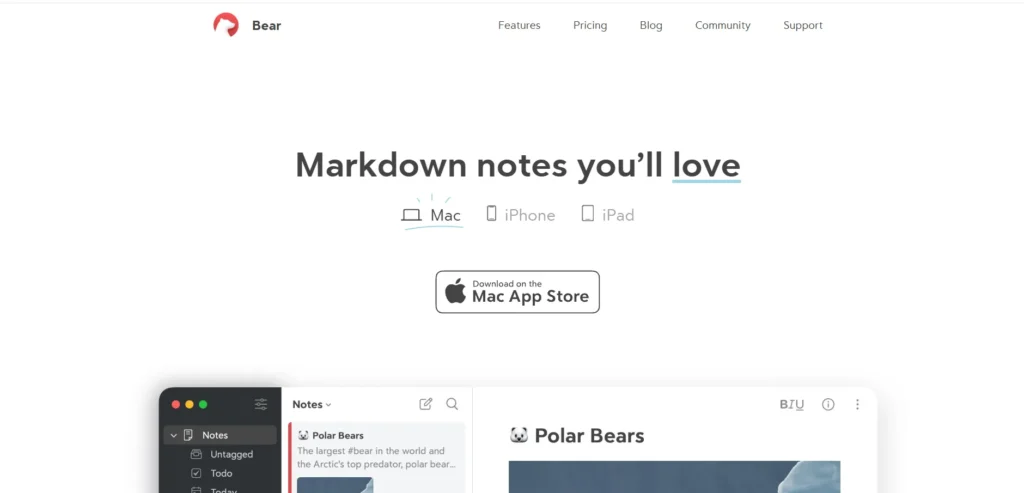
Bear is an incredibly beautiful, markdown focused writing app designed exclusively for the Apple ecosystem. It features a highly polished interface that makes writing long form content an absolute joy. Instead of traditional folders, Bear uses an advanced nested tag system for organization. You simply type hashtags anywhere in your document, and the app organizes them automatically on the sidebar. While it lacks team collaboration and native AI features, its stunning typography, fast iCloud syncing, and reliable performance make it a top tier choice for creative professionals.
Key Features:
- Beautiful markdown text editor.
- Advanced tag organization system.
- Focus mode writing environment.
- Multiple export format options.
- iCloud synchronization support system.
Pros:
- Beautiful minimalist user interface.
- Excellent markdown editing experience.
- Lightning fast app performance.
- Simple hashtag organization system.
- High quality text typography.
Cons:
- Apple device ecosystem only.
- Premium requires monthly subscription.
- No native team collaboration.
- Lacks built in AI.
- No traditional folder system.
Pricing:
- Free Plan: Available.
- Bear Pro: $2.99 per month.
- Bear Pro Annual: $29.99 per year.
Who Should Use It: Mac and iOS users who want a visually stunning, distraction free writing experience.
10. Simplenote
Website: simplenote.com/
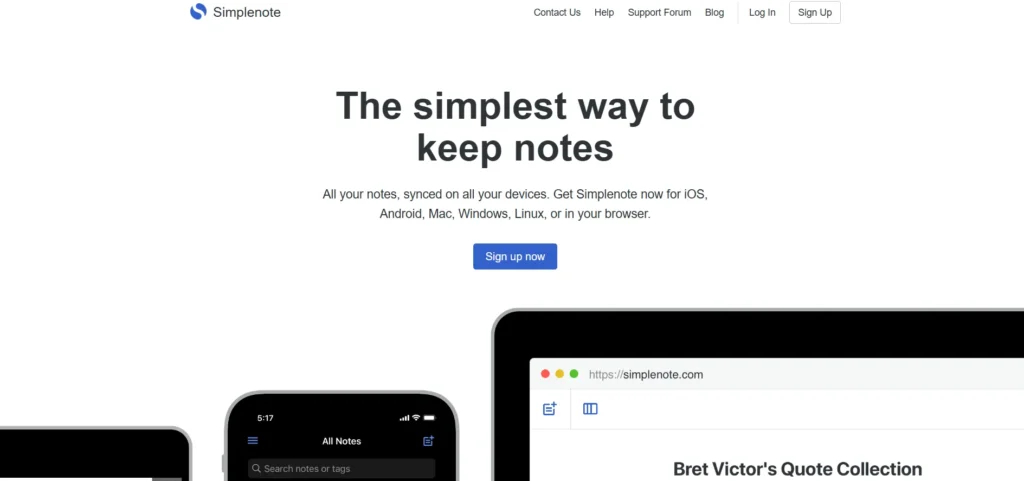
Created by Automattic, the company behind WordPress, Simplenote delivers exactly what its name promises. It is a completely free, text only application designed for ultimate speed and simplicity. Simplenote does not support images, file attachments, or complex formatting. Instead, it offers a pure writing environment that syncs instantaneously across every device imaginable. It includes version history, allowing you to restore older versions of your text with a simple slider. If you want a distraction free tool without the bloat of modern software, this is an excellent option.
Key Features:
- Plain text editing only.
- Lightning fast synchronization speed.
- Note version history tracking.
- Markdown text formatting support.
- Simple tag organization system.
Pros:
- Completely free to use.
- Extremely fast app performance.
- Distraction free writing environment.
- Excellent cross platform support.
- Simple automatic cloud syncing.
Cons:
- No image attachment support.
- Plain text formatting only.
- No advanced organizational tools.
- Lacks any AI features.
- No native web clipper.
Pricing:
- Free Plan: Completely Free.
Who Should Use It: Minimalists who only need to type text and want instantaneous syncing across all platforms.
How to Migrate from Evernote to a New App?
Switching your entire digital brain to a new platform might seem intimidating, but most modern developers have made this process incredibly straightforward. If you are moving to one of the many Evernote Alternatives, the transition is easier than ever. Here is a simple, beginner-friendly guide to help you move your data safely.
1. Export Notes from Evernote
First, you need to get your data out of your current account. Open the desktop application on your computer. Right click on the specific notebook you want to export. Select the “Export Notebook” option from the dropdown menu. Always choose the .enex (Evernote Export) file format, as this preserves your tags, text formatting, and attached files.
2. Check ENEX Import Compatibility
Before committing to a new platform, verify that it supports .enex files. Apps like Notion, Joplin, UpNote, and Obsidian have dedicated, built in tools specifically designed to read these files. Knowing your new software handles these files natively will save you hours of manual copying and pasting.
3. Import Notes into the New App
Open your newly chosen application and navigate to the settings or file menu. Look for the “Import” section. Select the Evernote option or .enex file option. Upload the file you saved to your computer earlier. Depending on the size of your notebook, this process might take anywhere from a few seconds to several minutes.
4. Organize and Verify Your Notes
Once the import process finishes, carefully review your transferred data. Check a few random entries to ensure that your images, PDFs, and text formatting transferred correctly. Some highly complex tables or specific text highlights might require minor manual adjustments in the new software environment.
5. Backup Important Data
It is a good habit to keep your original .enex files stored safely on an external hard drive or a secure cloud storage service like Google Drive. This acts as an ultimate fail safe in case you ever decide to switch platforms again in the future.
6. Cancel Evernote Subscription (Optional)
If you are completely satisfied with your new digital workspace and have verified that all your files are safe, navigate to your account settings and cancel your premium subscription. Ensure you downgrade to the free tier so you do not get billed during the next cycle.
What to Look for When Choosing an Evernote Alternative?
Finding the perfect digital notebook requires understanding your personal workflow. Not all software is created equal, and prioritizing the right features will prevent future frustration:
- Note organization system: Choose an app that matches how your brain naturally categorizes information, whether you prefer strict, traditional folder hierarchies or fluid, networked tag systems.
- Search and OCR capabilities: To replace Evernote effectively, your new app must have lightning-fast search, ideally featuring Optical Character Recognition (OCR) to find text hidden inside images and PDFs.
- Cross-platform syncing: Ensure the software syncs flawlessly and instantly across all your devices, especially if you routinely jump between completely different operating systems like Windows and iOS.
- Privacy and offline access: Protect your personal data by choosing platforms that offer secure end-to-end encryption alongside true local-first storage, allowing you to edit files perfectly without an internet connection.
- AI assistance: Modern workflows benefit heavily from built-in artificial intelligence. Look for smart tools that can instantly summarize long research documents, translate text, and help you brainstorm.
- Pricing and export options: Avoid hidden software fees by selecting transparent subscription plans. Always ensure you can easily export your data in universal formats like Markdown or PDF so your files are never trapped.
Final Verdict: Which Evernote Alternative Should You Choose?
Your ideal replacement depends entirely on your primary need. For a full-featured, traditional note-taking transition, Microsoft OneNote is the best overall choice for its cross-platform syncing and massive free canvas. If you prioritize advanced databases and smart workspace features, Notion stands out as the ultimate AI-powered ecosystem. For those who value strict data privacy and long-term file ownership, Obsidian is the definitive choice, storing universal Markdown files directly on your local hard drive.
If you just need quick daily capture, Apple Notes offers brilliant, free built-in integration for ecosystem users, while Simplenote remains the champion of pure, text-only minimalism across all platforms.
Ready to reclaim your productivity? Download your top choice today, export your Evernote data, and start building your new digital brain risk-free.
Frequently Asked Questions
1. What Is The Best Free Evernote Alternative In 2026?
Microsoft OneNote and Joplin are widely considered the best free options available. OneNote provides a rich, multimedia friendly canvas, while Joplin offers a robust, open source experience with an excellent web clipper.
2. Is Notion Better Than Evernote?
Notion is better for users who want to build highly customized databases, project boards, and wikis. However, Evernote remains slightly better for users who just want a fast, simple place to dump web clippings and quick memos without complex setup.
3. Which Evernote Alternative Supports ENEX Import?
Several major platforms support native ENEX file imports to make your transition easy. The most reliable tools for this specific task include Notion, Joplin, UpNote, and Obsidian.
4. What Happened To Evernote In 2026?
The platform has continued to evolve under new ownership, focusing heavily on restructuring its subscription tiers, introducing new interface updates, and attempting to integrate modern AI features to keep up with intense market competition.
5. Is Evernote Still Worth Using In 2026?
Yes, it remains a highly powerful and reliable tool for legacy users who rely heavily on its specific web clipper and optical character recognition. However, new users often find better value and more modern features in competing software.
6. Which Evernote Alternative Is Best For Teams?
ClickUp and Notion are the industry leaders for team collaboration. Both platforms offer excellent real time document editing, detailed permission controls, and deep integrations with other popular workplace software.