Marketing teams in 2026 are under constant pressure to deliver faster campaigns, manage more channels, handle endless approvals, and prove measurable ROI—all while operating with tighter budgets and leaner teams. Unfortunately, many businesses still rely on scattered spreadsheets, endless meetings, and generic task managers that create delays instead of improving productivity.
The result is missed deadlines, communication chaos, creative bottlenecks, and wasted operational costs. That is why choosing the right marketing project management software has become a critical business decision rather than a simple productivity upgrade. The best platforms now combine campaign planning, automation, reporting, collaboration, content management, and AI-powered workflows into one centralized system.
In this blog, we tested and reviewed the best marketing project management tools to help businesses choose smarter, scale faster, and execute campaigns more profitably.
Best Marketing Project Management Tools at a Glance
| Tool | Best For | Starting Pricing | Biggest Advantage | Main Limitation |
| ClickUp | Custom marketing workflows | $10/user/month | Highly customizable all-in-one workspace | Can feel overwhelming initially |
| Asana | Organized campaign management | US$13.49/month | Clean interface with excellent visibility | Expensive at scale |
| Monday.com | Visual workflow automation | $12/seat/month | Easy visual collaboration and automation | Premium features cost extra |
| Trello | Simple content planning | $5/user/month | Extremely easy to use | Limited advanced reporting |
| Wrike | Enterprise marketing operations | $10/user/month | Strong governance and proofing tools | Steeper learning curve |
| Notion | Content and documentation workflows | $12/member/month | Combines docs and project planning | Limited advanced reporting |
| Smartsheet | Spreadsheet-style operations | $12/member/month | Excellent operational visibility | Less creative-friendly |
| Teamwork | Marketing agencies | $13.99/user/month | Client management and billing tools | Automation is less advanced |
| Airtable | Data-driven campaign systems | $20/seat/month | Flexible database workflows | Higher pricing for larger teams |
| Basecamp | Team communication and coordination | $15/user/month | Simple flat pricing model | Limited automation capabilities |
| Jira | Agile marketing workflows | $7.91/user/month | Excellent sprint and workflow management | Complex for non-technical teams |
| Zoho Projects | Budget-conscious teams | ₹350/user/month | Affordable with strong Zoho integrations | Interface feels less modern |
| Adobe Workfront | Large creative enterprises | Custom pricing | Enterprise-grade creative governance | Expensive and complex |
| nTask | Small startup teams | $4/month | Very affordable project tracking | Basic reporting and integrations |
| ProofHub | Approval-focused collaboration | $50/month | Flat pricing with proofing tools | Limited advanced analytics |
Why Marketing Teams Need a Dedicated Project Management Tool
Modern marketing teams handle far more than basic task management. They coordinate content production, SEO campaigns, paid ads, influencer collaborations, approvals, reporting, and multi-channel launches simultaneously. Generic project management tools often lack specialized features like editorial calendars, creative proofing, campaign tracking, and marketing asset organization, forcing teams to rely on disconnected apps and spreadsheets that slow execution.
Dedicated marketing project management tools centralize workflows into one system. Teams can manage deadlines, track campaign progress, collect client approvals, organize creative files, automate repetitive tasks, and monitor KPIs without communication chaos. This improves collaboration between writers, designers, advertisers, and managers while reducing delays caused by scattered processes and unclear responsibilities.
According to multiple industry productivity studies, marketing teams using specialized project management platforms can deliver campaigns up to 40% faster while improving team visibility and reducing operational bottlenecks. For businesses scaling marketing operations dedicated tools are no longer optional—they are essential for maintaining speed, consistency, and competitive execution.
What to Look for in a Marketing Project Management Tool
When choosing a marketing project management tool, look for features that improve collaboration, task tracking, and workflow organization. The ideal tool should offer project scheduling, team communication, file sharing, reporting, automation, and integration with marketing platforms. A user-friendly interface and customizable dashboards can also help teams manage campaigns more efficiently and meet deadlines with ease.
Workflow Customization
Marketing teams manage different workflows for SEO, paid ads, social media, email campaigns, and content production. A strong project management tool should allow customizable dashboards, templates, automations, and task structures. Flexible workflows help businesses adapt processes as campaigns scale, improving operational efficiency without forcing teams into rigid systems that slow productivity and collaboration.
Collaboration and Communication Features
Marketing campaigns involve writers, designers, advertisers, clients, and managers working together constantly. Look for tools with built-in comments, file sharing, approvals, mentions, and real-time communication. Strong collaboration features reduce email overload, improve transparency, speed up approvals, and help teams avoid costly misunderstandings during fast-moving campaign execution across departments or external stakeholders.
Campaign Planning and Calendar Management
An effective marketing project management platform should include editorial calendars, timeline views, campaign scheduling, and milestone tracking. These features help teams organize launches, manage publishing schedules, coordinate promotions, and monitor deadlines efficiently. Proper campaign visibility prevents missed deliverables and keeps marketing activities aligned with broader business growth objectives and seasonal strategies.
Automation and AI Capabilities
Automation reduces repetitive manual work such as task assignments, reminders, status updates, and approval routing. AI-powered tools can assist with summaries, content drafting, workload balancing, and reporting insights. Businesses using automation improve campaign execution speed, reduce operational bottlenecks, and allow marketing teams to focus more on strategy, creativity, and performance optimization initiatives.
Reporting and Performance Tracking
Marketing leaders need visibility into campaign progress, team productivity, resource allocation, and overall performance. Choose software with dashboards, KPI tracking, workload reports, and analytics capabilities. Strong reporting helps businesses identify bottlenecks early, improve accountability, optimize team efficiency, and make data-driven decisions that support faster growth and better campaign profitability over time.
Integration With Marketing Tools
A project management platform should integrate smoothly with tools your marketing team already uses, including CRM software, email marketing platforms, analytics tools, cloud storage, and communication apps. Strong integrations eliminate duplicate work, centralize campaign data, improve collaboration across systems, and create a more efficient operational workflow for growing marketing organizations.
Pricing and Scalability
The right software should fit both your current budget and future growth plans. Some platforms become expensive as team size increases, while others offer scalable flat-rate pricing. Businesses should evaluate long-term costs, feature limitations, onboarding requirements, and scalability before investing in a platform that supports sustainable operational and marketing growth over time.
List Of Top Marketing Project Management Tools
1. ClickUp — Best for Building High-Speed Campaign Command Centers
Website: https://clickup.com/
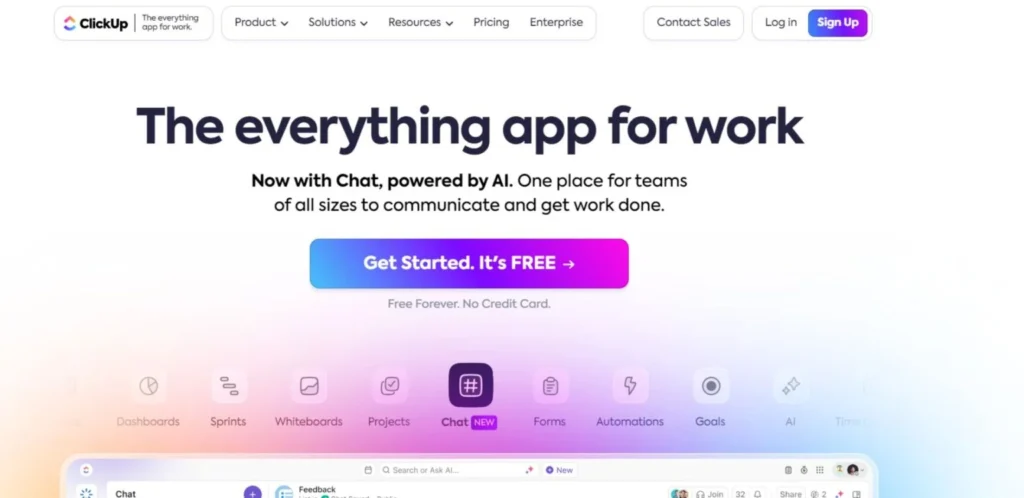
ClickUp has evolved into one of the most powerful all-in-one project management platforms for marketing teams managing campaigns, content pipelines, approvals, and cross-functional collaboration. Its highly customizable dashboards, automations, docs, whiteboards, and AI-powered productivity tools help marketers centralize work without juggling multiple apps.
Teams can build workflows for SEO, social media, advertising, and product launches using templates and custom fields. The platform also supports time tracking, workload management, and sprint-style campaign execution. ClickUp remains a strong choice for fast-growing marketing agencies and in-house teams needing operational flexibility and scalability across multiple projects simultaneously.
Key features specifically useful for marketing teams:
- Campaign planning dashboards
- Content calendar management
- AI writing and task summaries
- Approval workflows for creatives
- Social media campaign tracking
- Whiteboards for brainstorming
- Time tracking for billable work
- Marketing automation templates
Pros:
- Deep workflow customization for complex campaigns
- Combines docs, chat, tasks, and dashboards in one workspace
- Excellent automation options for repetitive marketing processes
Cons:
- Interface can feel overwhelming for first-time users
- Advanced setup requires onboarding time
- Mobile experience is less powerful than desktop version
Pricing:
- Unlimited- $10 Per user/month
- Business- $19 Per user/month
Who it is best for: Mid-sized to large marketing teams, agencies, and startups needing scalable workflows, strong customization, and collaborative campaign management within moderate-to-high software budgets.
2. Asana — Best for Keeping Multi-Channel Campaigns Perfectly Organized

Website: https://asana.com/
Asana continues to dominate marketing project management with its clean interface, structured workflows, and excellent campaign visibility tools. Marketing teams use Asana to coordinate product launches, editorial calendars, social campaigns, and cross-department approvals without confusion.
Timeline views, goals tracking, automation rules, and reporting dashboards simplify campaign execution and accountability. Its integration ecosystem supports tools like Slack, Adobe Creative Cloud, Google Drive, and HubSpot.
Asana remains especially attractive for organizations prioritizing clarity, accountability, and streamlined collaboration across distributed teams. The platform balances simplicity with enterprise-level capabilities, making it suitable for both growing brands and large-scale marketing departments worldwide.
Key features specifically useful for marketing teams:
- Editorial and campaign calendars
- Task dependencies for launches
- Automated approval workflows
- Goal and KPI tracking
- Workload balancing dashboards
- Creative request forms
- Team collaboration timelines
- Integration with marketing platforms
Pros:
- Extremely intuitive interface for non-technical users
- Strong timeline and dependency management
- Excellent collaboration visibility across departments
Cons:
- Limited customization compared to ClickUp
- Reporting features improve only on higher plans
- Can become expensive for large organizations
Pricing:
- Starter– US$13.49 billed monthly
- Advanced– US$30.49 billed monthly
Who it is best for: Small-to-enterprise marketing teams seeking clean workflows, organized campaign execution, and easy onboarding without requiring heavy technical configuration.
3. Monday.com — Best for Visual Marketing Workflow Automation

Website: https://monday.com/
Monday.com has strengthened its position among marketing teams through visually engaging dashboards, no-code automations, and highly adaptable campaign workflows. The platform enables marketers to manage ad production, content approvals, influencer collaborations, and event planning through colorful, easy-to-track boards.
Teams benefit from automation recipes that reduce repetitive coordination tasks and improve campaign turnaround times. Monday.com also supports workload management, reporting, and client collaboration for agencies handling multiple accounts. it remains popular with creative teams wanting operational structure without sacrificing usability. Its visual-first design particularly appeals to fast-moving marketing environments managing numerous stakeholders and deadlines simultaneously.
Key features specifically useful for marketing teams:
- Visual campaign tracking boards
- Marketing automation workflows
- Client collaboration portals
- Creative production management
- Calendar and timeline views
- Real-time reporting dashboards
- Cross-team collaboration tools
- Lead and asset tracking
Pros:
- Highly visual interface improves campaign tracking
- Strong automation capabilities without coding
- Easy onboarding for creative and marketing staff
4Cons:
- Advanced reporting locked behind premium tiers
- Some integrations require higher plans
- Large workflows can become cluttered visually
Pricing:
- Basic– $12 /seat /month
- Standard– $14 /seat /month
- Pro– $24 /seat /month
Who it is best for: Creative agencies, startup marketing teams, and visually oriented departments wanting simple automation, collaboration, and easy-to-manage campaign operations.
4. Trello — Best for Lightweight Content and Social Media Planning

Website: https://trello.com/
Trello remains a favorite among small marketing teams thanks to its simplicity, flexibility, and visual Kanban-style workflow management. Marketers frequently use Trello for editorial calendars, content production pipelines, social media scheduling, and campaign checklists.
Its drag-and-drop card system keeps projects easy to organize while Power-Ups extend functionality with integrations, automation, and analytics. Trello’s low learning curve makes adoption fast, especially for freelancers and startups with limited operational complexity. , the platform still excels for lightweight campaign management where ease of use matters more than enterprise-grade reporting or advanced resource planning capabilities across larger distributed marketing operations.
Key features specifically useful for marketing teams:
- Kanban campaign boards
- Editorial workflow management
- Content approval tracking
- Social media planning
- Automation with Butler
- Checklist-based task management
- Easy collaboration comments
- Marketing tool integrations
Pros:
- Extremely easy for teams to adopt quickly
- Ideal for simple content workflows
- Affordable for startups and freelancers
Cons:
- Limited advanced reporting features
- Not ideal for large-scale complex operations
- Resource management tools are basic
Pricing:
- Standard– $5USD Per user/month if billed annually ($6 billed monthly)
- Premium- $10USD Per user/month if billed annually ($12.50 billed monthly)
- Enterprise- $17.50USD Per user/month billed annually
Who it is best for: Freelancers, startups, and small marketing teams needing affordable, simple, and visual campaign organization tools without enterprise complexity.
5. Wrike — Best for Enterprise-Level Marketing Operations Control
Website: https://www.wrike.com/vbg/
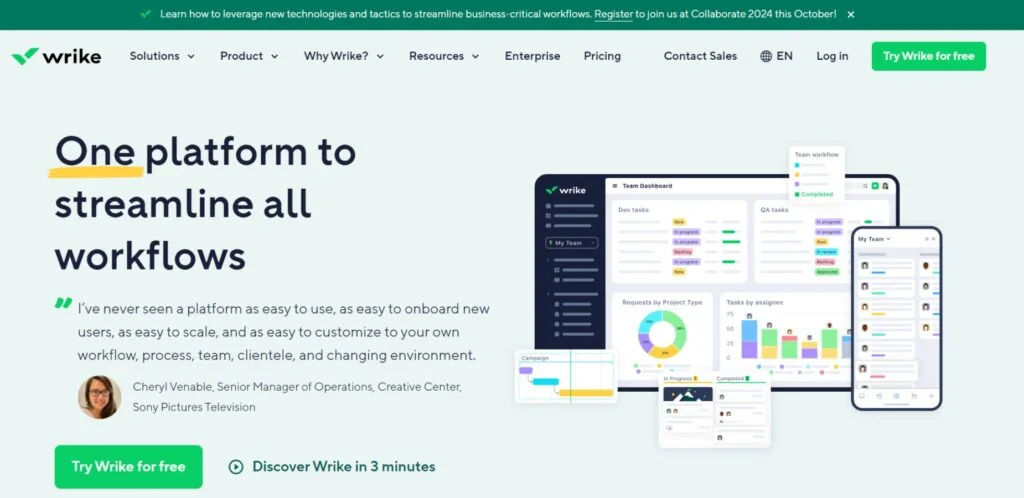
Wrike is designed for large marketing organizations requiring advanced workflow governance, proofing, resource allocation, and performance reporting. Marketing teams use Wrike to coordinate large-scale campaigns involving designers, advertisers, copywriters, and executives across multiple regions.
Its request forms, automation, approval systems, and customizable dashboards help eliminate bottlenecks in high-volume environments. Wrike also offers strong analytics and workload balancing capabilities for enterprise operations. it remains one of the most reliable platforms for complex marketing execution where compliance, stakeholder visibility, and operational control are critical. The platform particularly suits organizations managing numerous simultaneous campaigns across diverse departments and global teams.
Key features specifically useful for marketing teams:
- Creative proofing and approvals
- Enterprise campaign dashboards
- Resource and workload management
- Marketing request forms
- Advanced analytics reporting
- Cross-functional collaboration tools
- Automated campaign workflows
- Asset management integrations
Pros:
- Excellent for managing complex enterprise campaigns
- Strong reporting and resource allocation tools
- Built-in proofing speeds creative approvals
Cons:
- Steeper learning curve for new users
- Interface may feel heavy for smaller teams
- Higher-tier features significantly increase costs
Pricing:
- Team– $10 user/month
- Business– $25 user/month
Who it is best for: Large enterprises, corporate marketing departments, and agencies managing complex multi-team campaigns with higher operational budgets and reporting needs.
6. Notion — Best for Combining Content Strategy, Docs, and Project Planning

Website: https://www.notion.com/
Notion has become a preferred workspace for marketing teams seeking a blend of project management, documentation, content planning, and knowledge sharing. Teams use Notion to manage campaign roadmaps, SEO documentation, editorial calendars, meeting notes, and brand guidelines within a unified workspace.
Its databases, templates, AI tools, and collaborative editing features support organized marketing operations without requiring multiple disconnected platforms. Notion stands out for flexibility and content-centric workflows rather than traditional enterprise project management structures. The platform particularly appeals to startups and modern digital marketing teams prioritizing documentation, collaboration, and streamlined creative planning over rigid operational hierarchies and systems.
Key features specifically useful for marketing teams:
- Editorial and content calendars
- Marketing wiki creation
- AI-assisted writing support and AI content writing tools
- Campaign documentation databases
- Collaborative brainstorming pages
- SEO planning templates
- Brand guideline management
- Flexible workflow customization
Pros:
- Combines documentation and project management effectively
- Highly flexible workspace customization
- Strong collaborative content editing features
Cons:
- Limited advanced project reporting tools
- Automation capabilities lag behind competitors
- Large workspaces may become difficult to organize
Pricing:
- Plus- $12 per member / month
- Business– $24 per member / month
Who it is best for: Content-focused marketing teams, startups, and remote creative teams wanting flexible collaboration, documentation, and campaign planning on moderate budgets.
7. Smartsheet — Best for Spreadsheet-Style Campaign Operations at Scale

Website: https://www.smartsheet.com/
Smartsheet combines spreadsheet familiarity with enterprise-grade project management, making it highly effective for marketing teams handling complex campaigns, budgets, and resource planning. Teams can automate approvals, track campaign timelines, manage digital assets, and coordinate multi-department initiatives through customizable sheets and dashboards.
Its reporting tools and workflow automations help marketers maintain visibility across large-scale operations without losing granular detail. Smartsheet remains especially valuable for organizations transitioning from Excel-heavy workflows to collaborative project management systems. The platform balances structure, scalability, and flexibility while supporting detailed operational oversight for enterprise marketing environments and growing distributed teams worldwide.
Key features specifically useful for marketing teams:
- Campaign budget tracking
- Automated approval workflows
- Marketing project dashboards
- Spreadsheet-style campaign management
- Resource allocation reporting
- Cross-functional collaboration tools
- Asset request tracking
- Timeline and milestone planning
Pros:
- Familiar spreadsheet interface reduces training time
- Excellent reporting and operational visibility
- Strong automation for recurring campaign processes
Cons:
- Less visually engaging than newer platforms
- Advanced features require premium subscriptions
- Can feel rigid for highly creative workflows
Pricing:
- Pro– $12 per Member/month
- Business- $24 per Member/month
Who it is best for: Enterprise marketing departments, operations-heavy teams, and organizations managing large campaigns with spreadsheet-driven processes and structured reporting needs.
8. Teamwork — Best for Client-Focused Marketing Agencies

Website: https://www.teamwork.com/
Teamwork is purpose-built for agencies and client-service businesses managing campaigns, deadlines, billing, and stakeholder communication. Marketing teams use Teamwork to organize client deliverables, track billable hours, manage approvals, and centralize campaign discussions.
Its workload management and profitability tracking tools help agencies maintain operational efficiency while scaling client accounts. Teamwork also integrates with communication, invoicing, and file-sharing platforms commonly used in agency environments. the platform continues to stand out for balancing project management with client collaboration and financial visibility. Its agency-focused workflow design makes it particularly valuable for service-driven marketing organizations handling multiple simultaneous campaigns and retainers.
Key features specifically useful for marketing teams:
- Client collaboration workspaces
- Campaign milestone tracking
- Time tracking for billing
- Workload and capacity planning
- Marketing task dependencies
- Proofing and approvals
- Agency profitability reporting
- Team communication tools
Pros:
- Excellent for managing client-facing workflows
- Built-in time tracking supports agency billing
- Strong workload management for resource planning
Cons:
- Interface feels less modern than competitors
- Automation options are somewhat limited
- Reporting customization could be deeper
Pricing:
- Basics– $13.99/user/month
- Accelerate- $29.99/user/month
Who it is best for: Marketing agencies, creative consultancies, and client-service teams requiring billing visibility, collaboration tools, and organized campaign delivery systems.
9. Airtable — Best for Data-Driven Content and Campaign Management

Website: https://www.airtable.com/
Airtable blends database functionality with project management, giving marketing teams exceptional flexibility for organizing campaigns, content libraries, and performance tracking. Teams can build custom workflows for influencer campaigns, SEO planning, editorial production, and digital asset management using relational databases and automation features.
Airtable’s visual interfaces, templates, and integrations help marketers centralize operational data while maintaining collaborative visibility. Airtable remains a favorite among growth marketers and content teams that rely heavily on structured information and reporting. Its adaptability makes it highly valuable for organizations needing custom operational systems beyond traditional task-based project management software capabilities.
Key features specifically useful for marketing teams:
- Content database management
- Campaign performance tracking
- Editorial calendar templates
- Asset organization systems
- Automation for recurring workflows
- Custom reporting dashboards
- Influencer campaign tracking
- Flexible relational databases
Pros:
- Extremely flexible for custom marketing operations
- Powerful database functionality for campaign organization
- Excellent collaboration and visualization options
Cons:
- Advanced setups require technical understanding
- Pricing rises quickly for larger databases
- Not ideal for simple task management needs
Pricing:
- Team– $20 per seat /month billed annually
- Business– $45 per seat /month billed annually
Who it is best for: Growth marketing teams, content operations departments, and data-focused organizations requiring customizable workflows and advanced campaign organization capabilities.
10. Basecamp — Best for Simple Team Communication and Campaign Coordination

Website: https://basecamp.com/
Basecamp focuses on simplicity and communication, helping marketing teams organize projects without unnecessary complexity. Teams can manage campaigns, share files, assign tasks, track deadlines, and centralize conversations using a clean, minimal interface.
Basecamp’s message boards, checklists, scheduling tools, and real-time group chat reduce dependency on scattered emails and disconnected communication channels. the platform remains attractive for small businesses and lean marketing teams prioritizing clarity and collaboration over advanced automation or reporting. Its flat pricing model also makes budgeting predictable for growing organizations seeking reliable coordination tools without enterprise-level operational overhead or software administration challenges.
Key features specifically useful for marketing teams:
- Centralized campaign communication
- Shared marketing calendars
- Task and checklist management
- File sharing for creative assets
- Team announcements and updates
- Real-time group chat
- Campaign scheduling tools
- Client collaboration support
Pros:
- Very easy for teams to learn quickly
- Strong communication-focused collaboration features
- Predictable flat pricing for growing businesses
Cons:
- Limited automation and advanced reporting
- Lacks sophisticated resource management tools
- Fewer integrations compared to competitors
Pricing:
- Pro Unlimited- $299/month, billed annually
- Pro– $15/user, billed monthly
Who it is best for: Small businesses, lean marketing teams, and startups wanting simple collaboration, centralized communication, and predictable pricing without operational complexity.
11. Jira — Best for Agile Marketing and Product Launch Coordination
Website: https://www.atlassian.com/software/jira
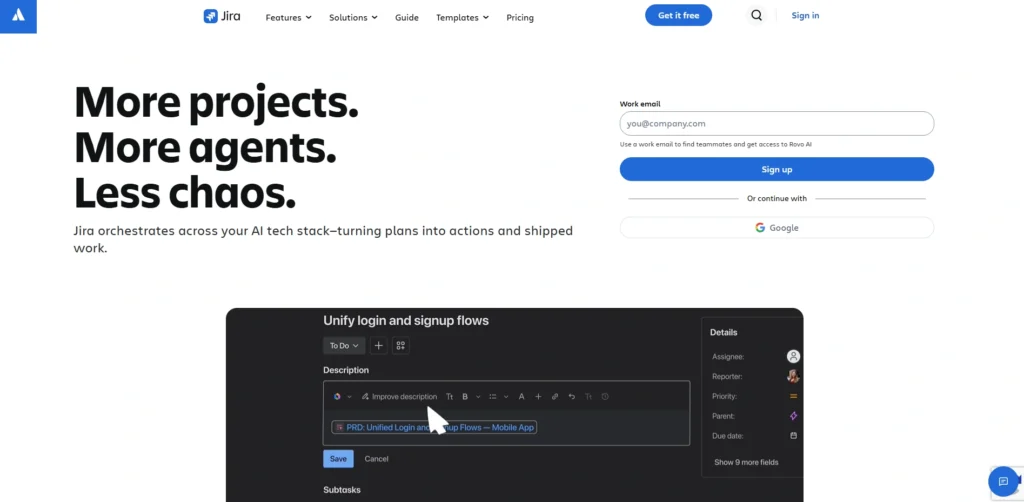
Jira is increasingly used beyond software development, particularly by marketing teams running agile workflows, sprint-based campaigns, and product launch coordination. Teams can track campaign progress, manage dependencies, automate repetitive tasks, and collaborate across marketing and product departments.
Jira’s customizable boards, reporting tools, and sprint planning capabilities support fast-moving organizations handling iterative campaigns and continuous optimization. Jira remains highly valuable for technical marketing teams closely aligned with development and product operations.
Its flexibility and deep integration ecosystem make it especially effective for SaaS companies and growth-driven businesses operating within agile organizational structures and rapid release environments.
Key features specifically useful for marketing teams:
- Agile campaign sprint planning
- Workflow automation rules
- Custom marketing dashboards
- Cross-functional launch tracking
- Kanban and Scrum boards
- Dependency management tools
- Advanced reporting analytics
- Integration with Atlassian ecosystem
Pros:
- Excellent for agile and sprint-based workflows
- Strong reporting and process visibility
- Deep customization for operational workflows
Cons:
- Steeper learning curve for non-technical users
- Interface can feel overly complex for creatives
- Requires setup effort for marketing-specific use cases
Pricing:
- Standard- $7.91 per user / month
- Premium- $14.54 per user / month
Who it is best for: SaaS companies, technical marketing teams, and agile organizations needing structured workflows, sprint planning, and deep operational visibility across departments.
12. Zoho Projects — Best for Budget-Friendly Marketing Team Collaboration

Website: https://www.zoho.com/projects/
Zoho Projects offers an affordable yet feature-rich project management environment for marketing teams handling campaigns, content schedules, and collaborative workflows. Teams can organize tasks, automate processes, monitor deadlines, and manage approvals using Gantt charts, Kanban boards, and integrated communication tools.
Its connection with the broader Zoho ecosystem strengthens CRM, email marketing, analytics, and customer engagement workflows., Zoho Projects remains highly attractive for startups and growing businesses seeking operational efficiency without enterprise-level software costs.
The platform delivers practical functionality, strong customization, and reliable scalability while maintaining pricing that appeals to cost-conscious marketing departments and agencies managing multiple active projects.
Key features specifically useful for marketing teams:
- Campaign milestone tracking
- Marketing workflow automation
- Integrated team chat
- Gantt chart campaign planning
- Content collaboration tools
- Time tracking and reporting
- Approval workflow management
- Zoho ecosystem integrations
Pros:
- Affordable pricing for growing teams
- Strong integration with Zoho business apps
- Useful reporting and task automation tools
Cons:
- Interface feels less polished than competitors
- Some advanced features require ecosystem adoption
- Third-party integrations are comparatively limited
Pricing:
- Premium– ₹350/user/month
- Enterprise– ₹700/user/month
- Ultimate- ₹1,050/user/month
Who it is best for: Small businesses, startups, and budget-conscious marketing teams wanting affordable collaboration and campaign management integrated with broader business operations.
13. Workfront by Adobe — Best for Large Creative and Content Production Teams

Website: https://business.adobe.com/products/workfront.html
Adobe Workfront is designed for enterprise marketing organizations managing large creative operations, complex approvals, and high-volume campaign execution. Marketing teams use Workfront to coordinate production schedules, creative reviews, resource allocation, and stakeholder approvals across distributed departments.
Its deep integration with Adobe Creative Cloud strengthens collaboration between marketers and designers while improving campaign visibility and compliance. Workfront remains a premium solution for brands requiring advanced governance, enterprise reporting, and scalable workflow orchestration. The platform particularly excels in organizations producing large amounts of digital content where structured approvals, resource management, and operational consistency are mission-critical for campaign success and efficiency.
Key features specifically useful for marketing teams:
- Enterprise creative approvals
- Adobe Creative Cloud integration
- Resource capacity planning
- Campaign workflow automation
- Marketing request management
- Advanced portfolio reporting
- Compliance and governance controls
- Cross-department collaboration dashboards
Pros:
- Excellent for large-scale creative operations
- Deep Adobe ecosystem integration benefits designers
- Advanced governance and approval workflows
Cons:
- Expensive for smaller organizations
- Implementation requires significant onboarding effort
- Overly complex for lightweight marketing workflows
Pricing:
- Request Pricing
Who it is best for: Large enterprises, global marketing organizations, and creative-heavy brands requiring advanced governance, scalability, and structured production workflows with enterprise budgets.
14. nTask — Best for Affordable Marketing Task and Risk Management
Website: https://www.ntaskmanager.com/
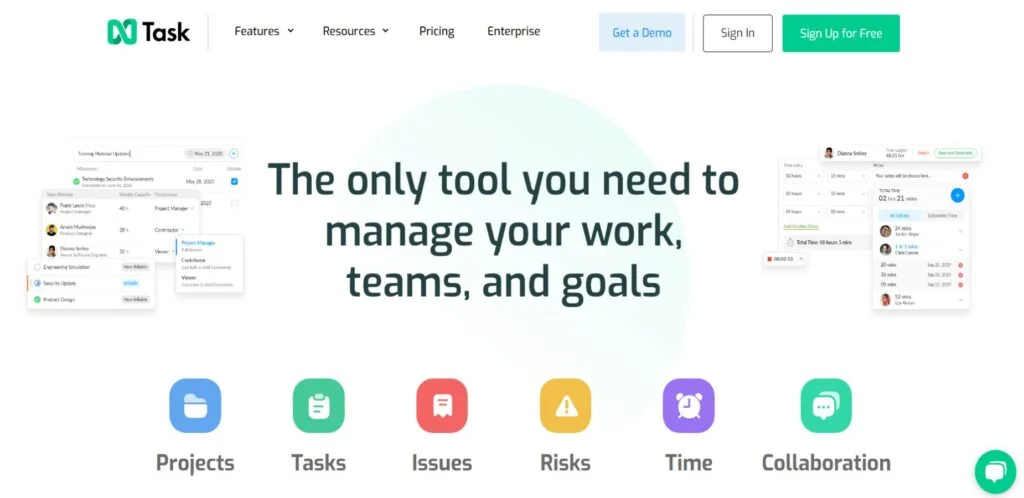
nTask provides budget-friendly project management functionality for marketing teams needing structured task tracking, meeting management, and campaign coordination. Teams can organize workflows, monitor risks, manage approvals, and track deadlines through an intuitive interface designed for operational simplicity.
Its issue tracking and risk management capabilities help marketers identify bottlenecks before campaigns are affected. nTask remains a practical option for startups and smaller businesses seeking dependable collaboration tools without paying enterprise-level subscription costs. The platform offers balanced functionality for campaign management, team communication, and operational oversight while remaining accessible to organizations with limited technical resources or software implementation experience.
Key features specifically useful for marketing teams:
- Campaign task management
- Meeting scheduling and notes
- Risk and issue tracking
- Marketing workflow organization
- Team collaboration tools
- Time tracking features
- Progress monitoring dashboards
- Approval and feedback systems
Pros:
- Very affordable for small marketing teams
- Risk tracking improves campaign management
- Easy setup with intuitive workflow tools
Cons:
- Limited advanced reporting capabilities
- Fewer enterprise integrations available
- Interface design feels less modern than rivals
Pricing:
- Premium– $4/month
- Business– $12/month
Who it is best for: Startups, freelancers, and small marketing teams needing affordable project coordination, risk tracking, and collaboration without complex enterprise features.
15. ProofHub — Best for Centralized Marketing Approvals and Team Coordination

Website: https://www.proofhub.com/
ProofHub simplifies project management for marketing teams through centralized communication, proofing, task management, and workflow tracking. Teams can review creatives, organize campaigns, assign responsibilities, and manage deadlines within a single workspace. Its flat pricing model makes budgeting predictable while avoiding per-user cost escalation common in competing platforms.
Marketing departments benefit from discussion boards, file approvals, time tracking, and customizable workflows that improve operational transparenc. ProofHub remains particularly appealing for businesses wanting collaborative campaign management without excessive complexity or enterprise pricing. The platform balances usability, approval management, and communication tools effectively for agencies and internal marketing departments alike.
Key features specifically useful for marketing teams:
- Creative review and proofing
- Campaign task management
- Team discussion boards
- Time tracking for projects
- Workflow customization options
- File sharing and approvals
- Calendar-based campaign planning
- Role-based team permissions
Pros:
- Flat pricing benefits growing teams financially
- Strong proofing and approval workflows
- Centralized communication reduces email dependency
Cons:
- Limited advanced automation capabilities
- Fewer integrations than larger competitors
- Reporting features are relatively basic
Pricing:
- Ultimate Control– $99/m
- Essential- $50/m
Who it is best for: Small-to-mid-sized agencies, internal marketing departments, and collaborative creative teams wanting predictable pricing and centralized approval management.
Which Marketing Project Management Tool is Right for You?
Best Tool for Small Marketing Teams (under 10 people)
1. Trello

Website: https://trello.com/
Trello is ideal for small marketing teams that need a lightweight and affordable way to manage content calendars, social media workflows, social media marketing tools, and campaign planning. Its drag-and-drop Kanban system keeps projects simple, organized, and easy to track without requiring technical expertise.
Teams can quickly assign tasks, monitor deadlines, share feedback, and automate repetitive processes using Butler automation. Trello’s low learning curve helps startups and freelancers onboard rapidly while maintaining operational visibility. it remains one of the easiest collaboration platforms for growing businesses managing straightforward marketing operations efficiently daily.
Key Features:
- Kanban campaign boards
- Butler workflow automation
- Editorial calendar management
- Team collaboration comments
- Marketing app integrations
Pricing:
- Standard – $5/user/month
- Premium – $10/user/month
2. Zoho Projects

Website: https://www.zoho.com/projects/
Zoho Projects works exceptionally well for small marketing businesses needing affordable collaboration, reporting, and workflow automation. Teams can organize campaigns, monitor deadlines, manage approvals, and coordinate communication from one centralized dashboard.
Its integration with Zoho CRM, analytics, and email marketing tools makes it valuable for growing businesses wanting connected operations without enterprise-level pricing. The platform balances simplicity with useful automation and reporting features, helping startups improve productivity while maintaining budget controle. Zoho Projects remains a practical choice for lean marketing teams focused on operational efficiency and steady business growth successfully.
Key Features:
- Campaign milestone tracking
- Workflow automation tools
- Gantt chart planning
- Time tracking reports
- Zoho ecosystem integrations
Pricing:
- Premium– ₹350/user/month
- Enterprise- ₹700/user/month
- Ultimate- ₹1,050/user/month
Best Tool for Marketing Agencies Managing Multiple Clients
3. Teamwork

Website: https://www.teamwork.com/
Teamwork is purpose-built for agencies managing multiple client campaigns, deadlines, approvals, and billable work simultaneously. Marketing agencies benefit from workload management, profitability tracking, time logging, and client collaboration tools that improve operational visibility and resource allocation. Teams can organize deliverables, track campaign milestones, and streamline communication without relying on scattered systems.
Its billing-focused functionality makes it especially valuable for service-based businesses managing retainers and project-based contracts. Teamwork continues to stand out as one of the strongest project management platforms for agencies needing both collaboration efficiency and financial oversight across growing client portfolios successfully.
Key Features:
- Client collaboration portals
- Time tracking for billing
- Workload management dashboards
- Campaign milestone tracking
- Agency profitability reporting
Pricing:
- Standard- $5USD Per user/month if billed annually ($6 billed monthly)
- Premium- $10USD Per user/month if billed annually ($12.50 billed monthly)
- Enterprise– $17.50USD Per user/month billed annually
4. ProofHub
Website: https://www.proofhub.com/
ProofHub is an excellent option for agencies needing centralized communication, proofing, approvals, and campaign coordination without paying escalating per-user costs. Marketing teams can manage creative reviews, assign tasks, organize discussions, and track project progress within a single platform.
Its flat pricing structure makes budgeting predictable for agencies scaling teams and clients simultaneously. Built-in proofing tools help reduce approval delays and simplify collaboration between clients, designers, and managers. ProofHub remains highly attractive for agencies prioritizing operational simplicity, approval management, and affordable collaboration tools while maintaining transparency across multiple active client campaigns efficiently.
Key Features:
- Creative proofing workflows
- Flat-rate team pricing
- Campaign task tracking
- Team discussion boards
- File approval management
Pricing:
- Ultimate Control– $99/m
- Essential- $50/m
Best Free Marketing Project Management Tool
5. ClickUp

Website: https://clickup.com/
ClickUp offers one of the strongest free plans available for marketing teams. Businesses can access unlimited tasks, collaborative docs, dashboards, Kanban boards, and workflow customization without immediate upgrade pressure. Marketing teams use ClickUp to manage campaigns, content pipelines, approvals, and reporting from one centralized workspace. Its automation tools and customizable views improve operational efficiency while supporting both creative and analytical workflows.
The platform scales effectively as businesses grow, making it valuable for startups wanting enterprise-style functionality at minimal cost. ClickUp remains highly competitive for teams balancing rapid growth with controlled software spending strategies.
Key Features:
- Unlimited task management
- Campaign planning dashboards
- AI-powered productivity tools
- Workflow automation templates
- Collaborative whiteboards and docs
Pricing:
- Unlimited- $10 Per user/month
- Business– $19 Per user/month
6. Jira

Website: https://www.atlassian.com/software/jira
Jira provides a powerful free option for marketing teams operating with agile workflows, sprint planning, and fast-moving campaign execution. Teams can organize launches, automate repetitive tasks, track dependencies, and monitor campaign progress using customizable Scrum and Kanban boards.
Although originally designed for software teams, Jira now supports marketing operations requiring detailed workflow control and reporting visibility. Its free plan works particularly well for startups and SaaS marketing departments needing operational structure without immediate software investment. Jira remains highly valuable for technical marketing organizations prioritizing scalability, customization, and process-driven campaign management systems across departments efficiently.
Key Features:
- Agile sprint planning
- Scrum and Kanban boards
- Workflow automation rules
- Dependency tracking tools
- Advanced campaign reporting
Pricing:
- Standard– $7.91 per user / month
- Premium- $14.54 per user / month
Best Tool for Content Marketing Teams
7. Notion

Website: https://www.notion.com/
Notion is highly effective for content marketing teams managing editorial calendars, SEO strategies, documentation, and collaborative content production. Teams can centralize campaign plans, blog workflows, keyword research, meeting notes, and brand guidelines inside customizable databases and pages.
Its collaborative editing features improve communication between writers, editors, and strategists while reducing dependency on disconnected tools. Notion’s flexibility allows businesses to build personalized content operations tailored to their publishing process. it remains one of the strongest platforms for content-driven organizations prioritizing documentation, planning, collaboration, and operational simplicity within modern remote and distributed marketing environments successfully.
Key Features:
- Editorial calendar management
- SEO workflow organization
- Collaborative content editing
- Marketing wiki creation
- AI-assisted writing support
Pricing:
- Plus- $12 per member / month
- Business– $24 per member / month
8. Airtable

Website: https://www.airtable.com/
Airtable combines database functionality with project management, making it ideal for content marketing teams handling structured editorial workflows and large content libraries. Teams can organize publishing schedules, campaign assets, influencer databases, SEO planning, and performance tracking using highly customizable tables and dashboards.
Its relational database structure improves visibility across content operations while supporting automation and reporting capabilities. Airtable works especially well for growth-focused marketing teams managing data-heavy campaigns requiring operational flexibility. the platform remains a preferred choice for businesses wanting advanced content organization systems beyond traditional task management and simple editorial calendar tools available today.
Key Features:
- Content database organization
- Editorial calendar templates
- Campaign performance tracking
- Asset management workflows
- Automation and reporting tools
Pricing:
- Team- $20 per seat /month billed annually
- Business– $45 per seat /month billed annually
Best Tool for Enterprise Marketing Departments
9. Wrike

Website: https://www.wrike.com/vbg/
Wrike is designed for enterprise marketing teams managing large campaigns, distributed departments, approvals, and complex operational workflows. Businesses use Wrike for resource allocation, campaign governance, creative proofing, workload balancing, and executive reporting across multiple stakeholders. Its advanced dashboards and automation systems improve visibility and reduce operational bottlenecks within high-volume marketing environments.
The platform performs especially well for organizations requiring structured approvals, compliance oversight, and detailed reporting capabilities. Wrike remains one of the strongest enterprise-grade marketing project management platforms for businesses prioritizing operational control, scalability, collaboration efficiency, and large-scale campaign coordination across global teams successfully.
Key Features:
- Enterprise reporting dashboards
- Creative proofing systems
- Resource allocation management
- Workflow automation tools
- Cross-functional collaboration controls
Pricing:
- Team- $10 user/month
- Business- $25 user/month
10. Adobe Workfront

Website: https://business.adobe.com/products/workfront.html
Adobe Workfront is built for enterprise organizations handling large-scale creative production, campaign governance, and complex approval processes. Marketing departments use the platform to coordinate distributed teams, manage resources, automate workflows, and maintain operational consistency across high-volume campaigns.
Its deep integration with Adobe Creative Cloud strengthens collaboration between designers and marketers while improving visibility throughout content production pipelines. Workfront particularly excels in compliance-heavy environments requiring structured approvals and advanced reporting. it remains a premium enterprise solution for global brands needing scalable operational management, creative governance, and centralized control over complex marketing ecosystems and workflows.
Key Features:
- Adobe Creative Cloud integration
- Enterprise approval workflows
- Resource capacity planning
- Portfolio reporting dashboards
- Compliance management controls
Pricing:
- Request Pricing
How to Get Started with Marketing Project Management Software
Implementing marketing project management software improves campaign visibility, team collaboration, workflow organization, and operational efficiency. However, success depends on choosing the right platform, building clear processes, and ensuring proper team adoption from the beginning. Follow these essential steps to successfully implement and scale marketing project management software within your business operations in 2026.
- Step 1. Identify Workflow Problems– Analyze campaign delays, approval bottlenecks, communication gaps, reporting issues, and workload inefficiencies before selecting project management software for your marketing team.
- Step 2. Define Business Goals- Set clear objectives like faster campaign delivery, improved collaboration, better reporting visibility, higher productivity, or streamlined client approval management processes.
- Step 3. Choose the Right Tool– Select software matching your team size, workflow complexity, collaboration style, automation needs, reporting requirements, integrations, and long-term business scalability goals.
- Step 4. Start With One Campaign– Implement the platform gradually using one marketing campaign or department before expanding company-wide workflows and operational management processes across teams.
- Step 5. Create Standardized Templates– Build reusable templates for content production, campaign launches, approvals, reporting, social media planning, and recurring marketing workflow execution processes consistently.
- Step 6. Automate Repetitive Tasks– Use automation for reminders, approvals, task assignments, notifications, recurring campaigns, and workflow updates to improve operational efficiency and execution speed.
- Step 7. Train Your Team Properly– Provide onboarding sessions, workflow documentation, tutorials, and role-based guidance to ensure smooth adoption and consistent usage across marketing departments successfully.
- Step 8. Track Performance and Improve– Monitor productivity, campaign timelines, approval speed, workload distribution, and operational bottlenecks regularly to optimize marketing workflow efficiency continuously over time.
Conclusion
Marketing in 2026 moves too fast for scattered spreadsheets, endless email chains, and disconnected workflows. Businesses that fail to organize campaigns efficiently often lose time, creative momentum, client trust, and ultimately revenue. The right marketing project management software is no longer just a productivity tool—it is a competitive advantage that directly impacts execution speed, collaboration quality, operational visibility, and campaign profitability.
Whether you run a startup, manage an agency, or lead an enterprise marketing department, choosing software aligned with your workflow complexity and growth goals is essential. Platforms like ClickUp, Asana, Wrike, and Notion each solve different operational challenges, making selection strategy more important than popularity alone. Invest in tools that reduce friction, improve accountability, and help your marketing team scale smarter, faster, and more profitably.