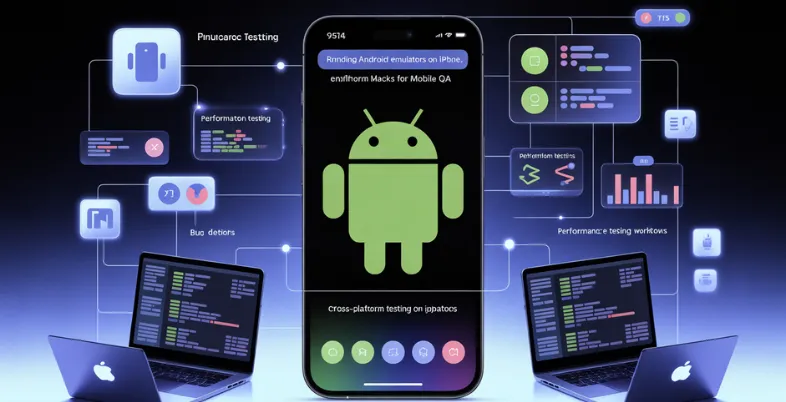
Mobile app development is growing rapidly, pushing QA teams to find smarter ways to test across platforms. One emerging approach is using Android emulation concepts on iPhones to support remote and cross-platform testing. While Android and iOS ecosystems differ, modern tools enable QA teams to extend Android automation strategies beyond physical device limitations. This approach helps improve test coverage, reduce hardware dependency, and accelerate mobile testing cycles.
Running Android Emulators on iPhone
Android emulators cannot be run on iPhones as this type of emulator is fundamentally architecturally different, plus there are native restrictions from Apple. However, mobile QA professionals have established several means of accessing Android environments from an iPhone through cloud-based or remote access options.
For example, rather than installing a full Android emulator on an iPhone, testers can connect to emulators located remotely via cloud-based services, as well as their custom virtual machines, by way of an application that allows remote desktop connections.
By doing this, mobile testers can interactively experiment with the Android UIs in real-time without the need for physical Android devices, making cross-platform testing and bug checking entirely possible in this manner.
Although it does not provide the performance and responsiveness of native testing, ultimately, this approach provides a more than capable alternative for a distributed QA team or debugging without lugging physical Android devices around.
This overview highlights that while true emulation isn’t feasible on iPhones, creative use of cloud access and remote tools makes Android testing from iOS devices achievable.
Features of Android Emulators on iPhone
Running Android emulators directly on an iPhone is not allowed because of Apple’s limitations and hardware variations; however, mobile QA testers can still replicate Android testing scenarios using innovative cross-platform methods.
These arrangements offer significant benefits for QA teams requiring greater coverage and flexibility.
Some of the features of the Android emulator for iPhone are listed below:
- Accessing Android emulators remotely: Utilize fully-equipped Android emulators available on cloud servers or desktop systems via remote desktop applications such as AnyDesk or VNC directly from an iPhone. This allows mobile testers to conduct real-time quality assurance without requiring a physical Android device.
- Cross-platform automation connectivity: Frameworks such as Appium, Flutter Driver, and Xamarin.UITest enables tests to be created once and executed on both Android and iOS. These can be activated from a distance, with outcomes tracked through mobile dashboards on an iPhone.
- Debugging and monitoring: QA engineers can initiate test sessions, observe logs, and take screenshots while not at their desks. They can utilize only their iPhone to connect to active Android instances.
- Effective resource usage: Eliminate the need for a vast collection of physical Android devices by utilizing virtual emulators for testing, which can be accessed at any time from any device, including an iPhone.
- Testing is scalable across versions: Cloud emulator platforms accommodate various versions of the Android OS and devices. iPhone users can quickly switch between them, simplifying the process of validating compatibility across a broad range of Android devices.
- Integration with CI/CD pipelines: Testers may evaluate automated test results and logs from their iPhones thanks to integration with Jenkins, GitHub Actions, and other CI/CD technologies, which promotes agile workflows and expedites issue fixes.
Advantages of Running Android Emulators
Testing Android applications on an iPhone might appear illogical, but with today’s cross-platform testing techniques, it turns into an effective approach for mobile QA teams. This method offers QA engineers enhanced adaptability, better accessibility, and more efficient testing procedures, particularly in rapid or resource-limited development phases.
Here are the main benefits of operating Android emulators on an iPhone through cross-platform testing methods:
- Improved mobility for QA teams: Testers can reach and engage with Android environments from any location using only their iPhone. This flexibility is perfect for scattered teams, on-site testing, or quick bug verification without requiring complete testing arrangements.
- Decreased Reliance on Physical Devices: Using emulators and cloud-based Android instances, teams can reduce their dependence on managing a large stock of physical Android devices, leading to cost savings and easier device management.
- Smooth Cross-Platform Automation: By utilizing tools such as Appium or Flutter Driver, QA teams are able to automate test cases a single time and run them on both Android and iOS platforms, while also tracking results in real-time using an iPhone.
- Quicker Debugging and Assessment: Test failures and performance problems can be promptly examined through remote sessions accessed using an iPhone. This reduces the feedback loop and speeds up bug fixing.
- Collaboration in Real Time: Remote Android sessions enable developers and testers to share access while conducting tests. iPhone-based access allows QA staff to participate in joint debugging sessions from any location.
- Enhanced Use of Cloud Resources: Cloud-based Android emulator platforms can be accessed from any browser-enabled device, including an iPhone, providing scalability, reliability, and hassle-free maintenance.
- Assistance for Agile and DevOps Processes: Accessing CI/CD test logs, emulator sessions, and dashboards on mobile devices facilitates quick iteration cycles. QA engineers can initiate, observe, and verify tests instantly from their iPhones.
Practical Hacks For Mobile QA For Cross-platform Testing
Mobile QA engineers have created effective cross-platform solutions to engage with Android environments, utilizing iPhones remotely. These tricks include merging remote access applications, cloud testing platforms, and cross-platform frameworks to allow complete Android test capabilities from iOS devices.
Here are the most useful practical tips for mobile QA when using Android emulators on iPhone:
- Utilize Remote Desktop Applications for Emulator Access: Execute Android emulators on a Mac or Windows computer and reach them on your iPhone via remote desktop applications such as AnyDesk, Microsoft Remote Desktop, or VNC Viewer. This enables live management of an emulator from your iPhone.
- Utilize Cloud Testing Platforms on Specific Browsers: An efficient cross-platform approach for mobile QA when using Android emulators on an iPhone is to leverage a cloud-based testing platform like TestMu AI (Formerly LambdaTest).
TestMu AI enables teams to run manual and automated mobile tests at scale, including access to Android emulator Mac environments, across 3000+ browser and OS combinations, without relying on physical devices.
It enables QA engineers to reach a variety of Android devices and OS versions via a web browser, allowing the execution of Android test cases directly from an iPhone without requiring local Android hardware.
- Execute Automation Scripts from a Distance Through CI/CD: Utilize frameworks such as GitHub Actions, Bitrise, or Jenkins to initiate Appium or Espresso test suites on Android devices hosted in the cloud. Check results, logs, and screenshots via mobile-responsive dashboards on your iPhone.
- Utilize Progressive Web Applications (PWAs) for Test Dashboards: Develop or implement test result dashboards as PWAs. These can be set up on iPhones and utilized to monitor Android test progression and analytics live, without requiring a desktop interface.
- Create Collaborative Workspaces with Device Farms: Utilize AWS Device Farm or Firebase Test Lab to upload APK files, execute tests, and view replays. Utilize all functionalities from your iPhone’s browser. This removes the necessity of handling local Android devices.
- Use of Cross-Platform Frameworks to Model Android User Interface Flows: It is possible to preview and test shared UI logic with frameworks like Flutter or React Native. Utilize their companion applications or iOS preview builds while launching cloud-based Android test processes.
- Make Emulator Screenshots with Stream Links and OBS: Use programs like OBS Studio to stream your Android emulator screen from a host computer. To keep an eye on UI changes during tests without requiring involvement, view the stream safely on your iPhone.
- Make Use of Tunneling and Port Forwarding Tools: To enable your iPhone to communicate with test APIs, mocked environments, or app servers used in Android emulation, utilize technologies such as ngrok to expose local servers or emulator ports.
Challenges Faced While Running Android Emulators on an iPhone
Although cross-platform testing shortcuts provide inventive ways to execute Android emulators on an iPhone, they come with their difficulties. Even distant and cloud-based solutions pose challenges that QA teams must address to guarantee dependable and uniform testing. Below are the main challenges faced during the implementation of this arrangement:
- No support for the native Android emulator on iPhone: Because of Apple’s restricted architecture and App Store regulations, it is impossible to operate a genuine Android emulator directly on an iPhone. This requires complete dependence on remote or cloud-based solutions.
- Delay in the Efficiency of Remote Access Tools: Utilizing remote desktop applications to manage Android emulators from an iPhone frequently adds latency, complicating precise testing of UI responsiveness or performance-critical features.
- Restricted Engagement Abilities: Touch gestures and multi-finger actions often do not function effectively over remote access, which restricts complete testing for gesture-driven Android applications.
- Network Reliance: Cloud testing and remote emulator access require a reliable, fast internet. Connectivity problems can disrupt test sessions or lead to unreliable outcomes.
- Concerns Regarding Security and Access: Streaming emulator interfaces or accessing remote desktops present potential security threats. QA teams need to verify secure tunnels, authentication, and encrypted connections to safeguard sensitive testing data.
- Inconsistent Emulator Behavior Across Platforms– Using cloud emulators through an iPhone browser can result in additional differences in rendering, speed, or event handling, and they might not accurately replicate the behavior of an actual Android device.
Conclusion
In conclusion, although it may not be possible to run Android emulators on an iPhone natively, QA experts can get around these restrictions by using cloud platforms, remote access tools, and automation frameworks using modern cross-platform testing hacks. These innovative technologies increase the flexibility, accessibility, and productivity of mobile QA workflows by enabling Android testing from iOS devices.
The distance between platforms keeps getting less as technology develops, enabling testers to engage with a variety of contexts from a single device. Adopting these techniques enables QA teams to expedite release cycles, decrease hardware dependencies, and streamline testing, demonstrating that innovation is essential to becoming proficient in mobile cross-platform quality assurance.