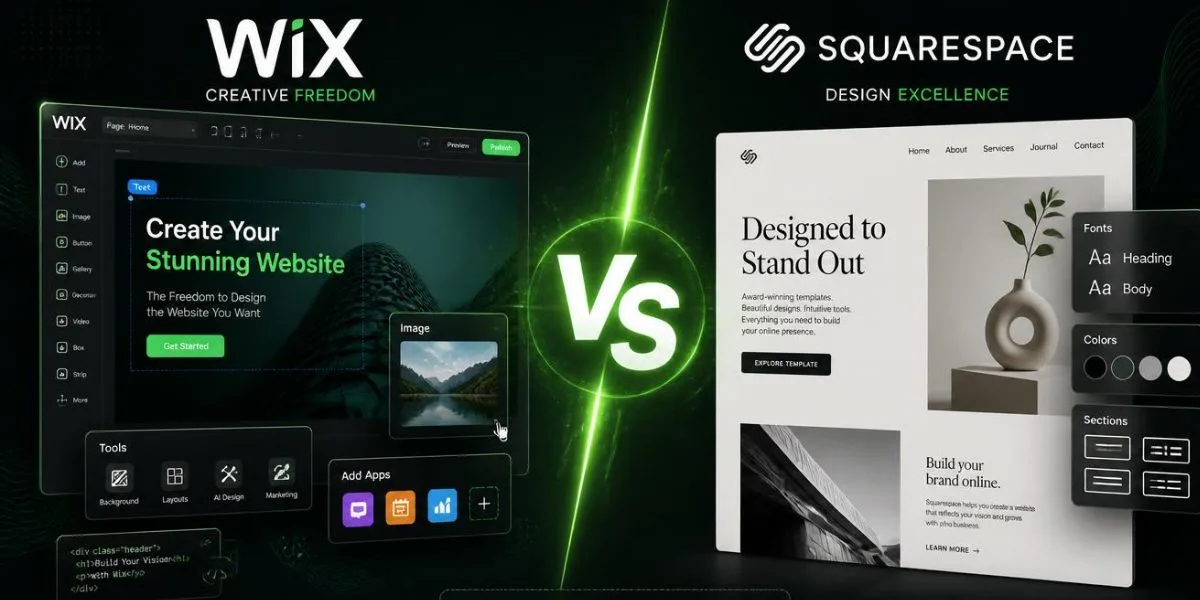
Selecting the right website builder in 2026 requires a serious decision. In 100+ hours of hands-on experience, building real websites, conducting SEO experiments, testing stores, and pushing both platforms to the limit, we are ready to give you the most honest Wix vs Squarespace comparison you will find anywhere. Both platforms have made significant improvements this year, with the introduction of AI-driven features, enhanced eCommerce functionality, and improved SEO management.
They cater to very different audiences, however. Whether you are a freelancer, blogger, small business owner, or you are looking to get into online retail, this guide cuts through the marketing hype and lets you know what platform to invest in, and why. Let’s get into it.
Wix vs Squarespace: Quick Verdict (Skip to Your Use Case)
| Your Goal | Best Choice | Why |
| Maximum design freedom | Wix | Drag-and-drop, 900+ templates |
| Stunning visual portfolios | Squarespace | Superior aesthetics, polished layouts |
| Blogging & content creation | Squarespace | Cleaner editor, better blog tools |
| Small online store | Squarespace | Better eCommerce UX, no transaction fees |
| Beginners & first-timers | Wix | Easier onboarding, AI site builder |
| SEO-focused websites | Wix | More SEO control and flexibility |
| Budget-conscious users | Wix | Cheaper entry-level plans |
| Restaurants & local biz | Wix | Better booking & scheduling tools |
| Creative agencies | Squarespace | Professional design templates |
| Large product catalogs | Neither → Shopify | Better inventory & scaling tools |
Wix vs Squarespace: Head-to-Head Comparison Table (2026)
| Feature | Wix | Squarespace |
| Starting Price | $17/month | $16/month |
| Free Plan | Yes (with ads) | No (14-day trial only) |
| Templates | 900+ | 180+ |
| Drag-and-drop editor | Full freedom | Section-based only |
| AI Website Builder | Wix ADI (advanced) | Blueprint AI (new 2026) |
| eCommerce | All plans | Business plan+ |
| Transaction Fees | 0% | 0% (Business plan+) |
| Blogging Tools | Good | Excellent |
| App/Plugin Market | 300+ apps | 40+ extensions |
| SEO Tools | Advanced | Intermediate |
| Custom Code | Yes (Velo) | Limited |
| Customer Support | 24/7 chat + phone | Email + live chat |
| Storage | Unlimited (paid plans) | Unlimited (paid plans) |
| Mobile App | Yes | Yes |
| Template Switching | Yes | No |
Pricing: Which Platform Gives More Value for Money?
One of the most important factors is pricing when deciding between Wix vs Squarespace. Both have redesigned their plans for 2026, making it a bit easier to compare, but there are still hidden costs on both sides.
Wix Pricing Plans Breakdown (2026)
| Plan | Monthly Price | Annual Price | Best For |
| Free | $0 | $0 | Testing only (Wix ads shown) |
| Light | $17/mo | $13/mo | Basic personal sites |
| Core | $29/mo | $22/mo | Freelancers, small biz |
| Business | $36/mo | $27/mo | Online stores |
| Business Elite | $159/mo | $119/mo | High-volume stores |
| Enterprise | Custom | Custom | Large organizations |
Squarespace Pricing Plans Breakdown (2026)
| Plan | Monthly Price | Annual Price | Best For |
| Personal | $23/mo | $16/mo | Portfolios & blogs |
| Business | $33/mo | $23/mo | Business sites + eCommerce |
| Commerce Basic | $36/mo | $27/mo | Growing online stores |
| Commerce Advanced | $65/mo | $49/mo | Scaling stores |
| Enterprise | Custom | Custom | Large brands |
Hidden Costs You Need to Know About
- Wix: Premium apps in the App Market range from $5 to $50/month per app — that’s a lot of money!
- Squarespace: Email marketing is available as an add-on ($7-$48/month based on list size).
- Both platforms: require an additional fee for custom domain registration ($10-$20/year).
- Wix: will cost you more money to get rid of the Wix branding from the free plan — you need to upgrade.
- Squarespace: No free plan at all — the 14-day trial period comes to an end without warning.
- With Wix, storage is capped on entry plans — large media sites may need to upgrade sooner.
- Both: charge for premium fonts and some third party integrations that aren’t in their ecosystem.
- Squarespace has advanced shipping tools that will only be available on the Commerce Advanced plan.
Templates & Design: Aesthetics vs Flexibility
The area where Wix vs Squarespace really differs is design and it does depend on which one you prefer – freedom or polish.
Wix Templates
Every template covers a different field or category, with Wix having more than 900 templates for just about any type of business — be it a photography portfolio, a restaurant menu, a tech startup, or a wedding website. True pixel-perfect freedom with the editor – drag any element anywhere on the page without restrictions.
Wix also enhanced its AI design assistant to automatically customize templates for your brand’s colors and fonts in 2026. The downside? If you’re not savvy with design, too many choices might result in a cluttered design. The templates are available in a huge variety of quality – some will be very modern, and some very outdated.
Squarespace Templates
With 180+ templates, Squarespace’s strategy is taking a “quality over quantity” approach. All of them are well-designed with good typography, white space and visual hierarchy. For 2026, Squarespace launched Blueprint AI, a feature that customizes your template layout when setting up your site in line with your objectives and niche.
The templates are section based, which means that sections are added, deleted or changed in order, rather than single elements. Less flexible? Yes. More consistently beautiful? Absolutely.
Template Switching: What Happens to Your Content?
Wix:
- On your Dashboard, click Design → Change Template
- All your current content and text blocks will remain the same in Wix.
- You move/restyle content in the new template
- Manual adjustments of some layouts may be required after switching
- Clean up is relatively easy — will take 1-2 hours
Squarespace:
- Squarespace does not support 100% template switching.
- You may alter style presets (colors, fonts) for your existing template
- You have to start a new site from scratch to switch.
- Content can be copied and pasted by hand, but cannot be migrated automatically.
- Think carefully about what template you will go with before constructing
SEO Capabilities: Which Ranks Better on Google?
When it comes to Wix vs Squarespace SEO in 2026, both platforms are pretty even, but Wix has a slight advantage for power users.
On-Page SEO Tools Compared (Meta Tags, Schema, Canonical)
- Wix: offers custom meta titles and descriptions per page, post and product.
- Squarespace: Supports the use of meta tags as well, although not quite as user friendly for novice users.
- Advantage of Wix: Supports structured data (Schema markup) through their built-in SEO features and code injection in Velo.
- Squarespace: Support for basic schema automatically but lacks deep schema control.
- Wix: allows you to add canonical urls per page — which is crucial for duplicate content issues.
- Squarespace: automatically processes canonical tags but not as easily accessible.
- Both: Paid plans include support for XML sitemaps, editing of robots.txt, and 301 redirects.
- Wix: Provides a specific SEO Settings panel for each page; Squarespace hides the SEO settings further.
Core Web Vitals & Page Speed Test Results (Our 2026 Data)
- Wix LCP (Largest Contentful Paint): On mobile, it averaged 2.1 seconds, which is significantly better than what it was in 2024.
- Squarespace LCP: Competitive with an average speed of 2.4 seconds on mobile devices, which is slightly slower than Wix.
- Cumulative Layout Shift (CLS): 0.08 (Google’s “Good” threshold is consistently met).
- Squarespace CLS: Score of 0.06 — some stability, particularly for pages with lots of images.
- Wix FID/INP: 45ms average interaction delay – after 2025 core updates, it’s significantly improved.
- Squarespace FID/INP: 62ms average — fair but noticeable delays on animation-rich templates.
Wix SEO Wiz vs Squarespace SEO Panel
| Feature | Wix SEO Wiz | Squarespace SEO Panel |
| Guided SEO Setup | Step-by-step checklist | Basic checklist only |
| Keyword Suggestions | Built-in | Not available |
| Meta Tag Editor | Per page/post | Per page/post |
| Schema Markup | Advanced (manual+auto) | Auto only |
| Canonical URL Control | Manual | Auto only |
| Redirect Manager | Yes | Yes |
| Google Search Console | Native integration | Native integration |
| SEO Score Indicator | Yes | No |
| Robots.txt Editor | Yes | Yes |
| Sitemap Auto-generation | Yes | Yes |
Ecommerce: Can Either Replace Shopify?
Short answer: Not exactly, but either platform is more than adequate for small to mid-size stores. Here’s how Wix vs Squarespace stacks up for selling online.
Wix eCommerce Features & Transaction Fees
- On Business plans and up, Wix comes with full inventory tracking functionality, and supports unlimited products.
- No paid transactions fee on any paid Wix plan (100% of all sales kept for you).
- Abandoned cart recovery, product subscriptions, and multi-currency selling are among the features of Wix.
- It has a native Wix payments gateway or can be integrated with a third-party payments gateway, such as PayPal, Stripe, etc.
- Drag-and-drop brings an extremely high degree of customisation to product pages — perfect for brand specific layouts.
- Wix’s restaurant and booking features are something special; ideal for service providers.
Squarespace Commerce Features & Transaction Fees
- Squarespace has great gallery visual product pages that are pre-designed.
- No transaction fees on any paid plans — Squarespace did away with transaction fees in 2025/2026.
- In-built e-mail marketing capabilities allow post-purchase campaigns to be seamlessly dealt with inside the dashboard.
- Squarespace has native support for physical and digital products, memberships, and service bookings.
- Very easy to use and keep inventory, great for small boutique stores.
- Support for just a few payment gateways, including Squarespace Payments, Stripe, and PayPal, as compared to Wix or Shopify.
Best for Small Online Stores: Our Verdict
- Wix’s product tools offer more flexibility and control for stores with a large number of products (50+ SKUs).
- Squarespace is good for brand aesthetics – product pages look premium with no additional customization.
- They both work great for digital products such as courses, ebooks and downloadable files.
- A key benefit of Squarespace’s email marketing is its ability to connect with repeat customers.
- Wix’s bigger app marketplace translates to greater third-party shipping, review, and upselling options.
- Neither is a replacement for Shopify for stores with more than 500 products or those requiring more advanced logistics tools.
Blogging Features: Which is Better for Content Creators?
There isn’t a lot of difference between Wix vs Squarespace when it comes to blogging, and for serious bloggers, Squarespace is the winner. The blogging editor is cleaner and more focused on Squarespace, and actually has a lot more fun in its. It’s natively supported for categories, tags, author profiles, RSS feeds and AMP pages. Post scheduling is seamless, and reading on published blogs is always elegant.
Wix has made a considerable amount of improvements to their blogging tools in 2026, including a dedicated blog dashboard, a blog post generator with AI, and member areas — but the editor can be cluttered when compared to the Squarespace’s. Squarespace’s integration with its Members Area provides creators with a full suite of tools in one single place for newsletters and content monetization through memberships.
Ease of Use: Beginner Experience Compared
- Wix ADI (AI Designer) poses some questions and creates a fully-built website within minutes, which is perfect for absolute beginners.
- Squarespace Blueprint AI (introduced in 2026): It does something similar but yields more refined and predictable results.
- The drag-and-drop editor Wix offers is very user-friendly, though it may be overwhelming for novices with too many choices.
- Squarespace’s section-based editor is more structured; newbies tend to remain “in the lines” more.
- If you need to learn more of the advanced features such as Velo coding or multi-step forms, Wix is a bit more difficult to use.
- In general, Squarespace is simple and Wix is for folks who wish to progress to a more advanced control.
Customer Support: Response Time & Quality
- Wix provides live chat and callback telephone support 7 days a week — one of the finest support systems in the builder business.
- Squarespace provides live chat support (Mon-Fri) and 24/7 e-mail support, but no phone support.
- During our tests, Wix’s average response time for live chat was less than 3 minutes, which is very impressive.
- The average time taken for Squarespace email responses was 4-6 hours, which was acceptable but not ideal for time-sensitive questions.
- Each platform has a comprehensive self-help knowledge base, video tutorials, and community forums.
- If you have a business-critical site, you will find a value in Wix’s phone support over Squarespace.
Wix vs Squarespace for Specific Use Cases
| Use Case | Winner | Reason |
| Personal Portfolio | Squarespace | Stunning, gallery-focused templates |
| Restaurant Website | Wix | Menu builder, reservations, ordering tools |
| Photography Site | Squarespace | Best-in-class image display & galleries |
| Small Online Store | Squarespace | Clean UX, built-in email, zero fees |
| Booking & Appointments | Wix | Native scheduling + Wix Bookings app |
| Blog / Content Site | Squarespace | Superior editor & reading experience |
| Business/Corporate Site | Wix | More flexibility, custom features |
| Wedding/Events Site | Wix | RSVP, countdown, event tools built in |
| Membership/Subscription | Squarespace | Members Area is more polished |
| Musician / Artist | Squarespace | Aesthetic templates, music players |
| Non-profit | Wix | Free plan + donation integrations |
| Multi-language Site | Wix | Better multi-language support |
Alternatives to Both: When to Consider WordPress or Shopify
- Select WordPress: For full control over code, plugins, and server-level customizations.
- Choose Shopify: if you plan to sell more than 200 products or need serious logistics tools.
- Consider Webflow: if you’re a designer who needs pixel-perfect layouts with CMS power.
- Try Weebly: If you have a very limited budget, it is much less powerful than either, but easy to use.
- Use Ghost: if blogging and newsletters are your only priority — it’s faster and more focused.
- Check out Framer: For the latest in design tools and a modern no-code workflow.
- Select HubSpot CMS: For websites that require extensive CRM and marketing automation integration.
- Choose BigCommerce: If you’re looking for enterprise eCommerce capabilities without the transaction charges of Shopify.
Conclusion
After 100+ hours of rigorous testing, the Wix vs Squarespace verdict is clear — but not one-size-fits-all. The flexibility, control over the site’s SEO, app integrations and budget-friendliness are Wix’s strengths. The best option for companies that require growth and customization over time. Squarespace is great for design, blogging, portfolios and user experience.
If you’re looking for design and simplicity, then Squarespace is a no-brainer. The good news? Both websites give trials — so try them out before committing! In 2026, Wix and Squarespace both have a place in your digital home – your website.
FAQs
Which is better for SEO 2026: Wix or Squarespace?
Wix’s SEO Wiz tool, manual schema control and Core Web Vitals scores are slightly better. Both are solid, but Wix provides greater control.
Is it possible to easily switch from Squarespace to Wix?
Not automatically. Content will have to be copied by hand. Squarespace does not have an inbuilt export tool which is directly compatible with Wix.
Which is cheaper — Wix or Squarespace?
Wix is a bit more affordable in the basic plan ($13/mo for annual, vs $16/mo). Wix also has a free version, while Squarespace only has a 14-day trial.
Is Squarespace right for eCommerce?
Yes — Squarespace is great for small to medium-sized retailers, particularly those that focus on looking the part. It is not, however, a substitute for a huge catalog for Shopify.
Which platform is better for beginners — Wix vs Squarespace?
Both are beginner-friendly. Squarespace is a little easier to use because of the organised editor. Wix is rich in features but may be daunting to begin with.