Extract, Transform, Load (ETL) is the foundation of modern data management, and ETL Tools play a critical role in automating this entire process efficiently. It is the process of pulling data from multiple sources, formatting it, and moving it into a central database. In 2026, the data integration market is worth approximately $7.6 billion and is growing 15% annually.
Most modern platforms now follow the ELT pattern (Extract, Load, Transform) instead of classic ETL. This means data is loaded into a cloud warehouse first and transformed later. This guide provides a comprehensive breakdown of the 15+ best ETL and hybrid tools available. We will compare their features, pricing, and use cases to help you find the perfect fit for your data pipeline.
What Are ETL Tools? (Quick Overview)
ETL tools are software applications that completely automate the movement of business data. These platforms connect directly to scattered sources like marketing platforms, sales CRMs, and financial databases.
Once connected, the software extracts the raw information and eliminates errors. It standardizes mixed formats and filters out duplicate records during the transformation phase. Finally, the tool loads the clean, polished data into a central cloud warehouse. By unifying these disconnected streams, ETL software creates a single source of truth. This centralized setup allows your team to run accurate analytics and generate visual reports without manual data entry.
ETL vs ELT: What’s the Difference in 2026?
The main difference between ETL and ELT is exactly when the data transformation happens. In traditional ETL, data is transformed on an external server before it ever reaches the final database. This approach works best for legacy systems and strict compliance needs.
ELT loads raw data first and transforms it directly inside the cloud warehouse , such as Snowflake, BigQuery, or Redshift. ELT has become the standard in 2026 due to the availability of cheap cloud computing. It allows businesses to process massive data sets much faster.
ETL vs ELT Comparison:
| Feature | ETL (Extract, Transform, Load) | ELT (Extract, Load, Transform) |
| Speed | Slower (transforms before loading) | Faster (loads raw data instantly) |
| Cost | Higher server compute costs | Lower cloud compute costs |
| Use Case | Strict compliance, legacy on-premise | Big data, modern cloud architecture |
| Best For | Traditional databases | Cloud data warehouses |
Types of ETL Tools (2026 Categories)
The data integration market features several different software types. Here are the seven main categories available today:
- Open-Source: Free platforms where developers can view and modify the code. They offer great control but require technical skill.
- Cloud-Native: Tools built specifically to run in the cloud. They scale easily and connect smoothly with modern data warehouses.
- Enterprise-Grade: Highly secure platforms designed for massive corporations. They handle complex workflows and strict governance.
- Real-Time/Streaming: Tools that process data continuously as it is generated. Technologies like MongoDB CDC help capture live database changes and stream them instantly into analytics pipelines.
- Batch Processing: Systems that move data in large groups at scheduled times. This is ideal for overnight updates.
- ELT Tools: Software focused entirely on moving raw data to the cloud and transforming it inside the destination database.
- AI-Powered ETL Tools: Platforms using machine learning for automated schema mapping, anomaly detection, and smart data transformations. Modern solutions like Flexter are helping businesses automate complex integration workflows more efficiently.
Quick Comparison Table: Best ETL Tools 2026
| Tool Name | Best For | Connectors | Deployment | Free Plan | Pricing Start |
| Integrate.io | Low-code hybrid ETL | 100+ | Cloud | 14-day trial | $1,999/ mo |
| Informatica | Enterprise governance | 200+ | Hybrid | 30-day trial | Custom |
| Qlik Talend | Open-source flexibility | 1000+ | Hybrid | Yes | Custom |
| AWS Glue | Serverless AWS users | AWS native | Cloud | Free tier | Pay-as-you-go |
| Oracle ODI | High-performance ELT | Oracle native | Hybrid | No | Compute-based |
| Microsoft SSIS | SQL Server users | Microsoft | On-Prem/Cloud | Included | Varies |
| Apache NiFi | Real-time streaming | Custom | Any | Yes (Free) | $0 |
| Matillion | Cloud warehouses | 100+ | Cloud | Credits | Custom |
| Azure Data Factory | Azure ecosystem | 90+ | Cloud | Free tier | Pay-as-you-go |
| Pentaho | Visual data blending | 100+ | Hybrid | 30-day trial | Custom |
| IBM DataStage | Massive enterprise data | Custom | Hybrid | No | Custom |
| SAP Data Services | SAP ecosystem integration | Custom | Hybrid | No | Custom |
| CloverDX | Developer-focused ETL | 50+ | Hybrid | 45-day trial | Custom |
| SnapLogic | AI-powered integration | 700+ | Cloud | No | Custom |
| Boomi | Cloud-native hybrid ETL | 300+ | Cloud | 30-day trial | $50/month |
List of 15+ Best ETL Tools in 2026
1. Integrate.io

Website: www.integrate.io
Integrate.io is a low-code data integration platform that helps businesses build automated pipelines. It connects over 100 SaaS applications directly to databases and data warehouses. Users can construct complex workflows using a visual drag-and-drop interface. The platform includes powerful transformation features, field-level encryption, and API generation capabilities.
Key Features:
- Low code ETL development
- Visual drag drop design
- Automated data pipeline creation
- Field level data encryption
Pros:
- Very easy to use
- Highly scalable platform architecture
- Excellent user support team
- Quick visual layout generation
Cons:
- Limited deep technical customization
- High small business cost
- Tricky advanced workflow setups
- Expensive for small teams
Best For: Businesses needing quick, visual pipeline creation without advanced programming.
2. Hevo Data
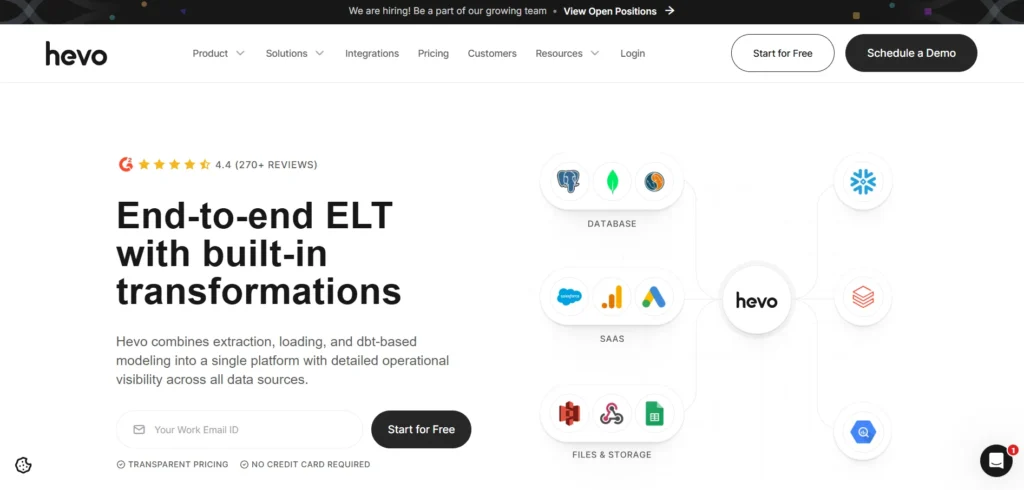
Hevo Data is a no-code data integration platform that enables businesses to effortlessly connect, transfer, and transform data across various sources and destinations in real-time. With over 150 pre-built, battle-tested connectors, Hevo allows users to set up and maintain data pipelines without writing a single line of code.
The platform supports both real-time data streaming and batch processing for large volumes of complex datasets, ensuring that data in target systems is always up-to-date for timely insights and decision-making. Hevo automatically handles schema drifts and intelligently recovers record failures with proactive alerts, requiring no manual intervention.
Features:
- Detailed operational visibility across all data sources
- 150+ pre-built connectors for databases, SaaS applications, and cloud platforms
- No-code pipeline setup with drag-and-drop interface
- Real-time data streaming and batch processing capabilities
- Python scripting and dbt integration for custom transformations
- Automatic schema evolution and error recovery
Robust error handling and data validation mechanisms
3. Informatica PowerCenter

Website: www.informatica.com
Informatica PowerCenter is an enterprise-grade extraction, transformation, and loading tool. It provides strong automation, metadata management, and data quality features for massive data sets. The software processes complex workloads across cloud, on-premise, and hybrid environments. High-performance optimization makes it ideal for large corporate business intelligence initiatives.
Key Features:
- Enterprise level data integration
- Metadata driven architecture system
- Hybrid deployment option availability
- Automated error recovery handling
Pros:
- Extremely powerful processing engine
- Highly reliable system performance
- Great global scale operations
- Strict corporate governance management
Cons:
- Requires highly specialized expertise
- High software licensing fees
- Complex initial deployment setups
- Steep learning curve involved
Best For: Large enterprises requiring scalable, high-performance integration.
4. Coupler.io
Coupler.io offers ETL with AI-powered functionality. This no-code platform collects, transforms, and analyzes data from 400+ sources like CRMs, ad platforms, and social media, delivering instant trends, benchmarks, and recommendations via AI Insights and natural language queries through Claude integrations.
Coupler.io offers ETL for marketing data that helps you with data cleansing and transformation, as well as automated reporting.
Also, the platform automatically syncs your data to dashboards, spreadsheets, data warehouses, BI tools, and more—so your numbers are always up to date.
Features:
- No-code data collection and automation
- Cross-channel marketing performance analysis
- Syncs data to dashboards, spreadsheets, and BI tools
- AI-generated insights and summaries
AI integrations
- Secure platform with SOC 2 certification
Cons:
- Starter plans limit data volume and refresh frequency
- Most dashboards export to external tools (in-app options are growing)
Pricing:
Try it for free. Paid plans start at 24$ per month.
5. Qlik Talend (Formerly Talend Open Studio)
Website: www.talend.com
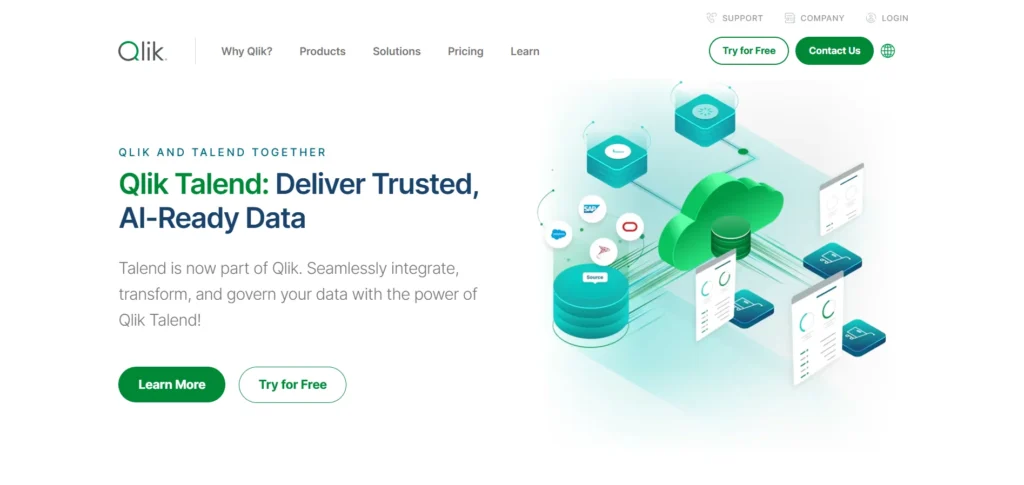
Talend Open Studio, now acquired by and integrated into Qlik, remains one of the most powerful ETL Tools for data extraction and transformation. It allows users to build pipelines using a graphical designer. The software connects with multiple databases, cloud services, and APIs. It includes built-in data quality components for rigorous reporting.
Key Features:
- Open source core framework
- Graphical pipeline design tool
- Broad database connection support
- Built data cleaning modules
Pros:
- Free community use tier
- Highly adaptable open code
- Large active user community
- Big data technology support
Cons:
- Slow large dataset processing
- Lacks automated enterprise features
- Manual system deployment required
- High maintenance engineering costs
Best For: Developers and budget-conscious teams who want open-source freedom.
6. AWS Glue
Website: aws.amazon.com
AWS Glue is a fully managed, serverless integration service designed for the Amazon cloud ecosystem. It auto-discovers data and generates extraction and transformation scripts in Python or Scala. By utilizing Apache Spark, AWS Glue processes large datasets efficiently, allowing businesses to build scalable analytics pipelines without managing infrastructure.
Key Features:
- Fully managed serverless structure
- Automatic script code generation
- Native Amazon service integration
- Machine learning data cataloging
Pros:
- No server infrastructure management
- Flexible scalable processing power
- Budget pay consumption model
- Highly automated asset discovery
Cons:
- Steep non Amazon curve
- Expensive heavy computation costs
- Complex configuration tracking steps
- Tricky local debugging procedures
Best For: Companies already heavily invested in the AWS cloud environment.
7. Oracle Data Integrator (ODI)

Website: www.oracle.com
Oracle Data Integrator is a high-performance platform built for fast data movement across heterogeneous systems. While it leverages an ELT approach to reduce network overhead, it functions as a comprehensive hybrid tool. ODI seamlessly integrates with the Oracle ecosystem, offering robust security, automation, and metadata-driven architecture for large-scale projects.
Key Features:
- High performance ELT design
- Deep native Oracle compatibility
- Centralized metadata tracking center
- Built validation analysis tools
Pros:
- Incredible raw execution speed
- Robust advanced enterprise security
- Efficient network traffic reduction
- Great heavy load management
Cons:
- Complex corporate licensing setups
- Oracle ecosystem specific reliance
- Expensive specialized engineering needs
- Difficult legacy upgrade paths
Best For: Large enterprises heavily utilizing Oracle databases and applications.
8. Microsoft SQL Server Integration Services

Website: learn.microsoft.com
SSIS is one of the most widely used ETL Tools included with Microsoft SQL Server. It allows users to extract, clean, transform, and load data from diverse sources into data warehouses. The visual interface simplifies designing complex workflows. It is a preferred choice for businesses relying on the Microsoft ecosystem for data management.
Key Features:
- Built SQL Server integration
- Visual workflow design layout
- Advanced data scrubbing capabilities
- Automatic task scheduling agents
Pros:
- Included with database licensing
- Exceptionally stable production performance
- Perfect Windows environment fit
- Rich historical community support
Cons:
- Limited third party connections
- Strict Windows ecosystem dependence
- Hard cloud migration solutions
- Manual resource tuning required
Best For: Organizations running their infrastructure primarily on Microsoft SQL Server.
9. Apache NiFi

Website: https://nifi.apache.org/
Apache NiFi is a powerful open-source tool built for real-time data streaming and routing. It features a web-based interface that allows users to build workflows visually. NiFi supports dynamic data transformation across distributed environments. It integrates perfectly with big data platforms like Hadoop, making it ideal for large-scale processing.
Key Features:
- Open source streaming structure
- Web based routing interface
- Continuous data flow tracking
- Dynamic system mediation controls
Pros:
- Completely free system license
- Superior live stream manipulation
- High individual record security
- Deeply customizable open framework
Cons:
- Steep learning curve beginners
- Heavy server resource consumption
- Limited batch processing capabilities
- Complex clustering installation steps
Best For: Engineering teams processing high volumes of real-time streaming data.
10. Matillion

Website: www.matillion.com
Matillion is a cloud-native platform designed for modern data warehouses like Snowflake, Redshift, and BigQuery. It uses an ELT architecture but offers extensive visual transformation capabilities. Users can build advanced data pipelines without writing code. Matillion provides strong API connectivity and task automation to optimize cloud-based business intelligence.
Key Features:
- Native cloud warehouse design
- Visual SQL transformation blocks
- Automated job orchestration engines
- Scripting language execution support
Pros:
- Faster cloud processing speeds
- Highly intuitive building workspace
- Excellent cloud scaling flexibility
- Broad modern API access
Cons:
- Limited traditional on-premise deployments
- Expensive production subscription tiers
- Requires heavy cloud compute
- Complex credit consumption models
Best For: Mid-market to enterprise companies utilizing cloud data warehouses.
11. Azure Data Factory

Website: azure.microsoft.com/
Azure Data Factory is one of the most widely used ETL Tools and a cloud-based integration service from Microsoft. It allows teams to orchestrate data movement across big data systems and SaaS platforms. Users can create pipelines visually or use code-based transformations. Its serverless design ensures high scalability, while built-in monitoring keeps track of data flows efficiently.
Key Features:
- Serverless managed cloud engine
- Dual code free options
- Native Microsoft cloud compatibility
- Built monitor metric dashboards
Pros:
- Massively scalable cloud processing
- Tight active compliance features
- Seamless Power BI connections
- Flexible cost consumption rules
Cons:
- Complicated monthly billing calculations
- Poor non Azure functionality
- High template design complexity
- Slow interface load times
Best For: Organizations leveraging Microsoft Azure for analytics and machine learning.
12. Pentaho Data Integration
Website: https://pentaho.com/products/pentaho-data-integration/
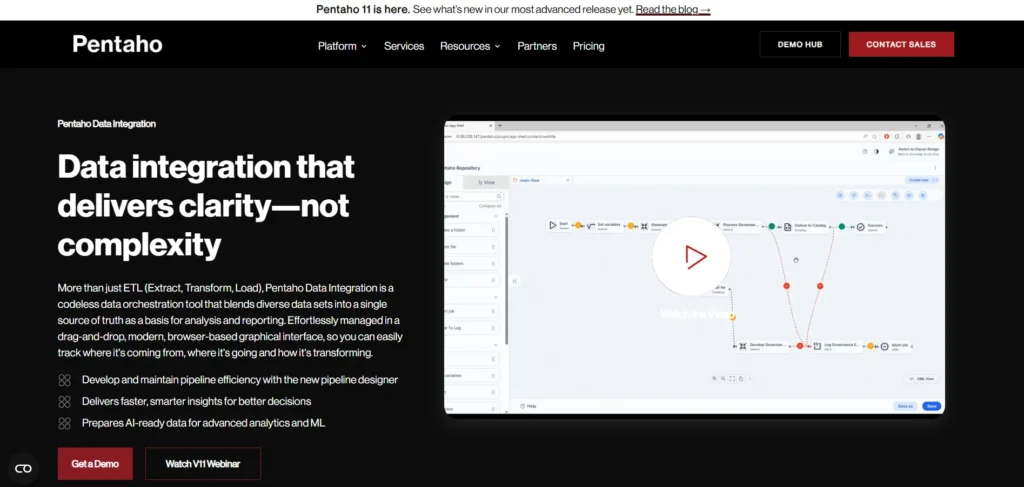
Pentaho Data Integration, owned by Hitachi Vantara, is a traditional integration tool that excels at visual data blending. It provides a drag-and-drop designer to simplify complex pipeline creation. The platform supports broad big data technologies and relational databases, offering robust transformation capabilities for extensive enterprise reporting needs.
Key Features:
- Visual data blending environment
- Huge prebuilt component library
- Big data cluster compatibility
- Robust job scheduling automation
Pros:
- Friendly visual software workspace
- Highly extensible open modules
- Multi database extraction power
- Solid reliable scheduling systems
Cons:
- Outdated user interface appearance
- High commercial version fees
- Heavy server hardware needs
- Lacks modern cloud optimizations
Best For: Organizations needing visual data blending across diverse environments.
13. IBM DataStage

Website: www.ibm.com
IBM DataStage is an enterprise-class data integration platform. It uses a highly scalable parallel processing engine to extract, transform, and load massive volumes of data. The tool supports on-premise and cloud deployments. DataStage provides advanced metadata management and data quality features, making it ideal for strict corporate governance requirements.
Key Features:
- Scalable parallel processing engine
- Deep corporate ecosystem connections
- Advanced enterprise metadata logging
- Hybrid local cloud configurations
Pros:
- Exceptional large volume scalability
- Military grade data security
- Deeply customizable workflow engines
- Stable mission critical performance
Cons:
- Extremely high upfront costs
- Requires highly specialized training
- Long complex implementation cycles
- Heavy infrastructure hardware footprint
Best For: Massive global corporations with complex, high-volume data needs.
14. SAP Data Services

Website: sap.com
SAP Data Services is a robust data management software that handles integration, quality, and profiling. Among popular ETL Tools, it is highly optimized for extracting and transforming data within the SAP ecosystem. The platform allows organizations to standardize data across multiple systems, ensuring high accuracy for critical business intelligence and enterprise reporting tasks.
Key Features:
- Native enterprise suite connection
- Advanced data quality checking
- Deep system profile audit
- Shared team design environment
Pros:
- Unmatched core application speed
- Superior text parsing engines
- High information cleaning reliability
- Excellent corporate report accuracy
Cons:
- Poor standalone cost efficiency
- Highly complex user interface
- Requires expensive specialized consultants
- Long training time required
Best For: Companies running their core business operations on SAP.
15. CloverDX
Website: www.cloverdx.com
CloverDX is a developer-friendly integration platform designed to solve complex data challenges. It combines a visual designer with the flexibility of custom coding. The tool processes heavy transformations and automates repetitive tasks efficiently. CloverDX is highly suited for companies that need strict control over their data mapping and routing logic.
Key Features:
- Flexible code developer platform
- Automated pipeline test modules
- Complex structural data transformation
- Versatile deployment setup choice
Pros:
- Excellent technical user assistance
- Great complex problem solving
- Highly transparent workflow logic
- Granular custom execution rules
Cons:
- Heavy programming skill requirement
- High standalone tool expenses
- Smaller common user marketplace
- Manual script writing necessary
Best For: IT teams and developers who need to build highly customized pipelines.
16. SnapLogic
Website: www.snaplogic.com
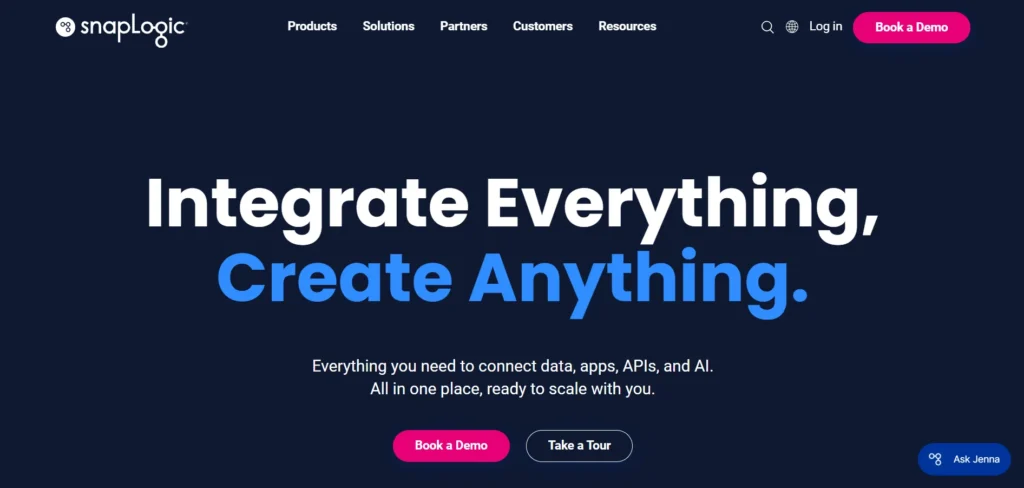
SnapLogic is an intelligent integration platform that connects cloud applications and on-premise systems. It uses a visual, drag-and-drop interface powered by machine learning to suggest data transformations. SnapLogic processes both real-time streams and batch jobs, making it highly flexible for modern data engineering and advanced analytics workflows.
Key Features:
- Automated machine learning guidance
- Large prebuilt integration block
- Dual batch streaming support
- Web browser workspace console
Pros:
- Super fast setup duration
- Intuitive user working space
- Strong smart building capabilities
- Rapid custom pipeline creation
Cons:
- Tricky advanced error resolution
- High premium subscription costs
- High memory browser footprint
- Limited complex script tweaking
Best For: Agile teams looking for AI assistance to speed up integration tasks.
17. Boomi
Website: https://boomi.com/
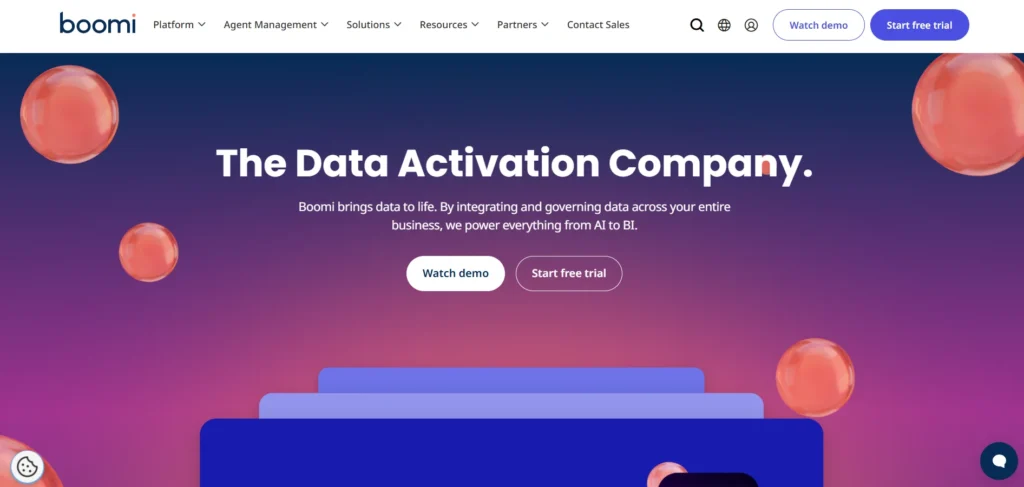
Boomi is a cloud-native integration platform that connects applications and databases quickly. It features a massive library of pre-built connectors and a visual interface for mapping data logic. Boomi handles complex transformations seamlessly. Its hybrid architecture supports both cloud and local endpoints, offering extreme flexibility for diverse IT environments.
Key Features:
- Drag drop visual interface
- Deep central quality hub
- Built api gateway controller
- Mass connector software library
Pros:
- Quick production deployment speeds
- Active customer resource network
- Highly flexible hybrid connectivity
- Low code development environment
Cons:
- Messy massive layout workspace
- Steep complex routing curves
- High enterprise connector pricing
- Inconsistent manual documentation details
Best For: Mid-market businesses needing versatile cloud and on-premise integration.
ETL Tools Comparison: Open-Source vs Cloud-Based vs Enterprise
Choosing the right type of platform comes down to your budget, technical resources, and data volume. Here is how the three main options compare across key business tradeoffs:
| Comparison Factor | Open-Source Tools | Cloud-Based Tools | Enterprise Tools |
| Platforms | Apache NiFi, Qlik Talend (core) | Matillion, Boomi | Informatica, IBM DataStage, Oracle ODI |
| Main Advantage | $0 license fees and complete code control. | Fast setup with zero server maintenance. | Powerful security, compliance, and governance. |
| Main Downside | High engineering time required to maintain and host. | Costs can scale up rapidly with data volume. | Highly expensive and complex to implement. |
| Technical Skill | High (Requires development resources). | Low to Medium (Low-code/no-code options). | High (Requires specialized architects). |
| Best For | Technical teams needing custom connections. | Fast-growing teams wanting quick setup. | Massive global corporations with legacy systems. |
Key Features to Look for in an ETL Tool in 2026
When evaluating options this year, make sure your software includes these essential features:
- Pre-Built Connectors: The tool should natively support the exact systems, platforms, and databases your company currently uses.
- Automated Schema Evolution: If an app adds a new column to its database, your integration tool should recognize and adapt to it automatically.
- Ease of Use: Look for drag-and-drop interfaces so data analysts solutions can build pipelines without relying entirely on software engineers.
- Security and Compliance: Ensure the platform has SOC 2 certification and complies with GDPR or HIPAA if you handle sensitive user data.
- Transformation Flexibility: Make sure the platform supports the specific data cleaning and formatting logic your business requires.
ETL Tools Pricing Guide: 2026 Budget Summary
Pricing for data integration software varies based on data volume, connector counts, and processing power. Use this quick guide to find a tool that fits your budget.
| Budget Tier | Price Range | Example Tools | What You Pay For |
| Free / Open-Source | $0 / mo | Apache NiFi, Qlik Talend (core) | Infrastructure only: Free software licenses. you pay only for your own cloud or local servers. |
| Small Business | $0 to $500 / mo | Boomi (starter), entry sync tools | Basic integration: Low data volumes, standard pre-built connections, and simple scheduling. |
| Mid-Market | $500 to $2,000 / mo | Matillion, Integrate.io, CloverDX | Usage-based scaling: Fees depend on rows processed or compute power used; includes tech support. |
| Enterprise | Custom Pricing | Informatica, IBM DataStage, SAP, Oracle | Heavy-duty operations: Custom contracts for massive data volumes, parallel processing, and strict governance. |
Final Verdict: Which ETL Tool Is Best for You?
The best ETL Tools ultimately depend on your specific data architecture and business goals.
If you want a highly visual, low-code experience, Integrate.io and SnapLogic are excellent choices. If you are deeply integrated into a specific cloud ecosystem, stick with native tools like AWS Glue or Azure Data Factory. For developers who want complete control over streaming data, Apache NiFi is highly effective. Finally, if you have a massive enterprise requiring strict data governance and heavy processing power, Informatica PowerCenter or IBM DataStage remain the top contenders.
Take advantage of the free trials offered by these platforms. Testing a tool with your actual data is the best way to ensure it fits your team perfectly.