Are you losing track of the hours your team actually works? Switching between different apps all day to manage tasks, schedules, and invoices usually leads to mistakes. Important details slip through the cracks, deadlines get missed, and your business loses money.
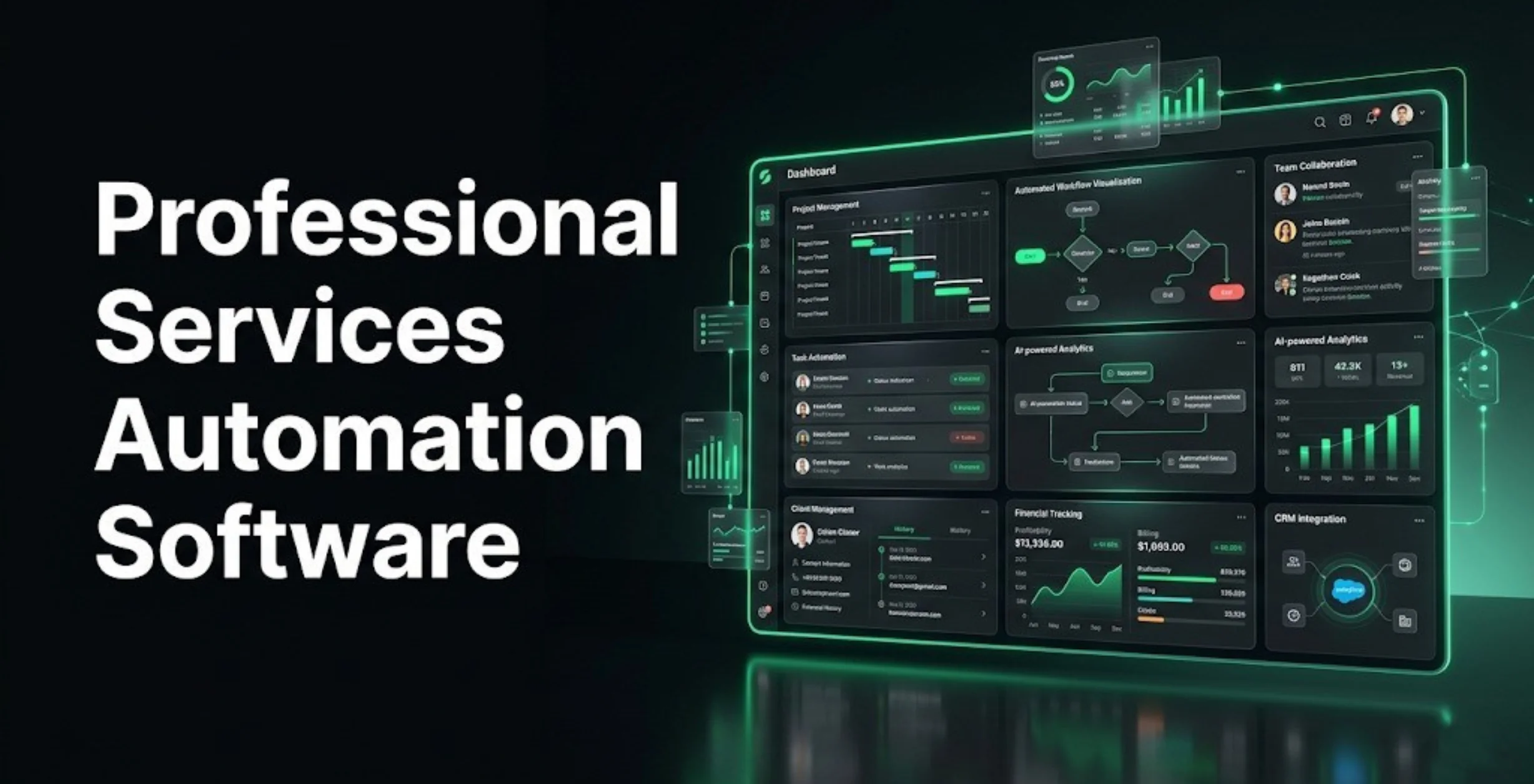
The fix is simple. Professional services automation software brings your projects, time tracking, and client billing into one shared workspace. This guide breaks down the top 15 PSA tools available right now based on features, pricing, and ease of use. Whether you run a small agency or a growing consulting firm, you will find the exact facts you need to choose the right software and simplify your workday.
What Is Professional Services Automation (PSA) Software?
Professional Services Automation (PSA) software helps service businesses run their daily operations smoothly. It brings essential tasks like project management, time tracking, team scheduling, billing, and client communication together into one single platform.
These tools are highly valuable for professional service providers like IT consultants, marketing agencies, law firms, and engineering companies. Using a PSA platform helps businesses deliver projects on time while giving managers a clear picture of their overall profits and performance.
For a perfect fit, some companies hire a business software developer to build a custom PSA system tailored strictly to their unique workflows and growth goals. By taking care of heavy administrative tasks, PSA software frees up your team so they can focus entirely on doing great work and keeping clients happy.
Why Does Your Business Need PSA Software in 2026?
Spreadsheets and scattered tools quickly become unmanageable as your service business grows. Professional services management software fixes this chaos by centralizing your daily operations. Here is why your team needs a PSA platform:
- Stop Lost Revenue: Automatically tracks and invoices every billable hour so small tasks never slip through the cracks.
- Smart Resource Planning: Shows team capacity in real time to prevent burnout and keep project deadlines on track.
- All-in-One Workspace: Combines project tasks, time tracking, and billing, eliminating the need to pay for and switch between multiple apps.
How We Selected The 15 Best PSA Software Tools
To bring you the most reliable recommendations, we evaluated dozens of platforms based on real-world performance and practical features. Here is the strict criteria we used to build this list:
- Core Features: The software must handle project management, time tracking, billing, and resource planning.
- Ease of Use: We looked for clean, intuitive layouts that teams can adopt without weeks of training.
- Integration Capabilities: The tool must connect easily with CRMs, accounting software, and communication apps like Slack.
- Pricing Transparency: We prioritized companies with clear pricing models and zero hidden fees.
- Customer Support: Fast response times and helpful setup documentation are a must.
- Verified User Ratings: We analyzed thousands of reviews from trusted platforms like G2, Capterra, and Gartner.
- Scalability: The platform needs to grow with your business, from a small team to a large enterprise.
15 Best Professional Services Automation Software in 2026
1. Rocketlane – Best AI-Powered PSA for Modern Service Teams

Rocketlane is a collaborative platform designed to streamline client onboarding and service delivery. Built for growing teams, it replaces scattered spreadsheets and emails with a unified workspace. Both your team and your clients can collaborate easily. It solves the problem of fragmented communication by offering dedicated client portals. This keeps everyone aligned on project milestones. The intuitive interface ensures new users can adopt the system quickly.
Key Features
- Customizable client portals for clear communication
- Built-in document collaboration and approval workflows
- Resource management and capacity planning
- Automated project templates and task assignments
- Native time tracking and budget monitoring
Pros:
- Excellent client facing features
- Modern and clear user interface
- Strong workflow automation
Cons:
- Reporting requires initial configuration
- Expensive for very small teams
Pricing
- Essential: $19 / user/ month
- Standard: $49 / user/month
- Premium: $69 /user/ month
- Enterprise: $99 /user/ month
- Free trial available.
Who Should Use It?: Ideal for B2B software companies, digital agencies, and consulting firms prioritizing strong client onboarding.
Website: www.rocketlane.com
2. HaloPSA – Best for Modern IT Service Delivery
Key Features
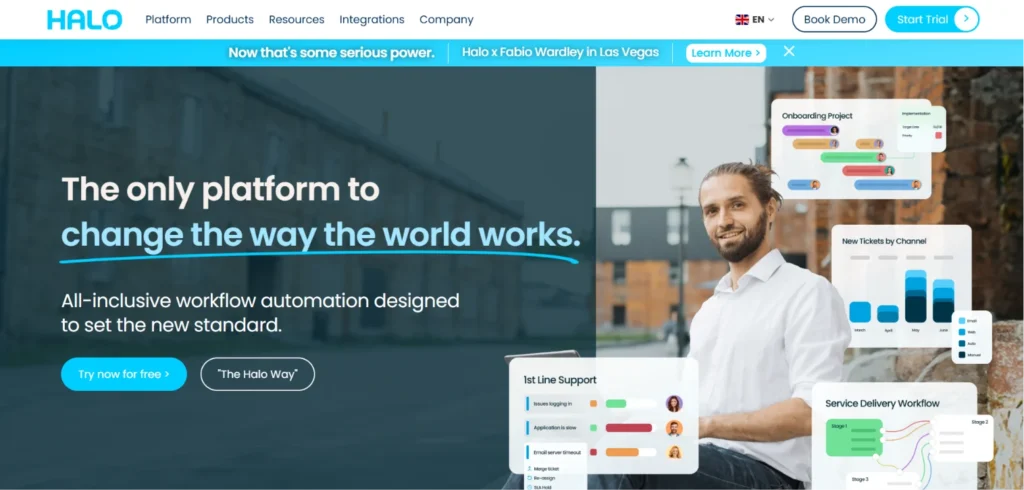
HaloPSA is a modern platform designed for IT service providers looking for a fast alternative to legacy tools. It focuses on providing a web based experience with built-in ITIL best practices. It solves the problem of sluggish performance and clunky interfaces often found in traditional IT management tools. With powerful automation rules, it helps support teams resolve tickets faster and manage client projects with total clarity.
- Fast, modern ticketing and helpdesk system
- Automated billing and contract management
- Built-in CRM and sales pipeline
- Asset and inventory tracking
- Customizable self service client portals
Pros:
- Extremely fast web interface
- Highly customizable automation rules
- Clean and modern visual layout
Cons:
- Smaller community support network
- Setup takes significant time
Pricing
- Standard: Starts at $115 /user /month (scales down as user count increases)
- Free trial available.
Who Should Use It?: Great for modern MSPs and IT service companies looking for an agile management platform.
Website: usehalo.com
3. SuperOps -Best Unified PSA and RMM for MSPs
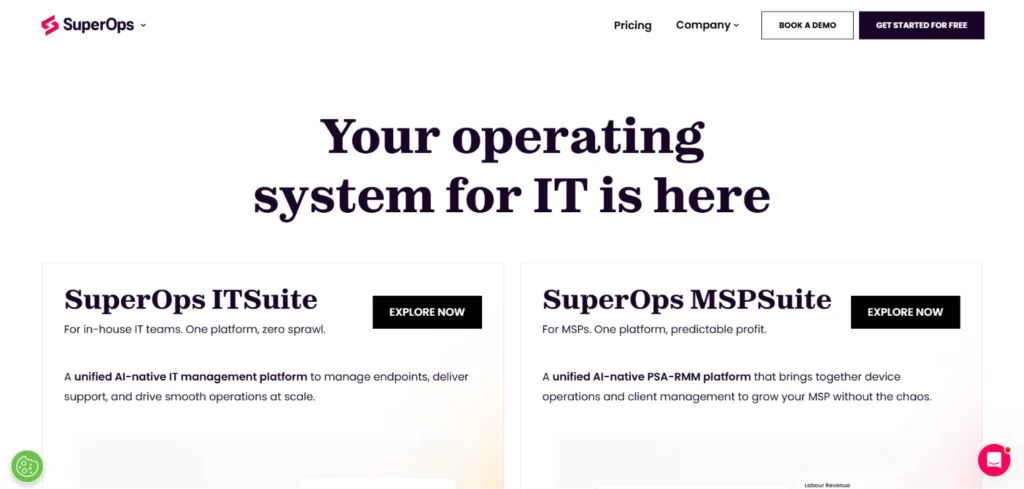
SuperOps is a multi-dimensional platform built specifically for managed service providers. It unifies professional services automation software with remote monitoring and management. It helps IT teams eliminate repetitive tasks through intelligent, AI-based alerting. By combining asset monitoring with ticketing and project management, it gives IT service providers a clear view of their entire operation without needing separate tools.
Key Features
- Unified ticketing and service desk workflows
- Native Remote Monitoring and Management (RMM)
- AI-based intelligent alerting system
- Automated patch management solutions and scripting
- Project management and custom invoicing
Pros:
- Affordable per technician pricing
- Highly proactive AI alerts
- Intuitive all in one dashboard
Cons:
- No permanent free plan
- Costly for small device volumes
Pricing
- Standard (PSA Only) : $89 / technician / month
- Pro (Unified PSA and RMM): $149 / technician/ month
- Super (Advanced): priced per endpoints
- Free 14-day trial available.
Who Should Use It?: Best for small to mid-sized MSPs and IT service providers looking for an affordable, all-in-one unified platform.
Website: www.superops.com
4. NinjaOne -Best for Endpoint Management and IT Services

NinjaOne is an endpoint management and IT operations platform that offers strong automated service features. It helps IT teams and service providers manage devices, solve tickets, and secure networks from a single pane of glass. It solves the problem of complex software maintenance by providing an incredibly intuitive, cloud-native experience. The platform is widely recognized for its fast deployment and minimal learning curve.
Key Features
- Comprehensive endpoint monitoring and management
- Automated patch management and deployment
- Built-in IT helpdesk and ticketing
- Remote access and background troubleshooting
- Customizable reporting and dashboards
Pros:
- Incredibly fast setup and deployment
- Industry leading customer support
- Lightweight and reliable client agent
Cons:
- Lacks complex standalone billing rules
- Interface can feel dense initially
Pricing
- Custom pay-as-you-go pricing based on the number of endpoints.
- Free trial available.
Who Should Use It?: Perfect for IT service providers and internal IT teams focused on high-efficiency endpoint management.
Website: www.ninjaone.com
5. Productive – Best for Agency Profitability Tracking

Productive is an end-to-end agency management tool created to help service businesses scale profitably. It focuses heavily on sales pipeline, resource planning, and financial forecasting. It helps managers understand exactly how much profit each project generates after factoring in overhead and salaries. This makes it an essential tool for agencies looking to optimize their pricing models.
Key Features
- Detailed prof it ability tracking and forecasting
- Sales pipeline and lead management
- Integrated time and expense tracking
- Client billing and automated invoicing
- Collaborative project boards
Pros:
- Built specifically for agency workflows
- Exceptional financial forecasting tools
- Very intuitive user experience
Cons:
- Mobile app has limited functionality
- Custom reporting takes time to learn
Pricing
- Essential: $10/ user/month
- Professional: $25 /user/ month
- Ultimate: custom pricing
- Free trial available.
Who Should Use It?:Perfect for marketing, design, and software development agencies focused on improving profit margins.
Website: www.productive.io
6. Scoro- Best for End-to-End Business Management
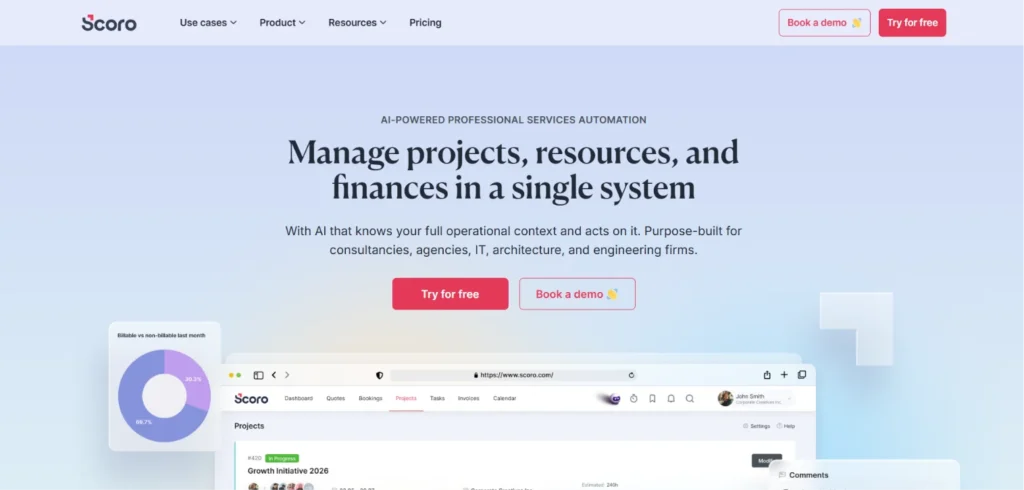
Scoro is a highly comprehensive work management software that brings your sales, projects, and billing into a single ecosystem. It helps agencies and consultancies track everything from the first sales quote to the final invoice. By centralizing the workflow, it eliminates the need to constantly switch between applications. It solves the problem of disconnected data by giving managers a single source of truth.
Key Features
- Real time customizable dashboards
- Quotes, invoicing, and automated billing
- Time tracking and shared team calendars
- CRM and sales pipeline management
- Project profitability and expense tracking
Pros:
- Successfully replaces multiple separate apps
- Excellent built-in sales CRM
- Clear, easy to scan control panels
Cons:
- High learning curve for beginners
- Expensive entry level tier
Pricing
- Essential: $23.90 /user /month
- Standard: $38.90/user/month
- Pro: $59.90/user/ month
- Enterprise: custom
- Free 14-day trial available.
Who Should Use It?:Great for creative agencies and mid-sized consultancies looking to consolidate their software stack.
Website: www.scoro.com
7. Teamwork.com -Best for Client-Facing Project Management
Teamwork.com is designed specifically to help agencies manage client work, deliver projects on time, and track billable hours accurately. Founded by agency owners, it understands the pain points of managing client expectations. It solves the issue of messy communications by providing robust collaboration spaces. The software makes it easy to invite clients as free users to review progress and approve deliverables.
Key Features
- Unlimited free client users for collaboration
- Built-in time tracking and invoicing
- Workload management and capacity planning
- Detailed task lists, milestones, and dependencies
- Integration with popular accounting software
Pros:
- Great budget friendly plan options
- Free client seats cut communication friction
- Highly reliable core task dependencies
Cons:
- Financial planning tools are basic
- User interface looks traditional
Pricing
- Basics: $13.99/user/month
- Accelerate: $29.99/user/month
- Enterprise: custom pricing
- Free trial available.
Who Should Use It?: Best for small to mid-sized marketing and creative agencies collaborating closely with clients.
Website: www.teamwork.com
8. Accelo - Best for Retainer-Based Businesses
Accelo is a cloud based platform developed to automate service operations, specifically focusing on client engagement and ongoing contracts. It helps businesses manage resources and workflows without dropping the ball on tedious administrative tasks. The platform automatically tracks time against monthly budgets, ensuring that marketing or consulting agencies never over service an account without billing for it.
Key Features
- Automated retainer and contract management
- Smart time tracking linked to email correspondence
- Sales CRM and quote generation
- Project scheduling and resource planning
- Client portals for transparent communication
Pros:
- Best in class retainer automation
- Captures billable hours directly from emails
- Complete client journey tracking
Cons:
- Limited dashboard customization layout
- Interface configuration feels complex initially
Pricing
- Professional: available on request
- Business: available on request
- Advanced: available on request
- Free trial available.
Who Should Use It?: Best for service based businesses in marketing, consulting, or creative fields that rely heavily on recurring revenue.
Website: www.accelo.com
9. Wrike – Best for Scalable Work Management
Wrike is a versatile tool that brings robust project management and professional services automation together. It supports collaborative teams with flexible task management, time tracking, and resource allocation. It solves work flow bottlenecks by allowing teams to automate routine tasks and approvals. The platform is highly favored by agencies that need complex task dependencies and cross departmental coordination.
Key Features
- Custom request forms with automated routing
- Interactive Gantt charts and Kanban boards
- Time tracking and automated time sheet management
- Resource allocation and workload balancing
- Secure document management and file sharing
Pros:
- Highly adaptable to different department workflows
- Unmatched cross team collaboration capabilities
- Enterprise level data security protocols
Cons:
- Navigation menus can feel cluttered
- Requires thorough employee onboarding training
Pricing
- Free: $0
- Team: $10 /user/ month
- Business: $25 /user /month
- Pinnacle & Apex plan: custom pricing
- Free trial available
Who Should Use It?: Ideal for project based teams, large marketing departments, and IT service providers that manage complex phases.
Website: www.wrike.com
10. BigTime - Best for Accounting and Architectural Firms

BigTime is a premier time and billing software and a reliable professional services automation software solution that caters heavily to accounting, consulting, and architectural firms. It is built to optimize the financial side of project management. The platform handles complex billing scenarios effortlessly, such as fixed fee, time and materials, or milestone based invoicing. It integrates smoothly with popular accounting tools to speed up revenue recognition.
Key Features
- Flexible time tracking with a mobile app
- Advanced invoicing and customizable billing formats
- Deep integrations with QuickBooks and Sage
- Resource allocation and skill tracking
- Real time project budgeting and reporting
Pros:
- Flawless invoicing structures for varied fee types
- Bulletproof accounting system sync
- Simple and quick timesheet entry
Cons:
- Basic visual task management boards
- Interface lacks a modern appearance
Pricing
- Essential: $20 /user /month
- Advanced: available on request
- Premier: available on request
- Enterprise: custom pricing
- Free trial available upon request.
Who Should Use It?: Perfect for accounting firms, engineering groups, and management consultants needing precise financial controls.
Website: www.bigtime.net
11. Deltek- Best for Flexible Time Tracking
Deltek a cloud based system that excels at tracking time, managing projects, and planning resources for service companies. It is highly valued for its real time tracking of attendance, which provides great visibility into how projects are performing. The software automates administrative tasks and helps managers make logical decisions regarding resource utilization through its built-in reporting features.
Key Features
- Granular time and expense tracking
- Resource and project management
- Billing and invoicing automation
- Comprehensive reporting and analytics
- Mobile friendly timesheet approvals
Pros:
- Tracks deep global compliance and attendance
- Enterprise grade time entry precision
- Robust payroll system connectors
Cons:
- Complex configuration rules for basic processes
- Reporting visuals feel dated
Pricing
- Pricing not available in public
Who Should Use It?: Perfect for consulting and IT firms looking for highly accurate time tracking and resource management tools.
Website: www.deltek.com/en/time-tracking
12. Certinia (Formerly FinancialForce) – Best for Salesforce Users

Certinia is an enterprise level automation tool built natively on the Salesforce platform. It connects sales, services, and finance teams without requiring messy third party integrations. It solves data silos by ensuring that once a deal closes in Salesforce, the project and resource requirements automatically generate for the service delivery team, drastically speeding up the billing cycle.
Key Features
- Native integration with Salesforce CRM
- Comprehensive resource and capacity management
- Advanced revenue recognition and financial tracking
- Project profitability and utilization dashboards
- Global collaboration and community portals
Pros:
- Zero sync delay with Salesforce data
- Unmatched global enterprise financial reporting
- Deep utilization tracking features
Cons:
- Significant implementation costs
- Demands internal Salesforce expertise
Pricing
- Custom pricing based on organizational needs and Salesforce setup.
Who Should Use It?: Strictly for mid market to enterprise companies already using Salesforce as their primary CRM.
Website: www.certinia.com
13. Upland PSA – Best for Government Contracts and Engineering
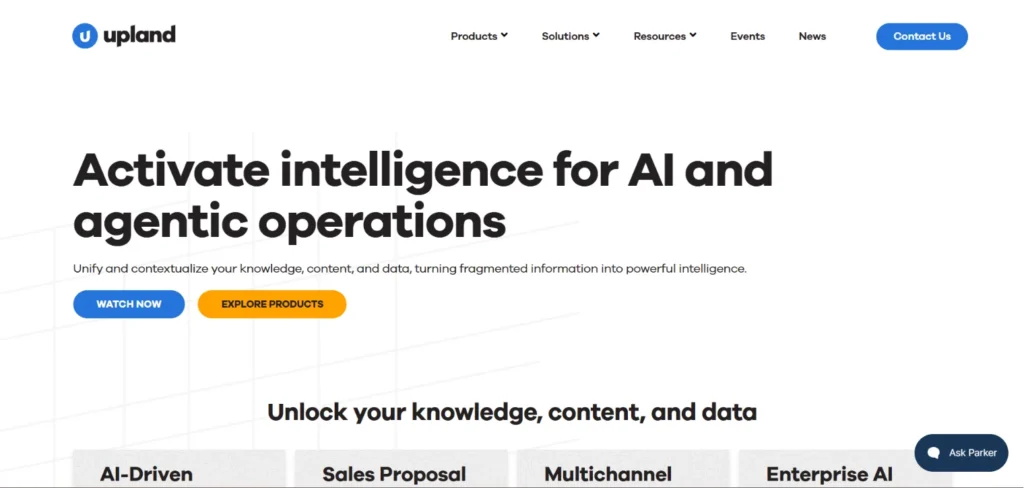
Upland PSA is a complete financial and project management software that serves as a reliable professional services automation software solution for service-oriented organizations focused on driving profitability. Through its invoicing, resource planning, and tracking capabilities, teams can monitor projects from initiation to completion easily. Upland’s advanced reporting is particularly useful for organizations that need strict compliance tracking and detailed expense monitoring.
Key Features
- Detailed project and resource management
- Time and expense tracking with compliance tools
- Billing and invoicing automation
- Advanced financial reporting and analysis
- Strong integration with other Upland products
Pros:
- Exceptional security and compliance auditing
- Built specifically for heavy asset engineering
- Accurate revenue forecasting models
Cons:
- Overwhelming feature set for small agencies
- Entry-level plan leaves out advanced reporting
Pricing
- Custom pricing available upon request.
Who Should Use It?: Best suited for medium to large service businesses, engineering firms, and organizations handling government contracts.
Website: www.uplandsoftware.com
14. Kantata – Best for Advanced Resource Planning

Kantata offers a comprehensive suite tailored specifically for professional services. It focuses heavily on financial forecasting, resource optimization, and business intelligence. Created to connect project delivery with financial performance, it gives executives real time insights into profit margins. It solves the issue of resource benching by providing a clear view of staff availability across the organization.
Key Features
- Deep resource and capacity planning
- Advanced financial forecasting and margin tracking
- Business intelligence and custom reporting
- Integrated project management and task routing
- Skills based resource matching
Pros:
- In-depth resource allocation visualization
- High level margin forecasting engines
- Solid project portfolio financial health views
Cons:
- Steep learning curve for standard users
- Custom integrations require extra setup
Pricing
- Custom pricing based on business size and needs.
- Free trial available upon request.
Who Should Use It?: Best suited for mid market and enterprise consulting firms needing robust financial forecasting.
Website: www.kantata.com
15. CloudBlue PSA – Best for Modern Tech and Software Firms

CloudBlue PSA is a flexible platform designed to support multi divisional software and services businesses. It offers billing, project management, time tracking, and contract management in a single system. The platform allows businesses to make sound decisions to maximize performance by supporting the entire business lifecycle from lead generation solutions to contract renewal.
Key Features
- End to end project management and planning
- Resource and integrated time tracking
- Financial management and multi currency reporting
- Client relationship management and ticketing
- Automated invoicing and contract behavior modeling
Pros:
- Excellent full lifecycle contract automation
- Adapts well to complicated tech architectures
- Integrated helpdesk ticket billing capabilities
Cons:
- Admin interface requires thorough configuration
- High initial onboarding investment
Pricing
- Standard: $9k/ month
- Enterprise: $23k / month
- Premium: Custom pricing available upon request.
Who Should Use It?: Best for mid sized to large technology and service firms that require advanced project accounting and contract management.
Website: www.cloudblue.com
PSA Software Comparison Table: Side-by-Side Overview
Here is an updated side-by-side comparison of the top 15 professional services automation software tools to help you quickly compare their primary focus, entry-level pricing, live G2 ratings, and trial availability.
| Tool | Best For | Pricing | G2 Rating | Free Trial |
| Rocketlane | Modern Service Teams | $19 / user / month | 4.7 / 5 | Yes |
| HaloPSA | Modern IT Service Delivery | $115 / user / month | 4.6 / 5 | Yes |
| SuperOps | Unified PSA & RMM for MSPs | $89 / technician / month | 4.5 / 5 | Yes |
| NinjaOne | Endpoint Management & IT | Custom (Pay-as-you-go) | 4.7 / 5 | Yes |
| Productive | Agency Profitability Tracking | $10 / user / month | 4.6 / 5 | Yes |
| Scoro | End-to-End Business Management | $23.90 / user / month | 4.5 / 5 | Yes |
| Teamwork.com | Client-Facing Project Management | $13.99 / user / month | 4.4 / 5 | Yes |
| Accelo | Retainer-Based Businesses | Pricing available on request | 4.4 / 5 | Yes |
| Wrike | Scalable Work Management | $10/ user / month | 4.2 / 5 | Yes |
| BigTime | Accounting & Architectural Firms | $20 / user / month | 4.5 / 5 | Yes (Upon Request) |
| Deltek | Flexible Time Tracking | Pricing unavailable | 4.3 / 5 | Yes |
| Certinia | Salesforce Users | Custom Pricing | 4.1 / 5 | No |
| Upland PSA | Government & Engineering | Custom Pricing | 4.4 / 5 | No |
| Kantata | Advanced Resource Planning | Custom Pricing | 4.2 / 5 | Yes (Upon Request) |
| CloudBlue PSA | Modern Tech & Software Firms | $9k | 4.5 / 5 | No |
Key Features to Look for in PSA Software
When choosing automation software for service businesses, look for platforms that handle these core functions:
- Project Management: Built-in task assignments, milestones, and progress tracking to keep client work organized.
- Time & Expense Tracking: Simple, mobile-friendly logs to record billable hours and team expenses on the go.
- Resource Management: Real-time visibility into team capacity and skills to assign tasks efficiently and prevent burnout.
- Billing & Invoicing: Seamless tools to turn logged hours into invoices using multiple billing types (hourly, fixed-fee, retainers).
- Reporting & Analytics: Clear dashboards that track project profitability, staff utilization rates, and revenue forecasts.
- Integrations: Smooth connections with your current CRM, accounting apps, and internal communication tools.
How to Choose the Right PSA Software for Your Business
Finding the right professional services automation software means matching the tool to your biggest operational problems. Use this quick checklist to guide your decision:
- Identify Bottlenecks:
- Losing billable hours? Pick tools with strong automated time tracking.
- Scheduling conflicts? Focus on advanced resource planning.
- Use Free Trials: Have your team test the software first. If it is too hard to use, they will not adopt it.
- Check Integrations: Make sure it connects easily with your current accounting tools and CRM.
- Plan for Growth: Choose a platform that scales smoothly as you add more users and require deeper reporting.
PSA Software vs. Project Management Software: What’s the Difference?
While they look similar, professional services automation software and project management tools serve completely different operational needs.
| Feature | PSA Software | Project Management Software |
| Primary Focus | Service delivery profitability and business health | Task execution, deadlines, and team collaboration |
| Time Tracking | Tied directly to billing rates, costs, and client invoicing | Used to track internal task duration and progress |
| Financial Tools | Revenue forecasting, margin tracking, and automated billing | Limited to basic project budget tracking |
| Resource Planning | Capacity forecasting based on billable utilization rates | Workload balancing based on manual task assignments |
| Best For | Agencies, consulting firms, and IT service providers | Internal teams, product development, and marketing |
Conclusion: Which PSA Software Should You Choose?
Choosing the right professional services automation software depends entirely on your industry and biggest operational headaches. If you run a digital or creative agency, Rocketlane or Productive are excellent choices for onboarding and margin tracking. For IT service providers and MSPs, HaloPSA, SuperOps, or NinjaOne offer the best industry-specific ticketing and device automation. If you require deep accounting controls or Salesforce syncing, look toward specialized systems like BigTime or Certinia.
Review your primary business workflows, take advantage of free trials, and pick the perfect platform to eliminate administrative chaos and secure your revenue today.