For years, setting up a VPN for Apple TV felt less like a quick tech upgrade and more like a grueling weekend IT project. Because Apple strictly locked down the device’s operating system, your only choices were flashing your home router with custom firmware or wrestling with complex Smart DNS settings that hid your location but completely stripped away your encryption. That all changed when Apple finally opened the floodgates by introducing native VPN support into tvOS. Today, getting top-tier privacy and unlocking global content libraries on your big screen is as simple as downloading an app from the App Store.
The timing couldn’t be better. The global appetite for streaming has exploded, but so has the frustration of hitting regional roadblocks. Recent industry data shows that a massive 57% of mobile users and over half of desktop users now actively rely on VPNs primarily to unlock better TV shows, movies, and sports packages. Whether you are trying to stream live home-market sports while traveling abroad or wanting to explore foreign streaming catalogs from your living room, a high-quality VPN has officially shifted from a niche privacy tool to an absolute streaming essential.
However, just because a VPN has a shiny new Apple TV app doesn’t mean it deserves a spot under your television. Bypassing aggressive anti-VPN filters from major streaming platforms requires massive, frequently refreshed server networks and sophisticated obfuscation protocols. Furthermore, streaming in crisp 4K Dolby Vision demands relentless, unthrottled connection speeds, while features like Ad Blockers help create a cleaner viewing experience. We have rigorously tested the leading providers on actual Apple TV hardware, evaluating everything from native app interface design to real-world connection drops. The following breakdown highlights the 15 absolute best options available right now to supercharge your Apple TV experience.
Does Apple TV Support VPN Apps in 2026?
Yes, Apple TV fully supports native VPN applications, completely eliminating the need for complicated workarounds if you own the right hardware. Ever since Apple opened up its tvOS framework to network developers, top-tier VPN providers have flooded the official App Store with dedicated apps built specifically for the big screen. This means you can download, log in, and secure your connection directly using your Apple TV remote, enjoying encrypted traffic and border-free streaming in seconds.
However, hardware compatibility is the one major detail you cannot afford to overlook. Native VPN app support is strictly limited to modern devices capable of running tvOS 17 or later. Users with multiple streaming devices often choose providers that also support vpn for android TV for a consistent experience across platforms, which includes all generations of the Apple TV 4K and the older Apple TV HD (4th Generation). If you are using a legacy, non-App Store model like the Apple TV 3rd Generation or older, you will still need to rely on alternative methods such as configuring the VPN on your physical home router, utilizing a pre-configured virtual router, or using traditional Smart DNS profiles to change your location.
How We Tested And Selected These VPNs for Apple TV
To separate marketing hype from actual performance, we subjected dozens of providers to a rigorous testing pipeline directly on Apple TV 4K hardware. Every VPN on our list had to prove it could deliver a seamless, high-speed streaming experience without compromising user privacy.
- Native tvOS Integration: We prioritized VPNs with dedicated, well-optimized Apple TV apps available directly in the App Store, evaluating how easily the interface navigates using only the Apple TV Siri Remote.
- 4K-Ready Streaming Speeds: Every provider underwent thorough speed testing across local and long-distance servers to ensure they consistently beat the 25 Mbps minimum threshold required for flawless 4K Dolby Vision playback.
- Global Unblocking Capabilities: We tested each VPN against the strict anti-proxy filters of major streaming platforms (including Netflix, Hulu, BBC iPlayer, and live sports networks) across multiple country servers.
- Legacy Compatibility (Smart DNS): For users with older Apple TV hardware, we verified that providers offer a reliable Smart DNS alternative or robust router support to change locations without the native app.
- Strict Privacy and Security Standards: We vetted each provider’s infrastructure to ensure they implement industry-standard encryption protocols (like WireGuard) alongside strictly audited no-logs policies.
Quick Comparison Table: Best VPNs For Apple TV (2026)
To help you see how the leading providers stack up at a glance, we have compiled their core technical specifications side-by-side. This matrix highlights the differences in protocol deployment, server distribution, and device allowances so you can easily choose the right fit for your home entertainment layout.
| VPN Name | Native Apple TV App | Core Protocol Used | Server Locations (Countries) | Simultaneous Device Limit | Unique Standout Streaming Feature |
| NordVPN | Yes (tvOS 17+) | NordLynx (WireGuard) | 111 Countries | 10 Devices | Interactive map interface and integrated SmartPlay tech |
| ExpressVPN | Yes (tvOS 17+) | Lightway | 105 Countries | 8 Devices | Custom Aircove router ecosystem for whole-home setups |
| Surfshark | Yes (tvOS 17+) | WireGuard | 100 Countries | Unlimited | Bypasses limits with unrestricted concurrent connections |
| Proton VPN | Yes (tvOS 17+) | WireGuard | 110+ Countries | 10 Devices | Dedicated, explicitly labeled streaming-optimized nodes |
| Private Internet Access | Yes (tvOS 17+) | WireGuard / OpenVPN | 91 Countries | Unlimited | Densely deployed servers covering all 50 distinct US states |
| CyberGhost | Yes (tvOS 17+) | WireGuard | 100 Countries | 7 Devices | Platform-specific filtering (e.g., Netflix, Hulu profiles) |
| IPVanish | Yes (tvOS 17+) | IKEv2 | 90+ Countries | Unlimited | Directly owned server fleet minimizing packet drops |
| PureVPN | Yes (tvOS 17+) | WireGuard | 70+ Countries | 10 Devices | “Always-on” audited security framework for pure privacy |
| PrivateVPN | Yes (tvOS 17+) | OpenVPN | 63 Countries | 10 Devices | High-yield, lightweight routing to bypass proxy blocks |
| VyprVPN | Yes (tvOS 17+) | WireGuard / OpenVPN | 70+ Countries | 10 Devices | Complete top-to-bottom proprietary network hardware control |
| Windscribe | Yes (tvOS 17+) | WireGuard | 69 Countries | Unlimited | R.O.B.E.R.T. server-side tracking and ad filtering block |
| Hide.me | Yes (tvOS 17+) | WireGuard | 85 Countries | 10 Devices | Non-surveillance alliance Malaysian jurisdiction backing |
| StrongVPN | Yes (tvOS 17+) | WireGuard | 40+ Countries | 12 Devices | Zero-bloat client footprint preserving system memory |
| Ivacy VPN | Yes (tvOS 17+) | WireGuard / IKEv2 | 100+ Countries | 10 Devices | Advanced anti-throttling code paths for long sessions |
| PrivadoVPN | Yes (tvOS 17+) | WireGuard | 48 Countries | 10 Devices | Real-time on-screen latency and ping response metrics |
How To Set Up a VPN On Apple TV
Setting up a VPN on your television setup is incredibly fast, provided your device is running tvOS 17 or later. Follow these steps to secure your connection and change your streaming location in just a few minutes.
- Download the App: Open the official App Store on your Apple TV, use the search bar to locate your chosen VPN provider, and click download.
- Log In via QR Code: Launch the newly installed application and scan the displayed QR code with your smartphone to sign in instantly without typing complex passwords.
- Select Your Server: Use your Apple TV remote control to navigate the server list or map, choosing the country or region whose media catalog you want to access.
- Authorize the Profile: Click connect and accept the standard tvOS system prompt to grant the app permission to set up the encrypted network configuration.
- Stream Without Limits: Once the status change shows “Connected,” minimize the application, open your favorite streaming app, and enjoy unrestricted 4K content libraries.
Why You Need a VPN for Apple TV In 2026
With media companies locking down libraries and internet service providers managing network loads more aggressively than ever, a VPN has become an essential living room tool. Running an encrypted connection on your Apple TV completely transforms your home entertainment experience.You can extend that same protection to everyday browsing by using the provider’s vpn for chrome.
- Bypass Regional Blockades: Overcome aggressive digital geofences to watch international content libraries, including foreign Netflix catalogs, BBC iPlayer, or localized streaming networks.
- Defeat ISP Bandwidth Throttling: Stop your internet service provider from intentionally slowing down your connection speedStop your internet service provider from intentionally slowing down your connection speed. This also helps users who rely on a vpn for gaming to reduce performance issues caused by ISP throttling when it detects high-bandwidth 4K Dolby Vision video streams.
- Stream Live Blackout Sports: Watch your favorite out-of-market sports teams and avoid local television broadcasting blackout restrictions when traveling away from home.
- Secure Smart Home Data: Enclose your home theater network traffic in military-grade encryption, keeping your viewing habits and hardware data completely hidden from third-party tracking.
- Maintain Travel Continuity: Access your home country’s local subscription channels and media packages seamlessly while staying in hotels or traveling abroad anywhere in the world.
List Of Best VPNs for Apple TV
1. NordVPN
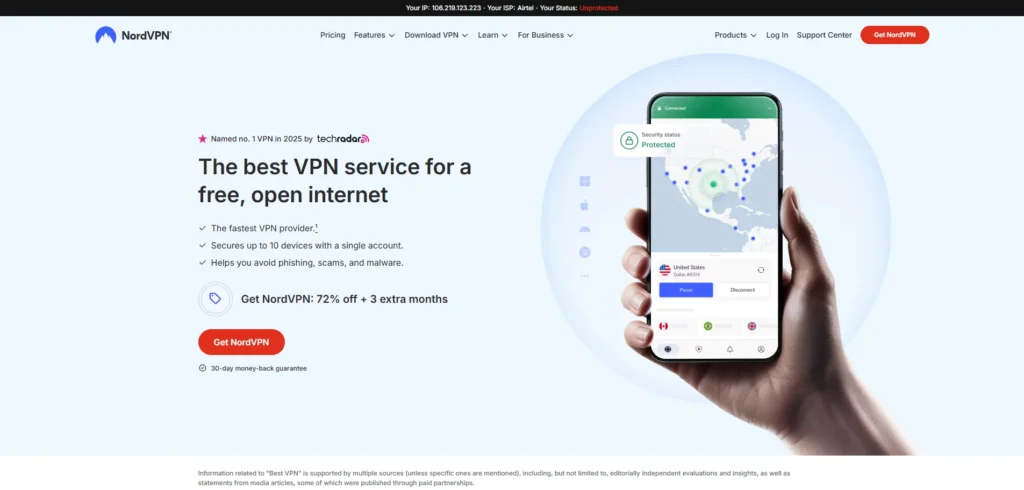
Website: https://nordvpn.com
NordVPN stands out as the absolute best all-around choice for Apple TV streaming due to its stellar combination of blazing speeds and seamless tvOS integration. Its custom-built NordLynx protocol ensures almost zero speed degradation, which is critical for maintaining an uninterrupted 4K Dolby Vision playback experience.
The native app features a highly intuitive map and alphabetical list interface, making it exceptionally easy to swap virtual locations using just the Apple TV remote. Backed by a vast, frequently refreshed server fleet, it effortlessly evades the toughest VPN blocks deployed by major global streaming platforms.
Key Features
- Custom NordLynx protocol for top-tier 4K streaming speeds.
- Native tvOS 17+ application featuring an interactive map interface.
- Smart Play technology integrated directly to automatically bypass geo-blocks.
- Massive fleet of over 6,000 servers across 110+ countries globally.
- Built-in dedicated IP options and robust custom router support.
Pros
- Unmatched connection consistency with minimal 4K buffering.
- Extremely easy setup via a quick QR code login pattern on tvOS.
- Reliable access to dozens of global Netflix libraries, Hulu, and live sports.
Cons
- The side-scrolling interface can occasionally feel slow when browsing long country lists.
- Does not offer dedicated streaming-optimized servers explicitly labeled in the app.
Pricing
| 1 Month | 1 Year | 2 Years |
| $14.69 / mo | $5.39 / mo | $3.49 / mo |
2. ExpressVPN
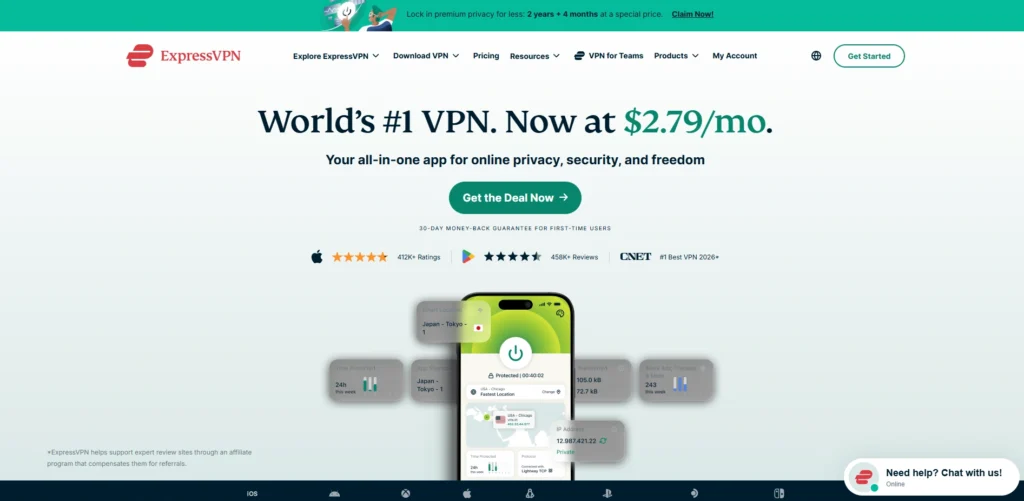
Website: https://expressvpn.com
ExpressVPN delivers a premium, highly polished streaming experience powered by its proprietary Lightway protocol, which runs natively on Apple TV. The app is incredibly lightweight and responsive, making it an excellent VPN for Apple TV, connecting to optimal servers almost instantly upon selection.
It remains the top choice for complex setups thanks to its custom Aircove router ecosystem, allowing whole-home protection if you run older Apple TV models. While it carries a slightly higher price tag, the provider compensates with a highly audited zero-logs infrastructure and unparalleled success rates at unlocking highly restrictive streaming catalogs on the first try.
Key Features
- Proprietary Lightway protocol offering rapid connection handshakes on tvOS.
- Fully native Apple TV application with clean, one-click connection designs.
- MediaStreamer Smart DNS service included for legacy, non-app hardware models.
- Massive coverage spanning 105 countries with RAM-only server setups.
- Advanced protection suite that blocks intrusive trackers at the network level.
Pros
- Flawless unblocking consistency across global platforms like BBC iPlayer and Netflix.
- Simplest, most direct user interface for remote control interaction.
- Excellent proprietary router firmware options for legacy hardware deployment.
Cons
- Subscriptions are significantly more expensive than budget-focused competitors.
- Does not display real-time server latency data within the tvOS app interface.
Pricing
| Basic | Advanced | Express Pro |
| $2.49 / mo | $3.29 / mo | $5.49 / mo |
3. Surfshark

Website: https://surfshark.com
Surfshark is the ultimate value-oriented champion for heavy streaming households, offering completely unlimited simultaneous device connections under a single affordable tier. Its native Apple TV app features a clean, uncluttered interface equipped with a helpful “Fastest Location” toggle for immediate deployment.
Utilizing the widely trusted WireGuard protocol, it delivers highly competitive speeds capable of running Ultra HD content without staggering drops. Additionally, its CleanWeb feature provides network-level ad and tracking protections, making it an all-around robust addition to your home entertainment center without breaking the bank.
Key Features
- Unlimited simultaneous device connections allowed per single user account.
- High-performance WireGuard implementation customized for tvOS frameworks.
- CleanWeb feature to reduce trackers and malicious elements at the network layer.
- Extensive server presence with 3,200+ servers scattered across 100 countries.
- Dedicated Smart DNS configuration settings available for older Apple TV iterations.
Pros
- Exceptional price-to-performance ratio with highly reliable unblocking capabilities.
- Clear visual interface that scales beautifully to large television screens.
- Allows your entire household to stream simultaneously across different gadgets.
Cons
- Long-distance server connections can occasionally experience minor speed fluctuations.
- The automatic server sorting system can sometimes place high-load servers at the top.
Pricing
| Starter | One | One+ |
| $2.49 / mo | $2.79 / mo | $4.49 / mo |
4. Proton VPN
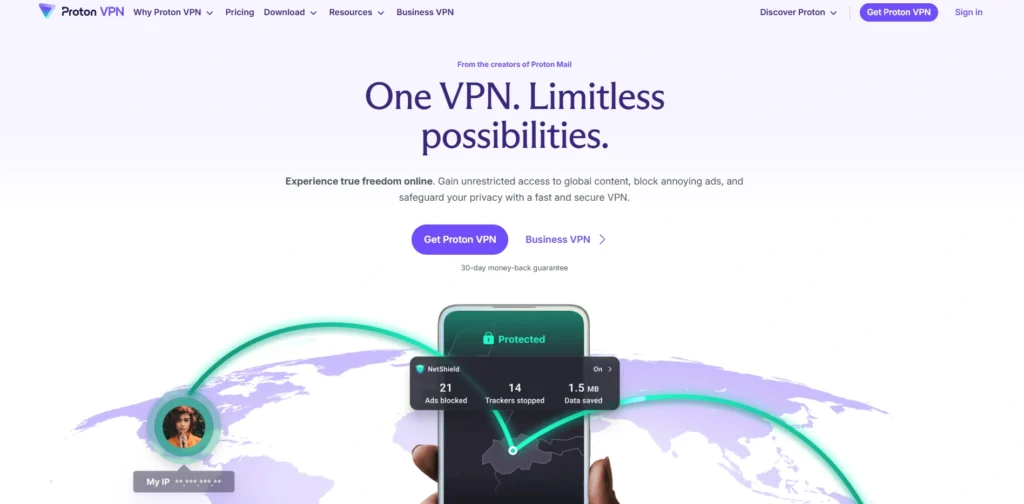
Website: https://protonvpn.com
Proton VPN brings its legendary Swiss privacy standards directly to the living room with an open-source, independently audited Apple TV application. What sets this provider apart is its deployment of dedicated, clearly labeled streaming servers optimized specifically to handle high-bandwidth video traffic without throttling, making it a reliable VPN for Apple TV.
The app also features a handy “Favorites” pinning system, allowing you to quickly save the specific country nodes that successfully unblock your preferred content. It delivers top-tier throughput via WireGuard, ensuring that your privacy-focused connection never forces you down into fuzzy, low-resolution streams.
Key Features
- Strict Swiss jurisdiction backed by a 100% audited no-logs operational standard.
- Dedicated, high-speed streaming servers optimized for high-definition playback.
- Secure Core architecture that routes traffic through multiple privacy nodes.
- Fully open-source client applications ensuring transparent codebase monitoring.
- Smart DNS settings alongside a completely unrestricted, free-tier baseline plan.
Pros
- Elite privacy profile with no hidden data tracking or background logging.
- Custom tvOS interface allows pinning favorite server nodes for rapid access.
- Very stable performance on European and North American streaming catalogs.
Cons
- The premium streaming-optimized servers require a paid Plus subscription layer.
- Global server count is slightly smaller compared to giant competitors.
Pricing
| Monthly Plus | 1-Year Plus | 2-Year Plus |
| $9.99 / mo | $6.99 / mo | $4.99 / mo |
5. Private Internet Access (PIA)
Website: https://privateinternetaccess.com
Private Internet Access (PIA) boasts one of the largest and most established server networks in the industry, making it an absolute powerhouse for accessing regional content. Its native Apple TV app allows deep customization, letting users switch between AES-128 and AES-256 encryption packages to prioritize maximum streaming speed over heavy encryption if desired. PIA is particularly effective at unblocking regional sports networks and localized US streaming platforms due to its dense, state-by-state server architecture. It also provides unlimited device connections, ensuring robust coverage for all media devices in your home network.
Key Features
- Massive, historically proven server network featuring tens of thousands of nodes.
- Adjustable encryption standards allowing users to fine-tune streaming throughput.
- Dense regional coverage with dedicated server options across all 50 US states.
- Unlimited simultaneous connections to protect your entire streaming ecosystem.
- Proven zero-logs framework verified multiple times in real-world legal settings.
Pros
- Incredible option for unlocking niche, regional live sports broadcasts inside the US.
- Advanced, highly granular settings that tech-savvy users will appreciate.
- Very competitive long-term pricing structures for multi-device households.
Cons
- The dense, text-heavy configuration options can overwhelm casual users.
- Out-of-the-box speeds on highly distant international servers can be inconsistent.
Pricing
| 1 Month | 1 Year | 3 Years |
| $9.51 / mo | $2.65 / mo | $1.05 / mo |
6. CyberGhost

Website: https://cyberghostvpn.com
CyberGhost provides an incredibly user-friendly approach to big-screen streaming by bringing its signature streaming-optimized server profiles directly onto tvOS. Its native Apple TV application features a polished layout that allows you to easily filter servers based on the specific streaming platform you want to unblock, removing all guesswork from finding a compatible node.
Powered by the efficient WireGuard protocol, it delivers highly dependable download rates that make it an excellent VPN for Apple TV, successfully mitigating 4K buffering loops. Coupled with an incredibly generous money-back guarantee period, it remains an exceptionally secure fallback option for streaming enthusiasts who want a plug-and-play solution.
Key Features
- Dedicated streaming-optimized servers categorized by platform on tvOS.
- Integrated WireGuard support providing stable, unthrottled 4K playback.
- Massive global network spanning over 11,000 servers in 100 countries.
- Robust Smart DNS capabilities alongside native App Store client support.
- Fully audited strict no-logs policy paired with secure RAM-only servers.
Pros
- Effortless navigation optimized for the physical Apple TV Siri Remote.
- Takes the trial-and-error out of unblocking difficult streaming services.
- Offers a highly generous 45-day money-back guarantee window on long plans.
Cons
- The massive server count can occasionally cause slightly longer connection times.
- Advanced configuration options are somewhat stripped down on the TV interface.
Pricing
| 1 Month | 6 Months | 2 Years |
| $10.13/mo | $5.88/mo | $1.35/mo |
7. IPVanish
Website: https://ipvanish.com
IPVanish is a highly reliable choice for modern smart homes, matching high-performance infrastructure with an absolute absence of device connection caps. Its dedicated Apple TV application runs efficiently on tvOS using the robust IKEv2 protocol, providing instantaneous connection handshakes and zero bandwidth limitations.
The app interface is sleek, clean, and intentionally scaled for visibility on wide living room screens. Because IPVanish owns and manages a substantial portion of its physical server network directly rather than renting virtual space, it maintains exceptionally stable localized speeds that are perfect for watching live sports broadcasts without abrupt stream drops.
Key Features
- Completely unmetered bandwidth allowing unlimited simultaneous device connections.
- Lightweight IKEv2 protocol optimization ensures lightning-fast app connections.
- Clean, minimalist tvOS application built around zero-stress remote control.
- Independent network ownership of over 2,400 servers across 90+ global hubs.
- Transparent zero-logs standard verified through rigorous external infrastructure audits.
Pros
- Excellent option for securing an entire household full of media hardware.
- Highly consistent performance on domestic North American live sports channels.
- Exceptionally rapid startup times when launching the app from the tvOS dashboard.
Cons
- Lacks a modern WireGuard implementation inside the current native tvOS application.
- Can occasionally struggle to bypass aggressive geo-blocks on niche foreign networks.
Pricing
| Essential | Advanced |
| $2.19/mo | $3.29/mo |
8. PureVPN
Website: https://purevpn.com
PureVPN stands out as a highly secure and transparent option for Apple TV users, holding the distinction of being an industry-pioneering “always-on” audited provider. Its native tvOS application integrates full WireGuard support out of the box, ensuring top-tier, low-latency performance for data-heavy 4K Dolby Vision streams.
The application allows you to manage up to ten simultaneous connections comfortably under a single subscription layer. With an extensive server footprint reaching across dozens of distinct global locations, it provides a highly stable platform for travelers wanting to stream their local regional content catalogs from anywhere in the world.
Key Features
- Industry-first “always-on” audit framework ensuring absolute no-logs compliance.
- Native WireGuard deployment tailored specifically for Apple TV environments.
- Support for ten simultaneous device connections per individual account.
- Expansive global proxy and server network covering 70+ distinct countries.
- Built-in tracker protections alongside accessible Smart DNS setup options.
Pros
- High-quality encryption speeds that entirely eliminate targeted ISP throttling.
- Highly transparent privacy structure verified multiple times by external bodies.
- Very straightforward, distraction-free app login procedure via QR codes.
Cons
- The customer support system can sometimes take longer to solve complex issues.
- Certain premium features require additional add-on fees outside the base plan.
Pricing
| Standard | Plus | Max |
| $2.15/mo | $3.15/mo | $3.55/mo |
9. PrivateVPN
Website: https://privatevpn.com
PrivateVPN punches well above its weight class by prioritizing high-quality, high-yield server nodes over sheer network volume. While its overall server count is noticeably smaller than giant competitors, each node is meticulously maintained to deliver exceptional unblocking performance and steady bandwidth. Its native Apple TV application is stripped of unnecessary visual clutter, providing a straightforward approach to changing virtual locations for anyone looking for a dependable VPN for Apple TV.
Because it operates under strict Swedish privacy laws and implements highly optimized routing paths, it functions as an exceptional budget-friendly tool for streaming international Netflix libraries and BBC iPlayer without encountering proxy error messages.
Key Features
- High-yield server engineering optimized explicitly to handle major video streams.
- Simplified, low-overhead native application compatible with tvOS frameworks.
- Swedish jurisdictional backing supporting a completely clean zero-logs policy.
- High-grade military encryption parameters combined with custom OpenVPN setups.
- Direct in-house customer support team assisting with manual router integration.
Pros
- Remarkably high success rate at bypassing tough global anti-VPN filters.
- Extremely lightweight client software that never slows down the tvOS system.
- Highly competitive pricing options for users seeking simplicity over massive flair.
Cons
- Lacks a massive global network pool compared to top-tier industry giants.
- Does not include built-in ad or tracking blockers within the app interface.
Pricing
| 1 Month | 3 Months | 36 Months |
| $2/mo | $6/mo | $9.99/mo |
10. VyprVPN
Website: https://vyprvpn.com
VyprVPN is a highly sophisticated choice built specifically to defeat aggressive network censorship and strict VPN blocking filters. The provider completely owns and operates its entire global server infrastructure down to the hardware level, entirely removing third-party data handlers from the equation.
Its native Apple TV application operates seamlessly, offering rapid connection switches and robust stability across long distances. By avoiding rented server clusters, VyprVPN ensures that its bandwidth remains entirely unthrottled, making it an incredibly reliable option for streaming live television and high-definition media packages without facing sudden network disconnects.
Key Features
- 100% self-owned server infrastructure removing external third-party entities.
- Fully optimized native Apple TV application optimized for large screen viewports.
- Swiss-based jurisdiction guaranteeing a thoroughly audited no-logs operation.
- High-speed global server clusters placed across key international streaming hubs.
- Full compatibility with modern tvOS frameworks and advanced home routers.
Pros
- Elite structural security due to complete, top-to-bottom network ownership.
- Highly stable streaming throughput with zero artificial speed limits applied.
- Very responsive customer service available directly through the web portal.
Cons
- The global country distribution list is smaller than major value competitors.
- Long-term subscription tiers require a higher financial commitment upfront.
Pricing
| 1 Month | 1 Year | 2 Year |
| $5/mo | $4/mo | $3/mo |
11. Windscribe

Website: https://windscribe.com
Windscribe is a highly innovative, open-source provider that has built an exceptionally powerful native app for the Apple TV App Store. What makes this service unique is its integrated server-side customizable firewall system, nicknamed R.O.B.E.R.T., which completely strips away unwanted trackers and streaming ads directly at the network layer.
The native tvOS application features an incredibly efficient layout that performs flawlessly under standard remote control navigation, making it a versatile VPN for Apple TV. With fully transparent open-source codebases and highly competitive speeds optimized over WireGuard, it serves as a top-tier utility for customizing your network layout on the big screen.
Key Features
- R.O.B.E.R.T. server-side blocking mechanism to eliminate intrusive tracking networks.
- Native open-source Apple TV application built seamlessly around tvOS 17+.
- Unlimited concurrent hardware connections supported across a single account dashboard.
- Flexible custom architecture options alongside a highly robust free-tier tier.
- Full integration with WireGuard, OpenVPN, and specialized anti-censorship protocols.
Pros
- Provides outstanding network-level ad and tracking filtering on large media systems.
- Completely unrestricted simultaneous device allowances for busy household ecosystems.
- Highly customizable connection paths tailored to technical home users.
Cons
- The sheer volume of technical configuration options can slightly feel cluttered.
- The customer service infrastructure relies primarily on automated self-help bots.
Pricing
Starting from $4.08/mo
12. Hide.me
Website: https://hide.me
Hide.me brings an exceptionally well-engineered, independent routing framework to the living room with a dedicated tvOS client application. Operating under a strict Malaysian jurisdiction outside standard global mass surveillance alliances, it ensures that your home theater traffic remains completely private.
The provider supports up to five core protocols directly inside its architecture, though its WireGuard implementation is specifically optimized to maximize raw hardware throughput for smooth, uninterrupted 4K streaming. It also includes dense streaming-optimized server profiles to guarantee hassle-free matching with prominent global entertainment networks.
Key Features
- High-performance WireGuard implementation specifically optimized for modern smart TVs.
- Complete freedom from regional data tracking under an independent Malaysian jurisdiction.
- Dense allocation of streaming-specific proxy servers across key international nodes.
- Support for ten concurrent equipment connections under a standard premium tier.
- Independently audited zero-logs configuration containing zero operational loopholes.
Pros
- Excellent processing speeds that comfortably prevent video compression drop-offs.
- Exceptional customer support available through live technical staff round-the-clock.
- Highly reliable at maintaining long-distance connections without dropping the line.
Cons
- The global country list is somewhat smaller than standard market leaders.
- The automatic quick-connect feature can occasionally pick high-latency nodes.
Pricing
| Free | 1 Month | 12 Months | 24 Months |
| $0 | $11.99/mo | $4.58/mo | $2.59/mo |
13. StrongVPN
Website: https://strongvpn.com
StrongVPN offers a highly streamlined, no-nonsense approach to securing your Apple TV ecosystem, backed by a robust underlying server framework. The native app focuses on minimizing background operational load, ensuring that the tvOS client runs exceptionally fast without hogging system resources. It utilizes the industry-favored WireGuard protocol to deliver highly consistent download rates that easily clear the hurdle required for high-definition streaming, making it a dependable VPN for Apple TV. While it skips the complex decorative bells and whistles found in competing software, it provides an exceptionally sturdy, straightforward tool for users who simply want immediate location masking.
Key Features
- High-performance WireGuard capabilities offering ultra-low latency playback paths.
- Completely unmetered connection allowances supporting up to 12 active devices.
- Highly lightweight, zero-bloat native Apple TV App Store application architecture.
- Global server deployment covering key geographical locations for location switching.
- Zero-logs infrastructure guaranteeing complete data isolation from network operators.
Pros
- Incredibly simple layout that takes seconds to configure with a Siri Remote.
- Excellent data throughput consistency across domestic North American networks.
- Exceptionally lightweight client footprint that preserves television processing power.
Cons
- The user interface lacks sophisticated platform filtering or map visualizations.
- Bypassing aggressive filters on niche foreign platforms can require manual server testing.
Pricing
| Monthly Plan | Annual Plan |
| $11.99/mo | $3.97/mo |
14. Ivacy VPN
Website: https://ivacy.com
Ivacy VPN brings a highly established, multi-decade presence to smart TV setups, featuring a native application that focuses heavily on bypassing geo-restrictions. Armed with a network of over 5,500 servers globally, it uses advanced internal routing algorithms to mask your digital footprint seamlessly.
The tvOS application relies on clean, accessible visual cues, allowing you to connect to optimized streaming regions with a single tap. By implementing military-grade encryption standards directly at the app layer, it actively stops your internet service provider from dynamically throttling your connection when detecting heavy video bandwidth usage.
Key Features
- Extensive infrastructure consisting of 5,500+ servers worldwide.
- Advanced protection parameters preventing active ISP bandwidth throttling loops.
- Native tvOS integration featuring quick login tools via smartphone scanning.
- Purpose-built internal pathways to minimize packet loss across long distances.
- Audited infrastructure upholding a transparent, zero-operational-logs history.
Pros
- Highly cost-effective long-term rates compared to premium enterprise brands.
- Exceptional coverage depth across multiple European and Asian connection hubs.
- Very stable performance during extended multi-hour streaming marathons.
Cons
- The app interface can occasionally lag slightly during rapid country switching.
- Does not offer as many advanced secondary tools like custom split-tunneling.
Pricing
| 1 Month | 2 Years | 5 Years |
| $12.95/mo | $2.14/mo | $1.69/mo |
15. PrivadoVPN
Website: https://privadovpn.com
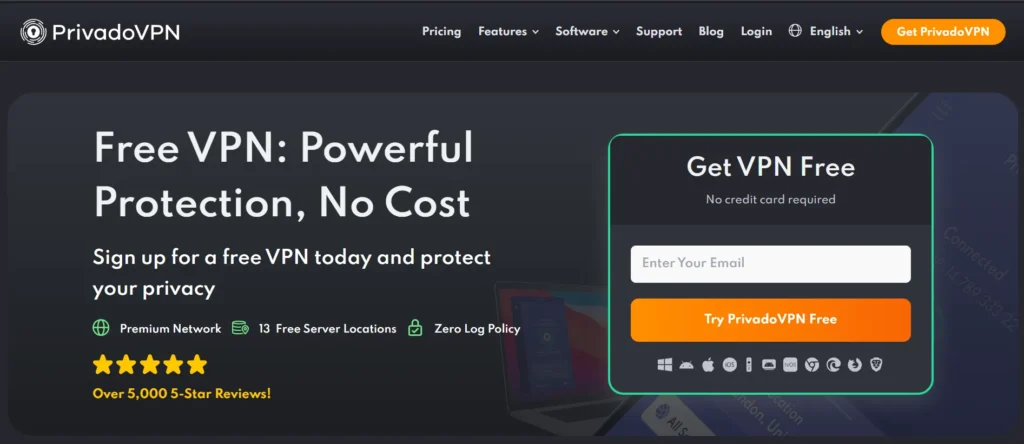
PrivadoVPN is a highly reliable emerging provider that features a fully optimized, native tvOS 17+ application built specifically to streamline your home streaming experience. A major standout of its Apple TV integration is the ability to sort server locations directly by real-time latency, helping users instantly identify the fastest node to eliminate video buffering. Running efficiently on the WireGuard protocol, it maintains excellent stability under heavy network stress, making it a reliable VPN for Apple TV. With a robust zero-logs architecture and strong capability to bypass localized proxy blocks, it stands as an exceptional premium choice for securing your television network.
Key Features
- Native tvOS application featuring real-time server latency sorting metrics.
- Fully optimized WireGuard implementation ensuring stable, unthrottled 4K video.
- Access to premium servers spread across 50 distinct international countries.
- Multi-device security parameters supporting up to 10 concurrent connections.
- Proven zero-logs structural enforcement keeping viewing metrics fully anonymous.
Pros
- Incredibly responsive app connection speeds that execute almost instantly.
- Simplifies server selection by showing network response times on-screen.
- Highly affordable promotional entry points for long-term subscribers.
Cons
- The global server country index is smaller than major enterprise brands.
- Lacks a direct search bar tool for typing specific city names on tvOS.
Pricing
| 1 Month | 12 Months | 24 Months |
| $10.99/mo | $1.33/mo | $1.11/mo |
How To Set Up a VPN On Apple TV
Setting up a VPN on your television setup is incredibly fast, provided your device is running tvOS 17 or later. Follow these steps to secure your connection and change your streaming location in just a few minutes.
- Download the App: Open the official App Store on your Apple TV, use the search bar to locate your chosen VPN provider, and click download.
- Log In via QR Code: Launch the newly installed application and scan the displayed QR code with your smartphone to sign in instantly without typing complex passwords.
- Select Your Server: Use your Apple TV remote control to navigate the server list or map, choosing the country or region whose media catalog you want to access.
- Authorize the Profile: Click connect and accept the standard tvOS system prompt to grant the app permission to set up the encrypted network configuration.
- Stream Without Limits: Once the status change shows “Connected,” minimize the application, open your favorite streaming app, and enjoy unrestricted 4K content libraries.
Why You Need a VPN for Apple TV in 2026
With media companies locking down libraries and internet service providers managing network loads more aggressively than ever, a VPN has become an essential living room tool. Running an encrypted connection on your Apple TV completely transforms your home entertainment experience.
- Bypass Regional Blockades: Overcome aggressive digital geofences to watch international content libraries, including foreign Netflix catalogs, BBC iPlayer, or localized streaming networks.
- Defeat ISP Bandwidth Throttling: Stop your internet service provider from intentionally slowing down your connection speed when it detects high-bandwidth 4K Dolby Vision video streams.
- Stream Live Blackout Sports: Watch your favorite out-of-market sports teams and avoid local television broadcasting blackout restrictions when traveling away from home.
- Secure Smart Home Data: Enclose your home theater network traffic in military-grade encryption, keeping your viewing habits and hardware data completely hidden from third-party tracking.
- Maintain Travel Continuity: Access your home country’s local subscription channels and media packages seamlessly while staying in hotels or traveling abroad anywhere in the world.
Free vs Paid VPN for Apple TV: What You Need to Know
While the temptation to use a free service to secure your Apple TV is strong, streaming video is one of the most resource-heavy tasks you can put a network through. To help you understand what you are sacrificing when you opt for a zero-cost option, we have broken down how free and paid VPN tiers compare across critical performance metrics.
| Feature / Metric | Free VPNs for Apple TV | Paid Premium VPNs for Apple TV |
| Data Allowances | Highly restrictive monthly caps (often limited to 2 GB to 10 GB total) | Completely unlimited data with zero caps or artificial ceilings |
| Connection Speeds | Intentionally throttled or congested nodes causing heavy 4K buffering | Unthrottled, high-speed servers utilizing WireGuard or Lightway |
| Streaming Support | Rarely unblocks major platforms like Netflix, Hulu, or BBC iPlayer | Frequently refreshed IP pools designed to actively defeat proxy filters |
| tvOS App Availability | Extremely rare; most free tiers require manual, complex router setups | Dedicated, polished apps available directly in the Apple TV App Store |
| Server Selection | Restricted to a small handful of locations (typically 3 to 5 countries) | Access to massive global fleets spanning 60 to 110+ countries |
| Privacy Standards | May track and sell your viewing data to third-party advertisers for revenue | Strict, independently audited no-logs infrastructure with RAM-only servers |
What to Look for When Choosing a VPN for Apple TV
Selecting the right VPN requires looking past basic marketing claims and focusing entirely on features that impact television hardware. Because streaming high-resolution media puts unique demands on your network infrastructure, ensure the provider you select meets these five critical criteria.
- Native tvOS App Support: Always verify that the provider offers a dedicated client application directly in the Apple TV App Store. It’s also worth checking whether the provider offers a vpn for firefox extension for secure everyday browsing. saving you from complex router configurations.
- Consistently Fast Connection Speeds: Look for providers that implement high-efficiency protocols like WireGuard or Lightway to maintain the unthrottled bandwidth required for 4K streaming.
- Proven Unblocking Track Record: Ensure the service frequently refreshes its IP addresses to successfully bypass the strict anti-VPN proxy filters deployed by major global streaming networks.
- Vast International Server Coverage: Opt for a service with a dense global footprint, giving you plenty of alternative country nodes if a specific streaming platform blocks a particular region.
- Audited No-Logs Privacy Policy: Confirm that the network operator uses RAM-only server infrastructure that has been independently verified to ensure your home viewing habits remain completely anonymous.
Conclusion
In conclusion, the arrival of native VPN support on tvOS has fundamentally changed how we enjoy home entertainment. What used to require complex technical setups can now be accomplished in just a few minutes using your standard television remote control. By choosing a high-quality service tailored for Apple TV, you can effortlessly protect your household network data, stop internet service providers from slowing down your connection, and instantly unlock incredible content libraries from all over the world.
As you make your final selection, prioritize providers that offer high-speed protocols like WireGuard or Lightway to guarantee smooth, buffer-free 4K streaming. Whether you want an feature-rich option like NordVPN, a premium choice like ExpressVPN, or a highly affordable solution like Surfshark, adding a VPN to your modern Apple TV setup is one of the smartest and easiest ways to maximize your streaming experience.pl