
Every millisecond matters when you are in the clutch. Whether you are holding an angle in a tactical shooter or executing a raid layout in an MMO, a sudden spike in ping can ruin your entire match. Online gaming has evolved into an incredibly fast-paced, highly competitive space where the data routing provided by your standard Internet Service Provider (ISP) often falls short, sending your traffic through congested nodes that create frustrating packet loss and latency.
To combat this, modern gamers are turning to virtual private networks (VPNs) as performance tools rather than just privacy software. Recent industry infrastructure data highlights the growing necessity of these tools: network-layer DDoS attacks which malicious players frequently use to knock opponents offline in competitive queues surged by over 160% in early 2026. A premium VPN for gaming mitigates this risk by masking your home IP address behind specialized, enterprise-grade anti-DDoS servers, shielding your network from targeted disruptions.
Beyond security, the right VPN can actively stabilize your connection. By utilizing next-generation, lightweight tunneling protocols like WireGuard and NordLynx, the top providers bypass the inefficient, round-about routing paths deployed by local ISPs. Connecting to a VPN server physically closer to a game’s regional data center creates a direct, optimized pathway for your data packet transfer, frequently lowering your ping, eliminating jitter, and giving you the split-second advantage needed to win. Here is our breakdown of the top 15 best VPNs built to handle intense gaming workloads.
What is a VPN?
A Virtual Private Network (VPN) is a service that establishes a secure, encrypted connection between your gaming device and the internet. Instead of routing your data directly through your Internet Service Provider (ISP) which often uses congested public pathways a VPN creates a private tunnel to one of its own secure servers. It masks your real IP address and encrypts all incoming and outgoing data, essentially acting as a protective digital shield for your network.
For gamers, this private tunnel does more than just secure personal data; it changes how game traffic travels. By choosing a VPN server located physically close to a game’s regional data centers, you can force your connection onto a more direct, optimized route. This helps bypass ISP bandwidth throttling, eliminates erratic packet loss (jitter), and protects your home network from targeted Distributed Denial-of-Service (DDoS) attacks aimed at kicking you out of competitive lobbies.
What Makes a VPN Good for Gaming?
Low Latency & Ping Performance
Latency, measured as ping in milliseconds, is the time it takes for data to travel from your gaming device to the game server and back. A top-tier VPN for gaming must minimize this delay; the best options introduce negligible overhead, keeping added ping under 20ms to 40ms, and can even lower your ping if your default connection routes data inefficiently.
Protocol: Why WireGuard Wins in 2026
Older tunneling protocols like OpenVPN rely on hundreds of thousands of lines of heavy code that create massive encryption bottlenecks, making them poorly suited for gaming. WireGuard has established itself as the absolute gold standard in 2026 because its lean, 4,000-line codebase processes data with incredible speed, delivering the lowest possible packet processing overhead and maximum frame-rate stability.
Server Network & Proximity
A massive, globally distributed server fleet is essential for strategic routing. Having access to thousands of regional servers ensures that you can always connect to a location physically close to the game’s actual data centers (such as Frankfurt, Singapore, or Chicago), shortening the physical distance your data travels to eliminate jitter and erratic lag spikes.
DDoS Protection
Competitive online matches and streams are frequent targets for Distributed Denial-of-Service (DDoS) attacks, where malicious players flood your network with junk traffic to knock you offline. A premium VPN for gaming routes your traffic through hardened, enterprise-grade server infrastructure designed to absorb and filter out massive traffic spikes, ensuring your home connection remains completely uninterrupted.
ISP Throttling Bypass
Many Internet Service Providers purposefully restrict your bandwidth when they detect high-data activities like large game downloads or intense multiplayer sessions, a practice known as network throttling. Because a VPN wraps your entire internet connection in an unbreakable layer of encryption, your ISP cannot see what applications you are running, forcing them to give you your full, unthrottled network speed.
Split Tunneling
Split tunneling is a crucial management tool that allows you to decide exactly which applications route through the encrypted VPN tunnel and which use the open internet. This means you can route your high-stakes competitive game through a low-latency VPN server for routing optimization while keeping background apps like Discord, Spotify, or your web browser on your local connection.
Kill Switch
A kill switch acts as an automated safety net for your network security. If your VPN connection drops for even a fraction of a second due to server switching or unstable Wi-Fi, the kill switch instantly blocks your entire internet access to prevent your real, unprotected IP address from leaking to the open lobby.
Simultaneous Connections & Device Support
Modern gamers rarely play on just one platform, meaning a good VPN must provide broad device compatibility and multiple simultaneous connections. The best providers offer native apps for PC, Mac, Android, and iOS, along with specialized router setups or virtual routers to effortlessly protect gaming consoles like the PS5, Xbox Series X, and Nintendo Switch.
List of Top 15 VPN for Gaming
1. NordVPN – Best for Professional Gamers and Streamers

Website: https://nordvpn.com
NordVPN stands as the industry heavyweight for gaming performance due to its custom-built NordLynx protocol. It routes traffic across a massive network of over 6,300 servers, ensuring you can find an uncongested node right next to regional game servers. NordVPN specializes in advanced security, offering hardened DDoS filtering that prevents malicious players from disrupting your stream or competitive ranked match. Its smart routing automatically bypasses ISP-level bandwidth limits, maintaining a remarkably steady throughput for large game downloads and live multiplayer matches alike.
Speed and Performance while gaming
NordVPN maintains exceptionally low latency with minimal jitter, reducing standard download speeds by less than 2% across closest regional servers.
Key Features
- Custom NordLynx protocol optimized for low-latency data transfers.
- Hardened, enterprise-grade anti-DDoS protection on all server nodes.
- Meshnet feature for setting up secure, zero-latency virtual LAN parties.
- Robust split-tunneling to isolate gaming traffic from background apps.
Pros
- Unmatched frame-rate stability and minimal packet processing overhead.
- Independently audited zero-logs infrastructure for total network privacy.
- Massive global server footprint cuts down routing distance.
Cons
- Consoles require a PC-shared virtual connection or a compatible router setup.
- Renewal rates increase significantly after the initial promotional period.
Pricing
| Plan Name | Monthly Basic | 1-Year Basic | 2-Year Basic |
| Price Per Month | $14.69 / mo | $5.39 / mo | $3.49 / mo |
2. ExpressVPN – Best for Console Gaming & Router Integration
Website: https://www.expressvpn.com
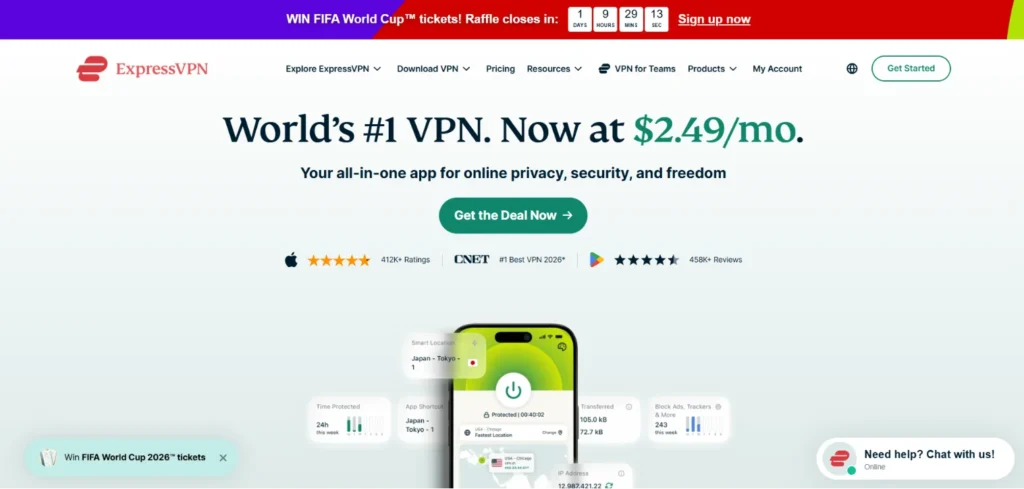
ExpressVPN excels in multi-platform households, particularly for console gamers who usually face complex setups. Unlike competitors, it offers a dedicated router app and its proprietary Aircove router system, making it easy to protect a PS5, Xbox Series X, or Nintendo Switch.
This makes it a strong VPN for gaming choice for players who want seamless protection across multiple devices. Driven by the proprietary Lightway Turbo protocol, ExpressVPN offers highly optimized routing across 105 countries. It provides post-quantum encryption standards to future-proof your data security while masking your IP address to prevent targeted matchmaking disruptions or unprovoked IP bans from game administrators.
Speed and Performance while gaming
Lightway Turbo ensures near-instantaneous packet response, preserving baseline ping spikes while offering exceptional stability during intense team fights.
Key Features
- Proprietary Lightway protocol built with a lightweight, high-speed codebase.
- Native router app firmware for instant console network protection.
- Post-quantum cryptographic protection for advanced connection privacy.
- MediaStreamer DNS system to bypass geo-restrictions without full encryption overhead.
Pros
- Simplest, most reliable implementation for gaming consoles.
- Extremely broad global coverage spanning 105 countries.
- Excellent, responsive 24/7 technical customer support.
Cons
- Slightly higher price tier compared to budget-focused options.
- Fewer deep, granular manual configuration toggles for advanced PC users.
Pricing
| Basic | Advanced | Express Pro |
| $2.49/mo | $2.99/mo | $5.49/mo |
3. Surfshark – Best for Budget PC Gaming & Unlimited Devices
Website: https://surfshark.com
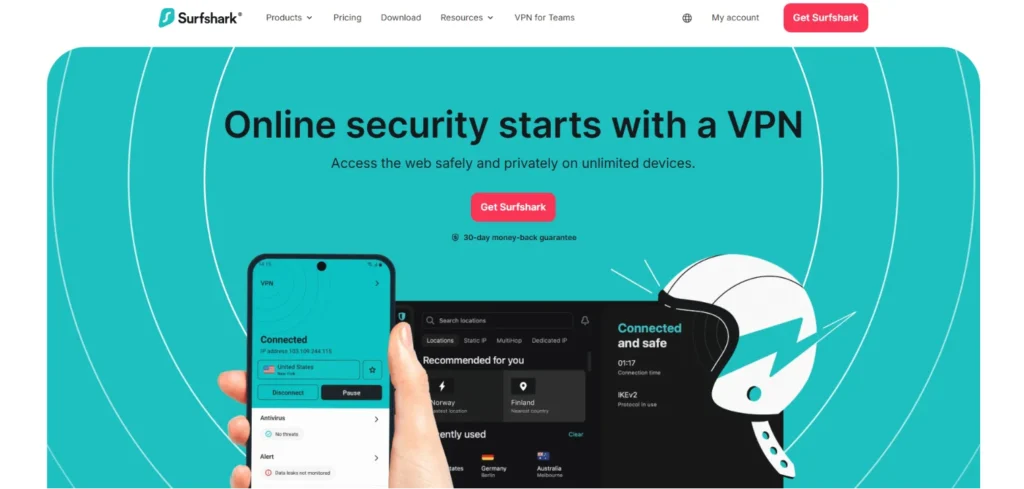
Surfshark provides premium gaming performance at a highly competitive price tier without compromising on essential network features. Its standout feature is its lack of device caps, allowing you to secure your gaming PC, mobile devices, laptop, and family hardware simultaneously on a single subscription. Utilizing a pure WireGuard deployment, Surfshark delivers top-tier throughput numbers that rival much more expensive providers. It features a clean Bypasser tool (split-tunneling) that cleanly separates your low-latency game traffic from data-heavy background streaming applications.
Speed and Performance while gaming
Surfshark ranks among the fastest providers available, keeping ping increases under 15ms on localized server nodes.
Key Features
- Unlimited simultaneous device connections under one single account.
- Full WireGuard implementation for streamlined network layer speeds.
- Bypasser tool for highly granular, application-specific split tunneling.
- Camouflage Mode to bypass aggressive network blocks in dorms or offices.
Pros
- Incredible price-to-performance ratio for long-term plans.
- Highly intuitive, scannable UI that makes server selection effortless.
- RAM-only server infrastructure ensures temporary connection logs are wiped cleanly.
Cons
- Static IP choices require a small additional monthly subscription add-on.
- Ping variance can occasionally fluctuate on long-distance international servers.
Pricing
| Starter | One | One+ |
| $2.49/mo | $2.79/mo | $4.49/mo |
Suggested Read:
4. Proton VPN – Best for Network Privacy & Free-Tier Testing

Website: https://protonvpn.com
Engineered in Switzerland under strict privacy frameworks, Proton VPN is built for gamers who refuse to compromise on security. It includes a unique “VPN Accelerator” feature that utilizes multi-core processing to optimize server-side routing pathways, reducing data-packet lag over long physical distances. Proton is also famous for offering the best free tier on the market—featuring no data caps—allowing users to comprehensively test connection stability before upgrading to the premium tier to unlock high-speed regional gaming nodes and specialized anti-DDoS features.
Speed and Performance while gaming
The VPN Accelerator technology reduces routing bottlenecks, keeping packet loss at zero percent during intense matchmaking queues.
Key Features
- VPN Accelerator technology to maximize structural throughput.
- Secure Core architecture that routes traffic through multiple privacy-hardened servers.
- Completely unlimited bandwidth on both free and premium subscription tiers.
- Open-source, independently audited client applications across all platforms.
Pros
- Highly secure infrastructure based out of Swiss jurisdiction.
- Genuinely usable free plan to test baseline latency.
- Advanced custom profile configurations tailored for specific game launchers.
Cons
- Free tier limits server selection to three countries, causing occasional congestion.
- Interface leans technical, which might look intimidating to casual users.
Pricing
| Plan Name | Monthly Plus | 1-Year Plus | 2-Year Plus |
| Price Per Month | $9.99 / mo | $6.99 / mo | $4.99 / mo |
5. CyberGhost – Best for Dedicated Gaming Servers

Website: https://www.cyberghostvpn.com
CyberGhost removes the guesswork from network configuration by providing dedicated, clearly labeled servers specifically optimized for gaming workloads. Its desktop apps feature a distinct “For Gaming” tab that organizes servers by their physical proximity to major game publishing data centers, showing real-time ping and user load metrics.
This specialized approach makes CyberGhost a reliable VPN for gaming, helping players connect to low-latency servers more efficiently. Backed by a robust WireGuard architecture and an enormous global fleet of over 9,000 servers, CyberGhost ensures you never have to settle for a crowded node, making it an excellent choice for keeping your ping low in fast-paced lobbies.
Speed and Performance while gaming
The gaming-specific servers deliver remarkably consistent ping baselines with almost no erratic jitter spikes during prolonged play sessions.
Key Features
- Specialized, gaming-optimized routing servers sorted directly by ping.
- Massive network architecture spanning more than 9,000 global servers.
- Automated smart rules that launch your VPN the millisecond a game opens.
- Built-in DNS and IPv6 leak prevention to shield your real location.
Pros
- The gaming-centric UI is incredibly straightforward and efficient.
- Generous 45-day money-back guarantee period for long-term options.
- Excellent mitigation of ISP throttling via robust encryption layers.
Cons
- The desktop application can occasionally feel sluggish to load.
- Mac application has slightly fewer customization features than the Windows build.
Pricing
| 1 Month | 6 Months | 2 Years |
| $10.19/mo | $5.91/mo | $1.36/mo |
6. Private Internet Access (PIA) – Best for Advanced Network Customization
Website: https://www.privateinternetaccess.com
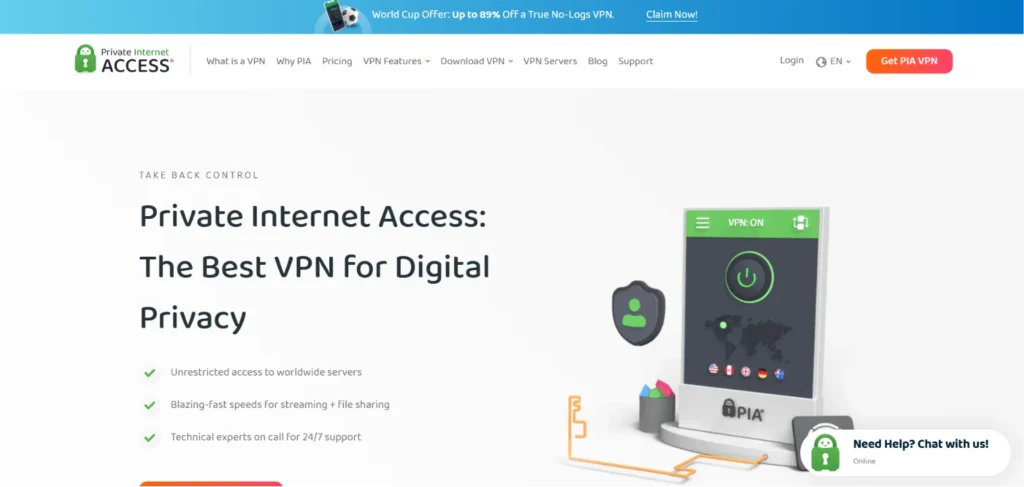
Private Internet Access (PIA) is highly regarded by technical users due to its deep configuration options. It boasts one of the largest server networks in the industry, offering massive server counts across 91 countries to guarantee entry into low-congestion gaming nodes. PIA allows you to switch between 128-bit and 256-bit AES encryption dynamically; dropping down to 128-bit encryption lightens the cryptographic processing load, squeezing out extra frame-rate performance on older hardware. It fully supports unlimited simultaneous connections and includes a proven, court-tested zero-logs infrastructure.
Speed and Performance while gaming
PIA delivers exceptional throughput speeds over its WireGuard configuration, providing localized latency overhead of under 10ms with minimal jitter.
Key Features
- Customizable encryption sizing (AES-128 vs AES-256) to prioritize speed.
- Advanced MACE feature to block malicious ads and tracking scripts at the DNS layer.
- Massive distributed server network providing tens of thousands of individual IP channels.
- Full support for port forwarding to optimize peer-to-peer hosting and lobby creation.
Pros
- Unmatched granularity for manual port and protocol configurations.
- Supports an unlimited number of active hardware connections per account.
- Highly affordable long-term pricing with a clean renewal structure.
Cons
- The user interface can feel overwhelming due to the sheer volume of advanced toggles.
- International upload speeds can occasionally show slight inconsistency.
Pricing
| 1 Month | 1 Year | 3 Years |
| $1.05/mo | $2.65/mo | $9.51/mo |
7. IPVanish – Best for Local Network Control & Interface Telemetry
Website: https://www.ipvanish.com
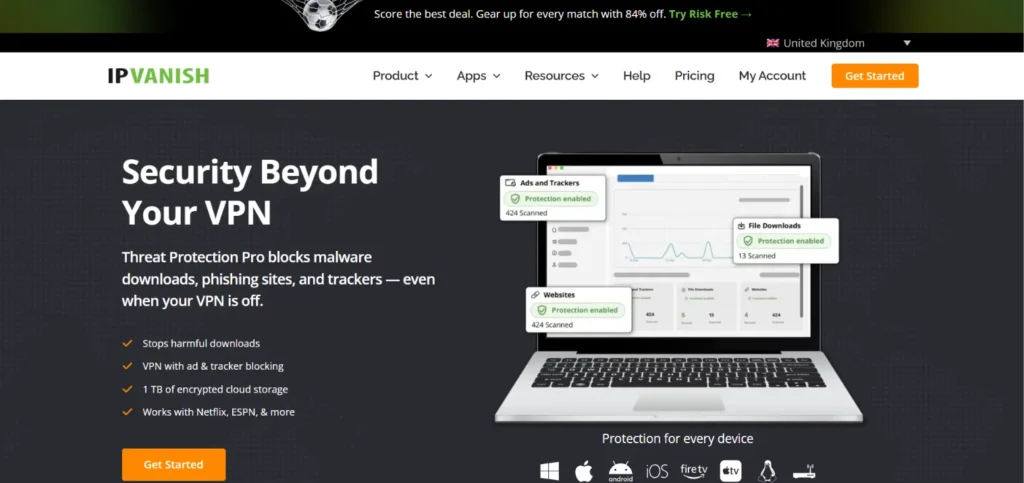
IPVanish focuses heavily on giving users comprehensive connection data, displaying real-time visual graphs of your current speeds and latency within its main application. This level of telemetry is incredibly useful for troubleshooting fluctuating ping values mid-game. Operating its own proprietary server infrastructure rather than leasing third-party hardware, IPVanish maintains strict control over server uptime and optimization. It offers unlimited simultaneous device connections and pairs a clean WireGuard deployment with anti-DDoS filtering to keep your home router completely safe from localized exploits.
Speed and Performance while gaming
IPVanish is a raw speed leader, introducing virtually zero download speed degradation on nearest country nodes.
Key Features
- Real-time network telemetry displaying live ping and bandwidth consumption graphs.
- Ownership of physical server hardware to ensure elite privacy and uptime.
- Threat Protection engine to scan incoming data streams for malicious payloads.
- Scramble feature to disguise OpenVPN traffic as standard web data.
Pros
- Excellent visibility into exact network metrics before connecting to a lobby.
- Uncapped device connections accommodate massive multi-gamer households.
- Exceptionally fast connection establishment times across regional zones.
Cons
- Renewal pricing increases significantly after the conclusion of the initial promo.
- Geo-unblocking capabilities for streaming services are slightly less robust than competitors.
Pricing
| Essential | Advanced |
| $2.19/mo | $3.29/mo |
8. Mullvad VPN – Best for Absolute Anonymity & Flat-Rate Pricing
Website: https://mullvad.net
Mullvad VPN strips away standard marketing gimmicks in favor of radical transparency and structural anonymity. It does not require an email address or any personal details to sign up; instead, the system issues you a randomized 16-digit account number. Mullvad rejects multi-year contracts, offering a single, unchanging flat rate since 2009. As a VPN for gaming, its lean, performance-first client uses a flawless WireGuard integration that runs directly on high-speed 10 Gbps ports, providing an incredibly stable data pipeline free from bloatware or background tracking software.
Speed and Performance while gaming
Mullvad operates at near-line speeds, matching native connection limits with minimal latency addition across regional nodes.
Key Features
- Account generation without names, emails, or personal digital footprints.
- Supports physical cash-by-mail payments for ultimate financial privacy.
- Hardened “Lockdown Mode” to instantly block internet access if the tunnel drops.
- Regular, public third-party security audits conducted by premium agencies.
Pros
- Zero pricing traps, auto-renewals, or inflated long-term commitments.
- Clean application design built entirely around pure speed and data security.
- High-quality 10 Gbps port infrastructure limits regional bandwidth crowding.
Cons
- Enforces a strict limit of 5 simultaneous connected devices per account.
- Does not offer specialized gaming-labeled servers or built-in streaming shortcuts.
Pricing
| 1 Month | 1 Year | 3 Years |
| €5.00/mo | €5.00/mo | €5.00/mo |
9. Windscribe – Best for Modular Plans & Custom Network Routing
Website: https://windscribe.com
Windscribe is a highly flexible option that allows users to customize their network experience through a unique “Build-A-Plan” pricing system. This lets you select and purchase only the specific regional server locations you need for your game launchers instead of forcing a massive global package. Its desktop applications feature an advanced, network-level firewall that completely replaces traditional kill switches to block all potential IP or WebRTC data leaks. Supported by a robust suite of six protocols, Windscribe handles complex cross-region server routing smoothly.
Speed and Performance while gaming
Windscribe provides highly consistent routing paths, keeping frame drops and ping variance low during heavy matches.
Key Features
- Flexible modular pricing to construct custom regional server selections.
- Advanced network-level firewall integrated into the core engine architecture.
- Comprehensive R.O.B.E.R.T. server-side system to filter malware and ads.
- Static IP and port forwarding options available as seamless account expansions.
Pros
- Highly customizable options prevent paying for unused global infrastructure.
- Outstanding firewall mechanism offers better leak protection than typical kill switches.
- Unlimited active hardware profiles per account.
Cons
- The customer support system relies heavily on an automated chatbot named Garry.
- The interface layout can feel crowded on smaller laptop displays.
Pricing
| Plan Name | Monthly Pro | Yearly Pro | Build-A-Plan (Min) |
| Price Per Month | $9.00 / mo | $5.75 / mo | $3.00 / mo |
10. VyprVPN – Best for Bypassing Strict Dorm or Campus Network Blocks
Website: https://www.vyprvpn.com
VyprVPN is custom-built to defeat deep packet inspection and network restrictions frequently deployed on university dorm connections, corporate workplaces, or restrictive regions. Its proprietary Chameleon protocol scrambles your encrypted metadata, making it look like regular, non-VPN web browsing to the host network. This prevents institutional firewalls from automatically throttling or blocking your game launchers. VyprVPN fully owns and operates its entire global hardware infrastructure across over 70 locations, ensuring optimized server tuning and minimizing middleman routing errors.
Speed and Performance while gaming
VyprVPN ensures a highly resilient connection, keeping ping spikes controlled even when operating under heavy local network restrictions.
Key Features
- Proprietary Chameleon protocol engineered to defeat deep packet filtering.
- Completely self-owned server infrastructure to maximize hardware uptime.
- Automated dynamic server switching to instantly bypass localized outages.
- Built-in NAT Firewall to reject unrequested inbound traffic packets.
Pros
- Excellent at restoring access to game launchers on restricted networks.
- High-quality data privacy backed by a fully audited no-logs verification.
- Highly responsive server response times due to complete infrastructure ownership.
Cons
- The global server count is smaller than some massive competitors.
- Lacks deep, granular split-tunneling options on macOS clients.
Pricing
| Plan Name | Monthly Plan | 1-Year Plan | 2-Year Plan |
| Price Per Month | $5/mo | $4/mo | $3/mo |
11. PureVPN – Best for Global Data Center Coverage
Website: https://purevpn.com
PureVPN is a highly reliable option for players trying to match into niche international lobbies due to its extensive network reach, making it a strong VPN for gaming. It hosts over 6,000 servers across more than 65 countries, with deep infrastructure mapping in areas that competitors often overlook.
PureVPN includes a robust, automated port forwarding add-on that is highly beneficial for hosting peer-to-peer multiplayer matches or configuring complex virtual local networks (LANs). Backed by an audited always-on no-logs rule and full WireGuard implementation, it prevents host-level performance degradation during long sessions.
Speed and Performance while gaming
PureVPN provides excellent local data center routing, preserving base download speeds with only minor latency increases over medium distances.
Key Features
- Dedicated port forwarding architecture to ease multiplayer hosting constraints.
- Always-on audit capability ensuring uncompromised connection privacy.
- Split tunneling designed to separate game engines from communication platforms.
- Native, high-bandwidth server pathways that effectively mask active data loads.
Pros
- Exceptional coverage in South America, Asia, and European routing hubs.
- Highly intuitive Windows client featuring quick-connect optimization.
- Affordable entry tiers for users committing to multi-year plans.
Cons
- Advanced features like dedicated IPs and anti-DDoS shields require a separate monthly add-on fee.
- Minor server-switching lag can occasionally occur during high-traffic times.
Pricing
| Standard | Plus | Max |
| $2.15/mo | $3.15/mo | $3.55/mo |
12. Hide.me – Best for Advanced Protocol Optimization & Custom MTU Tuning

Website: https://hide.me
Hide.me is highly praised by competitive PC gamers because it allows manual adjustments to complex network layers. It provides a rare feature to change your Maximum Transmission Unit (MTU) size directly within the application, helping to solve stubborn packet fragmentation issues that lead to packet loss. Operating a heavily optimized WireGuard and Bolt framework on 10 Gbps physical servers, Hide.me completely bypasses local ISP congestion points. It also offers a fully functional, data-capped free tier to easily verify network path stability before purchasing a premium tier.
Speed and Performance while gaming
Hide.me introduces minimal physical data overhead, keeping ping fluctuations near zero on localized region nodes.
Key Features
- Manual MTU configuration to directly optimize data packet transmission.
- Proprietary Bolt technology engineered to eliminate Windows-level network bottlenecks.
- Native IPv6 configuration to completely remove leaking vulnerabilities.
- Stealth Guard feature allowing users to bind specific game launchers exclusively to the VPN.
Pros
- In-depth manual tuning capabilities unmatched by basic consumer clients.
- High-tier 10 Gbps port infrastructure limits regional bandwidth crowding.
- Completely free tier available for baseline connection diagnostics.
Cons
- The complex user interface presents a steep learning curve for casual console setups.
- Long-distance multi-hop server selections add significant latency overhead.
Pricing
| Plan Name | Monthly Premium | 12-Month Premium | 27-Month Premium |
| Price Per Month | $11.99 / mo | $4.58 / mo | $2.59 / mo |
13. TorGuard – Best for Dedicated IP Allocation & Anti-DDoS Scripting
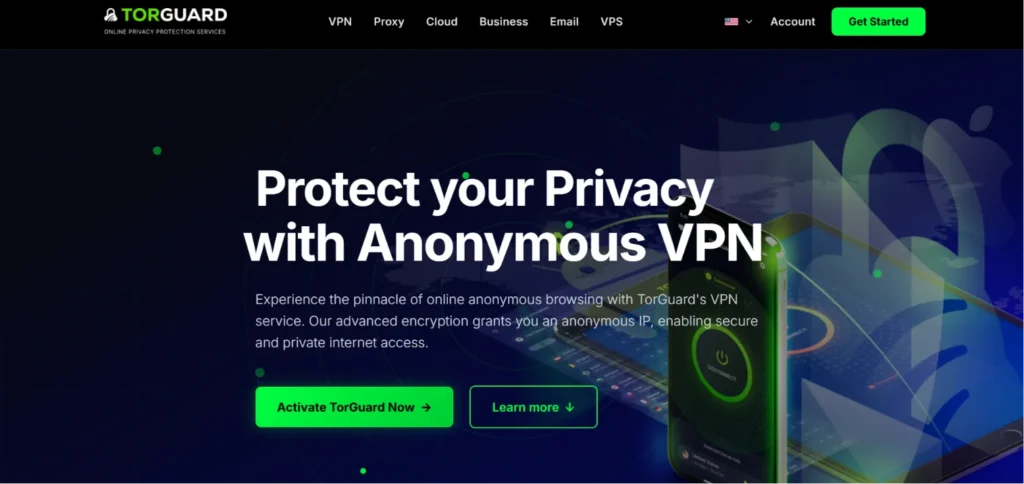
Website: https://torguard.net
TorGuard is built for hardcore enthusiasts who require clean, unshared network identities to bypass restrictive anti-cheat triggers. The provider specializes in offering dedicated static IPs that shield you from the “bad neighbor” effect—where sharing a blacklisted public IP with an offensive player gets you accidentally banned from a game lobby. Powered by custom internal scripts and a highly tuned WireGuard engine, TorGuard handles massive data flows smoothly. Its Pro and Premium packages include free dedicated IP features alongside advanced router configurations to protect entire household hardware footprints easily.
Speed and Performance while gaming
TorGuard is an absolute throughput giant, matching baseline fiber speeds with virtually non-existent frame drops.
Key Features
- Easy integration of dedicated static IPs to prevent unfair blocklisting.
- Internal OpenConnect and WireGuard protocols engineered for high-performance security.
- Advanced scripting control panels to alter server connection logic manually.
- Uncapped device concurrency limitations scaling up to 30 hardware profiles.
Pros
- Eliminates CAPTCHAs and lobby access bans via dedicated data allocations.
- Massive allowance for active devices accommodates extensive household networks.
- Exceptionally low packet drop rates during peak global competitive hours.
Cons
- The application interface looks dated and focuses on functional design over aesthetics.
- Does not unblock mainstream regional streaming catalogs as reliably as media-focused VPNs.
Pricing
| Plan Name | Anonymous Monthly | Anonymous Pro Annual | Business VPN |
| Price Per Month | $10.99 / mo | $14.92 / mo | $32.99 / mo |
14. Astrill VPN – Best for High-Stakes Esports and Asian Lobbies
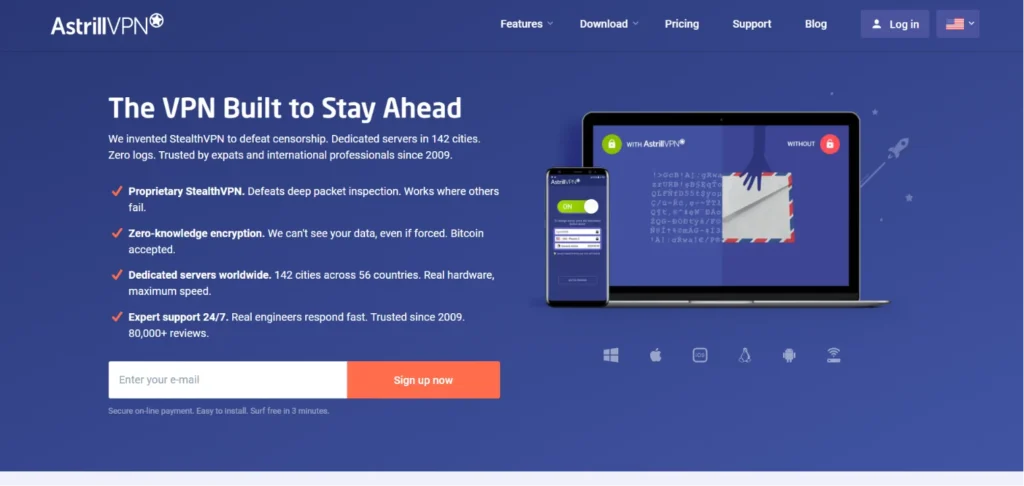
Website: https://www.astrill.com
Astrill VPN positions itself at a premium price point because it focuses on maintaining highly stable international connections, particularly through challenging firewalls or high-restriction networks. It is widely used by esports professionals moving through the Asia-Pacific region and is often considered a reliable VPN for gaming due to its proprietary OpenWeb and StealthVPN protocols.
These custom protocols are explicitly designed to pass through aggressive deep packet inspection without dropping your bandwidth. Astrill operates an exclusive, high-performance physical server fleet, ensuring you get maximum routing priority and minimal lag spikes.
Speed and Performance while gaming
Astrill delivers incredibly flat, predictable latency curves over long cross-continent data paths.
Key Features
- Proprietary OpenWeb and StealthVPN protocols built for high-stress data bypass.
- Real-time server load indicator with precise client-side speed mapping.
- Specialized application filter to ensure only selected game clients utilize the tunnel.
- Smart Mode to route local traffic openly while encrypting international game data.
Pros
- Unmatched performance when connecting to highly restricted regions.
- Maintains high-quality hardware infrastructure to prevent regional crowding.
- Excellent control panels for fine-tuning application actions.
Cons
- Significantly higher entry pricing compared to standard consumer solutions.
- Strictly limits active hardware profiles to 5 concurrent connections.
Pricing
| Plan Name | 1 Month Plan | 1 Year Plan | 2 Years Plan |
| Price Per Month | $30.00 / mo | $15.00 / mo | $12.50 / mo |
15. Ivacy VPN – Best Budget Alternative for Global Multi-Platform Play
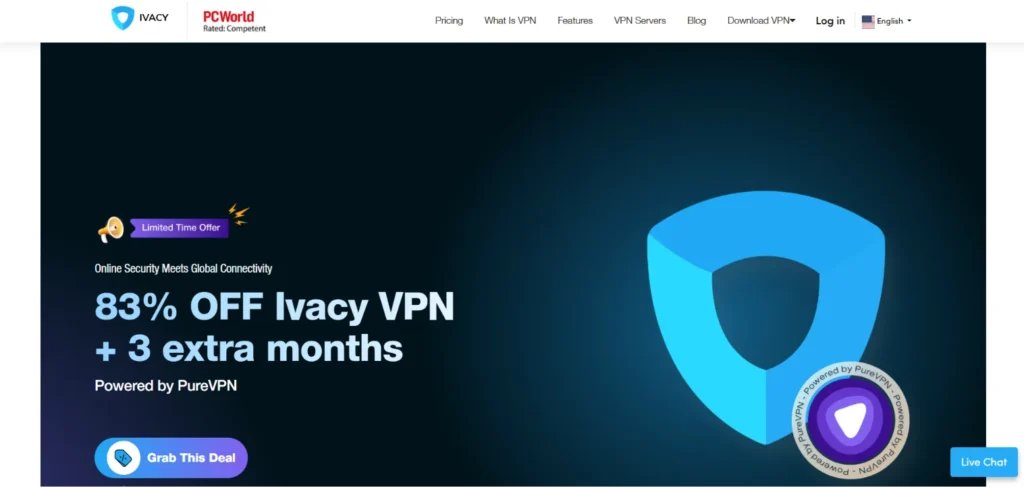
Website: https://www.ivacy.com
Ivacy VPN offers a highly cost-effective path to baseline network protection for budget-conscious gamers. It claims an early role in developing core split tunneling methodologies, providing highly reliable application-specific isolation paths within its Windows builds. Hosting a functional server network of over 5,500 nodes across 100 locations, Ivacy handles automated geolocation bypassing for game launches and region-locked events. It uses standard encryption rules alongside dedicated server groups optimized for gaming and streaming, keeping costs minimal for casual users.
Speed and Performance while gaming
Ivacy handles standard casual matchmaking lobbies smoothly, introducing acceptable ping additions under 25ms locally.
Key Features
- Highly accurate application split-tunneling setup on Windows clients.
- Purpose-built server menus sorted by automated entertainment activities.
- Full protection against IPv6 and DNS tracking leaks.
- Global server coverage ensures baseline connections in major gaming zones.
Pros
- Highly accessible long-term promotional pricing structures.
- Straightforward installation and operation process for beginners.
- Good inclusion of secure digital payment options including cryptocurrency.
Cons
- The macOS application client has fewer protocol selections than the Windows app.
- Does not deploy a fully proprietary modern protocol to rival specialized options like NordLynx.
Pricing
| Plan Name | 1 Month Plan | 2 Years Plan | 5 Years Plan |
| Price Per Month | $12.95 / mo | $2.14 / mo | $1.69 / mo |
VPN for Gaming – Comparison Table
To help you choose the right network optimization tool for your setup, this comparison table focuses on essential gaming performance metrics. It evaluates the core protocols, specialized routing features, and infrastructure capabilities of the top market contenders—completely independent of pricing.
| VPN Name | Core Gaming Protocol | Dedicated Gaming Servers? | Max Device Connections | Key Gaming Feature |
| NordVPN | NordLynx (WireGuard) | Yes (Anti-DDoS optimized) | 10 | Meshnet Virtual LAN |
| ExpressVPN | Lightway Turbo | No (All servers optimized) | 8 | Native Router App |
| Surfshark | Pure WireGuard | No (All servers optimized) | Unlimited | Bypasser Split Tunneling |
| Proton VPN | WireGuard / OpenVPN | Yes (Plus Tier Only) | 10 | VPN Accelerator Engine |
| CyberGhost | Pure WireGuard | Yes (Clearly labeled in UI) | 7 | Smart Rules App Launcher |
| PIA | Pure WireGuard | No (All servers optimized) | Unlimited | Advanced Port Forwarding |
| IPVanish | Pure WireGuard | No (All servers optimized) | Unlimited | Live Client Telemetry Graphs |
| Mullvad | Pure WireGuard | No (All servers optimized) | 5 | 10 Gbps Port Infrastructure |
| Windscribe | WireGuard / EngineX | No (All servers optimized) | Unlimited | Modular Server Selection |
| VyprVPN | Chameleon / WireGuard | No (All servers optimized) | 10 | Deep Packet Inspection Bypass |
| PureVPN | Pure WireGuard | Yes (Gaming Add-on) | 10 | Automated Port Mapping |
| Hide.me | WireGuard / Bolt | No (All servers optimized) | 10 | Manual MTU Size Tuning |
| TorGuard | WireGuard / OpenConnect | No (All servers optimized) | 30 | Dedicated Static IP Allocation |
| Astrill VPN | OpenWeb / StealthVPN | Yes (VIP Nodes) | 5 | Asian Firewalls Deep Bypass |
| Ivacy VPN | WireGuard / OpenVPN | Yes (Sorted by Task) | 10 | Purpose-Built Gaming Menus |
VPN for Gaming by Platform
Best VPN for PC Gaming
- NordVPN: The absolute best choice for PC users due to its custom NordLynx protocol, which delivers blazing-fast speeds and minimal ping overhead. The desktop app features a highly granular split-tunneling tool to isolate your game client from background apps, alongside a unique “Meshnet” feature that lets you link up with friends to host zero-lag virtual LAN parties.
- Private Internet Access (PIA): A favorite among advanced PC players who want to tweak their network layers. It allows you to downscale encryption to AES-128 to maximize frame rates on older hardware, and natively supports port forwarding, making it incredibly easy to host multiplayer lobbies or manage complex peer-to-peer connections.
Best VPN for Console Gaming (PS5 / Xbox)
- ExpressVPN: Consoles don’t support native VPN apps, which is where ExpressVPN shines with its dedicated router app and proprietary Aircove router hardware. It allows you to protect your entire home network easily, and features a specialized “MediaStreamer” Smart DNS to shift matchmaking regions on your PS5 or Xbox without adding full encryption overhead.
- CyberGhost: A brilliant alternative for console users sharing a connection from a PC or laptop via Ethernet. Its desktop interface features a dedicated “For Gaming” server tab that shows real-time ping and user loads, allowing you to manually pick the absolute cleanest route for your console data stream.
Best VPN for Mobile Gaming
- Surfshark: Perfect for iOS and Android gaming because its lean WireGuard implementation processes high-frequency data packets without causing heavy battery drain or device overheating. It offers unlimited simultaneous device connections, allowing you to protect your phone, tablet, and handheld consoles under a single subscription.
- IPVanish: Highly valuable for mobile gamers due to its real-time network telemetry graphs built straight into the application. This data visibility allows you to monitor live ping variance and packet throughput on cellular or public networks, making it incredibly simple to troubleshoot lag spikes on the fly.
Best VPN for Cloud Gaming (Xbox Game Pass, GeForce NOW)
- Proton VPN: Cloud gaming demands massive, uninterrupted bandwidth, which Proton VPN handles perfectly via its unique “VPN Accelerator” technology. By utilizing multi-core processing to optimize server-side data routing, it ensures that high-definition video frames stream into your display with minimal input lag.
- Mullvad VPN: Since cloud streaming requires a heavy, continuous data flow, Mullvad’s high-capacity 10 Gbps physical infrastructure acts as a flawless data highway. It completely avoids crowded server lanes, ensuring you experience flat, predictable latency curves without screen tearing or sudden visual stuttering.
Use Cases – When Should You Use a VPN for Gaming?
Using a VPN to Access Early Game Releases
Many highly anticipated games use a staggered rolling launch, meaning they go live at midnight local time across different regions. By connecting to a VPN server in a country like New Zealand or Australia, you can trick digital storefronts into thinking you are located there, allowing you to download and play new titles up to 12 to 18 hours before they officially unlock in your home time zone.
Using a VPN to Find Better Lobbies
Modern multiplayer games rely heavily on strict Skill-Based Matchmaking (SBMM) and regional player pools. If your local queues are too hyper-competitive or take forever to populate during late-night hours, routing your connection to a different country can place you into entirely different regional matchmaking pools. This helps you find matches faster or enter more casual lobbies where the local time zone means fewer high-tier players are online.
Using a VPN to Reduce Ping on Specific Games
While a VPN generally adds a tiny layer of encryption overhead, it can actively lower your ping if your Internet Service Provider (ISP) uses poor network routing. If your ISP routes your traffic through roundabout, congested public nodes to reach a specific game’s servers, connecting to a VPN server located right next to that game’s actual data center forces your data onto a direct, streamlined pathway, eliminating erratic jitter and dropping your in-game ping.
Using a VPN During Gaming Tournaments
When cash prizes, rankings, or tournament points are on the line, competitive integrity is everything. Public tournaments and high-elo ranked queues leave you exposed because malicious opponents can scrape your home IP address through peer-to-peer network connections or lobby voice chats. Playing with a VPN ensures your home network is completely masked behind hardened server infrastructure built to absorb and filter out Distributed Denial-of-Service (DDoS) attacks, preventing forced forfeits.
Does a VPN Improve Gaming Performance?
The short answer is: it depends on your default internet routing. By pure physics, a VPN introduces an extra “hop” (a middleman server) between your device and the game data center, along with a tiny amount of processing time to encrypt your data. If you already have a high-end fiber-optic connection and your Internet Service Provider (ISP) routes your packets perfectly, adding a premium VPN will typically increase your ping by a negligible 1ms to 10ms, a difference that is completely imperceptible during live gameplay.
However, a VPN can drastically improve gaming performance if you fall into the category of players suffering from poor ISP network management. ISPs frequently route data packets through convoluted, congested public nodes to save costs, or actively engage in “traffic shaping” to throttle your bandwidth during peak evening hours when they detect heavy gaming traffic. In these scenarios, wrapping your data in VPN encryption hides your activity from your ISP and forces your connection onto a direct, optimized highway. By bypassing these artificial bottlenecks and streamlining the routing path, a high-quality VPN can significantly lower your ping, stabilize your frame rates, and eliminate sudden packet loss.
Conclusion
In conclusion, investing in a premium VPN for gaming is no longer just about hiding your digital footprint it is a practical performance choice for serious players. While a VPN cannot magically turn a sluggish internet package into a high-speed fiber connection, it acts as an incredibly reliable tool for stabilizing your data routing, bypassing frustrating ISP bandwidth limits, and shielding your home network from targeted DDoS attacks. Whether your goal is to hold an angle with ultra-low ping or simply protect your hardware from toxic opponents, choosing a provider with high-capacity server infrastructure and lightweight modern protocols ensures your network remains completely uncompromised.
Ultimately, the best VPN for your setup depends entirely on your primary gaming platform and technical needs. PC enthusiasts will find unmatched value in the granular routing controls and speed of NordVPN or PIA, while dedicated console players will get a much smoother, hassle-free experience relying on ExpressVPN’s custom router integrations. By matching the right provider to your specific platform, you can cleanly eliminate sudden packet loss, find healthier matchmaking pools, and focus entirely on your gameplay without worrying about network lag standing between you and a victory.