Moving to the cloud is no longer a question of if-it’s a question of how well. As businesses race toward digital transformation, migrating applications, data, and infrastructure has become a strategic necessity rather than a technical upgrade. Yet cloud migration is rarely simple. Legacy systems, complex dependencies, security concerns, cost uncertainties, and downtime risks can quickly turn ambitious migration plans into costly setbacks. In a landscape where speed and stability both matter, relying on manual processes or outdated approaches simply isn’t enough.
This is where Cloud Migration Tools become mission-critical. Designed to automate discovery, streamline replication, minimize downtime, and optimize post-migration performance, these platforms provide the structure and visibility organizations need for successful transitions. From lift-and-shift automation to hybrid cloud orchestration and cost modeling, the right migration tool can dramatically reduce risk while accelerating transformation.
Why Cloud Migration Tools Are Essential For Modern Businesses
- Rapid Digital Transformation: Increase the pace of cloud adoption programs, and allow organizations to accelerate the modernization of existing systems, as well as speed up innovation at a slower rate of operational interruptions.
- Cost Optimization: Lower the infrastructure expense because pay-as-you-go, resource rightsizing and the removal of costly on-premise hardware maintenance exist.
- Minimal Downtime: Facilitate smooth work load transfers through replication and testing facilities which greatly minimize business interruptions during the migration process.
- Risk Minimization: Auto validation, rollbacks, and dependency mapping can be provided to reduce the number of migration errors and operation risks.
- High Scalability: Scaling (both applications and infrastructure) dynamically based on demand is supported without any major capital investment.
- Improved Security: Use embedded encryption, compliance, and management frameworks that are consistent with the current standards of cloud security tools.
- Improved Visibility: Provide centralized dashboards and reporting to monitor migration status, performance and cost efficiency.
- Hybrid and Multi-Cloud Support: Support the deployment of flexible strategies across cloud and on-premise environments, across the various cloud providers.
Common Challenges In Cloud Migration And How Tools Solve Them
- Complex Infrastructure Discovery: Tools automate workload discovery and dependency mapping to have the real picture of the systems before the migration planning process.
- Downtime Risks: The continuity of replication and the staged testing functions minimize the service failures and guarantee the flow of production cutovers.
- Data Loss Concerns: Inbuilt backup, synchronization and validation systems ensure that data integrity is maintained during the migration processes.
- Cost Uncertainty: TCO calculators and cost modelling capabilities predict costs and eliminate unwarranted post-migration expenses.
- Security & Compliance Gaps: The data Migration tools contain encryption, access controls and compliance checks to secure sensitive or any workloads.
- Performance Degradation: Performance is maintained during post deployment of applications after moving them to the cloud through pre-migration testing and resource optimization suggestions.
- Skill Shortages: Workflows and automation decrease the use of cloud expertise in particular areas when undertaking migration initiatives.
- Multi-Cloud Complexity: Multi-cloud environments are served by centralized dashboards that make it easy to coordinate hybrid and multi-cloud environments.
List of 15 Best Cloud Migration Tools
1. AWS Application Migration Service (AWS MGN)

Website: https://aws.amazon.com/application-migration-service/
AWS Application Migration Service by Amazon Web Services (AWS) is one of the most popular cloud migration solutions that is used to facilitate lift-and-shift migrations to AWS with the minimal disturbance.
It uses automation to copy physical, virtual and cloud-based servers to AWS and transform them to operate as native Amazon EC2 instances. AWS MGN delivers centralized orchestration through which organizations are able to follow migration waves and track progress using dashboards which have been integrated with AWS Migration Hub.
The tool is compatible with a wide range of OS and allows post-migration modernization. Being deeply incorporated into the AWS ecosystem makes it faster to migrate, less manual, and allows to achieve business continuity during the migration.
Key Features:
- Continuous block-level server replication
- Automated conversion to Amazon EC2 instances
- Centralized tracking via AWS Migration Hub
- Broad OS and database support
- Non-disruptive test migrations
- Integration with AWS modernization services
Pros:
- Near-zero downtime migrations
- Deep AWS ecosystem integration
- Scalable for enterprise workloads
- Pay-as-you-go pricing model
- Strong security and compliance standards
Cons:
- Primarily optimized for AWS targets
- Learning curve for AWS beginners
- Limited multi-cloud flexibility
Pricing:
- Request Pricing
2. Microsoft Azure Migrate

Website: https://azure.microsoft.com/en-in/services/azure-migrate/
Azure Migrate Microsoft is a comprehensive migration solution that helps companies to assess, prepare, and execute migration to Azure. It scans the on-premise workloads and dependencies automatically, generating readiness reports and cost estimates which teams use to build detailed migration strategies. As one of the leading Cloud Migration Tools, Azure Migrate simplifies the process of transitioning workloads from on-premises environments to the cloud.
The Azure Migrate pulls assessment, monitoring, and migration tasks into one dashboard, simplifying complex tasks involving virtual machines, servers, databases, and applications. The platform is tied to partner solutions to enable additional functionality and offers migration information to optimize performance and costs.
Azure Migrate has been developed to be implemented in hybrid and multi-cloud systems to accelerate the adoption of enterprise cloud environments without compromising security and compliance.
Key Features:
- Automated workload discovery
- Dependency mapping visualization
- Azure readiness assessments
- Built-in cost estimation tools
- Database and web app migration support
- Unified migration dashboard
Pros:
- Excellent hybrid cloud support
- Strong Microsoft ecosystem integration
- Detailed assessment reports
- Enterprise-grade security
- Partner tool integrations
Cons:
- Best suited for Azure environments
- Interface can be complex
- Advanced features may require expertise
Pricing:
- Contact sales
3. Google Cloud Migration Center

Website: https://cloud.google.com/migration-center
Google Cloud Migration Center is the centre of Google Cloud where the migration to the platform is planned and executed. It puts the finding of assets, readiness analysis, and cost/TCO estimation in the spotlight to enable organizations to design information-driven migration plans.
The tool has been built to be highly integrated with the Google Cloud compute and storage services, allowing movement of live workload in the least amount of disruption. It provides the IT teams with a view of dependencies and performance metrics, thereby enabling them to foresee the challenges and minimise risks.
It helps with massive rehosting and data migration initiatives and is best suited to teams standardizing on Google Cloud, as it allows transitions and makes optimal use of resources when cut-over to the target environment.
Key Features:
- Centralized asset inventory
- Migration readiness scoring
- TCO and cost modeling
- Dependency analysis tools
- Integration with Google Cloud services
- Large-scale workload support
Pros:
- Data-driven migration planning
- Strong analytics capabilities
- Smooth Compute Engine integration
- Scalable architecture
- Clear visibility of migration progress
Cons:
- Google Cloud–focused
- Limited legacy environment support
- Requires familiarity with GCP
Pricing:
- Request Pricing
4. VMware HCX

Website: https://www.vmware.com/products/hcx.html
VMware HCX (Hybrid Cloud Extension) is a powerful Cloud Migration Tools solution for enterprise users who have VMware environments and desire a seamless migration to hybrid clouds. It allows live and bulk migrations of virtual machines between on-premises vSphere and cloud-based infrastructures like VMware Cloud on AWS, Azure VMware Solution, or other VMware-based clouds.
HCX maintains network structure and IP addresses during migration, cutting down on the complexity and downtime of cutover. It has features such as WAN optimization and network extension, making data transfers in distributed environments faster.
HCX is especially useful for organizations that need consistent networking policies, want to minimize risks during rehosting, and support large-scale migrations efficiently.
Key Features:
- Live VM migration
- WAN optimization
- Network extension capabilities
- Bulk workload migration
- Hybrid cloud connectivity
- IP address preservation
Pros:
- Minimal downtime migrations
- Ideal for VMware environments
- Preserves network configurations
- Secure encrypted transfers
- Enterprise scalability
Cons:
- Requires VMware infrastructure
- Licensing can be costly
- Set up complexity for beginners
5. DNX CloudVelocity

Website: https://aws.amazon.com/marketplace/pp/prodview-vt3dgshp5m2w2
DNX CloudVelocity is an AI-based cloud migration solution that helps to hasten VMware-to-AWS migrations with intelligent automation and guided planning. It offers automated infrastructure discovery and dependency mapping and predicts the total cost of ownership to enable organizations to develop precise migration plans.
The platform is connected to the AWS services to coordinate migration waves, monitor them via dashboards, and minimize the involvement of manual labor. CloudVelocity focuses on risk mitigation, where rollback validation and performance monitoring are used during transition phases.
Designed to run in the enterprise environment, it can be used to support large-scale modernization efforts by integrating analytics, automation, and governance controls to effectively streamline complex cloud adoption efforts.
Key Features:
- AI-assisted migration planning
- Automated inventory discovery
- Dependency mapping & TCO forecasting
- Integrated AWS Transform orchestration
- Automated migration dashboards
- Rollback validation and safeguards
Pros:
- Speeds VMware-to-AWS migrations
- Intelligent planning reduces risk
- Enterprise reporting & dashboards
- AI-driven insights improve efficiency
- Designed for complex migrations
Cons:
- Focused on AWS targets
- Custom pricing (no listed public tiers)
- Limited direct multi-cloud support
Pricing:
- Request Pricing
6. Zerto
Website: https://www.hpe.com/us/en/zerto-software.html
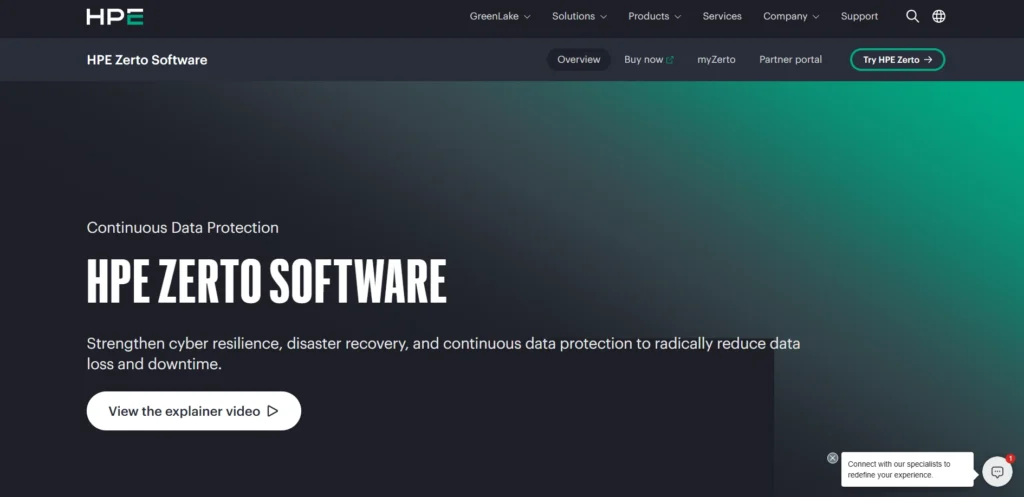
Zerto is a robust migration and disaster recovery software that relies on continuous data protection (CDP) to back up cloud migrations with virtually zero recovery point objectives (RPOs). As one of the advanced Cloud Migration Tools, it continuously copies data and workloads between on-premises environments and cloud destinations like AWS, Azure, and others.
The journal approach used by Zerto allows organizations to do regular testing and non-disruptive failovers, which provides confidence to the organization prior to the actual migration cut-over. Its platform brings together disaster recovery and cloud migration processes, and provides automated orchestration and the ability to roll back when required.
Zerto is popular among businesses that need a great deal of resilience, predictability, and reduced downtime during large-scale cloud migration.
Key Features:
- Continuous Data Protection (CDP)
- Journal-based recovery
- Automated failover testing
- Multi-cloud replication
- Disaster recovery integration
- Orchestrated migration workflows
Pros:
- Extremely low RPOs
- Strong resilience capabilities
- Non-disruptive testing
- Enterprise-grade reliability
- Supports hybrid strategies
Cons:
- Higher licensing costs
- Requires infrastructure planning
- Overkill for small businesses
Pricing:
- Contact sales
Suggested Read
Cloud Security Posture Management Tools
Cloud Workload Protection Platforms
7. Flexera One

Website: https://www.flexera.com/products/flexera-one
Flexera One is a strategic cloud migration and multi-cloud management platform that supports discovery, portfolio analysis, cost modeling, governance, and optimization across hybrid cloud estates. It helps organizations plan migrations by identifying dependencies, forecasting costs, and recommending rightsizing strategies.
Flexera’s comprehensive visibility across AWS, Azure, Google Cloud, and private clouds empowers IT teams to make informed decisions and avoid overspending post-migration. Beyond planning, it provides ongoing cost and governance insights, ensuring workloads remain optimized after deployment.
Flexera One is suited to enterprises with complex environments, large portfolios, and a need for centralized cloud cost control and strategic planning.
Key Features:
- Portfolio discovery tools
- Cloud cost forecasting
- Dependency mapping
- Governance automation
- Rightsizing recommendations
- Multi-cloud optimization
Pros:
- Strong cost management
- Enterprise portfolio visibility
- Multi-cloud compatibility
- Reduces overspending risk
- Strategic planning support
Cons:
- Not a direct lift-and-shift tool
- Complex reporting structure
- Premium pricing tiers
Pricing:
- Contact sales
8. RiverMeadow Cloud Migration Platform

Website: https://www.rivermeadow.com/
RiverMeadow is a versatile Cloud Migration Tools platform that automates the migration of workloads from on-premises systems to public and private clouds without requiring hypervisor access. It supports agentless and agent-based migrations, live streaming of applications, and OS modernization during transfer.
RiverMeadow provides intuitive setup, bulk migration tools, and project management features that reduce manual work and accelerate timelines. It supports multiple cloud targets including Amazon Web Services, Microsoft Azure, IBM Cloud, and VMware vCloud, offering flexibility for varied cloud strategies.
Engineered for enterprise needs, RiverMeadow helps reduce customer risk, minimize downtime with continuous sync, and streamline large-scale cloud transitions.
Key Features:
- Agentless workload migration
- OS modernization during migration
- Live streaming migration
- Multi-cloud support
- Bulk automation tools
- Continuous sync capability
Pros:
- Minimal downtime approach
- Broad cloud compatibility
- Flexible deployment models
- Scalable for enterprises
- Intuitive setup process
Cons:
- Limited brand recognition
- Enterprise pricing focus
- Advanced setup may need support
Pricing:
- Contact sales
9. CloudFuze

Website: https://www.cloudfuze.com/
CloudFuze is a specialized cloud-to-cloud and on-premises data migration solution designed to transfer files, user permissions, and metadata across major cloud storage and collaboration platforms such as Google Workspace, Microsoft 365, Dropbox, and Box.
Trusted by large enterprises, CloudFuze provides detailed reporting, secure transfer processes, and advanced connectors that handle complex metadata and permission structures.
Its centralized console lets administrators manage, track, and govern migrations at scale, ensuring comprehensive migration visibility. CloudFuze is ideal for organizations focused on SaaS content migration and governance with strong security and compliance controls at every step.
Key Features:
- Cloud-to-cloud data transfer
- Metadata and permission migration
- SaaS migration support
- Detailed reporting dashboards
- Enterprise security controls
- High-volume migration handling
Pros:
- Excellent SaaS coverage
- Strong compliance controls
- Centralized admin console
- Supports large enterprises
- Reliable data integrity checks
Cons:
- Focused mainly on data migration
- Pricing varies by volume
- Not suited for infrastructure migration
Pricing:
- Contact sales
10. Cloudsfer
Website: https://www.cloudsfer.com/
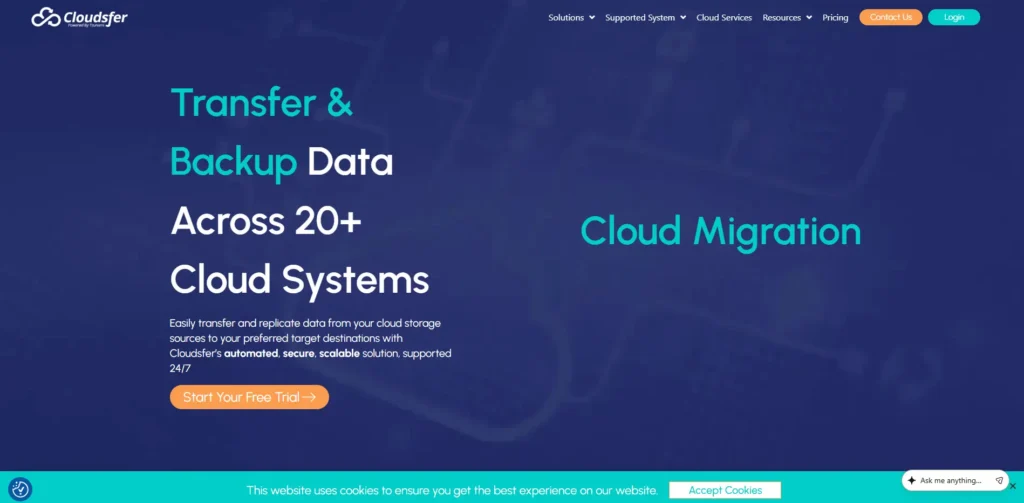
Cloudsfer is an automated cloud migration tool that simplifies file and data transfers between multiple cloud storage providers such as AWS, Azure, Google Cloud, and others.
It offers a user-friendly interface, real-time progress tracking, and secure automated transfer processes, making it suitable for small to medium-sized businesses. Cloudsfer’s compliance with industry standards ensures safe migration of unstructured data without requiring deep technical expertise.
While not designed for large enterprise migrations, its ease of use and quick setup make it attractive for straightforward file and folder migrations across platforms, accelerating transitions with minimal administrator overhead.
Key Features:
- Automated file migration
- Cloud storage compatibility
- Real-time progress tracking
- Secure transfer protocols
- Scheduled migrations
- API-based integration
Pros:
- Easy to use
- Quick setup process
- Affordable plans
- No complex installation
- Good SMB suitability
Cons:
- Limited enterprise features
- Focused mainly on file transfers
- Fewer optimization tools
Pricing:
- Basic– $25/ 25 GB / Month
- Standard– $100/ 100 GB / Month
- Pro– $250/ 250 GB / Month
11. IBM Turbonomic

Website: https://www.ibm.com/products/turbonomic
IBM Turbonomic is an AI-driven optimization and migration support platform that continuously analyzes cloud and on-premises workloads to enhance performance, utilization, and cost efficiency. As one of the intelligent Cloud Migration Tools supporting modern cloud strategies, it helps organizations improve workload performance during cloud transitions.
While not a traditional lift-and-shift tool, Turbonomic is invaluable in planning and optimizing workloads before, during, and after migration. It recommends resource sizing, cost-effective placements, and scaling strategies that ensure optimal workload performance in cloud environments.
This continuous intelligence helps organizations avoid overspending and performance bottlenecks, delivering smarter cloud transformation decisions. Turbonomic is especially beneficial for enterprises with dynamic and evolving multi-cloud estates.
Key Features:
- AI-driven workload analysis
- Automated resource scaling
- Cost optimization insights
- Multi-cloud visibility
- Performance monitoring
- Migration readiness evaluation
Pros:
- Strong AI optimization
- Improves post-migration efficiency
- Reduces cloud waste
- Enterprise scalability
- Continuous performance insights
Cons:
- Not a pure migration tool
- Advanced analytics learning curve
- Higher enterprise cost
Pricing:
- Request Pricing
12. AvePoint Fly

Website: https://www.avepoint.com/
AvePoint Fly, part of the broader AvePoint Migration Suite, specializes in migrations for SaaS platforms such as Microsoft 365, Google Workspace, Slack, and other collaboration tools.
It automates content transfer, including metadata, permissions, and site structures, ensuring continuity of business workflows during cloud adoption. The platform provides pre-migration analysis, real-time dashboards, error handling, and detailed reporting, enhancing visibility and reducing manual effort.
AvePoint’s tools are widely used by enterprises migrating complex collaboration environments, offering robust support for compliance requirements and user-centric migration planning. It accelerates SaaS cloud transitions with minimal disruption.
Key Features:
- Microsoft 365 migration support
- Pre-migration analysis tools
- Metadata and permission retention
- Real-time migration dashboards
- Compliance-ready architecture
- SaaS-to-SaaS transfer automation
Pros:
- Strong Microsoft focus
- Enterprise compliance support
- Detailed migration insights
- Reliable user permission mapping
- Minimizes collaboration disruption
Cons:
- Primarily SaaS-focused
- Licensing can vary
- Not infrastructure-centric
Pricing:
- Request Pricing
13. RackWare Mobility Platform

Website: https://www.rackwareinc.com/
RackWare Mobility Platform is a flexible multi-cloud migration and disaster recovery solution that supports heterogeneous environments across AWS, Azure, Google Cloud, Oracle Cloud, and on-premises systems. As one of the reliable Cloud Migration Tools, it helps organizations manage complex workload transfers across multiple cloud environments efficiently.
It offers automated discovery, replication, and cut-over orchestration while ensuring data integrity and strong performance during migrations. RackWare’s flexible architecture enables seamless migration waves and reversions, reducing risk and downtime.
It includes right-sizing and optimization tools that help ensure efficient utilization of cloud resources post-migration. This tool is ideal for organizations pursuing hybrid cloud strategies or needing robust fallback options in complex multi-cloud ecosystems.
Key Features:
- Automated workload discovery
- Multi-cloud replication
- Cutover orchestration
- Disaster recovery integration
- Rollback capability
- Right-sizing analytics
Pros:
- Strong hybrid support
- Flexible deployment
- Reliable fallback options
- Broad cloud compatibility
- Good automation depth
Cons:
- Requires planning expertise
- UI less modern
- Enterprise-focused pricing
Pricing:
- Contact sales
14. Google Migrate for Compute Engine

Website: https://console.cloud.google.com/marketplace/product/google-cloud-platform/migrate-for-compute-engine
Google Migrate for Compute Engine, formerly based on Velostrata technology, helps organizations migrate servers and virtual machines to Google Cloud with minimal downtime.
It enables continuous streaming and live testing of workloads in Google Cloud before final cut-over, reducing risk and disruption. The solution supports large-scale migrations and rapid deployment, making it ideal for teams moving significant virtualized workloads to Google Compute Engine.
With automated rollback and integrated monitoring, Google Migrate ensures reliable transitions while maintaining application availability. This tool supports cloud adoption strategies focused on rapid, low-impact transitions to Google Cloud environments.
Key Features:
- VM streaming migration
- Live workload testing
- Automated rollback options
- Large-scale migration support
- Integration with Compute Engine
- Minimal downtime transfer
Pros:
- Efficient VM handling
- Fast cloud onboarding
- Reduces migration risks
- Good performance optimization
- Strong Google ecosystem tie-in
Cons:
- Google Cloud–specific
- Less flexibility outside GCP
- Requires GCP expertise
Pricing:
- Request Pricing
15. Azure Data Box
Website: https://azure.microsoft.com/en-in/services/databox/
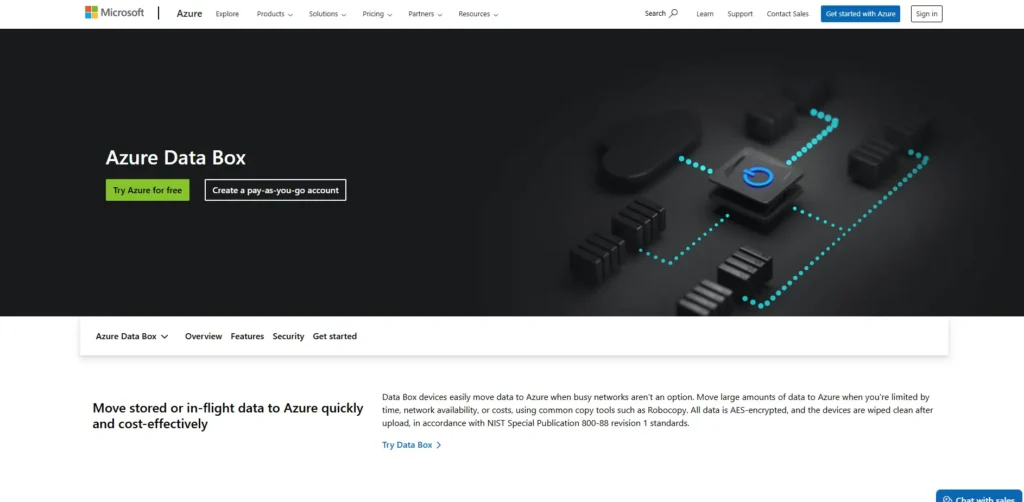
Azure Data Box and Azure Data Migration Tools encompass Microsoft’s suite of data transfer solutions that facilitate large-scale migration of datasets into Azure, making them powerful Cloud Migration Tools for enterprises handling massive data transfers.
Azure Data Box provides offline physical appliances for TB–PB-scale moves when network constraints exist, while online database and file migration tools enable continuous, secure replication from on-premises sources to Azure SQL, Cosmos DB, or Blob Storage.
These tools help extract, transform, and load data with minimal disruption and strong integrity validation. They are essential when migrating sizable datasets or databases as part of broader cloud adoption projects.
Key Features:
- Offline physical data transfer appliance
- TB to PB-scale data movement
- Secure encrypted data handling
- Online migration integration
- Database migration support
- Data integrity validation
Pros:
- Ideal for large datasets
- Secure offline migration
- Reduces network dependency
- Strong enterprise reliability
- Azure ecosystem integration
Cons:
- Physical device logistics required
- Azure-only destination
- Not suited for small transfers
Pricing:
- Contact sales
Quick Comparison for Top Cloud Migration Tools
| Name | Target Audience | Supported Migration Types | Supported Platforms | Ease of Use | Pricing |
| AWS Application Migration Service | Enterprises migrating to AWS | Lift-and-shift, Server migration, Rehosting | AWS | Moderate | Request pricing |
| Microsoft Azure Migrate | Enterprises & hybrid cloud users | VM migration, Database migration, App migration | Azure | Moderate to Advanced | Contact sales |
| Google Cloud Migration Center | Organizations standardizing on GCP | Rehosting, Data migration, Infrastructure migration | Google Cloud Platform | Moderate | Request pricing |
| VMware HCX | VMware-based enterprises | Live VM migration, Hybrid migration | VMware Cloud, AWS, Azure VMware Solution | Advanced | Custom enterprise pricing |
| DNX CloudVelocity | Large enterprises (VMware to AWS) | VMware-to-AWS migration, Infrastructure modernization | AWS | Moderate | Request pricing |
| Zerto | Large enterprises needing DR + migration | Continuous replication, Disaster recovery migration | AWS, Azure, Multi-cloud | Advanced | Contact sales |
| Flexera One | Enterprises with complex multi-cloud estates | Migration planning, Cost optimization, Portfolio analysis | AWS, Azure, GCP, Private Cloud | Moderate | Contact sales |
| RiverMeadow | Mid-to-large enterprises | Agentless migration, OS modernization, Bulk migration | AWS, Azure, IBM Cloud, vCloud | Moderate | Contact sales |
| CloudFuze | Enterprises migrating SaaS data | Cloud-to-cloud, SaaS data migration | Microsoft 365, Google Workspace, Dropbox, Box | Easy to Moderate | Contact sales |
| Cloudsfer | SMBs & mid-sized businesses | File & data migration | AWS, Azure, Google Cloud, Others | Easy | Starts at $25/month |
| IBM Turbonomic | Enterprises optimizing cloud workloads | Migration planning, Resource optimization | AWS, Azure, GCP, Hybrid | Advanced | Request pricing |
| AvePoint Fly | Enterprises migrating collaboration suites | SaaS-to-SaaS migration, Content migration | Microsoft 365, Google Workspace, Slack | Moderate | Request pricing |
| RackWare Mobility Platform | Enterprises & hybrid cloud users | Multi-cloud replication, Disaster recovery, Rehosting | AWS, Azure, GCP, Oracle Cloud, On-prem | Moderate to Advanced | Contact sales |
| Google Migrate for Compute Engine | Enterprises migrating VMs to GCP | VM streaming migration, Rehosting | Google Cloud Platform | Moderate | Request pricing |
| Azure Data Box | Enterprises with large datasets | Offline data transfer, Database migration | Azure | Moderate | Contact sales |
Ending Thoughts
Cloud migration has become a strategic priority for modern businesses seeking agility, scalability, and long-term cost efficiency. However, transitioning from legacy infrastructure to cloud environments is rarely simple. Challenges such as downtime risks, data security concerns, cost uncertainty, and infrastructure complexity can significantly impact operations if not managed properly. This is where Cloud Migration Tools play a transformative role. They provide automation, visibility, testing capabilities, and optimization insights that reduce risk and improve decision-making throughout the migration journey.
By leveraging the right tools, organizations can accelerate digital transformation while maintaining business continuity and compliance. Ultimately, cloud migration platforms empower companies to modernize confidently, unlock innovation opportunities, and build resilient, future-ready IT environments in an increasingly competitive digital landscape.
FAQs
1. What Are Cloud Migration Tools?
Cloud migration software are software solutions that help organizations move applications, data, and workloads from on-premises systems or other clouds to a new cloud environment efficiently and securely.
2. Why Are Cloud Migration Platform Important?
They reduce downtime, minimize migration risks, automate complex processes, and provide visibility into performance, cost, and security throughout the transition.
3. Can Cloud Migration Software Support Multi-Cloud Environments?
Yes, many modern migration tools support hybrid and multi-cloud strategies, enabling businesses to migrate and manage workloads across multiple cloud providers.
4. Does Cloud Migration Platform Prevent Data Loss?
Most tools include replication, backup, encryption, and validation features to ensure data integrity and minimize the risk of loss during migration.
5. Are Cloud Migration Tools Suitable For Small Businesses?
Yes, many tools offer scalable pricing and simplified workflows, making them suitable for small and medium-sized businesses as well as large enterprises.