A regional “network error” message on CapCut is an immediate roadblock for any video editor. Because CapCut’s parent company is ByteDance, the application faces strict geopolitical restrictions. It has been permanently banned in India since 2020, faces ongoing regulatory scrutiny in Western markets, and routinely restricts specific AI-driven tools, effects, and trending audio tracks based entirely on geographic location.
Despite these hurdles, CapCut maintains a massive global footprint with over 300 million active monthly users driving the content pipelines of TikTok, Instagram Reels, and YouTube Shorts. When localized blocks restrict access to the templates necessary to keep up with viral trends, a Virtual Private Network (VPN) becomes a necessary production tool. By masking an IP address and routing traffic through a server in a fully supported country such as Canada or Singapore a VPN bypasses regional blocks to restore full software functionality.
However, video editing demands far more bandwidth than standard web browsing. Uploading raw footage, previewing complex templates, and rendering cloud effects require high-speed connections; a standard VPN that drops internet speeds by even 15 to 20 percent will cause constant buffering. The following selection of the top 15 VPNs for CapCut evaluates providers based on server stability, unblocking reliability, and connection speeds optimized for a seamless CapCut workflow.
Why Is CapCut Banned Or Restricted In Some Countries?
The primary driver behind CapCut’s restrictions is its corporate parentage. CapCut is owned by ByteDance, the Beijing-based tech giant that also owns TikTok. Because of Chinese national security laws that could theoretically compel domestic companies to hand over user data to the government, CapCut has been caught in the crosshairs of global data privacy debates. Governments argue that the app collects extensive user permissions, including biometric data, location history, and device information, posing a significant risk of foreign surveillance. This led India to permanently ban CapCut along with dozens of other Chinese applications in 2020, citing threats to national sovereignty and security.
Beyond outright government bans, CapCut employs severe internal geo-restricting to comply with local copyrights and regional regulations. Music licensing agreements vary wildly by territory, meaning a trending audio track available to an editor in Los Angeles might be completely blocked for an editor in Berlin. Furthermore, advanced AI-driven features, smart templates, and cloud storage capabilities are frequently disabled in regions facing active regulatory scrutiny, such as the United States and parts of the European Union. These overlapping layers of political friction and licensing barriers mean creators outside of fully supported zones require a workaround just to access the app’s standard features.
Does A VPN Actually Work For CapCut In 2026?
A premium VPN remains highly effective for bypassing CapCut’s restrictions, but the technology required has evolved. Because ByteDance actively flags and blocks simple, free VPNs that use recycled IP addresses, standard connections often fail. Success requires a VPN with obfuscated servers which hide VPN usage as regular internet traffic and a frequently refreshed pool of premium IP addresses.
The effectiveness also depends on your editing platform. On Windows and macOS, a solid VPN for mac or Windows completely restores CapCut’s desktop features by rerouting network traffic through unrestricted regions like Canada or Singapore. On mobile, however, you may also need to temporarily remove your SIM card or use a GPS spoofing app, as the mobile software can cross-reference your location using hardware data.
What To Look For in a VPN for CapCut
Choosing a VPN for video editing requires specific performance standards that go beyond basic web browsing. To ensure an uninterrupted editing workflow and full access to CapCut’s feature suite, prioritize the following five factors:
- High-Speed Protocols: Look for modern protocols like WireGuard or Lightway to minimize latency and prevent buffering when downloading heavy 4K video files or previewing complex cloud templates.
- Obfuscated Servers: Select a provider that offers stealth or obfuscation technology, which disguises VPN traffic as standard internet data to bypass CapCut’s advanced VPN blocking systems.
- A Vast Global Network: Ensure the VPN has a large, frequently refreshed pool of IP addresses in fully supported CapCut regions, such as Canada, Singapore, or the United Kingdom.
- Strict No-Logs Policy: Verify the service uses RAM-only servers and has a proven, independently audited privacy policy to keep your personal data and creative assets secure, making it an excellent VPN for anonymous surfing.
- Reliable Kill Switch: A built-in kill switch is essential to instantly cut your internet connection if the VPN drops, preventing CapCut from detecting your actual location and triggering a network error.
Comparison: Finding Your Ideal CapCut VPN
To help you quickly compare options, the table below highlights how the top providers perform across critical editing metrics. Instead of general features, we focus directly on the protocols, obfuscation capabilities, and device limitations that determine how smoothly you can stream templates and bypass CapCut network blocks.
| VPN Name | Core Speed Protocol | Built-in Obfuscation | Max Device Connections | Best Suited For |
| NordVPN | NordLynx (WireGuard) | Yes (Dedicated Servers) | 10 | Unblocking advanced AI templates |
| ExpressVPN | Lightway | Yes (Automatic) | 8 | Ultra-stable editing on public Wi-Fi |
| Surfshark | WireGuard | Yes (NoBorders Mode) | Unlimited | Multi-device agency and studio setups |
| CyberGhost | WireGuard | No | 7 | Seamless local asset downloads |
| PIA | WireGuard | Yes (Shadowsocks Proxy) | Unlimited | Power users wanting custom proxy setups |
| Proton VPN | WireGuard | Yes (Stealth Protocol) | 10 | High-performance editing on a budget |
| IPVanish | WireGuard | Yes (Scramble Feature) | Unlimited | Editors needing cloud backup bundles |
| Windscribe | WireGuard | Yes (Stealth Tunneling) | Unlimited | Targeted single-country server access |
| Mullvad VPN | WireGuard | Yes (Bridge Mode) | 5 | Complete privacy and flat-rate pricing |
| VyprVPN | Chameleon | Yes (Proprietary) | 10 | Bypassing highly aggressive regional blocks |
| PureVPN | WireGuard | Yes | 10 | Hunting for trending Asian templates |
| Hide.me | WireGuard | Yes | 10 | Free data options with fast proxy tools |
| StrongVPN | WireGuard | Yes (Scramble Feature) | 12 | Straightforward, one-click connections |
| Ivacy VPN | WireGuard / OpenVPN | Yes | 10 | Long-term budget-conscious workflows |
| PrivateVPN | OpenVPN / WireGuard | Yes (Stealth Mode) | 10 | Slipping |
List Of Top 15 VPNs For CapCut
1. NordVPN – Best All-Rounder for Performance and Bypassing Blocks
Why It Works for CapCut:
Edited Paragraph (with “VPNs for CapCut” added naturally):
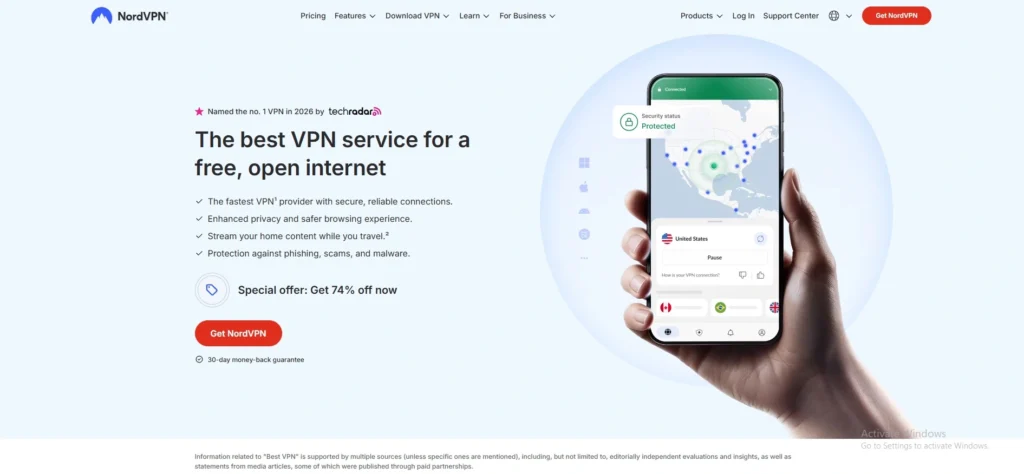
NordVPN is uniquely suited for CapCut and is widely regarded as one of the best VPNs for CapCut due to its massive network of custom-engineered NordLynx servers and robust obfuscation. When CapCut triggers a “network error” because of strict regional firewalls, NordVPN’s specialized obfuscated servers disguise the VPN traffic as regular, everyday browsing data, slipping past ByteDance’s automated detection filters. Furthermore, its ability to maintain high-speed connections on nearby servers ensures that complex multi-layer timeline tracks, video rendering, and asset downloads happen without a loading wheel.
Key Features
- NordLynx Protocol: A proprietary protocol built around WireGuard that delivers rapid speeds without compromising security.
- Obfuscated Servers: Specialized locations designed specifically to bypass deep packet inspection and strict network blocks.
- Meshnet: Allows you to link your mobile editing device to your home desktop network safely.
Speed and Performance
Exceptional performance; average speed drop is kept under 8–12%, ensuring instant timeline previews and buffer-free 4K asset downloads.
Pros
- Top-tier connection speeds via the NordLynx protocol.
- Highly effective at consistently unblocking restricted CapCut AI effects.
- Independently audited, RAM-only server infrastructure for complete asset privacy.
Cons
- The map-based mobile interface can feel cluttered on smaller smartphone screens.
- Obfuscated servers require switching manually to the OpenVPN protocol.
Pricing
| Plan | Monthly Plan | 1-Year Plan | 2-Year Plan |
| Price per Month | $12.99 | $4.99 | $3.09 |
2. ExpressVPN – Most Reliable for Stealth Connection Stability
Why It Works for CapCut:
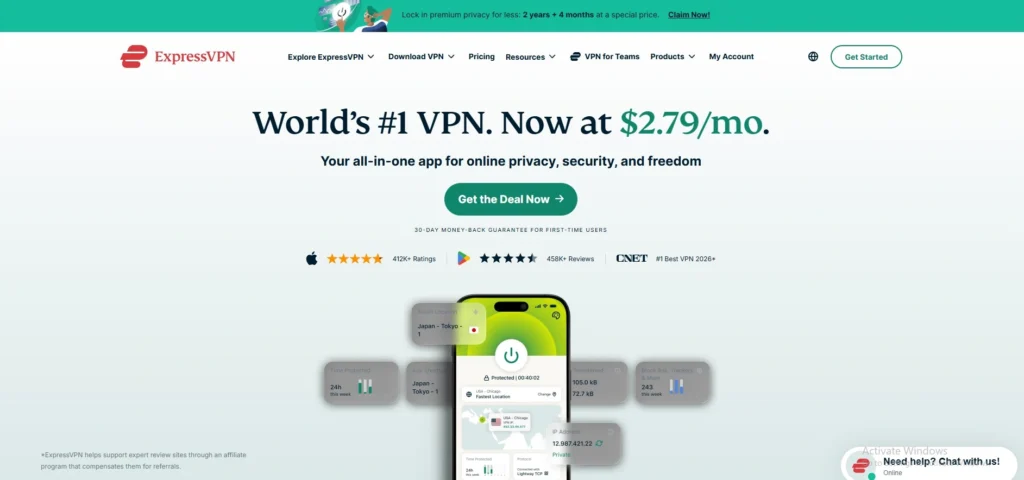
ExpressVPN stands out for mobile and desktop video editors who need a reliable connection that never drops, making it an excellent VPN for CapCut. It uses a proprietary Lightway protocol that is optimized to handle network transitions smoothly, meaning you can move from home Wi-Fi to cellular data without CapCut detecting an IP change and locking your account. Its network across 105 countries automatically activates obfuscation whenever it senses network throttling, guaranteeing immediate access to trending regional CapCut templates and licensed music tracks regardless of your physical location.
Key Features
- Lightway Protocol: Streamlined, custom-built protocol engineered for rapid connection times and lower battery consumption on mobile.
- TrustedServer Technology: Entire network runs strictly on volatile memory (RAM), wiping all data upon every reboot.
- Advanced Split Tunneling: Routes only the CapCut application through the VPN while keeping your remaining local apps at standard speeds.
Speed and Performance
Consistently fast and ultra-stable; retains roughly 85–90% of base internet speeds even when connecting across long distances.
Pros
- Automatic, seamless obfuscation on all servers.
- Flawless execution when switching networks mid-edit.
- Clean, highly intuitive user interface across desktop and mobile.
Cons
- Premium pricing compared to other major competitors.
- Offers fewer specialized, manual configuration options for advanced power users.
Pricing
| Plan | Monthly Plan | 1-Year Plan | 2-Year Plan |
| Price per Month | $12.99 | $4.99 | $2.49 |
3. Surfshark – Best Value for Unlimited Editing Devices
Why It Works for CapCut:
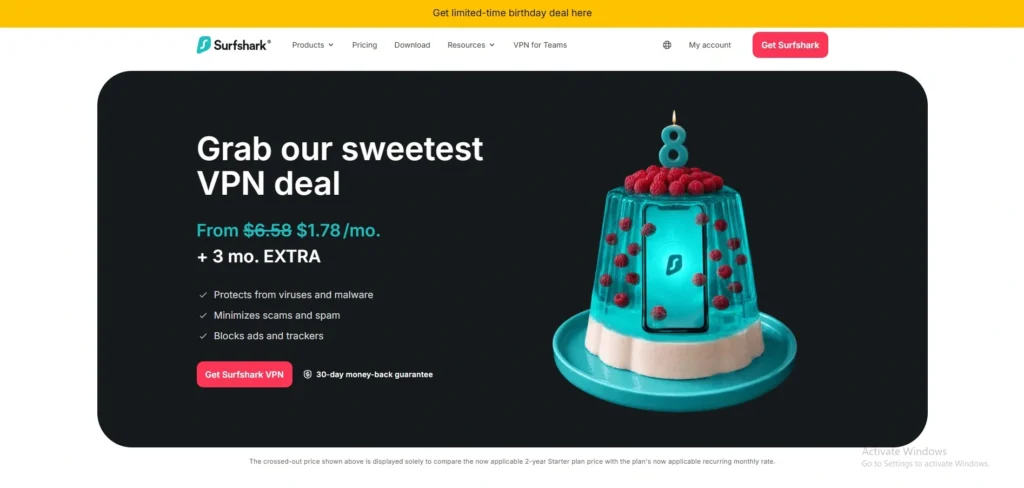
For creators running an agency or editing across a studio setup, Surfshark is an ideal pick because it permits unlimited simultaneous device connections under a single subscription, making it one of the best VPNs for CapCut. You can run it on your editing rig, laptop, tablet, and smartphone concurrently. Its dedicated “NoBorders” mode activates automatically when it detects restricted networks, supplying an optimized list of servers that successfully bypass CapCut blocks. It also features an integrated GPS override tool for Android, aligning your actual device coordinates with your chosen VPN server location to prevent CapCut mobile from spotting discrepancies.
Key Features
- Unlimited Devices: Zero restrictions on the number of active, simultaneous hardware connections.
- NoBorders Mode: Tailor-made tool for navigating highly restrictive network blocks and firewalls.
- GPS Spoofing (Android): Synchronizes your smartphone’s hardware location with your virtual IP address.
Speed and Performance
Blazing fast data throughput utilizing standard WireGuard; typically registers a minimal speed drop of around 10–15%.
Pros
- Protect every device in your creative workflow simultaneously.
- Excellent performance-to-price ratio.
- Built-in GPS override streamlines mobile unblocking.
Cons
- Connecting to distant international servers can occasionally cause a brief latency spike.
- The desktop app’s feature toggles can sometimes take a moment to initialize.
Pricing
| Plan | Monthly Plan | 1-Year Plan | 2-Year Plan |
| Price per Month | $15.45 | $2.98 | $1.78 |
4. CyberGhost – Best Dedicated Servers for Smooth Asset Streaming
Why It Works for CapCut:
CyberGhost simplifies the unblocking process by organizing its vast fleet of servers by specific use cases, making it a reliable VPN for CapCut. While it doesn’t offer manual obfuscation settings, its heavily optimized, high-bandwidth streaming and cloud-delivery profiles provide the continuous throughput required to download massive asset packages from the CapCut server cloud. Additionally, CyberGhost owns and operates its physical “NoSpy” servers directly out of its privacy-friendly Romania headquarters, eliminating any third-party data center vulnerabilities and keeping your unrendered project files completely secure.
Key Features
- NoSpy Servers: Locally owned, end-to-end encrypted hardware managed entirely by CyberGhost personnel.
- Smart Rules: Allows automated launch configurations—such as auto-connecting to a specific country whenever CapCut opens.
- Massive Network: Over 9,000 servers across the globe to prevent heavy traffic congestion.
Speed and Performance
Highly reliable for downloading; upload speeds are middle-of-the-pack but maintain stable pings for template streaming.
Pros
- Very generous 45-day money-back guarantee policy.
- Smart Rules automate the secure workflow seamlessly.
- User-friendly layout is great for beginners.
Cons
- Lacks advanced traffic obfuscation features for highly locked-down networks.
- Desktop split-tunneling is limited to URLs rather than specific app software.
Pricing
| Plan | Monthly Plan | 6-Month Plan | 2-Year Plan |
| Price per Month | $12.99 | $6.99 | $1.59 |
5. Private Internet Access (PIA) – Best Advanced Customization for Power Users
Why It Works for CapCut:
Private Internet Access (PIA) appeals to technical editors who want deep control over their proxy and encryption setups, making it one of the trusted VPNs for CapCut. It supports unlimited simultaneous connections and offers robust split-tunneling alongside a multi-hop Shadowsocks proxy feature. By routing your connection through a Shadowsocks proxy before it hits the VPN tunnel, Private Internet Access (PIA) effectively masks your VPN usage to resolve CapCut’s localized network issues. Furthermore, its open-source applications allow you to verify the underlying code for absolute transparency.
Key Features
- Open-Source Apps: Publicly available source code ensures that no hidden data collection takes place.
- Shadowsocks Multi-Hop: Bypasses deep packet restrictions by routing traffic through an interim proxy.
- Advanced Kill Switch: Prevents your system from connecting to the web entirely unless the secure VPN tunnel is active.
Speed and Performance
Delivers high download speeds for asset gathering; upload speeds show a slight decline but remain highly functional.
Pros
- Massive, highly distributed server counts across all 50 US states.
- Extensive, fine-grained interface customization options.
- Open-source structure builds trust regarding data handling.
Cons
- The sheer number of technical menus can overwhelm novice users.
- Achieving maximum unblocking requires manual configuration adjustments.
Pricing
| Plan | Monthly Plan | 1-Year Plan | 2-Year Plan |
| Price per Month | $11.95 | $3.33 | $1.98 |
6. Proton VPN – Best Free Tier and Performance Booster
Why It Works for CapCut:
Proton VPN is an excellent choice for editors on a budget due to its highly secure, truly unlimited free tier that does not restrict monthly data, making it one of the most reliable VPNs for CapCut. For premium users, its custom “VPN Accelerator” technology modifies how the server processes data packets, improving connection speeds over long distances by up to 400%. This feature allows you to connect to a CapCut-friendly server location like Japan or the Netherlands while minimizing timeline lagging and asset rendering friction.
Key Features
- VPN Accelerator: High-performance technical code that overcomes CPU limitations to boost connection speeds.
- NetShield Ad-Blocker: Built-in DNS filtering that stops trackers and malicious scripts from loading.
- Secure Core: Routes your internet traffic through multiple privacy-friendly physical servers before leaving the network.
Speed and Performance
Impressive consistency; premium servers drop connection speeds by a minor 5–10%, making 4K video editing seamless.
Pros
- Offers a highly reliable free plan with zero monthly bandwidth caps.
- VPN Accelerator provides a measurable boost to cloud rendering.
- Strictly based out of Switzerland with a solid, audited privacy policy.
Cons
- The completely free tier does not give you access to specialized streaming-optimized servers.
- Customer response times can occasionally be delayed compared to live-chat rivals.
Pricing
| Plan | Monthly Plan | 1-Year Plan | 2-Year Plan |
| Price per Month | $9.99 | $3.99 | $2.99 |
7. IPVanish – Best Storage Bundle for Video Project Backups
Why It Works for CapCut:
IPVanish is a highly optimized choice for content creators who manage multiple editing machines, offering completely unlimited simultaneous device connections, making it one of the dependable VPNs for CapCut. Its primary advantage for CapCut editors lies in its unique “Advanced” tier bundle, which combines its high-speed WireGuard VPN connection with secure, encrypted cloud backup storage. This allows you to smoothly run the desktop version of CapCut while safely backing up raw project timelines and compressed 4K export files to the cloud.
Key Features
- SOCKS5 Proxy: Provides an unencrypted proxy alternative that changes your location with minimal processing slowdown.
- Scramble Feature: Obfuscates standard OpenVPN traffic to hide your VPN usage from deep network blocks.
- Unlimited Device Connections: Install and run the client on an infinite number of machines simultaneously.
Speed and Performance
Strong performance over local servers; exhibits a manageable 12–15% drop on long-distance international server hops.
Pros
- Allows you to protect your entire hardware suite simultaneously.
- Advanced plan includes useful cloud backup tools for project assets.
- Maintains ownership of its internal server hardware infrastructure.
Cons
- Long-term promotional pricing rates increase upon your subscription renewal date.
- The user interface is heavily technical and can feel intimidating to beginners.
Pricing
| Plan | Monthly Plan | 1-Year Plan | 2-Year Plan |
| Price per Month | $12.99 | $3.33 | $2.19 |
8. Windscribe – Best Customizable “Build-A-Plan” Option

Why It Works for CapCut:
Windscribe offers a unique level of flexibility for independent video editors through its customizable “Build-A-Plan” structure, making it a practical VPN for CapCut. Instead of committing to an expensive full network subscription, you can manually purchase access to individual server locations such as Canada or the United Kingdom where CapCut is fully functional. Its “ROBERT” server-side firewall also blocks telemetry data, preventing background applications from hogging the internet bandwidth needed for smooth timeline scrubbing and template previews.
Key Features
- Build-A-Plan: Allows you to customize your subscription by purchasing standalone server access.
- ROBERT System: A highly effective, customizable server-side blocker for ads, trackers, and malware.
- Stealth Protocol: Wraps standard OpenVPN connections inside an encrypted TLS tunnel to bypass strict DPI blocks.
Speed and Performance
Good overall consistency; WireGuard maintains high-speed access though some free servers can face traffic congestion.
Pros
- Extremely flexible, budget-friendly custom pricing options.
- Stealth protocol successfully bypasses complex regional firewalls.
- Generous 10GB monthly allowance on its standard free tier.
Cons
- The server network is smaller than major premium competitors.
- Lacks around-the-clock live customer support agents for instant troubleshooting.
Pricing
| Plan | Monthly Plan | 1-Year Plan | Build-A-Plan (per location) |
| Price per Month | $9.00 | $5.75 | $1.00 |
9. Mullvad VPN – Best Option for Absolute Account Anonymity
Why It Works for CapCut:
Mullvad VPN targets professional video editors who prioritize complete privacy above all else, making it a trusted VPN for CapCut. Unlike traditional providers, it requires zero personal information, generating a random 16-digit account number instead of requiring an email address. Mullvad VPN uses a completely flat-rate pricing model that avoids long-term marketing traps. It utilizes high-speed 10 Gbps WireGuard infrastructure, which ensures that downloading heavy transitions, stickers, and overlays from the CapCut media cloud will not cap your network bandwidth.
Key Features
- Anonymous Accounts: No email address, username, or personal metadata is attached to your account.
- 10 Gbps Infrastructure: High-bandwidth server pipelines designed for heavy data throughput.
- Strict Flat-Rate Model: A single fixed monthly price that has remained completely unchanged since 2009.
Speed and Performance
Blazing fast download speeds; wire-speed performance utilizing WireGuard with a minor 5–8% speed drop.
Pros
- Uncompromising dedication to personal anonymity and data tracking protection.
- No long-term contracts or subscription auto-renewal worries.
- Excellent desktop application design with functional split-tunneling features.
Cons
- Does not offer long-term multi-year package discounts.
- Struggles to bypass specific, highly aggressive regional streaming blocks.
Pricing
| Plan | 1-Month Flat Rate | 1-Year Cost Equivalent |
| Price per Month | €5.00 (approx. $5.40) | €5.00 (approx. $5.40) |
10. VyprVPN – Best Proprietary Anti-Censorship Protocol
Why It Works for CapCut:
VyprVPN excels at bypassing the tough regional bans that routinely block CapCut’s automated servers, making it a reliable VPN for CapCut. It achieves this using a custom-engineered, proprietary connection protocol known as Chameleon. This protocol scrambles the metadata of your OpenVPN data packets, ensuring they look like standard internet browsing traffic to deep inspection tools. By preventing local internet service providers from recognizing your VPN usage, VyprVPN stops connection throttling and clears the network blocks that lock out CapCut templates.
Key Features
- Chameleon Protocol: A proprietary tool that modifies metadata to defeat deep packet inspection.
- VyprDNS: An in-house, fully private DNS server network that stops third-party location leaks.
- Public Wi-Fi Protection: Automatically triggers the secure VPN tunnel whenever your device connects to an open network, making it useful if you also rely on a VPN for Chrome while browsing.
Speed and Performance
Highly reliable for connection stability, though upload speeds can experience a modest 15–20% decline.
Pros
- Chameleon protocol is highly effective at slipping past automated app firewalls.
- Owns and directly manages its entire server network hardware.
- Based out of Switzerland with a strict, audited zero-logs policy.
Cons
- Overall server network coverage is smaller than top-tier competitors.
- The monthly subscription rate is high without a long-term commitment.
Pricing
| Plan | Monthly Plan | 1-Year Plan |
| Price per Month | $15.00 | $8.33 |
11. PureVPN – Best for Global Server Diversity and Template Hunting
Why It Works for CapCut:
PureVPN is ideal for creators who constantly search for localized, hyper-regional CapCut templates that are blocked in Western markets, and it also works well as a VPN for tiktok. making it one of the effective VPNs for CapCut. Its network covers a broad range of countries, including specific Asian hubs like Singapore and Indonesia where TikTok and CapCut templates trend heavily. PureVPN utilizes 20 Gbps server infrastructure to prevent network bottlenecks during heavy traffic periods, allowing you to load high-definition overlays and transition packages directly into your editing timeline without the software lagging.
Key Features
- 20 Gbps Network Backbone: Upgraded server hardware engineered to manage massive files and video streams efficiently.
- Dedicated IP Add-on: Permits users to purchase a private, static IP to avoid triggering automated bot detection.
- Quantum-Resistant Encryption: Advanced cryptographic keys designed to secure data transmission against future security threats.
Speed and Performance
Solid throughput; registers a modest 10–14% speed drop on nearby connections, maintaining snappy responses during asset rendering.
Pros
- Excellent selection of server locations across Asia and Europe.
- Highly cost-effective long-term subscription options.
- Clean, user-friendly desktop application design.
Cons
- The advanced port forwarding feature requires an additional monthly fee.
- Reconnecting to a new server location can sometimes take up to 10 seconds.
Pricing
| Plan | Monthly Plan | 1-Year Plan | 2-Year Plan |
| Price per Month | $11.95 | $2.99 | $2.03 |
12. Hide.me – Best for Advanced Privacy and Free Editing Data
Why It Works for CapCut:
Hide.me stands out due to its highly optimized network routing and a generous, completely unlimited free plan that includes access to core regions like Canada and Singapore, making it a reliable VPN for CapCut. For professional editors, its premium tier provides highly stable connections by utilizing the modern WireGuard protocol. Hide.me includes a specialized feature called “Bolt” (Fast Proxy) on Windows, which bypasses ISP throttling and forces data packets over highly optimized paths, ensuring rapid downloads from CapCut’s media servers.
Key Features
- Bolt Fast Proxy: A custom-engineered Windows tool designed to speed up connections on congested networks.
- StealthGuard: Allows you to configure CapCut to only open if the secure VPN tunnel is active, preventing accidental leaks.
- Audited No-Logs Policy: Independently verified server structure ensuring no asset transfers or location habits are saved.
Speed and Performance
Highly competitive speeds; keeps the overall download degradation around 8–12% when using the WireGuard protocol.
Pros
- Genuinely unlimited data usage allowance on the completely free plan.
- Highly flexible, customizable security settings for desktop configurations.
- Responsive, round-the-clock live chat customer support agents.
Cons
- The wide array of settings menus can feel confusing to novice editors.
- The free tier does not support specialized streaming-optimized servers.
Pricing
| Plan | Monthly Plan | 1-Year Plan | 2-Year Plan |
| Price per Month | $9.95 | $4.49 | $2.69 |
13. StrongVPN – Best for Simple, No-Fuss Desktop Connections
Why It Works for CapCut:
StrongVPN focuses on offering direct, unbloated connectivity for editors who do not want to manage complex settings menus, making it a dependable VPN for CapCut. It features built-in WireGuard support natively across its desktop clients, allowing Windows and macOS users to connect to unrestricted editing regions in a single click. StrongVPN provides a clean, fast network layer that efficiently handles the constant background data requests CapCut makes when streaming trending music tracks and cloud-based sticker packages.
Key Features
- Native WireGuard Support: Integrates the fast protocol directly into all standard apps without manual installation.
- Up to 12 Devices: Allows you to connect a dozen individual devices concurrently under one profile.
- Stripped-Down Interface: Eliminates unnecessary marketing elements and maps for a straightforward list design.
Speed and Performance
Consistent performance profiles; maintains roughly 80–85% of standard internet speeds on major international server routes.
Pros
- Very intuitive, clean user interface that connects instantly.
- Supports up to 12 active connections across a studio setup.
- Stable, dependable unblocking for major European server locations.
Cons
- Offers a smaller overall server network size than its top premium rivals.
- Lacks browser extension options for quick background checks.
Pricing
| Plan | Monthly Plan | 1-Year Plan |
| Price per Month | $11.99 | $3.97 |
14. Ivacy VPN – Best Budget Pick for Long-Term Subscriptions
Why It Works for CapCut:
Ivacy VPN is a budget-friendly option for editors looking to secure access to CapCut over an extended period, making it one of the affordable VPNs for CapCut. Based out of Singapore, a country where CapCut is entirely unrestricted, Ivacy VPN has a natural advantage in routing traffic through local Asian data centers. Its platform includes automated purpose-selection menus, allowing you to choose “Unblocking” or “Streaming” to automatically connect to a server that successfully avoids regional app bans and network errors.
Key Features
- Smart Purpose Selection: Automatically assigns the best server based on whether you are streaming, unblocking, or downloading.
- Pioneered Split Tunneling: Highly refined Windows split-tunneling architecture to separate app traffic.
- Over 5,700 Servers: A massive pool of individual IP choices to prevent heavy traffic congestion.
Speed and Performance
Good local performance; long-distance connections to the US or Europe can experience a speed reduction of 15–20%.
Pros
- Extremely aggressive, low pricing on long-term multi-year plans.
- Based directly out of Singapore for optimized regional connectivity.
- Supports multiple security protocols including OpenVPN and IKEv2.
Cons
- The macOS version lacks a built-in kill switch feature.
- The mobile application design feels dated compared to newer competitors.
Pricing
| Plan | Monthly Plan | 2-Year Plan |
| Price per Month | $12.95 | $2.14 |
15. PrivateVPN – Best for Bypassing Aggressive Network Firewalls
Why It Works for CapCut:
PrivateVPN is engineered specifically to break through tough network blocks and workplace firewalls, making it a reliable VPN for CapCut. It includes a dedicated “Stealth VPN” mode that alters the signature of your internet traffic, preventing CapCut’s backend security systems from recognizing that you are using a proxy tunnel. This makes it highly dependable for opening CapCut’s AI voice filters and video editing tools in regions with severe censorship or strict network restrictions.
Key Features
- Stealth VPN Mode: Deep obfuscation technology that disguises encrypted traffic as basic web browsing data.
- High-Quality Bandwidth: Purchases network capacity directly from tier-1 routing providers to reduce lag.
- Remote Setup Assistance: Customer support can remotely configure the software on your desktop via TeamViewer.
Speed and Performance
Highly reliable; the overall speed decrease is kept under 12%, ensuring smooth scrolling through cloud timelines.
Pros
- Stealth mode is highly effective at slipping past automated application blocks.
- Buys bandwidth directly from tier-1 providers to ensure low ping rates.
- Excellent, personalized live technical support option.
Cons
- The total server count is significantly lower than major industry giants.
- The application interface does not include a built-in speed testing utility.
Pricing
| Plan | Monthly Plan | 3-Month Plan | 3-Year Plan |
| Price per Month | $9.90 | $6.00 | $2.00 |
How To Use A VPN With CapCut (Step-by-Step)
Configuring a VPN to work with CapCut requires establishing the secure network tunnel before launching the video editor. Following this precise sequence prevents the application from caching your actual geographic location and triggering network errors.
- Download and Install: Select a premium provider from our list, download its official client onto your editing device, and complete the installation. If you’re using ChromeOS, install the VPN for chromebook version provided by your VPN service.
- Clear App Cache: Before launching the VPN, fully close CapCut and clear its background cache files through your device settings to wipe any stored location data.
- Select a Supported Server: Open your VPN application and connect to a server located in a country where CapCut is completely unrestricted, such as Canada or Singapore.
- Verify the Connection: Ensure your VPN kill switch is turned on and check your new virtual IP address online to verify that your true location is fully masked. If you’re comparing providers, ProxyCoupons may help you find current offers.
- Launch CapCut: Open the CapCut application or desktop software; you will now have full, uninterrupted access to all regional templates, audio tracks, and AI effects.
How To Download CapCut In India Using A VPN
Because CapCut remains entirely removed from Indian app stores due to regional restrictions, downloading the software requires changing your digital marketplace location. By using a secure proxy connection, you can safely access the official installation files directly from desktop or mobile.
- Connect to an Unrestricted Server: Launch your VPN and connect to a high-speed server hub in a fully supported region like the United Kingdom or the United States.
- Create a New App Store Profile (Mobile): On Android or iOS, clear your store’s cache and log in with a fresh, secondary Google or Apple ID created while connected to the VPN server country.
- Download Directly from the Store: Open the Google Play Store or Apple App Store using your new region-matched profile, search for CapCut, and download the official application.
- Utilize the Desktop Client (PC/Mac): For computers, simply keep your VPN active, navigate directly to the official global CapCut website, and download the standalone installation file straight to your machine.
- Keep the VPN Active While Editing: Once the software is installed, ensure your VPN is always running in the background before opening the app to bypass CapCut’s startup server checks.
Free VPN vs Paid VPN For CapCut: Which Should You Use?
While both free and paid VPNs can theoretically change your digital location, they offer vastly different experiences when processing heavy video projects. Choosing the wrong tier can lead to constant network disconnections mid-edit or permanently locked cloud assets.
| Feature / Metric | Free VPNs | Premium Paid VPNs |
| Connection Stability | Frequent dropouts as server loads peak, causing “network errors” during rendering. | Dedicated 10 to 20 Gbps server lines that prevent dropouts mid-project. |
| Bandwidth Allocation | Typically capped (e.g., 2GB to 10GB per month), which runs out quickly when downloading 4K templates. | Completely unlimited data, allowing for heavy, uninterrupted workflows. |
| IP Pool Refresh Rate | Low; uses recycled public IPs that are easily flagged and blocked by ByteDance servers. | Constantly updated, premium residential and commercial IP pools. |
| Traffic Obfuscation | Rarely available, leaving your VPN traffic visible to strict ISP firewall blocks. | Built-in stealth protocols (like Chameleon, NordLynx, or Shadowsocks). |
| Video Previews & Pings | High latency; timeline scrubbing or loading high-definition overlays feels sluggish. | Ultra-low ping paths optimized for real-time asset streaming. |
Is It Legal To Use A VPN For CapCut?
The legality of using a VPN to access CapCut depends entirely on the country you are editing from. In the vast majority of international markets including the United States, Canada, and the European Union using a VPN is completely legal. Governments in these regions recognize VPNs as essential data-security tools, meaning using an encrypted connection to access CapCut does not break any local cyber laws, nor will it result in legal penalties from authorities.
However, the situation becomes more complex when dealing with strict state censorship or country-level application bans. In countries like India, where CapCut has been banned since 2020 due to data privacy directives, bypassing the block sits in a legal gray area. While using a VPN itself is legal, using it to circumvent a government-mandated app restriction technically operates against local IT regulations and breaches CapCut’s internal Terms of Service. While individual creators are rarely targeted by authorities for personal editing, CapCut reserves the right to enforce its policy, which can result in an automated network denial or a temporary account suspension if detected.
Which VPN Server Location Should I Use For CapCut?
The best VPN server location depends on whether you want to unblock advanced software features or find trending content. Choosing a region where CapCut operates entirely without restrictions ensures full access to the application’s global asset libraries and cloud tools.
- Singapore: The absolute best choice for creators looking for trending Asian templates, localized effects, and low-latency connections to ByteDance’s primary backend servers.
- Canada: Highly reliable for desktop and mobile editors who want a fully unrestricted English-language interface with immediate access to all advanced AI features.
- United Kingdom: Excellent for unlocking premium music tracks, trending audio overlays, and smart effects that are often geo-blocked in other parts of Europe.
- United States: Ideal for accessing mainstream creative tools, though you should choose a nearby location to ensure high upload and download speeds for heavy 4K timelines.
- The Netherlands: A stable European hub that offers highly consistent bandwidth speeds and exceptional privacy routing for processing large, multi-layer video projects.
Common Problems Using CapCut With A VPN (And How To Fix Them)
Even with a premium network connection, background data mismatches can occasionally trigger application errors. Most connectivity issues stem from hardware tracking or cached files rather than a failure of the VPN tunnel itself.
- Persistent “Network Error” on Mobile: Fully close the CapCut application, turn on your VPN’s stealth or obfuscation protocol, clear the app cache, and relaunch the software.
- Missing Templates or Effects: Ensure your VPN is set to a supported region like Singapore or Canada, then sign out of your CapCut profile and log back in to force a library refresh.
- Extreme Buffering on the Timeline: Extreme Buffering on the Timeline: Change your VPN protocol to WireGuard or Lightway, and connect to a server that is physically closer to your actual location to lower your ping, just as you would with a gaming VPN for the best performance.
- Mobile App Detecting Your Real Location: Temporarily remove your device’s physical SIM card, turn off your phone’s GPS tracking, or use a GPS spoofing app alongside your active VPN.
- VPN Disconnecting Mid-Render: Enable your provider’s native Kill Switch in the settings menu to instantly pause network traffic if the tunnel drops, preventing CapCut from blocking your session.
Conclusion
In conclusion, navigating regional restrictions and “network error” blocks should not stand in the way of your video editing workflow. By integrating one of the VPNs for CapCut into your production toolkit, you can easily bypass geo-blocks to unlock CapCut’s full suite of advanced AI filters, trending music tracks, and viral templates. Providers like NordVPN, ExpressVPN, and Surfshark deliver the high-speed protocols and advanced traffic obfuscation necessary to keep your timeline running smoothly without annoying rendering lag or constant buffering.
Ultimately, choosing the right VPN comes down to your specific hardware setup and editing needs. While free services might work for quick fixes, investing in a stable paid tier ensures completely unlimited bandwidth and a reliable connection for heavy 4K video exports. As CapCut’s parent company continues to update its location-tracking algorithms, keeping your VPN active and using the correct server hubs will ensure your creative projects stay on track and ready for your social media channels.