If you are a small or large business, you need MDM (mobile device management) software to make sure mobile devices are managed, secure, and controlled from a single console, especially if employees are working from the office, home, or on the go. From smartphones to tablets and laptops, you want to make sure that your endpoints are easy to manage and secure without the need for individuals to manually configure their devices or fear security breaches. It’s also a great idea to prevent lost or stolen devices and get a better handle on app usage and updates.
If you set up an MDM scheme correctly and efficiently, you can let your IT team enroll, deploy, push updates, and enforce security and usage guidelines on mobile devices while also administering them remotely, eliminating many headaches and saving time. Choosing the best MDM software for your small business or growing startup or large enterprise won´t be a breeze. However, there are benefits with managerial efficiency, compliance, and increased productivity.
What Is MDM Software and Why Does It Matter in 2026?
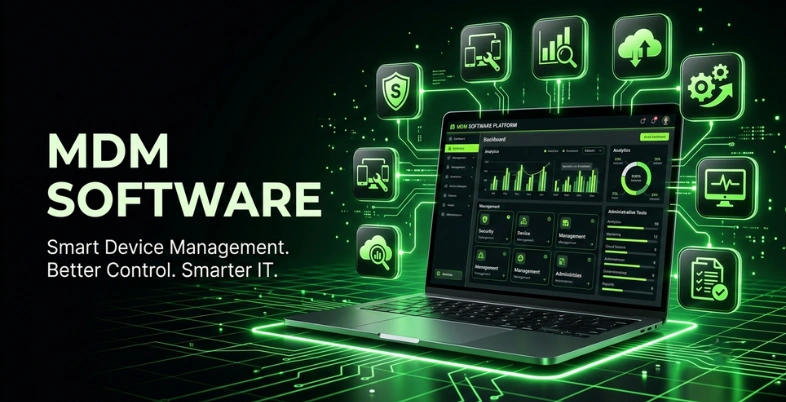
MDM (Mobile Device Management) software is a security solution that allows businesses to manage, monitor, and secure all mobile devices, such as smartphones, tablets, and laptops, whether they are owned by the business or the individual. It’s like a central control panel for IT teams to remotely control and manage devices, install apps, update software, enforce security policies, and even lock or wipe a device if it’s lost or stolen.
Why is MDM Important In 2026? ( Key Reasons)
Hybrid working is the norm these days, and devices are becoming increasingly diverse (iPhones to warehouse scanners). “Good enough” device management has become the risk—MDM is now a must for security and operations.
- MDM is no longer back-of-house – it is now a core cybersecurity solution within your security stack, and is actively enforcing vulnerability and incident workflows.
- Hybrid work requires remote control – Organizations need to synchronize device security and user productivity on the distributed teams and across the different devices (Apple, Winows, Android, Linux).
- Patch latency is a true threat – Slow software updates introduce vulnerabilities; MDM schedules patches, phases and retires app versions based on risk, not demand.
- Manual scripts are not scalable – As device fleets expand, it becomes necessary to adopt Apple-native, multi-tenant MDM, rather than relying on generalist tools and hand-written scripts.
- Changing regulations force teams into the role of MDM – With endpoint diversity on the rise, and regulations changing rapidly, teams are under pressure to be integral members of MDM.
- Facilitates AI adoption – MDM helps facilitate “context-aware governance” and record-level trust in systems that are constantly evolving with new meanings and uses.
- Growth is the proof of necessity – With a growth of 29.9% CAGR, the MDM market will reach $89.4B by 2032, marking its transition into becoming a necessity for enterprises.
How We Selected and Ranked These MDM Solutions
Not only were we reading marketing claims, but we also tried these Mobile Device Management solution on real businesses. We reviewed security features, usability, device support, and real customer reviews to identify truly effective solutions. We also looked at cost as well as to whether the tools scale along with your business. Here are the things that were most important in our ratings:
- Security & compliance: Encryption, remote wipe, password enforcement, and GDPR/HIPAA/CCPA support.
- Works on Android, iOS, Windows, and macOS for company: owned, employee-owned, or shared devices
- Automated enrollment: easy-to-use dashboard, and rapid policy setup with minimal IT load.
- App & content management: Manages app installations, updates, and protects corporate email/documents on devices
- Scalability & integration: Will grow as your device count grows and will integrate with Active Directory, your VPN, and identity tools.
- Reliability of the vendor: Good reputation, responsive customer support, training materials, and frequent security updates
- Pricing: Cost per device/user, low TCO, good ROI over the long term
Key Features To Look for in MDM Software in 2026
Selecting Mobile Device Management (MDM) software is a decision that requires careful consideration, as you aim to select a solution that ensures device security while minimizing the complexity of your team’s work. Here are the essential features you should consider looking for:
- Zero-Touch Enrollment & Easy Onboarding: Devices should be able to connect and configure to your network with little manual effort, such as one-click enrollment for company devices and employee BYOD phones.
- Support for multiple platforms in a single console:The software needs to control Android, iOS, Windows, macOS , and even ChromeOS devices from one single dashboard, so you have complete control over anything that your team uses.
- Enterprisee-Grade Security & Compliance: Ensure that there is end-to-end encryption and remote wipe functionality, password protection, and integrated compliance with GDPR, HIPAA, and ISO 27001 to safeguard data and meet regulatory requirements.
- Advanced Application Management: The MDM should be able to silently install apps, make allowlists/blocklists and distinguish between personal and work data on BYOD devices, preventing data leakage.
- Remote Monitoring & Troubleshooting: The real-time diagnostics capabilities, remote screen sharing, and instant lock or wipe of lost devices allow your IT staff to troubleshoot issues more quickly, without having to go to each device.
- Automation & Policy Enforcement: Use automation for repetitive tasks such as software updates, patch management, and compliance checks to maintain security without overwhelming manual efforts.
- Use Advanced Reporting & Analytics with Custom Dashboards:Use customisable dashboards to gain real-time information on the health, compliance, and security risks of devices, turning them into a more proactive than reactive approach.
Quick Comparison Table: Top MDM Software At a Glance
| MDM Tool | Best For | Key Strength | Main Limitation | Pricing |
| NinjaOne | MSPs and IT teams | All-in-one endpoint management with patching, remote access, backup, and ticketing | No separate mobile management app | Custom quotes |
| Microsoft Intune | Microsoft 365 environments | Tight integration with Microsoft 365, Azure AD/Entra ID, and Office 365 | Steep learning curve for new admins | From $12.00/user/month |
| Jamf Pro | Apple fleets | Deep Apple-only management and automation | Apple-only; higher enterprise pricing | From $5.75/mobile/month |
| VMware Workspace ONE (Omnissa) | Large enterprises | Cross-platform UEM with strong automation and VDI integration | Higher pricing; onboarding can be less intuitive | From $3.78/device/month |
| IBM Security MaaS360 | Regulated industries | AI-powered compliance and security with Watson insights | Interface has a learning curve | From $4.24/device/month |
| ManageEngine MDM Plus | Budget-conscious teams | Strong value, with a free edition for up to 25 devices | Advanced features are limited in lower tiers | From $1.28/device/month |
| Hexnode UEM | SMBs and kiosk deployments | Excellent kiosk mode and broad OS support | First-time setup can feel complex | From $2.20/device/month |
| Cisco Meraki Systems Manager | Cisco-dependent environments | Easy fit for existing Cisco infrastructure | End-of-sale announced | From $40/device for a 1-year license |
| Scalefusion | Frontline and kiosk users | Strong kiosk controls and remote troubleshooting | Large deployments can be harder to set up | Custom pricing |
| SOTI MobiControl | Industrial and rugged devices | Best-in-class rugged device management | Can be costly and complex for smaller teams | From $21–$42/device/year |
List Of Top MDM Software Solutions for 2026
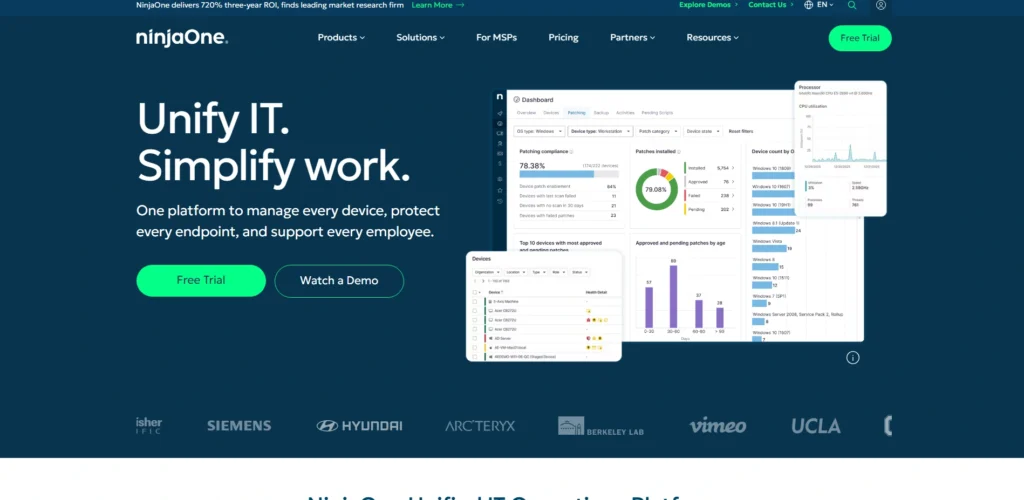
1. NinjaOne – Best Overall MDM for MSPs and IT Teams
Website: https://www.ninjaone.com
NinjaOn’s all-in-one cloud-native IT operations platform is the industry leader for Mobile Device Management solution for Managed Service Providers (MSPs) and in-house IT staff. It unifies endpoint monitoring, automated patching, remote access, back-up, ticketing and scripting under one intuitive console for Windows, macOS, Linux, Apple, and Android devices.
NinjaOne is used by over 10,000 customers worldwide, offers incredibly quick deployment, extensive automation features, and simple per-device pricing, which enables teams to save 30–40% on license costs over a one-to-one stacked deployment.
Key Features
- Real-Time EndPoint Monitoring & Remote Control
- Automated OS & app patching with patch management software
- PowerShell/Shell/Python scripting & automation
- One click, no install, remote access
- Cloud backup solutions with cloud/local image-based backup and flexible retention periods.
- Lightweight ticketing and rule-based workflow.
Pros
- Easy-to-use, modern user interface with quick UI.
- No hidden fees, per-device pricing is transparent.
- Automating more tasks, it alleviates manual burdens, thereby improving efficiency.
- Backup, patching, and ticketing all in one.
Cons
- Currently, there is no separate mobile management app.
- The following sections apply to advanced reporting and will require scripting/sync.
- The number of on-prem servers supported out of the box is limited.
- For intricate enterprise workflows, customization is restricted.
Pricing:
- Custom quotes
Who Should Use It
- MSPs and mid-sized IT teams that require powerful, comprehensive device & workflow management within a single pane of glass.
2. Microsoft Intune - Best for Microsoft 365 Environments
Website: https://www.microsoft.com/en-us/security/business/endpoint-management/microsoft-intune
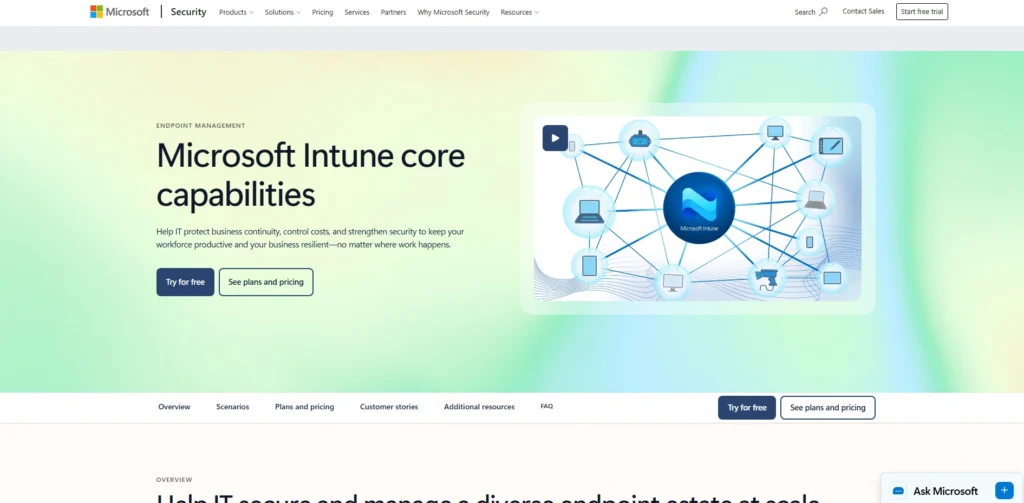
Ideal for Microsoft 365 environments, the organization’s devices and apps can be managed using MDM software. It integrates with Microsoft 365, Azure AD (now Entra ID), and Office 365, allowing IT administrators to deploy configuration profiles, enforce compliance policies, deploy apps, protect data, etc., without having any infrastructure on-premises.
Intune provides BYOD device, application, and app protection policy management in a single browser-based console for Windows, macOS, iOS, and Android devices. Its conditional access, remote wipe, BitLocker management capabilities help enhance endpoint security and comply with compliance needs.
Key Features
- Cloud-based device management
- Application deployment & management
- Compliance policy enforcement
- Conditional access controls
- To ensure data security, users can remotely wipe data or use BitLocker management.
- Supported on multiple platforms
Pros
- Seamless Microsoft 365 integration
- No need to install any on-premises infrastructure.
- Effective security & compliance functionality.
- Single pane of glass for all platforms
Cons
- Having a steep learning curve for new admins.
- For small companies, licensing may cost a lot of money.
- There is only limited customization for non-Windows devices.
- Needs a stable internet connection
Pricing:
- Microsoft Defender Suite: $12.00 user/month, paid yearly for enterprise
- Microsoft Entra Suite: $12.00 user/month, paid yearly for enterprise
- Microsoft 365 Business Premium: 22.00 user/month, paid yearly
- Microsoft 365 Business Standard: $12.50user/month, paid yearly
Who Should Use It
- Organizations that are already very reliant on Microsoft 365, Azure/Entra ID, and Windows devices, and wish to have integrated endpoint management without on-premises infrastructure.
3. Jamf Pro – Best MDM for Apple Device Fleets

Website: https://www.jamf.com/products/jamf-pro/
The industry’s leading enterprise Mobile Device Management solution exclusively for Apple devices, Jamf Pro gives IT teams a single point of control to manage, secure, and scale Macs, iPads, iPhones, and Apple TVs. From advanced automation to zero-touch enrollment, powerful inventory management, app deployment, and granular security capabilities, such as passcode enforcement and remote lock/wipe, to name a few, Jamf Pro has been the go-to solution for over 20 years and trusted by 76,600+ organizations, including Salesforce and the University of Oxford.
It is seamlessly embedded in Apple’s built-in MDM system to allow for system-level operations like scripts and package installation without user intervention, making it the ultimate solution for fully Apple environments.
Key Features
- Zero-touch enrollment
- Centralized app deployment
- Automated inventory collection
- Granular security enforcement
- Script & package installation
- Self-service portals
Pros
- The deepest Apple integration in the Apple ecosystem.
- Powerful automation workflows
- Industry-leading support & community
- Enterprise-grade security
Cons
- Higher enterprise pricing
- Needs some training for new admins
- To provide overpowered performance for mixed OS fleets.
- Available only on Apple devices
Pricing:
- Jamf for Mac: $12.50 per macOS device, per month, billed annually, 25-device minimum
- Jamf for Mobile: $5.75 per mobile device, per month, billed annually, 25-device minimum
- Jamf Now: Starting at $4 per device, per month
Who Should Use It
- IT teams with medium-to-large fleets of Macs, iPads, iPhones, and Apple TVs in an enterprise, school, or agency with enterprise-grade control requirements.
4. VMware Workspace ONE (Omnissa) - Best for Large Enterprises

Website: https://www.omnissa.com
VMware Workspace ONE (now Omnissa) is an intelligent unified endpoint management (UEM) solution for large businesses that have complex and heterogeneous computing requirements. It provides MDM software capabilities and manages any app on any device from a single console, with VMware Horizon’s virtual desktop delivery, mobile device/application management, and identity and access management capabilities.
Designed to be cross-platform, and provides a single sign-on, conditional access policies, device compliance enforcement, and advanced automation through Freestyle Orchestrator, without requiring any password input for the end user. Secure, proactive endpoint management for regulated industries and front-line worker environments with deep observability, role-based access control, and seamless integration with VDI.
Key Features
- Single device management for all devices
- Single Sign On without a password
- The Conditional Access & device compliance policies are optional.
- Built-in automation workflows in Freestyle Orchestrator.
- It integrates with VMware Horizon VDI.
- Workspace ONE Intelligence analytics
Pros
- It is compatible with all platforms
- Robust enterprise security & compliance
- Advanced automation & customizability
- Directly integrate VDI with Horizon seamlessly.
Cons
- Onboarding new devices not intuitive
- The price is higher than the price of competitors.
- For small team / Mac-based IT.
- The installation of the app was slower than direct installations.
Price:
- Standard: $3.78/device/month
- Advanced: $6/device/month
- Enterprise: $10/device/month
Who Should Use It
- Companies with a wide range of devices, regulated sectors, and organizations that require sophisticated automation and VDI integration.
5. IBM Security MaaS360 – Best for Regulated Industries

Website: https://www.ibm.com/security/mobile/maas360.html
IBM Security MaaS360 with Watson is a cloud-based unified endpoint management MDM software solution that can manage and secure laptops, desktops, mobile devices, wearables and IoT devices for enterprises. It is specifically approved as the only cloud-based EMM solution that has been certified under FISMA and FedRAMP Mobile Authorization, which is why it is a top choice for highly regulated industries such as healthcare, financial , government and education sectors.
It provides cognitive insights and contextual analytics powered by Watson AI to support proactive threat detection, compliance management and automated endpoint security, and separates work data from personal applications to stop data from being lost. The platform is designed to integrate with the existing security infrastructure and offers real-time visibility into the risk level of any device via a unified security dashboard.
Key Features
- AI-powered Watson cognitive insights
- FedRAMP & FISMA certified compliance
- Mobile threat defence & malware detection
- Application containerization & SSO
- Real-time security dashboard
- Find the device and remotely wipe its data.
Pros
- Strong security capabilities
- Best-in-class compliance management solutions.
- Single dashboard for device management
- AI-driven analytics & visibility
Cons
- There might be some delays in customer support.
- The advanced interface is not easy to understand
- Needs a learning curve for IT personnel
- It requires a third-party app to control remotely.
Pricing
- Essentials: starting at $4.24 USD per client device/month
- Deluxe: Starting at $5.30 USD per client device per month
- Premier: Starting at $6.63USD per client device per month
- Enterprise: Starting at $9.54 USD per client device per month
Who Should Use It
- IT Directors, CISOs and Mobility Managers in healthcare, finance, government, and retail, where there is a need for strict compliance
6. ManageEngine Mobile Device Manager Plus - Best Value for Budget-Conscious IT Teams

Website:https://www.manageengine.com/mobile-device-management/
ManageEngine Mobile Device Manager Plus is a comprehensive enterprise Mobile Device Management solution to remotely configure, monitor and secure Apple, Android, Windows and Chrome OS devices from a single console.
It provides on-premises and cloud deployment, and supports over-the-air enrollment, management of apps, configuration of profiles, and remote troubleshooting. The software detects jailbroken and rooted devices, allows imposing security restrictions and secures data with remote wipe and alarm capabilities, making it a suitable cost-effective solution for companies in need of comprehensive mobile device management without pricey licenses.
Key Features
- Manually, in bulk or via self-enrollment, enroll devices.
- Control the apps from the Play Store using allow/block lists
- Find jailbreaken or rooted phones with ease.
- Remote data wipe and alarm for lost/stolen devices
- Secure BYOD management using containers.
- Complete asset and OS update management
Pros
- Easy-to-use and cost-free edition for up to 25 devices
- Both cloud and on-premises deployment options
- Paying only $10/device/year (on-prem) is easy and affordable.
- Comprehensive features in the free edition
Cons
- The free version can be used on 25 devices only
- The professional edition is a lot more expensive.
- Advanced features are only available in the Professional edition.
- Interfacing can be tricky, especially for novices.
Pricing:
- Standard Edition: On-premises $9.9/device/year; Cloud $1.28/device/month
- Professional Edition: On-premises $17.9/device/year; Cloud $2.38/device/month
- Check out Endpoint Central: $18.9/device/year,cloud:2.48/device/month
Who Should Use It
- For small to medium-sized businesses and budget-conscious IT teams that require enterprise-grade mobile device management, but are looking for an option that is free for up to 25 devices.
7. Hexnode UEM – Best for SMBs and Kiosk Deployments
Website:https://www.hexnode.com
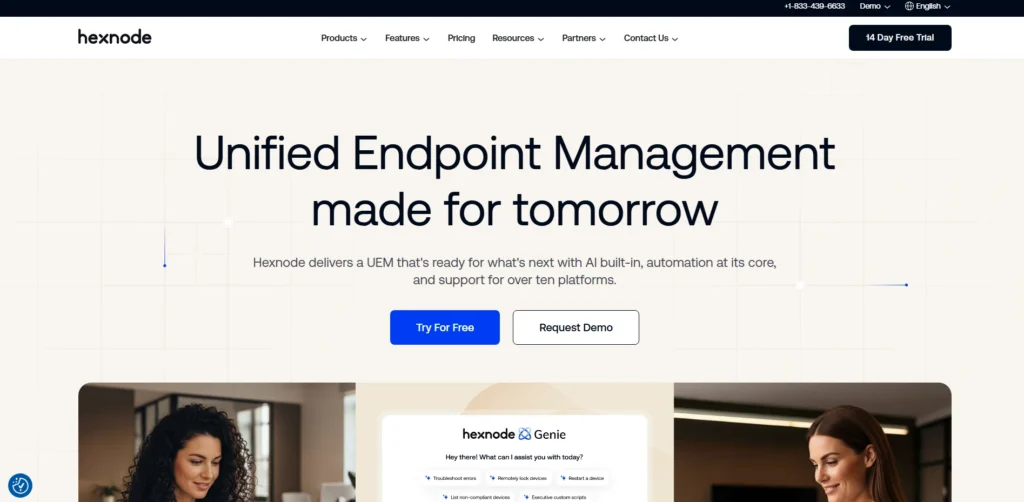
Hexnode UEM is a single endpoint management MDM Software platform that is tailored for SMBs looking for enterprise-grade device security and streamlined management. It provides complete management of mobile, desktop and IoT devices on Android, iOS, Windows, and Mac computers, all controlled from one console. It has an outstanding kiosk mode which locks applications on devices, making them device-specific in retail, healthcare, and field deployments.
Advanced device enrollment, data containerization, enterprise app stores, and remote security actions (lock, wipe, location tracking) are just some of the enterprise-grade security features Hexnode provides at SMB-friendly prices. It allows for user migration from Active Directory and Azure AD, and has productivity features such as Wi-Fi, VPN, and website whitelisting/blacklisting integration.
Key Features
- One-Console multi-platform management
- Single/multi-app device lock down in kiosk mode.
- Advanced enrollment
- Data containerization for personal and corporate data.
- Custom app catalogs for the enterprise app store.
- Lock, wipe, lost mode, and location scan are security actions that can be performed remotely.
Pros
- Simple and intuitive user-friendly kiosk mode and reliable version control
- Reliable support from a single console, with consistency across all platforms.
- Easy to use, effective, and dependable device management.
- Best value for the widest range of operating systems for budget-constrained SMBs
Cons
- Partially enroll devices, but then become entangled in the cumbersome process.
- It is almost impossible to control devices without a max plan.
- First-time users may be overwhelmed by the experience
- No feature to patch the software.
Pricing:
- Pro: $2.20/device/month
- Enterprise: $3.2per device/month
- Ultimate: $4.70/device/month
- Ultra: request pricing
Who Should Use It
- For small and medium businesses that require cost-effective, unified device management and superior kiosk functionality for retail, healthcare, or field deployments.
8. Cisco Meraki Systems Manager – Best for Cisco-Dependent Environment

Website: https://meraki.cisco.com/products/systems-manager
An Enterprise Mobility Management (EMM) solution that works with the Meraki Cloud Dashboard, Cisco Meraki Systems Manager gives organizations a centralized management platform for devices that supports security policies, application deployment, and compliance monitoring for iOS, Android, macOS, and Windows platforms.
Provides real-time device visibility by location, by hostname, by operating system, and restrictions on jailbroken devices, as well as automated software provisioning; works with Cisco Meraki wireless, switching, and security infrastructure to give a single control point for network endpoints. The end-of-support date for Systems Manager is June 3, 2029,making it a good fit for existing Cisco customers who want to plan for migration dates.
Key Features
- Mobile device management in the cloud.
- Real-time device tracking using location/hostname
- Automatic enforcement of security policy.
- The deployment and compliance monitoring.
- APIs and webhook support for custom workflows
- Easy integration with Cisco Meraki infrastructure.
Pros
- Single pane of glass for device + network visibility
- Simple integration with existing Cisco Meraki tools.
- Flexible cloud solutions for growing businesses.
- Easy 30-day setup process
Cons
- End-of-sale announced
- There is limited non-Cisco ecosystem support.
- The 5-year license has been discontinued.
- Not as viable for long-term investments
Pricing:
- 1-year license: ~$40 per device ($26.96 resale price)
- 3-year license: ~$80 per device ($53.93 resale price)
- 5-year license: ~$120 per device (discontinued)
Who Should Use It
- Cisco Meraki wireless/switching/security IT teams that have already deployed and are using the technology, seeking one-stop device-network management before the 2026 end-of-sale.
9. Scalefusion – Best for Frontline and Kiosk Workers

Website: https://scalefusion.com
Scalefusion is a premier Unified Endpoint Management (UEM) and kiosk lockdown solution uniquely engineered to secure and administer devices of frontline and kiosk users. It allows companies to enroll, configure and configure Android, iOS, Windows and macOS devices natively and remotely, and forces them to go into single-purpose kiosk mode for retail, logistics, health care, and education deployments.
The platform provides frontline users with digital devices preloaded with business applications, makes it easy for them to communicate via VoIP and messaging, and provides access to remote screen casting for immediate troubleshooting. MDM software Scalefusion’s built-in security measures, such as remote lock, data wiping, location tracking, and security notifications, help maintain the integrity of the devices and enhance workforce productivity.
Key Features
- Lockdown for single-purpose devices is available in Kiosk mode.
- Access and configure devices remotely
- Appropriate support across platforms
- Using an on-screen camera to assist with troubleshooting.
- Voice over IP, messaging, and group communications options.
- Security notifications and broadcast messaging.
Pros
- Easy-to-use, intuitive interface
- Affordable enterprise-grade licensing
- Multi-device platform support and support for the majority of devices in use today.
- Excellent Kiosk mode functionality
Cons
- The basic reporting and analytics are quite good.
- Large deployments’ initial setup is challenging
- Lack of advanced data insights is restricted.
- Customer support is slow to respond.
Pricing:
- Custom pricing
Who Should Use It
- Retail, logistics, and other frontline employees who require secure kiosk-mode devices and remote fleet management.
10. SOTI MobiControl – Best for Industrial and Rugged Device Management

Website: https://soti.net/products/soti-mobicontrol/
SOTI MobiControl is a comprehensive Enterprise Mobility Management solution specially formulated to effectively manage industrial and rugged mobile devices used in critical industries such as Healthcare, Logistics, Transportation, and Field Services. It securely protects devices across their entire lifecycle, from deployment to retirement, with robust application, content, connectivity, and physical asset control, and while ensuring the highest levels of data security.
The platform uniquely transforms Android devices into ruggedized endpoints by restricting devices to kiosk mode. The Remote assistance functions, such as remote view/control, file sync, and two-way chat, make it a strong choice among teamviewer alternatives., allow IT experts to easily fix any device problems without having to be physically present, thus reducing worker downtime.
Key Features
- This feature lets you use remote-view or remote-control to troubleshoot.
- Single application mode to limit devices to a specific application
- Installation, configuration, and updates of OTA applications.
- Secure content management with SOTI Hub
- Use barcode/NFC “Bump” to express enrollment
- Highly sophisticated location-based access control.
Pros
- Best-in-class rugged device management
- A wide range of OS support
- High security, including encryption and password protection.
- Closes the gap on IT infrastructure expenses with a cloud option
Cons
- For small businesses, the prices might be high.
- Some complex setup for the first-time use.
- The product is targeted at enterprise use cases, with a primary focus on these.
- Additional modules are needed for some features
Pricing:
- SOTI MobiControl Cloud: starts at $21–$42 per device/year for
- On-Premise standard subscription: $4/license for 1 month
Who Should Use It
- Rugged industrial devices used in enterprise logistics, health care, transportation, transportation or field services.
MDM vs UEM vs EMM: What Is the Difference In 2026?
A UEM (Unified Endpoint Management) will be the standard , offering all the features of MDM (Mobile Device Management but extended with app and content security for BYOD, and then unified in a single console with Zero Trust + AI-driven security for all endpoints (laptops, mobile, IoT, wearables, VR/AR).
MDM Deployment Models: Cloud vs On-Premise vs Hybrid
Let’s look at the table below to see the differences between MDM (Mobile Device Management) deployment models – Cloud, On-Premise, Hybrid Cloud, On-Premise, or Hybrid – MDM Deployment Models
| Criteria | Cloud (On-Demand) | On-Premise | Hybrid |
| Server Location | Remotely hosted on the provider’s cloud | Within your organization’s internal network | Application in the cloud, data stored locally or in a private cloud |
| Infrastructure Setup | No setup required; sign up and start managing devices | You must set up infrastructure, configure ports, NAT, proxy, and mail server | Edge components run locally; app runs in the cloud |
| Maintenance Responsibility | Provider handles uptime, security, and updates | Your IT team manages security, maintenance, and downtime | Provider manages app; you manage local data/storage |
| Updates & Upgrades | Automatic; latest features available immediately | Manual upgrade required for service packs/hotfixes | App auto-upgraded; local DB updates managed by you |
| Data Control & Security | Data hosted externally; less direct control | Sensitive data fully under your control | Data stays local/private; app in cloud |
| Accessibility | Accessible anywhere via the Internet | Limited to the internal network | Cloud access + local data access |
| Scalability | Auto-scaling; no hardware planning | Requires hardware planning and capacity management | Flexible scaling; cloud app + local data |
| Upfront Cost | Low (subscription-based) | High (hardware, infrastructure setup) | Moderate (hybrid of both) |
| Best For | Fast deployment, multi-location teams, and cost efficiency | Regulated industries, strict data privacy, and full control needs | Organizations needing cloud agility + local data control |
Benefits Of Implementing MDM Software
Mobile Device Management (MDM) software enables companies to manage all their phones, tablets and other mobile devices from a single location. MDM takes the tedious work of setting up each device or fearing data loss off your hands and ensures everything is secure. These are the following important advantages:
- Minimizes IT Administration Tasks – You can no longer see your IT group spending time on repetitive tasks like configuring devices, installing applications and setting up Wi-Fi because MDM takes care of all of that.
- Increases Employee Productivity – Devices are installed on the company network in hours , not days, so that employees can access email, calendars and internal tools more quickly.
- Reduces Security Risks – MDM creates cybersecurity policies (such as passcodes and automatic updates) to protect the company data on all devices, including employee-owned.
- Saves Money on Device Costs – Unused or forgotten devices can be stored, unnecessary new devices are not purchased and device usage is monitored to reduce costs.
- Enables Company Growth – MDM scales easily, with either 100 or 10,000 users, allowing IT to be a catalyst for growth rather than a hindrance.
- Performs repetitive tasks – These tasks are repetitive and can be automated, such as installing software, updating apps, and configuring settings, which saves time and eliminates human error.
- Prevents Data Loss – MDM can detect lost devices, remotely delete sensitive data and even reclaim devices used by previous employees, which halts the loss of confidential information!
Common MDM Implementation Challenges and How to Solve Them
Master Data Management (MDM) is a tool that can be used to ensure that businesses have consistent and accurate data throughout their systems, particularly in terms of customer, product, and supplier information. Implementing MDM isn’t always easy, though. Businesses may encounter challenges such as data fragmentation, resistance from employees, or complex technical integration. Let’s look at the most frequent problems that you may encounter and solutions to them:
The absence Of clear business goals;
- Challenge: It is difficult to measure the success of starting MDM when you don’t know what you want to accomplish.
- The solution is to have conversations with stakeholders, review business plans and set up clear and measurable goals before starting.
Poor Data Quality
- Problem: Bad decisions and issues with operations because of inaccurate, incomplete or inconsistent master data.
- Solution: Get your data clean, establish quality measures, and apply governance policies for current and reliable data.
Training that Meets The Needs Of employees: Employee training In Resistance To change.
- Problem: Staff may be reluctant to change processes as they are comfortable with the old approaches.
- Solution: Develop a change management program involving communication, training, and support to make everyone aware of the benefits.
Complex Integration With Existing Systems.
- Problem: It is technically challenging to merge data from different systems with different formats and models.
- Solution: API based integration solutions and MDM technology with data mapping and transformation capabilities.
A lack of Executive Support.
- Problems: MDM is considered as an IT project, and leaders fail to promote it.
- Solution: Demonstrate success stories early (such as improved CRM reporting) and achieve management buy-in to ensure that the solution is adopted.
Poor Data Governance, Stewardship
- Problem: Data quality deteriorates over time in the absence of rules and stewards of the data.
- Solution: Create a Master Data Governance program and appoint data stewards to ensure data quality continually.
Identifying The wrong MDM Technology
- Problem: There are numerous MDM solutions to choose from – and selecting the wrong one is an expensive and time-consuming proposition.
- Solution: Assess the solutions from the standpoint of cost, function, vendor support, and objectives – conduct a trial first!
How To Choose The Right MDM Software for Your Business
The process of selecting the proper MDM application for your business is a complex one.
When it comes to picking Master Data Management (MDM) software, it can be overwhelming, but need not be. The right tool ensures that your critical business information is clean, consistent and secure in all your systems. The following points will help you make your decision:
- Know Your Business Needs First: Begin by identifying your data requirements (customers, products, etc.), the systems that need to be integrated (ERP, CRM), and the governance or security to which you need to adhere within your company.
- Check Integration Capabilities: The software should easily connect with your existing tools like ERP and CRM systems to give you one clear view of your master data.
- Search for Data Quality Features: Ensure that it has features that can be used to cleanse, match, profile, and validate data, keeping your information accurate and consistent.
- Assess Security and Compliance: The solution should offer encryption, access controls, and auditing features while meeting standards like GDPR, HIPAA, or ISO 27001 that your business needs.
- Consider Scalability: Spend some time considering software that will scale as your organization grows, in terms of data volume, complexity and new data types.
- Assess the ease of use of the product: A user-friendly interface and good user experience ensure that your team can quickly embrace the solution with minimal training expenses.
- See the Total Cost & Vendor Support section: Check the Total Cost & Vendor Support section.Don’t just consider the license cost, think about deployment, training and maintenance. Also, make sure that the vendor provides reliable support around the clock and is reputable.
Final Verdict: Which MDM Software Should You Choose?
Choosing the best MDM software depends on your size, devices, and budget, but a practical choice is to match the tool to your main need instead of trying to find one “perfect” platform for everything. If you already use Microsoft 365 and want smooth Windows-focused management, Microsoft Intune is a sensible pick. If your team works mostly on Apple devices, Jamf Pro is the strongest choice. For budget-friendly all-round management, ManageEngine Mobile Device Manager Plus and Hexnode UEM are both strong options, especially for smaller or cost-conscious teams.
For larger enterprises with mixed devices and more complex security needs, VMware Workspace ONE, IBM MaaS360, or SOTI MobiControl are better fits. If your work is mainly retail, logistics, field service, or kiosk-based, Scalefusion or Hexnode UEM can be a smarter and simpler option. So I choose in tune for Microsoft environments, Jamf for Apple fleets, ManageEngine or Hexnode for value, and VMware, IBM, or SOTI for bigger enterprise-grade needs.